
截图

介绍
Tired of opening your inventory every five seconds?
Sick of shuffling tools, blocks, and supplies around your hotbar like it’s a game of musical chairs?
There’s a better way.
Meet HotterBar.
<img src="https://cdn.modrinth.com/data/JN3gcIK8/images/f11332676bedb5259d7744a6f4ffc32fa0220e63.png
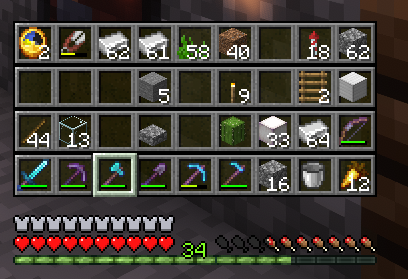
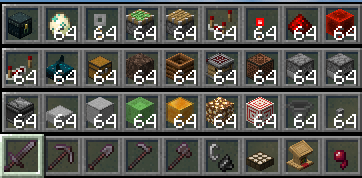
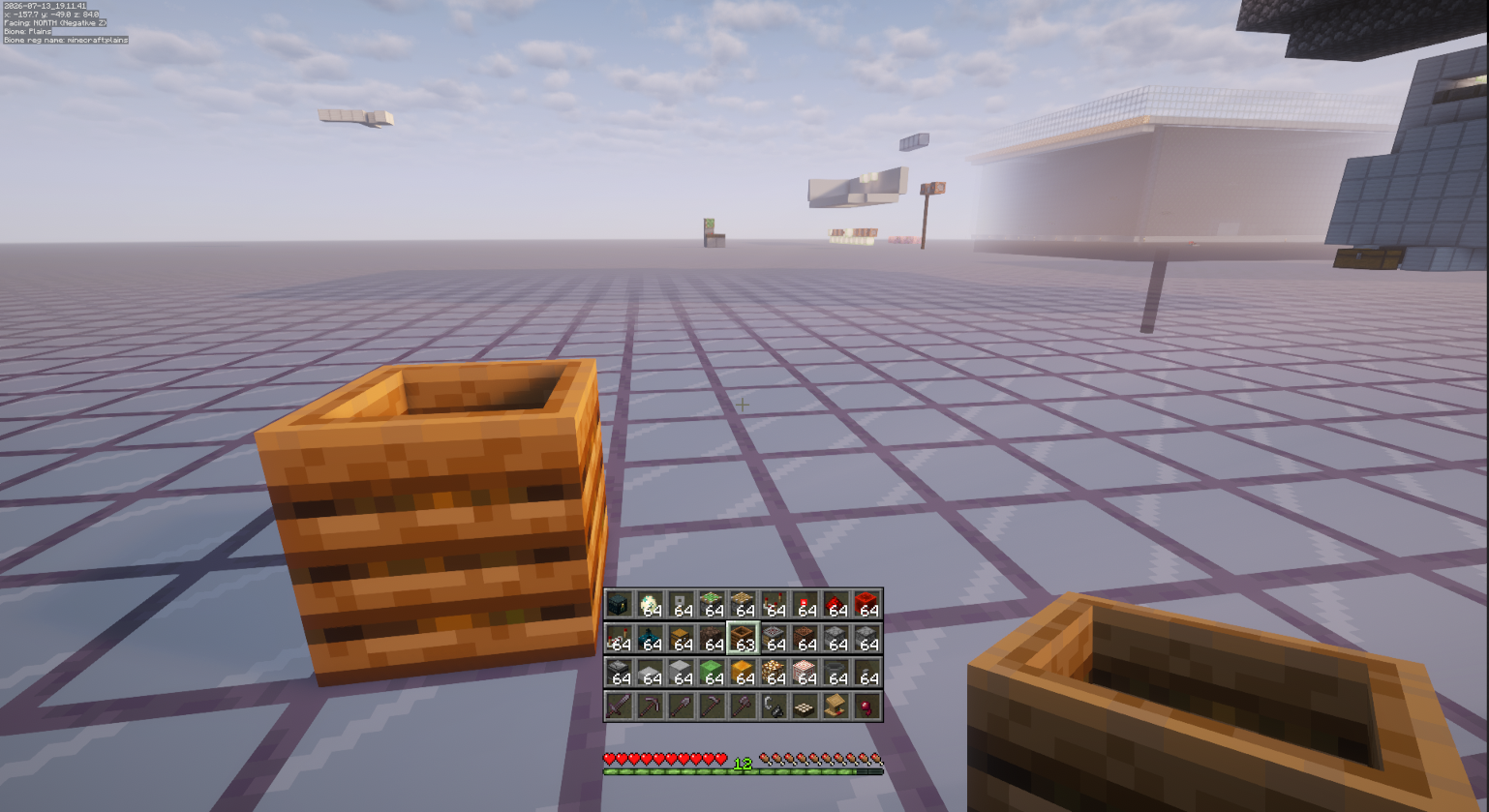
Your full inventory. Right on the HUD. All 36 slots.
No more pausing. No more menu spam. No more breaking your flow.
Scroll through it like one giant hotbar. Jump to exactly what you need in an instant. Keep building. Keep mining. Keep exploring.
It’s fully client-side — works on any normal server. Your inventory stays exactly the same. It just becomes… way more accessible.
The default toggle is ‘B’ — fully customisable in your keybind settings, of course.
HotterBar. Work smarter. Build faster. Never stop.
常见问题
HotterBar 支持哪些 Minecraft 版本?
HotterBar 支持 Minecraft Java 版 26.2,可用的加载器:Fabric。下载时注意选择和你游戏版本一致的文件。
HotterBar 怎么安装?
先用 PCL2 或 HMCL 启动器安装对应版本的 Fabric,再把下载的 .jar 文件放进游戏目录的 mods 文件夹,重新启动游戏即可。开启了版本隔离的,mods 文件夹在 versions/版本名 下面。运行环境:仅客户端。

评论
登录后评论和评分