
截图
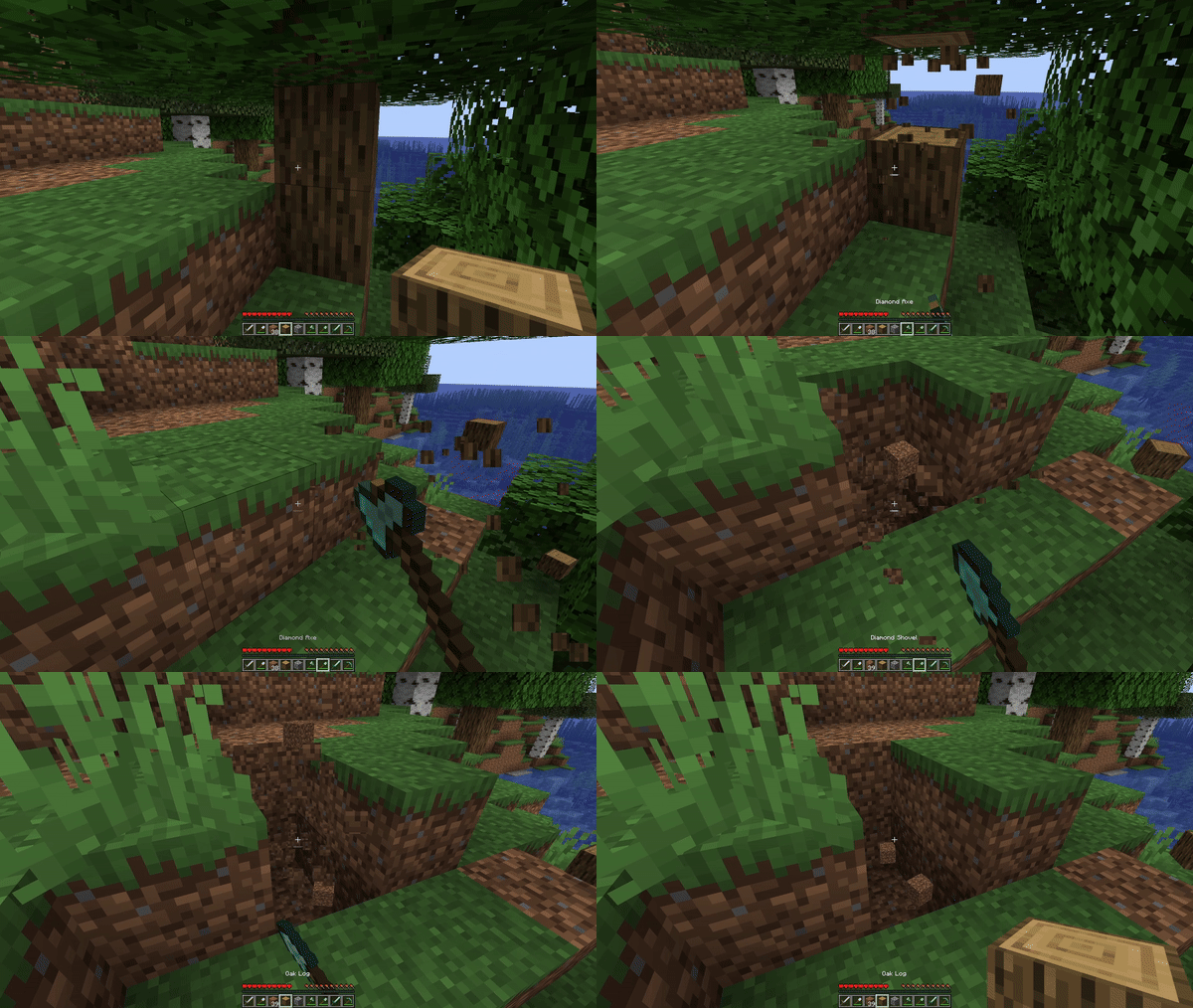
介绍



HotSwap
HotSwap is a lightweight, client-side Minecraft mod that automatically selects the optimal tool or weapon in your hotbar based on what you’re doing—be it mining,
chopping, fighting, or digging. By leveraging Minecraft’s built-in item tags,
HotSwap ensures you always have the right tool in hand without manual inventory juggling.
Features
- Context-Aware Swapping Automatically switches to the “best” tool in your hotbar for the block you’re breaking or mob you’re hitting, based on enchantments and material tiers.
- Customizable Priority Define your own tag priorities and blacklists in
hotswap.json5to fine-tune which tools should be preferred or skipped. - On-the-Fly Enable/Disable Toggle HotSwap with a single keybind (default:
;). When disabled, your hotbar remains unchanged. - Lightweight & Non-Invasive No extra GUIs or big configuration menus—just an easy-to-edit JSON5 file and a small, performant mod jar.
Installation
- Install Fabric (or Forge, depending on build) for Minecraft 1.20+
- Download the latest
HotSwap-x.y.z.jarfrom Modrinth. - Copy the jar into your Minecraft
mods/folder. - Launch Minecraft with the Fabric (or Forge) profile.
Usage
- Toggle — press your configured toggle key (default
;) to enable or disable HotSwap. - Mine or Chop — break a block; HotSwap will swap in your best pickaxe/axe/shovel according to the tags in your hotbar.
- Fight — left-click a mob; HotSwap will switch to the highest-damage sword or tool.
- Return — once the action ends (block broken or mob dead), your previous hotbar slot is restored automatically.
🛠️ Keybinds & Commands
| Action | Default Key | Description |
|—————-|—————-|———————————–|
| Toggle HotSwap | “;` | Enable or disable the auto-swap |<br>`
| Hold Off | Left Alt“ | Temporarily disable auto-swapping |
Tip: You can change or assign these in Minecraft’s Options → Controls menu under “HotSwap.”
Changelog
See the changelog for a full history of changes and releases.
常见问题
HotSwap 支持哪些 Minecraft 版本?
HotSwap 支持 Minecraft Java 版 1.20.6–26.1.2,共 8 个版本,可用的加载器:Fabric / NeoForge。下载时注意选择和你游戏版本一致的文件。
HotSwap 怎么安装?
先用 PCL2 或 HMCL 启动器安装对应版本的 Fabric / NeoForge,再把下载的 .jar 文件放进游戏目录的 mods 文件夹,重新启动游戏即可。开启了版本隔离的,mods 文件夹在 versions/版本名 下面。运行环境:仅客户端。
iso2t 的其他作品
查看全部 →
SuperCore
Core mod for SuperScary's mods.

Heavy Inventories
Add a little heft to your items!

Scrollable Tooltips
Scroll long tooltips with ease.
Hot Swap
Automatically Swaps To The Best Weapon/Tool
评论
登录后评论和评分