截图
介绍
HotBar++ – Customize Your Minecraft Hotbar!
Take control of your Minecraft HUD with HotBar++, a lightweight and easy-to-use client-side mod that lets you customize the size of your in-game hotbar!
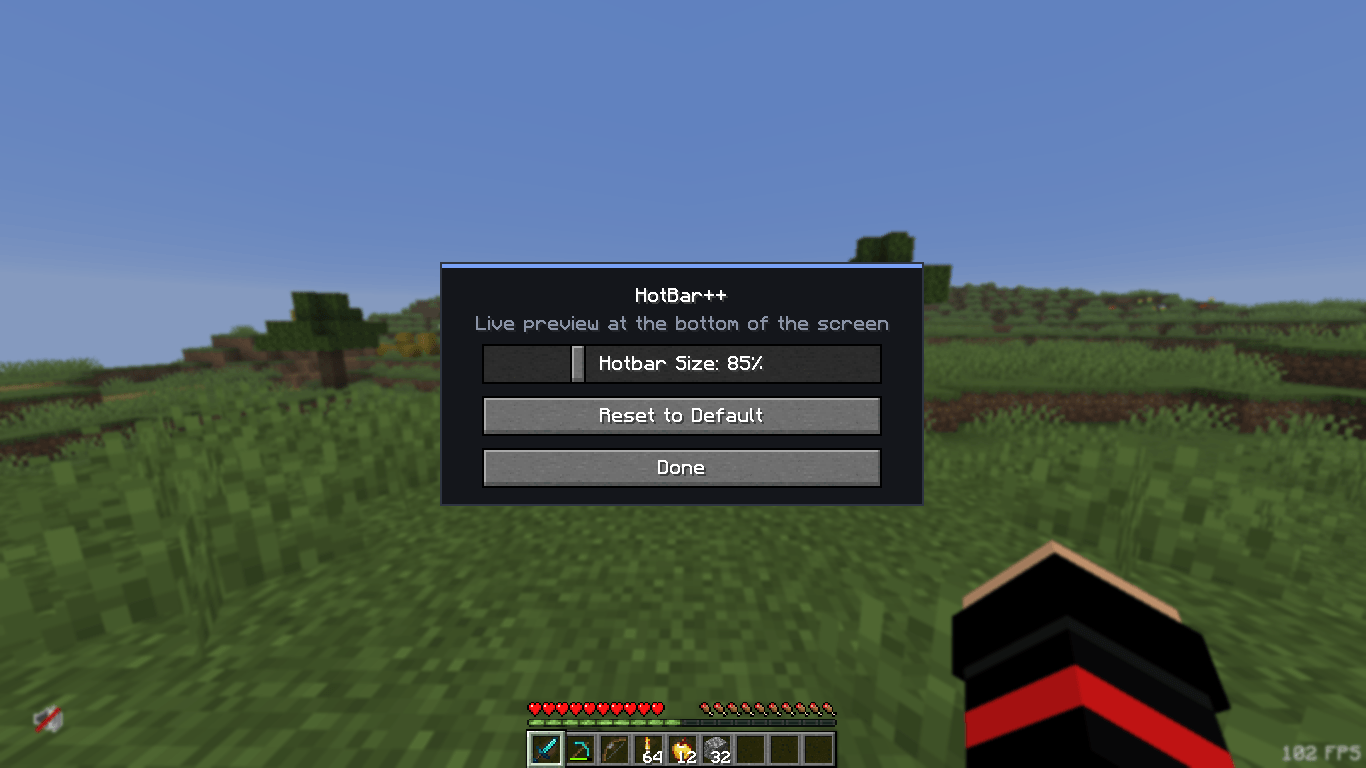
Whether you prefer a smaller, cleaner hotbar or a larger one that’s easier to see, HotBar++ gives you the freedom to adjust it according to your preferences. Simply use the /hotb gui command to open the configuration menu and customize your hotbar size using an intuitive slider with a live preview.
✨ Features
-
Custom Hotbar Size: Freely increase or decrease your Minecraft hotbar size.
-
Live Preview: See your changes instantly while adjusting the size.
-
Simple GUI: A clean and easy-to-use configuration interface.
-
Automatic Saving: Your settings are saved and restored automatically.
-
Reset to Default: Restore the original Minecraft hotbar size whenever you want.
-
Lightweight Performance: Designed to consume minimal system resources.
-
Client-Side: No server-side installation required.
🎮 How to Use
-
Install HotBar++.
-
Launch Minecraft.
-
Enter
/hotb guiin chat. -
Adjust your hotbar size using the slider.
-
Enjoy your customized Minecraft HUD!
⚡ Performance & Compatibility
HotBar++ is designed to be lightweight and performance-friendly. It aims to work alongside popular Fabric mods without unnecessarily affecting your FPS or normal gameplay.
Make your hotbar your own with HotBar++!
常见问题
HotBar++ 支持哪些 Minecraft 版本?
HotBar++ 支持 Minecraft Java 版 26.1,可用的加载器:Fabric。下载时注意选择和你游戏版本一致的文件。
HotBar++ 怎么安装?
先用 PCL2 或 HMCL 启动器安装对应版本的 Fabric,再把下载的 .jar 文件放进游戏目录的 mods 文件夹,重新启动游戏即可。开启了版本隔离的,mods 文件夹在 versions/版本名 下面。
SaiyanBhai 的其他作品
查看全部 →
WarBed Client
Best Bedwars Client for 1.8.9 and have many features
Saiyan PvP Pack
A Texture Pack that Boost Your PvP Experience

AnySkinn
This mod can change your skin and it is a skin Fletcher for AnySkin

LookFree
LookFreely around your self
评论
登录后评论和评分