
截图

介绍
Place a hopper while targeting the bottom face of a block (looking up) and it becomes an upward hopper. No separate item or recipe needed.
- Place hopper targeting bottom face → Upward Hopper
- Place hopper targeting any other face → Normal Hopper
- Breaking an upward hopper drops a regular hopper
Learning It
Hoppers go down. Everyone knows hoppers go down, which is exactly why nobody tries pointing one up, and why this mod can sit installed for a year unnoticed.
With village-quests installed, a farmer who has carried grain up a ladder every harvest of their life asks you to build them something that lifts instead.
Optional and guarded: without village-quests the mod behaves exactly as before.
Features
- No new item – uses the vanilla hopper item, no crafting needed
- Full hopper functionality:
- 5-slot inventory with hopper GUI
- Redstone control (disable with a signal)
- Item entity collection from below
- Comparator output support
- Waterlogging
- Stacks held in it are capped at vanilla’s 64, even where a stack-size mod has lifted the limit elsewhere
Behavior
The Upward Hopper reverses normal hopper behavior:
- Pulls items from below (block or item entities)
- Pushes items upward to the block above
Useful for item elevators and vertical item transport.
Pandorical
It registers the Upward Hopper’s block and item, and their models and textures, through Pandorical’s content sync, so connecting clients render it without a hopper-upper jar of their own.
The Pandorical mod must be installed on the server and client-side. The Upward Hopper is a real registered block, so a client without Pandorical cannot render it and cannot receive chunks containing one.
常见问题
Hopper Upper 支持哪些 Minecraft 版本?
Hopper Upper 支持 Minecraft Java 版 1.21.11–26.3,共 2 个版本,可用的加载器:Fabric。下载时注意选择和你游戏版本一致的文件。
Hopper Upper 怎么安装?
先用 PCL2 或 HMCL 启动器安装对应版本的 Fabric,再把下载的 .jar 文件放进游戏目录的 mods 文件夹,重新启动游戏即可。开启了版本隔离的,mods 文件夹在 versions/版本名 下面。
justfatlard 的其他作品
查看全部 →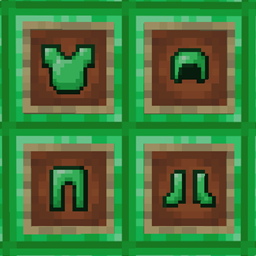
Emerald Armor – pandorical
Diamond-tier armor crafted from emerald blocks
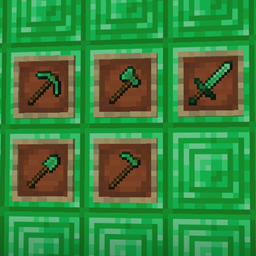
Emerald Tools – pandorical
Diamond-tier tools crafted from emerald blocks

Pandorical lib
Client-side enablement bridge for server-driven UI, content, and rendering on Fabric.

Dirt Slab – pandorical
Fully functional half blocks of dirt (Now with world gen!)
评论
登录后评论和评分