
HMI RF Editor
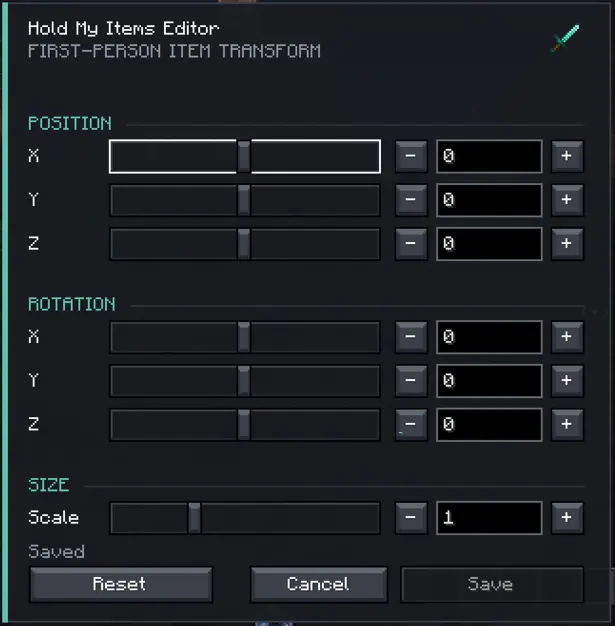
HMI Reforged Editor adds an in-game editor for the first-person hand and item positions used by HMI Reforged
截图


介绍

HMI Reforged Editor
HMI Reforged Editor adds an in-game editor for the first-person hand and item positions used by HMI Reforged.
- Adjust the held item’s position on the X, Y, and Z axes.
- Change its rotation and scale.
- Preview every adjustment directly in-game and in real time.
- Reset unwanted changes to their default values.
- Save the final settings without manually editing configuration files.
This mod makes HMI Reforged easier to customize. Players can quickly create a comfortable first-person view, fix item positions that do not suit their screen. Requires HMI Reforged to provide the effects being configured.
Source code is available on github for anyone that would want to keep it updated, it’s very likely that i won’t update. Thanks to Tree Corp for HMI and thanks to bene_2212 for the port
常见问题
HMI RF Editor 支持哪些 Minecraft 版本?
HMI RF Editor 支持 Minecraft Java 版 1.21.1,可用的加载器:NeoForge。下载时注意选择和你游戏版本一致的文件。
HMI RF Editor 怎么安装?
先用 PCL2 或 HMCL 启动器安装对应版本的 NeoForge,再把下载的 .jar 文件放进游戏目录的 mods 文件夹,重新启动游戏即可。开启了版本隔离的,mods 文件夹在 versions/版本名 下面。运行环境:仅客户端。
xec9 的其他作品
查看全部 →
HMI Reforged Editor
Easy Editor for Hold My Items Reforged

Quick Time Event Engine [QTEE]]
NeoForge 1.21.1 mod for server-authoritative quick-time events with persistent definitions and a configurable HUD
QuestLog Envelope Addon [QLXE]
Questlog addon to be able to send players quest through letters
Quick Time Event Engine [QTEE]
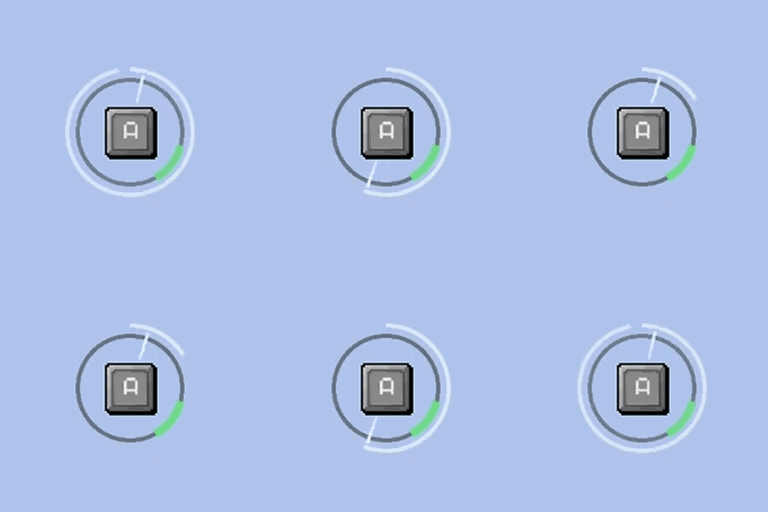
Adds simple quick time events, useful for modpacks
评论
登录后评论和评分