
HideHUD
HideHUD allows you to selectively hide user interface elements and some screens (HUD & GUI)
截图
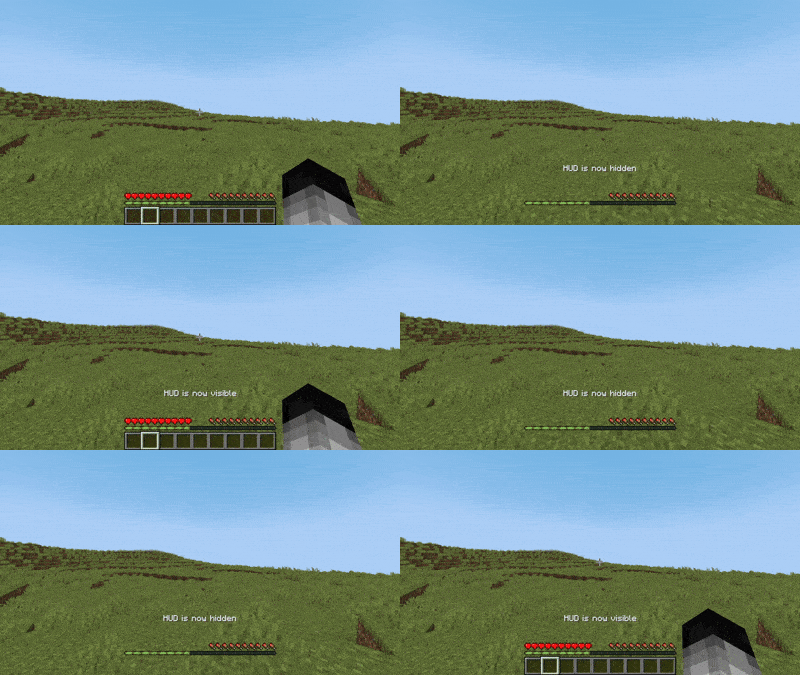
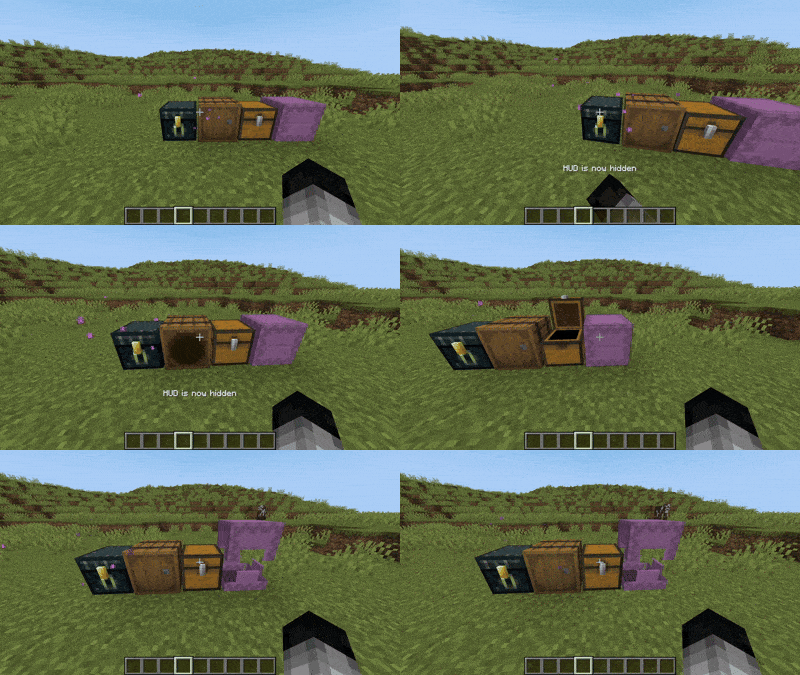
介绍
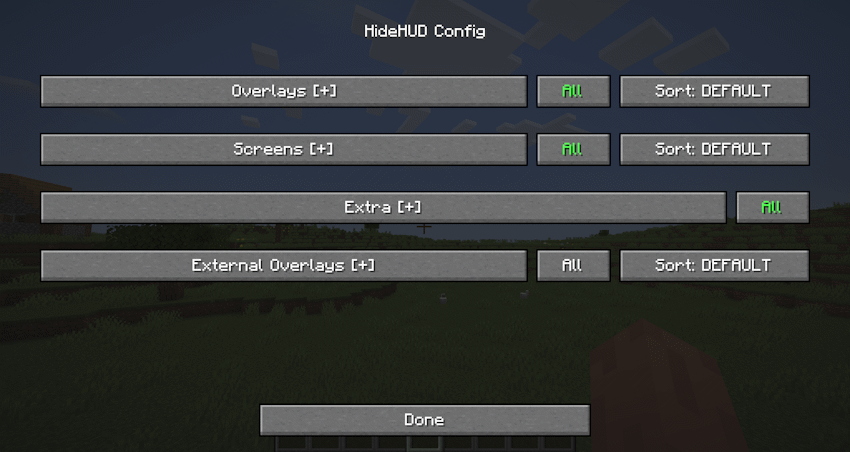
HideHUD is a Minecraft mod that allows you to selectively hide user interface elements and some screens (HUD & GUI) and some notifications (Recipes/Advancements), offering a cleaner and more personalized gaming experience. With it, you can disable components such as the hotbar, crosshairs, experience bar, inventory, and more, through configurable options, allowing you to select which elements appear on screen. You can hide the HUD with the “H” key, and you can open the settings with the “O” key by default. The mod adds a fully accessible config screen.
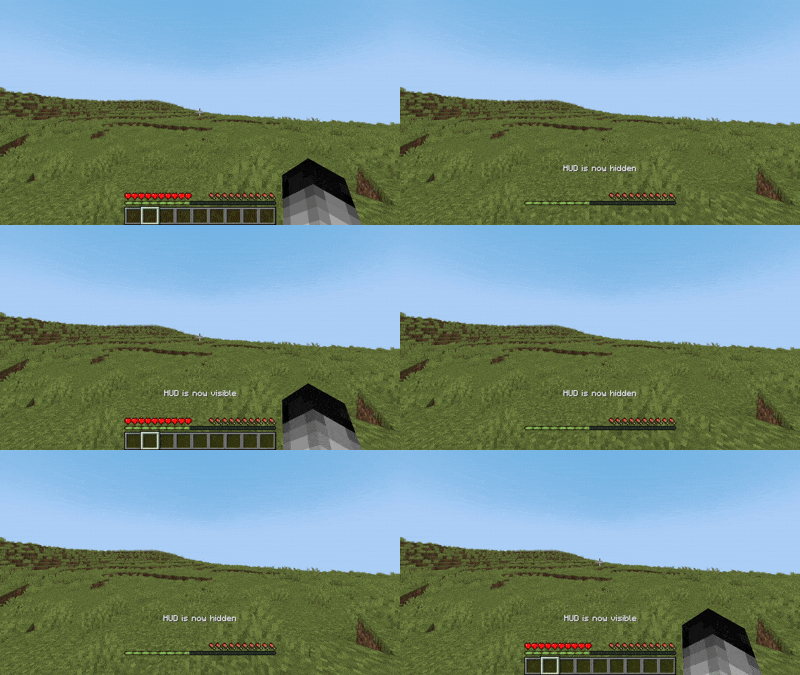
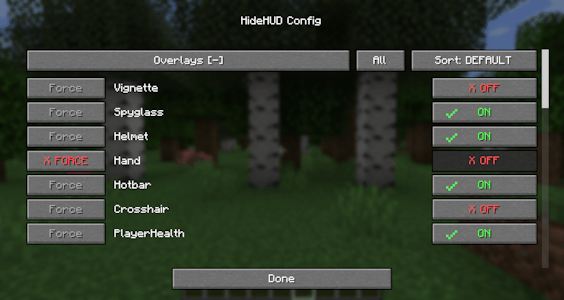
Some Overlays hidden
Configurable Overlays:
Hotbar | Player Healt | Hand | Chat Panel | Food Level | Armor Level | Experience Bar | Spyglass | Helmet | Frostbite | Portal | Crosshair | Boss Event Progress | Air Level | Mount Health | Jump Bar | Item Name | Sleep Fade | Potion Icons | Debug Text | FPS Graph | Record Overlay | Title Text | Subtitles | Scoreboard | Player List | Vignette
Configurable Screens:
Inventory Screen | Containers Screen | Chat Screen | Death Screen | Bed Screen
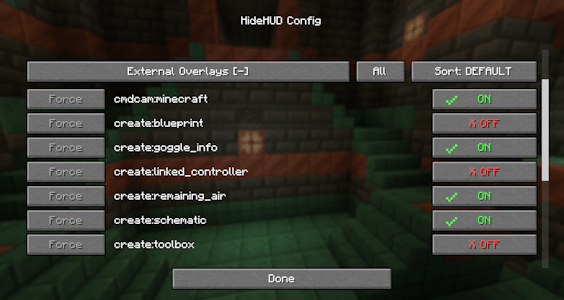
The mod can also detect any overlay from other mods that render through Forge/NeoForge’s RenderGuiLayerEvent.
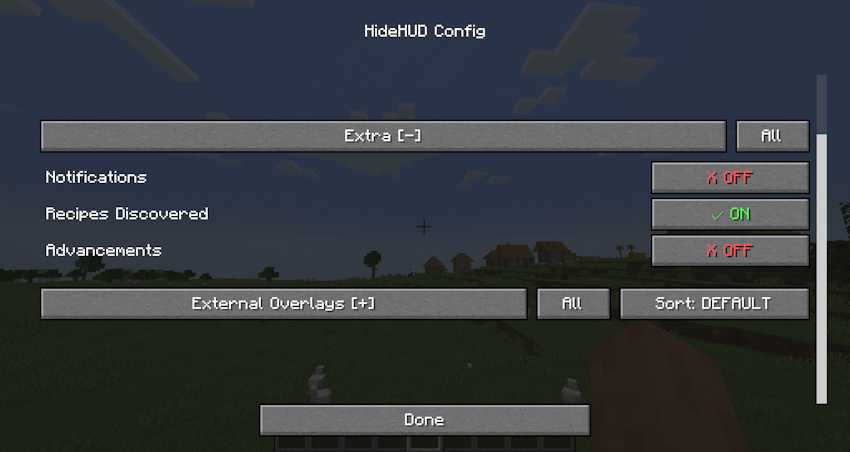
“Extra” allows you to disable Notifications, Recipes and Advancements.
常见问题
HideHUD 支持哪些 Minecraft 版本?
HideHUD 支持 Minecraft Java 版 1.20.1–26.2,共 6 个版本,可用的加载器:Fabric / Forge / NeoForge。下载时注意选择和你游戏版本一致的文件。
HideHUD 怎么安装?
先用 PCL2 或 HMCL 启动器安装对应版本的 Fabric / Forge / NeoForge,再把下载的 .jar 文件放进游戏目录的 mods 文件夹,重新启动游戏即可。开启了版本隔离的,mods 文件夹在 versions/版本名 下面。运行环境:仅客户端。
exoenrgy 的其他作品
查看全部 →
Face of Horror
You never know who's watching you from the shadows...

QCommand
QCommand (+Macro/Keybind) Save and run commands in a simple way

The Spirit Of The Harvest Moon
Are you a true farmer?...

Pet Overhaul
More useful pets!
评论
登录后评论和评分