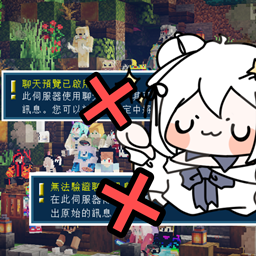
Hide Chat Preview Notifications 1.19 ~ 1.19.2
Disable chat preview & unsecured chat warnings while on multiplayer mode.
介绍

After the game version is upgraded to 1.19.1, many servers may have turned off the Secure Chat system and functioning the chat preview.
As a Minecraft Server-manage team, we also noticed that the alert of “chat preview is enabled” and “chat message cannot be verified” will pop out when the players enter the server since the 1.19.1 updating.
This is annoying enough to twist you up, so the HCPN mod is developed.
If there is something missing, please give feedback here.

To install HCPN, you need to install a mod toolchain at first.
Here’s two toolchain usually used:
– Fabric
1. Minecraft version 1.19 ~ 1.19.2 installed
2. Fabric has been installed
3. Make sure Fabric-API has installed and placed in the mods file
– Forge
1. Minecraft version 1.19 ~ 1.19.1 installed
2. Forge installed

常见问题
Hide Chat Preview Notifications 1.19 ~ 1.19.2 支持哪些 Minecraft 版本?
Hide Chat Preview Notifications 1.19 ~ 1.19.2 支持 Minecraft Java 版 1.19–1.19.2,共 3 个版本,可用的加载器:Fabric / Forge。下载时注意选择和你游戏版本一致的文件。
Hide Chat Preview Notifications 1.19 ~ 1.19.2 怎么安装?
先用 PCL2 或 HMCL 启动器安装对应版本的 Fabric / Forge,再把下载的 .jar 文件放进游戏目录的 mods 文件夹,重新启动游戏即可。开启了版本隔离的,mods 文件夹在 versions/版本名 下面。
评论
登录后评论和评分