
HideChat
Hide and show your chat instantly with a keybind, a clean, client-side Fabric mod. Messages keep arriving in the background nothing is intercepted.
截图

介绍
Chat Toggle
A lightweight, client-side Fabric mod that hides and shows your chat with a single keypress — with a clean visual confirmation each time.
What it does
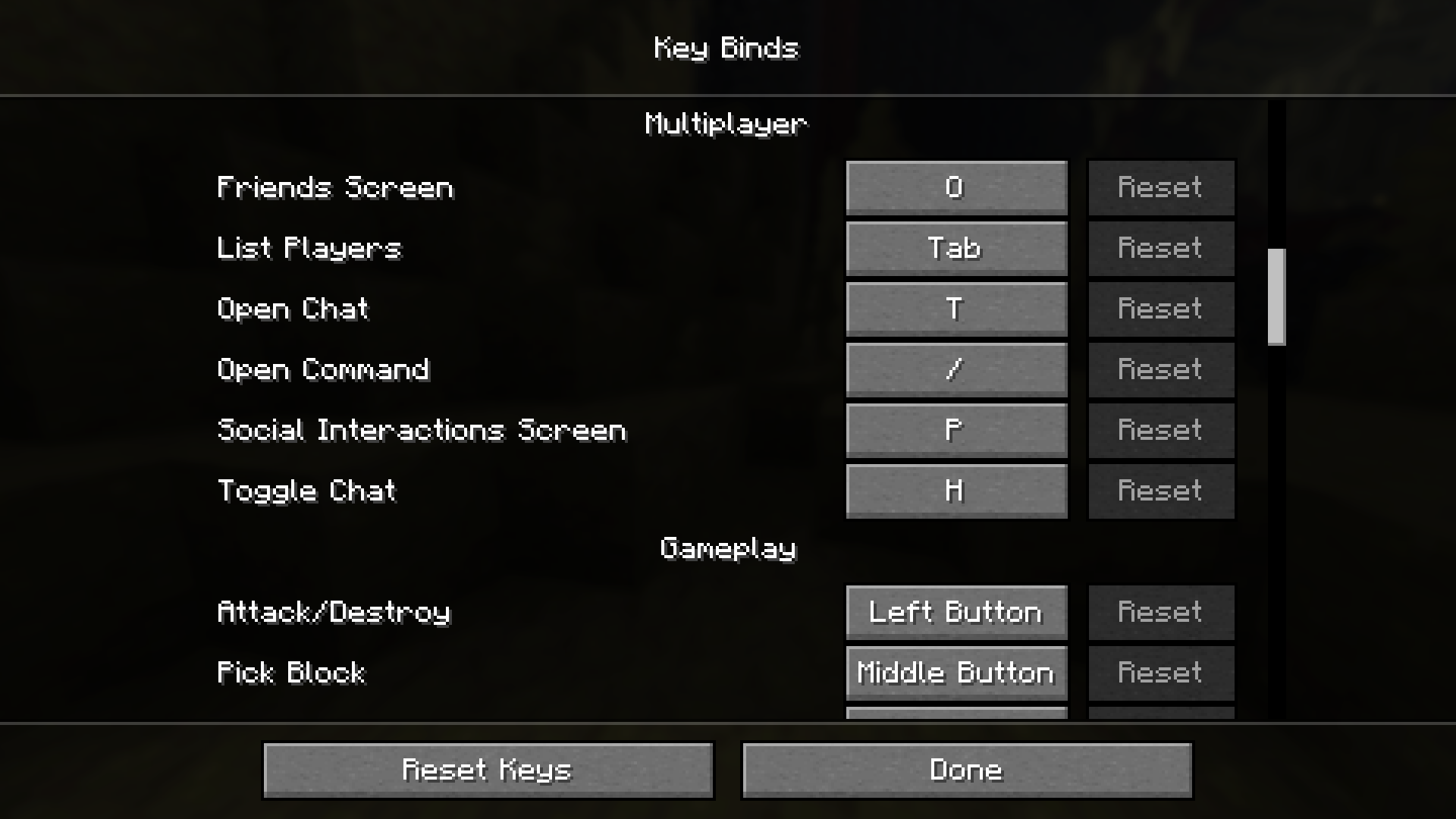
- Press a key (default H, under Controls → Multiplayer) to toggle the chat overlay on or off.
- Hiding is purely visual: messages still arrive and stack up in the background — nothing is dropped, and your vanilla chat settings are untouched.
- You can still open chat to type or run commands while it’s hidden; you just won’t see the history.
- Each toggle plays a quick 350 ms bar at the chat line: green when chat is shown, red when hidden. It always plays — even with no messages on screen.
Why
Sometimes chat gets in the way — screenshots, cinematic shots, PvP, or just a cleaner HUD. chat toggle gives you an instant, reversible way to clear it without digging through options or losing messages.
Details
- Client-side only — works on any server, nothing needed server-side.
- No config files, no extra menus. Install and bind a key.
- Tiny footprint.
Requirements
- Minecraft 26.2
- Fabric Loader 0.19.3+
- Fabric API
Install
- Install Fabric for 26.2.
- Put Fabric API and chat toggle in your
modsfolder. - Launch, then bind Toggle Chat under Options → Controls → Multiplayer (defaults to H).
常见问题
HideChat 支持哪些 Minecraft 版本?
HideChat 支持 Minecraft Java 版 1.21.11–26.3,共 3 个版本,可用的加载器:Fabric。下载时注意选择和你游戏版本一致的文件。
HideChat 怎么安装?
先用 PCL2 或 HMCL 启动器安装对应版本的 Fabric,再把下载的 .jar 文件放进游戏目录的 mods 文件夹,重新启动游戏即可。开启了版本隔离的,mods 文件夹在 versions/版本名 下面。运行环境:仅客户端。
NatureBanana 的其他作品
查看全部 →
Viridis
Viridis — a lightweight 16x PvP pack that keeps Minecraft looking exactly like Minecraft. Just the competitive edits: fullbright, clearer fire, cleaner weapons, less visual noise. Vanilla feel.

Banana 16x
UPDATED VERSION IS VIRIDIS Banana 16x gives Minecraft a fresh look with green diamond gear and orange netherite, all in a clean and simple 16x style.
评论
登录后评论和评分