
截图
介绍
中文介绍正在准备中,下面暂时显示原文。
HexSBM
Adds a radial menu for navigating pages in the Hexcasting spellbook.
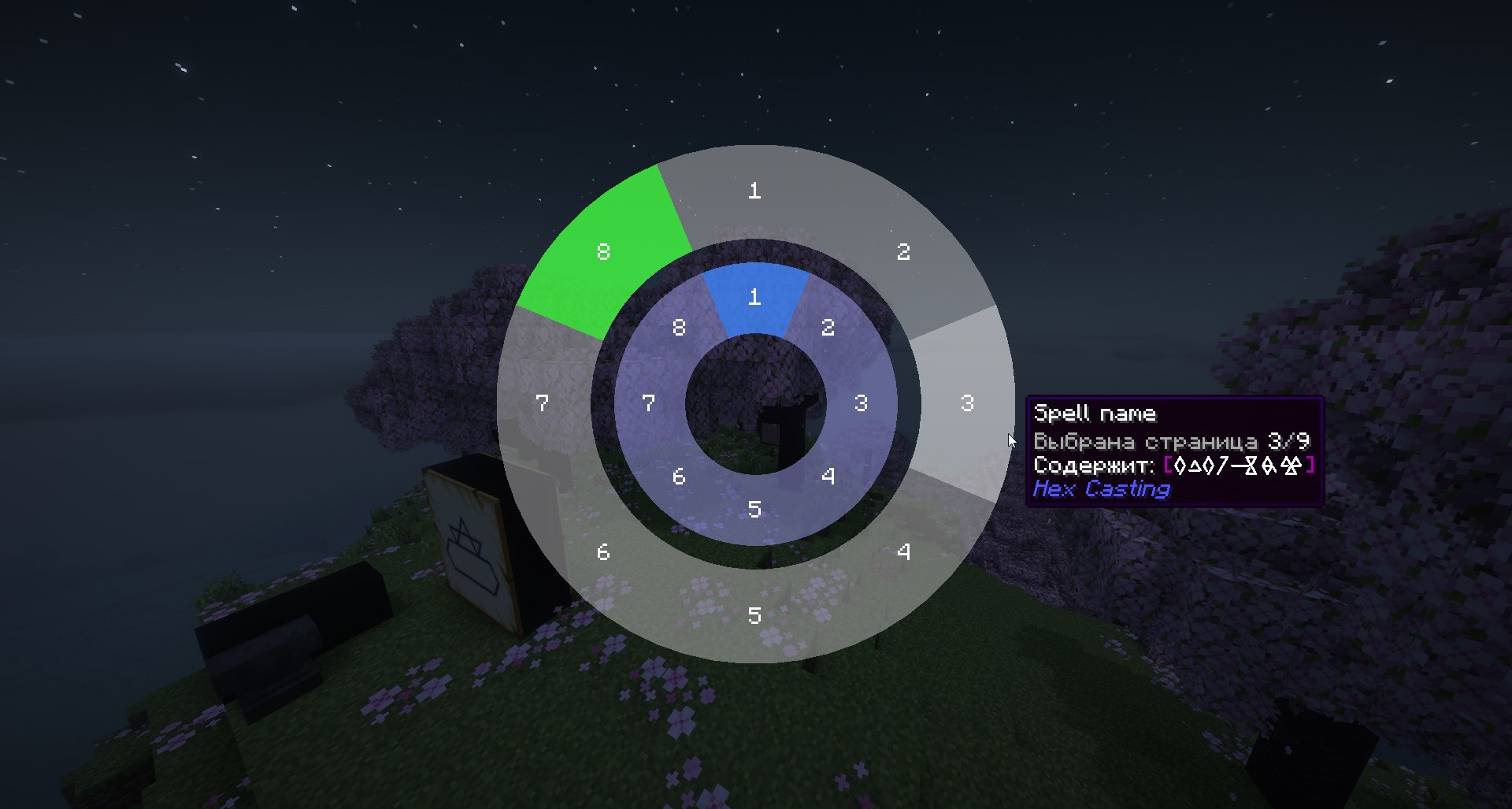
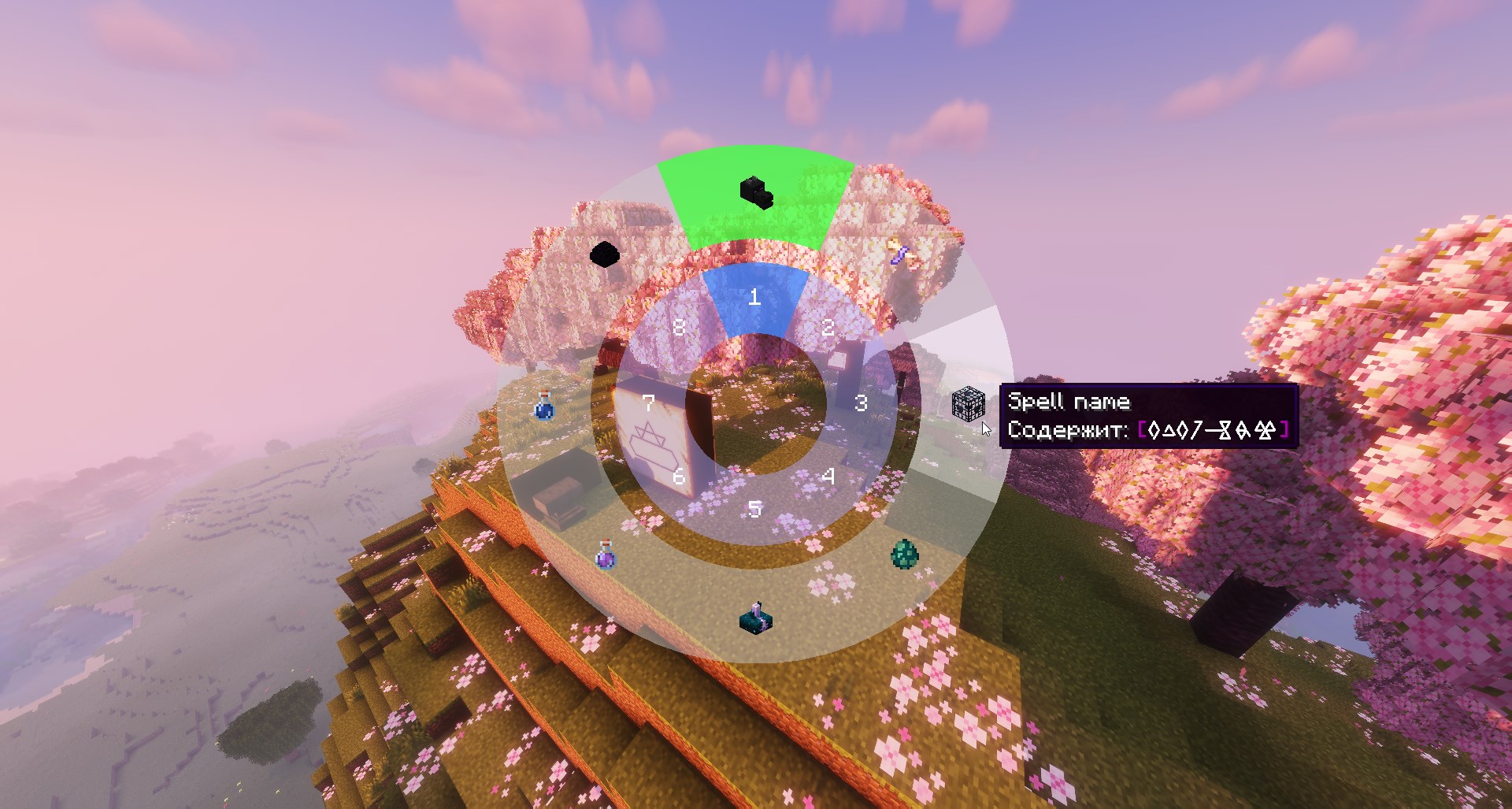
Instead of scrolling through up to 64 pages with a mouse wheel, you get a clean circular interface:
- Inner ring: 8 page groups
- Outer ring: 8 pages per group (64 total)
- Select any page with a single click
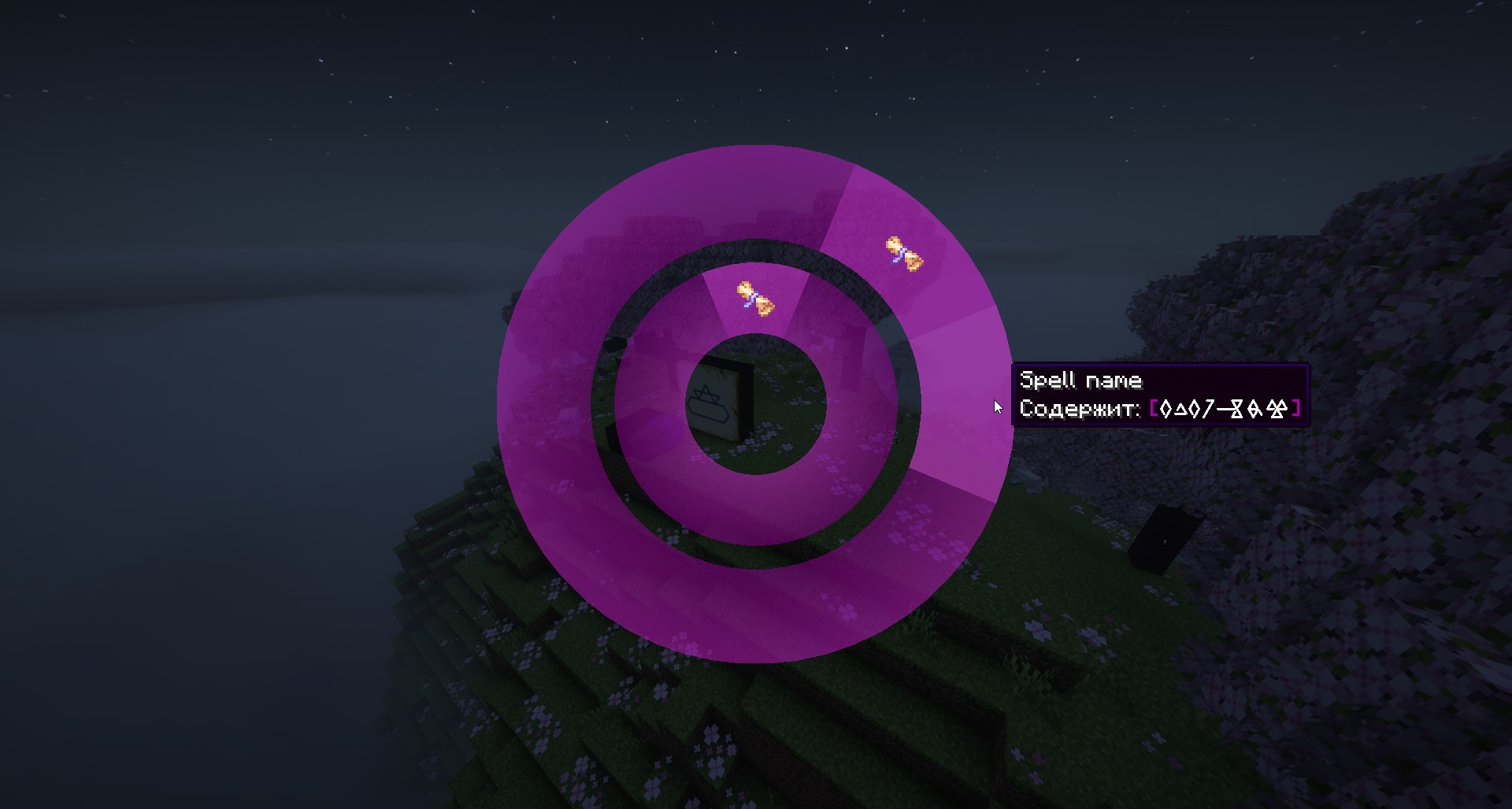
- Optional icons: assign custom icons to pages or groups for quick visual recognition
Controls
- Hold the spellbook in your off-hand and press V to open the menu
- Left-click on a page to confirm selection
- Right-click on a page or a group (inner ring) to assign the currently selected hotbar item as its icon
- Scroll the mouse wheel while the menu is open to change hotbar slots (requires the spellbook to be in your off-hand)
- Press Esc to close
- Open configuration panel by moving your cursor to the right side of the screen while in radial menu
Requirements
Localization
- Special thanks to ChuijkYahus for the Chinese localization
- Special thanks to Gotyx for the English localization
Found a bug or UI feels unintuitive? Please tell me.
I’m open to suggestions, complaints, and feature requests — don’t just uninstall and forget. If something bothers you, there’s a good chance it can be fixed or improved.
- Report issues on GitHub
- Or DM me on Discord (if I’ve fallen into an eternal sleep).
Works on both client and server.
常见问题
Hex SBM 支持哪些 Minecraft 版本?
Hex SBM 支持 Minecraft Java 版 1.20.1,可用的加载器:Fabric。下载时注意选择和你游戏版本一致的文件。
Hex SBM 怎么安装?
先用 PCL2 或 HMCL 启动器安装对应版本的 Fabric,再把下载的 .jar 文件放进游戏目录的 mods 文件夹,重新启动游戏即可。开启了版本隔离的,mods 文件夹在 versions/版本名 下面。运行环境:客户端 / 服务端。
评论
登录后评论和评分