
截图

介绍
HexDebug
A Hex Casting addon for debugging and editing hexes. The Debugger runs a debug server using the Debug Adapter Protocol, allowing you to use real debugging tools like VSCode to find bugs in your hexes; and the Splicing Table provides an easy-to-use GUI for finding and fixing mistakes.
Features
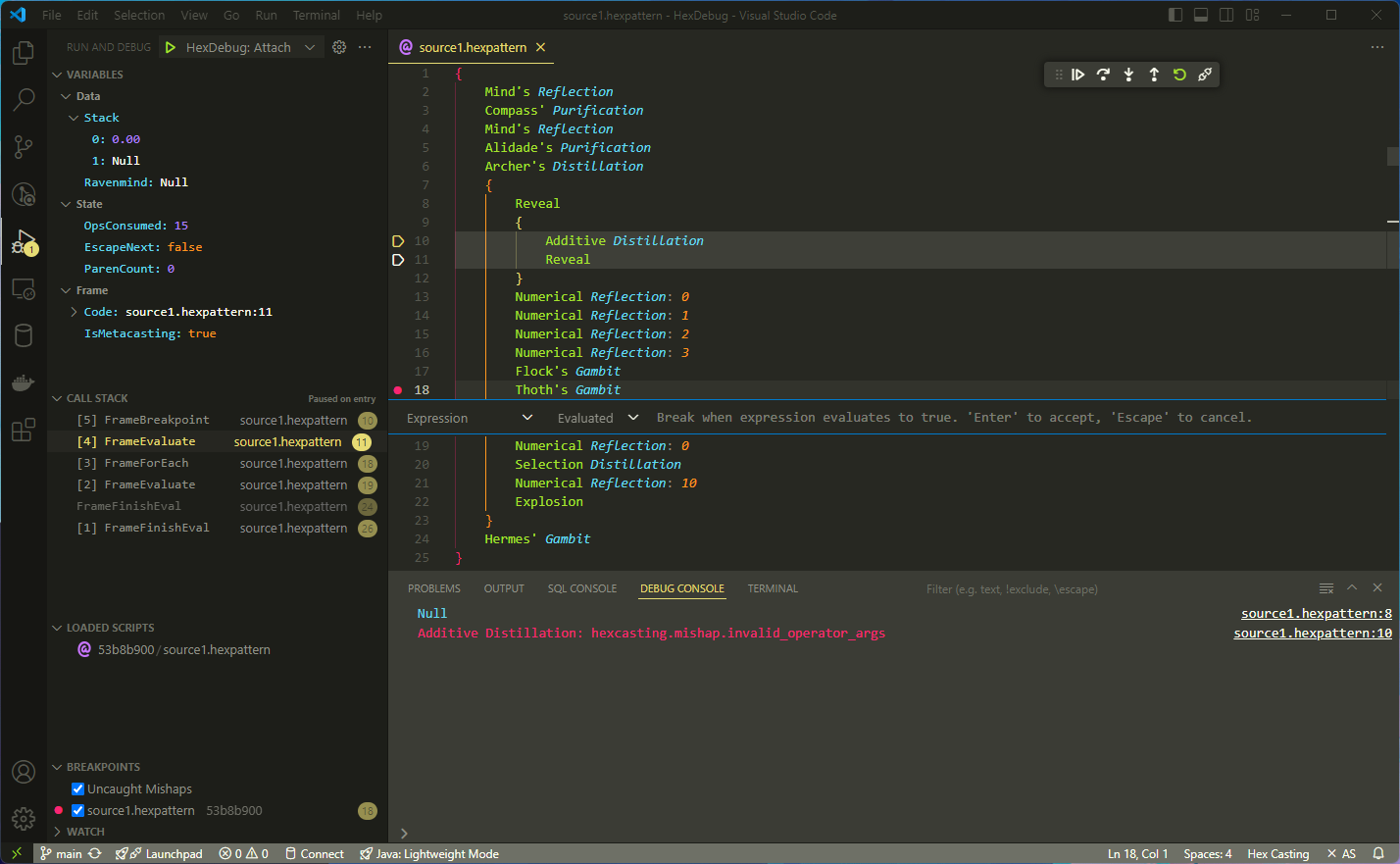
- Debugging: Step through your hexes pattern-by-pattern with vscode-hex-casting or any other DAP-compatible editor!
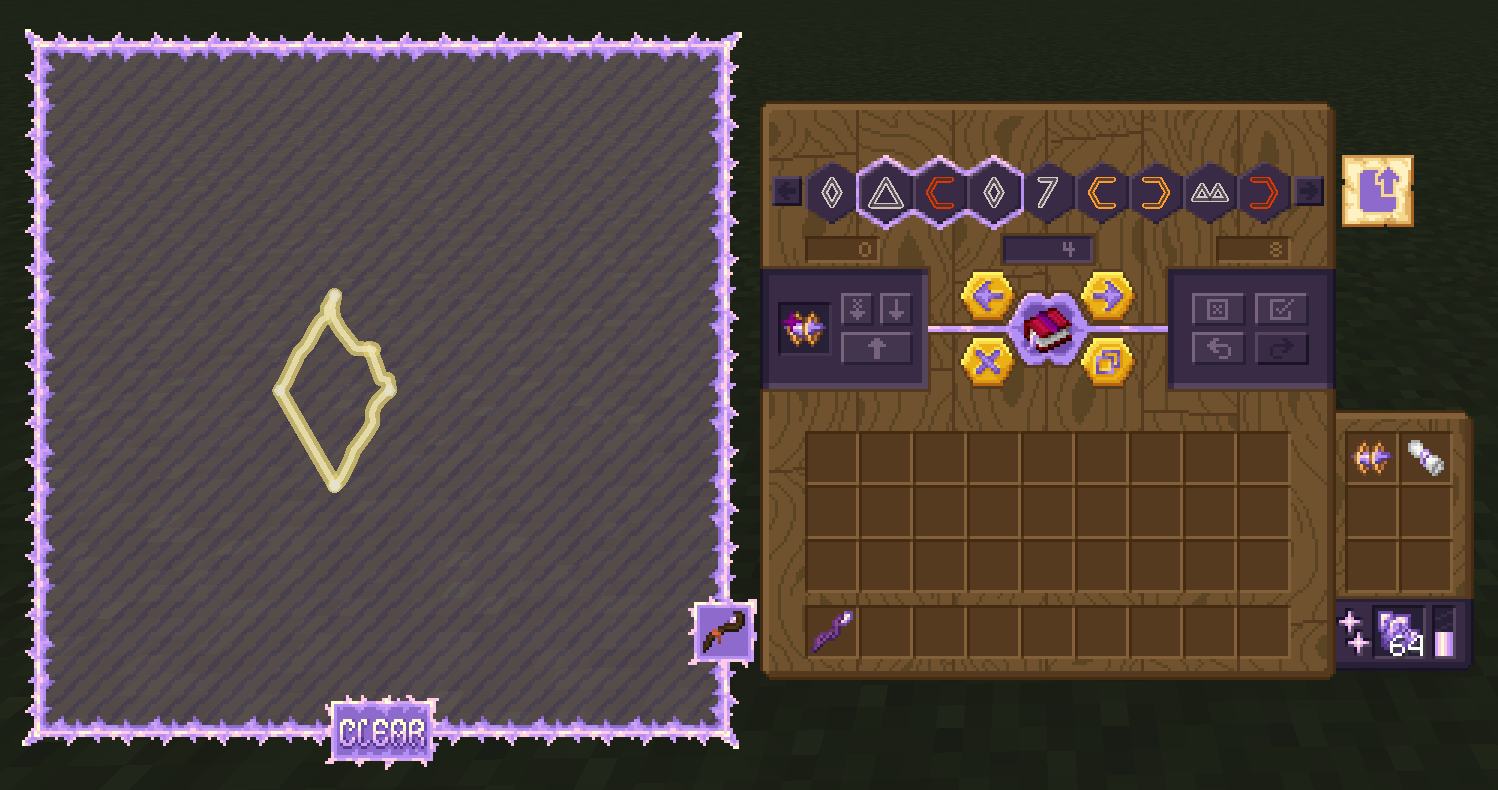
- Editing: Use the Splicing Table to edit hexes just like in a text editor, with buttons and keyboard shortcuts to select, move, duplicate, delete, and copy/paste iotas, and even draw patterns in a mini staff grid.
- Step Modes: Use any of the well-known step modes (step in/out/over, continue, restart, stop) with the ingame item and/or through VSCode.
- Variables: See the stack, ravenmind, and even some internal values like the evaluated pattern count.
- Call Stack: Debug complex meta-evaluating hexes with the call stack, generated from the next continuation to be executed. Learn how Hex Casting’s internals work!
- Breakpoints: Set breakpoints on specific patterns, or use the Uncaught Mishaps option to pause the debugger when a mishap occurs and see what went wrong.
- Multiplayer: Debug your hexes in multiplayer! The debug client connects to a port opened by the game client (configurable, defaults to 4444), and each player can have up to one active debugger instance at a time.
Attribution
- Textures: SamsTheNerd! (GitHub, Modrinth)
- Translations:
ru_ru: JustS-js (GitHub, Modrinth)zh_cn: ChuijkYahus (GitHub)


常见问题
HexDebug 支持哪些 Minecraft 版本?
HexDebug 支持 Minecraft Java 版 1.19.2–1.20.1,共 2 个版本,可用的加载器:Fabric / Forge / Quilt。下载时注意选择和你游戏版本一致的文件。
HexDebug 怎么安装?
先用 PCL2 或 HMCL 启动器安装对应版本的 Fabric / Forge / Quilt,再把下载的 .jar 文件放进游戏目录的 mods 文件夹,重新启动游戏即可。开启了版本隔离的,mods 文件夹在 versions/版本名 下面。运行环境:客户端和服务端都要装。
object-Object 的其他作品
查看全部 →
PAUCAL
Petrak@'s Assorted, Useful Collection of Assistance Library.

Hex Casting
Powerful programmable stack-based spellcasting

IoticBlocks
A Hex Casting addon/library providing a port of HexGloop's block read/write patterns for 1.20.1.

Caduceus
A Clojure-based Hex Casting addon for advanced meta-evaluation.
评论
登录后评论和评分