Hex Spell Wheel
An addon for Hex Casting (1.20.1) that allows you to open a wheel menu to select a spell book page!
截图

介绍
中文介绍正在准备中,下面暂时显示原文。




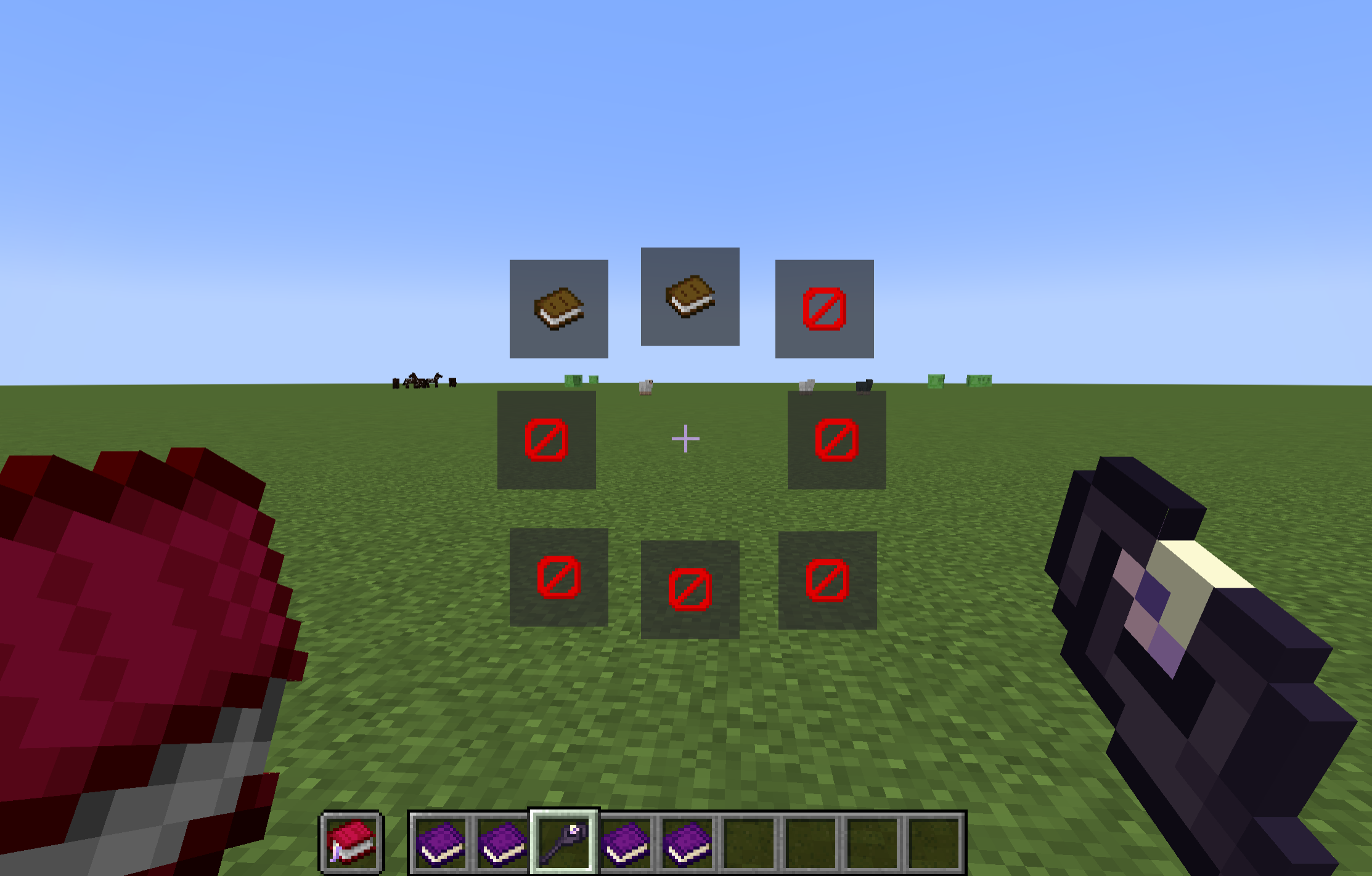
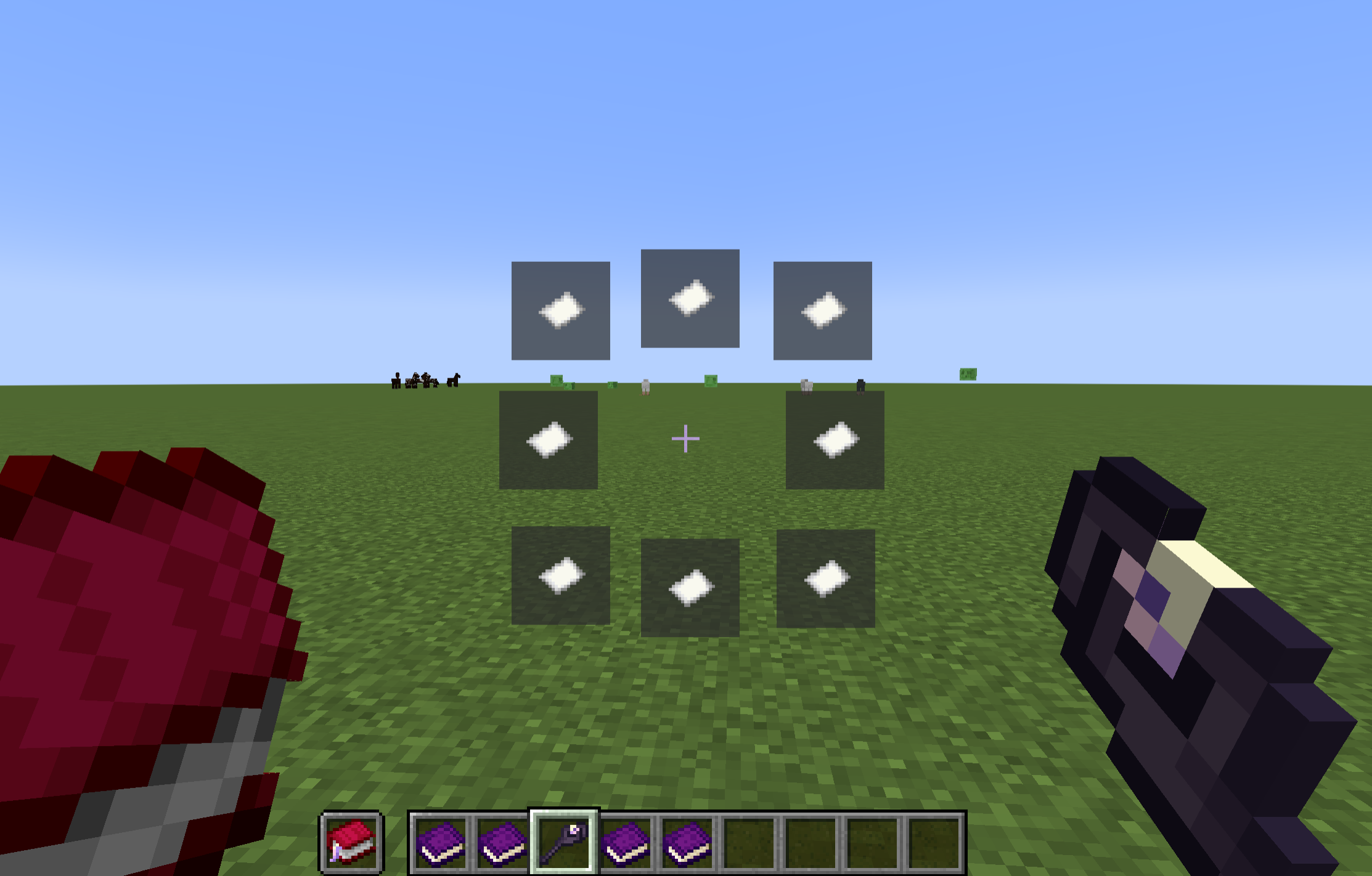
An addon for Hex Casting 1.20.1 that adds a wheel for Hex Casting’s spellbook item.
Features:
- Open a spellbook wheel by pressing the backtick key (configurable in the keybinds menu).
- Quickly navigate through your spells by using number keys (1-9).
- Set icons for spellbook pages (right-clicking on a spell wheel button while holding an item will change it). (Since
1.1.0) - Cast with an artifact/trinket in hand right after changing the page by holding
Ctrland pressing on the spell wheel (quick navigation via number keys activate it too). (Since1.1.0) - Preview the iota stored in the spellbook page by hovering over the page’s button in the wheel menu. (Since
1.1.0) - Spellbook hint: shows the page number and the icon of the selected spell, when item is in the hotbar. (Since
1.2.0) - Fully client-side!
Requirements:
- Hex Casting (guh)
- Architectury API
Special Thanks To:
常见问题
Hex Spell Wheel 支持哪些 Minecraft 版本?
Hex Spell Wheel 支持 Minecraft Java 版 1.20.1–1.21.1,共 2 个版本,可用的加载器:Fabric / Forge / NeoForge。下载时注意选择和你游戏版本一致的文件。
Hex Spell Wheel 怎么安装?
先用 PCL2 或 HMCL 启动器安装对应版本的 Fabric / Forge / NeoForge,再把下载的 .jar 文件放进游戏目录的 mods 文件夹,重新启动游戏即可。开启了版本隔离的,mods 文件夹在 versions/版本名 下面。运行环境:仅客户端。
drtheodor 的其他作品
查看全部 →
Adventures In Time – TARDIS
by AmbleLabs
Adds the TARDIS from Doctor Who and more into Minecraft 1.20.1.
9.8万
1 年前
Modrinth
Adventures In Time – TARDIS
by AmbleLabs
Adds the TARDIS from Doctor Who and more into Minecraft 1.20.1.
9.8万
1 年前
Modrinth

AmbleKit
by AmbleLabs
A Fabric Library used in many of the AmbleLab Mods!
6.1万
1 年前
Modrinth

Sneaky!
by drtheodor
A mod that fixes sneak in Minecraft!
1.9万
2 年前
Modrinth
评论
登录后评论和评分