
Health HUD
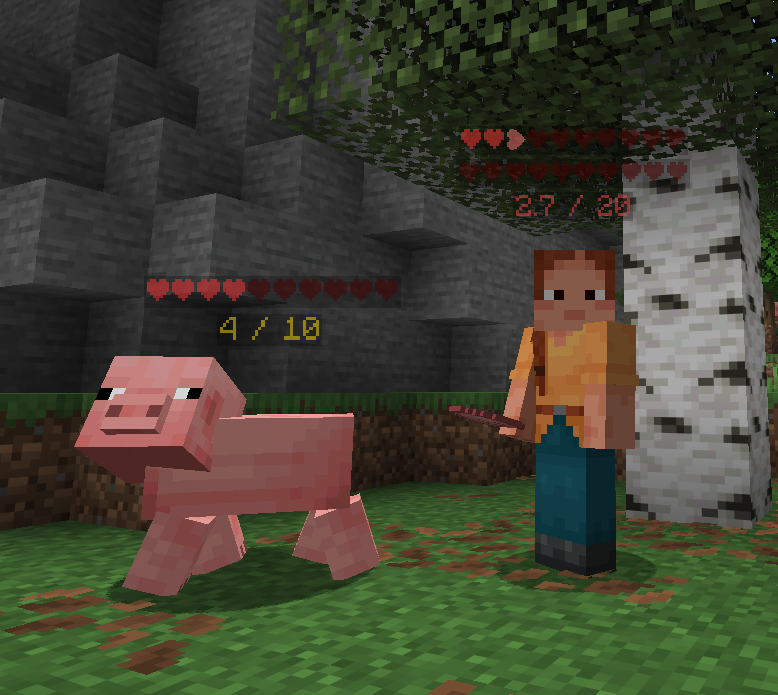
Show hearts for health above, under, left or right of the player. Show damage or heal numbers.
截图
介绍
HealthHUD
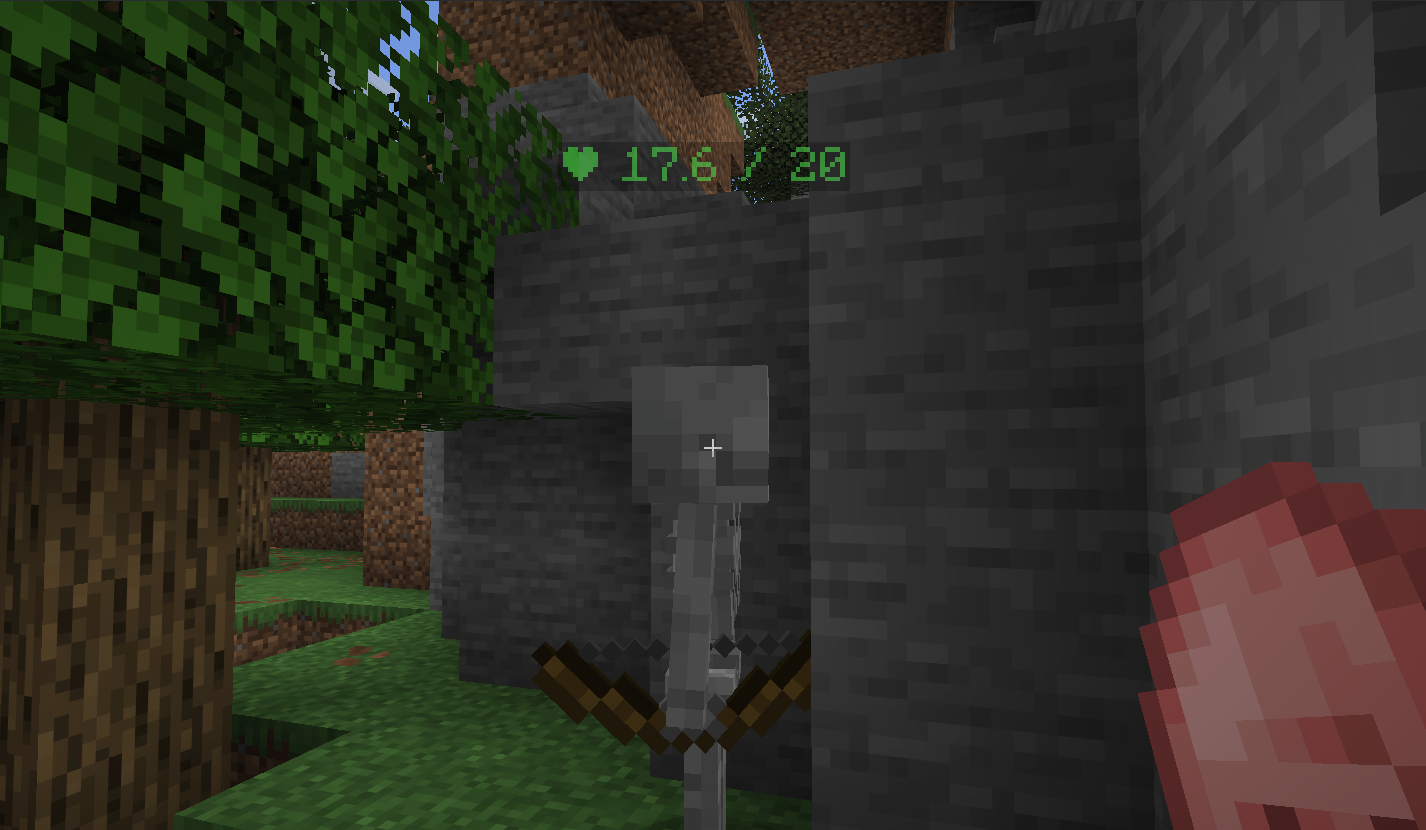
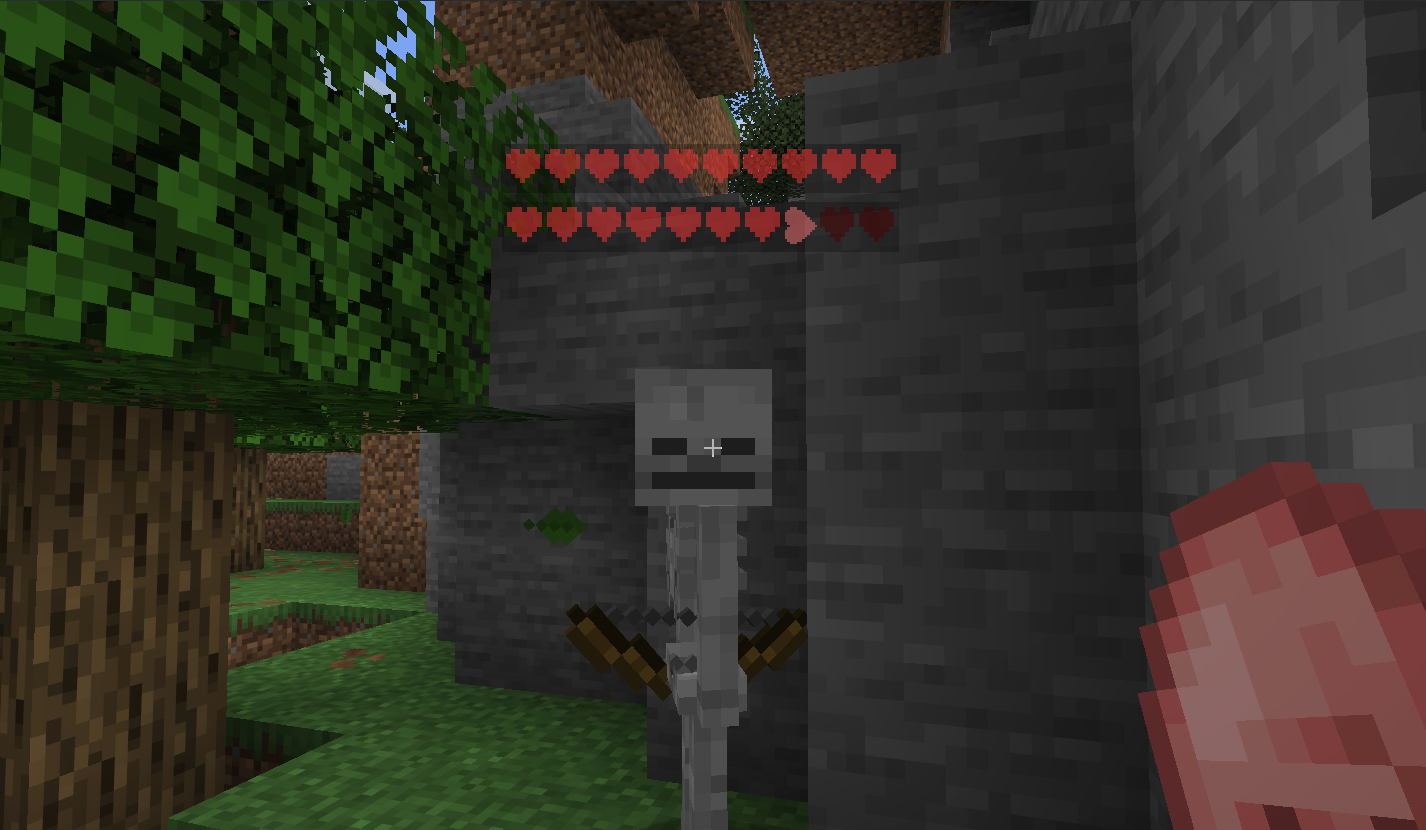
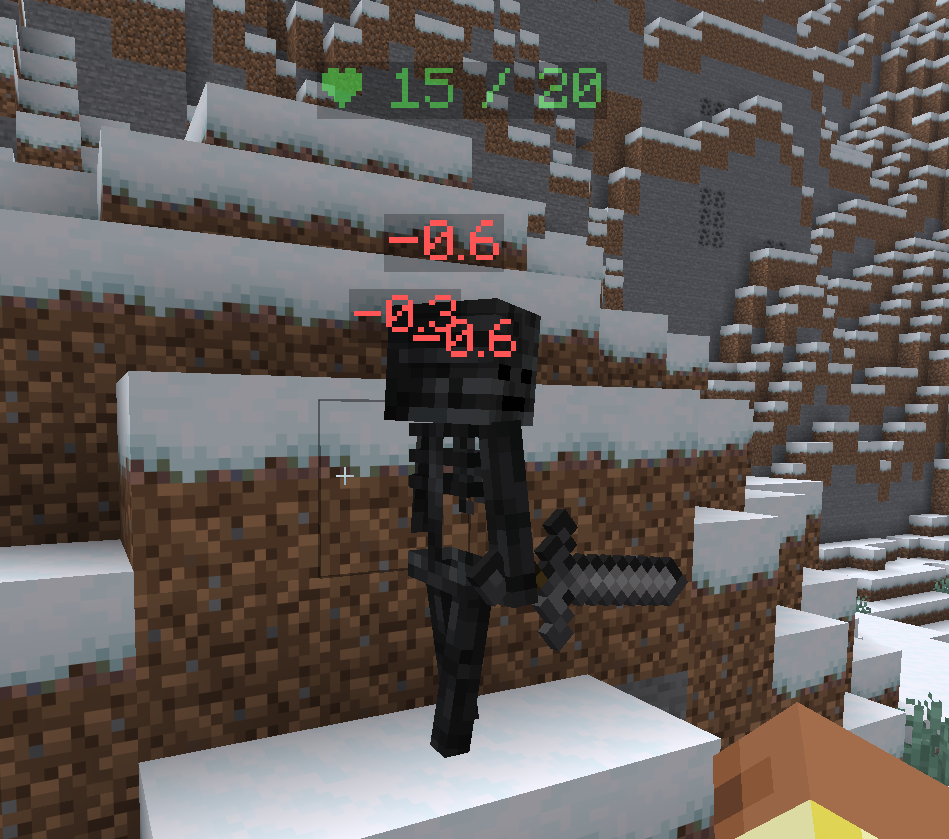
See the health of every nearby entity at a glance — floating hearts above their heads and damage numbers that fly off when they take a hit.
Features
Health Bars
Floating hearts rendered in world space above every living entity. Supports multiple display modes:
- Hearts — classic heart icons that fill and empty with health
- Numeric — shows
12.5 / 20style text - Percentage — shows health as a
%
The bar colour shifts from green → yellow → red as health drops.
Floating Damage & Heal Numbers
When an entity takes damage, a red number drifts upward from them. Healing shows a green number. Both fade out smoothly and drift at a configurable speed. No dark background — just clean coloured text in the world.
In-game Settings GUI
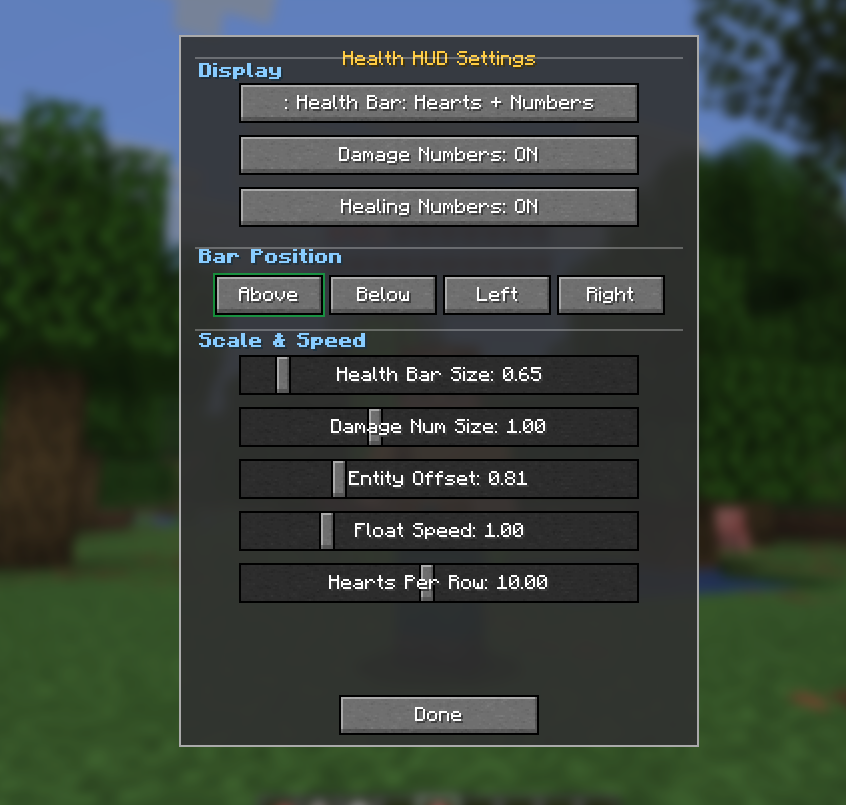
Open the settings screen any time with /healthhud. Adjust everything without touching a config file:
| Setting | Description |
|—|—|
| Health Bar Mode | Switch between Hearts / Numeric / Percentage |
| Damage Numbers | Toggle damage numbers on/off |
| Healing Numbers | Toggle healing numbers on/off |
| Bar Position | Above / Below / Left / Right of the entity |
| Health Bar Size | Scale the hearts up or down |
| Damage Number Size | Scale the floating numbers |
| Entity Offset | Push the bar closer or further from the entity |
| Float Speed | How fast damage numbers drift upward |
| Hearts Per Row | How many hearts per row before wrapping |
Usage
- Open settings:
/healthhudin chat or the chat bar - Hearts are shown for all living entities within 32 blocks
- Your own health bar is hidden in first-person view
Credits
Made by codx
常见问题
Health HUD 支持哪些 Minecraft 版本?
Health HUD 支持 Minecraft Java 版 1.21.1–26.1.2,共 4 个版本,可用的加载器:Fabric / Forge / NeoForge。下载时注意选择和你游戏版本一致的文件。
Health HUD 怎么安装?
先用 PCL2 或 HMCL 启动器安装对应版本的 Fabric / Forge / NeoForge,再把下载的 .jar 文件放进游戏目录的 mods 文件夹,重新启动游戏即可。开启了版本隔离的,mods 文件夹在 versions/版本名 下面。运行环境:仅客户端。
Codx 的其他作品
查看全部 →
CodxLib
为所有 Codx 模组提供通用功能的前置库。

One Block
单方块生存:在荒芜的世界中,仅凭一个会重生的方块开启你的Minecraft冒险。破坏它、升级它,每次升级都能解锁更丰厚的奖励。

Alex’s Mobs Continued
Alex's Mobs - 已更新并移植
Alex’s Caves Continued
Alex's Caves Continued 旨在移植并更新原模组,使其在新版本中继续存活并正常运行。
评论
登录后评论和评分