
Hbm’s Nuclear Tech – Hamster Reloaded
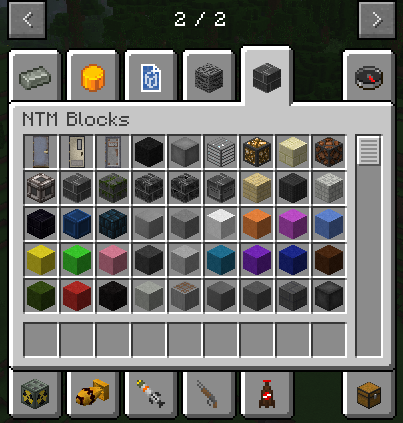
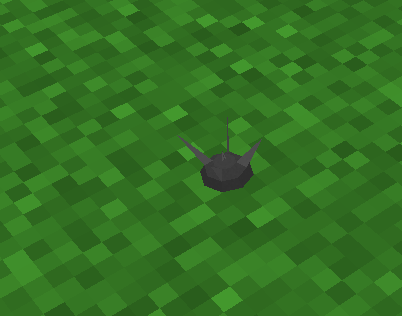
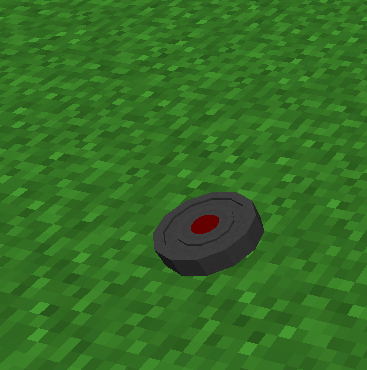
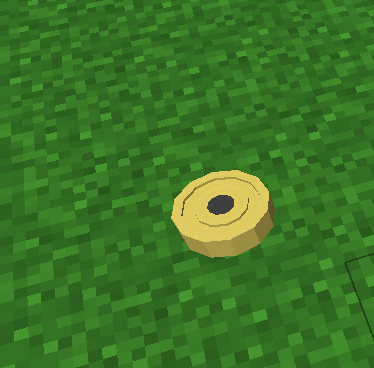
HBM: Hamster Reloaded brings nuclear reactors, missiles, advanced machinery, radiation and dangerous technology to Minecraft!
截图




介绍
☢ HBM: Hamster Reloaded
Server Coming Soon!
Hbm’s Nuclear Tech — Hamster Reloaded (HBM:HR)
_Engineering, industry, nuclear power and catastrophic consequences._
Minecraft 1.12.2 — Forge
Welcome to HBM: Hamster Reloaded!
HBM: Hamster Reloaded is a community-led continuation of the classic Hbm’s Nuclear Tech Mod, developed by Hamster Systems.
Build vast industrial facilities, experiment with radioactive materials, develop sophisticated weapons, launch missiles and harness nuclear energy. From complex processing chains to colossal reactors, every advancement brings new opportunities—and new dangers.
☢ What Can You Do in HBM?
The HBM experience includes:
- Nuclear reactors and power systems — Construct complex facilities and manage the risks of nuclear energy.
- Missiles, bombs and weapons — Develop advanced weaponry, from conventional equipment to devastating nuclear technology.
- Industrial machinery — Refine materials, automate production and build enormous manufacturing systems.
- Radiation and environmental hazards — Handle dangerous substances and deal with the consequences of contamination.
- Science and resource processing — Work through extensive crafting and production chains to reach increasingly powerful technologies.
- Multiplayer chaos — Team up to build a facility—or test your defences against your friends.
Warning: A badly managed reactor can turn your carefully built base into a very expensive crater.
_Feature availability varies by Minecraft version and release. The list above describes the wider HBM experience, not a promise that every feature is already playable in 1.21.1._
Installing the 1.12.2 edition
- Install Minecraft Forge for 1.12.2.
- Download the appropriate HBM:HR
.jarfrom the Files tab. - Put the
.jarin your Minecraftmodsfolder. - Start Minecraft using the Forge profile.
Recommended: Just Enough Items (JEI) to navigate the mod’s extensive crafting and processing recipes.
💬 Join the Community
We want players, builders and mod developers to help shape the future of Hamster Reloaded.
- 🗂 1.12.2 source: https://github.com/Hamster-Systems/Hbm-s-Nuclear-Tech-GIT
Join our Discord for announcements, development previews, bug discussions and feature ideas.
❓ Frequently Asked Questions
Q: Is HBM:HR the original, official HBM mod?
A: No. Hamster Reloaded is an independently developed community continuation based on the HBM mod and its community ports.
Q: Can you add my feature idea?
A: Suggestions are welcome! Share your idea in our Discord or GitHub page. We review ideas based on feasibility, compatibility and development priorities.
❤️ Credits
HBM:HR would not exist without the original developers, port authors and wider HBM community.
- HbmTheBobcat and contributors — Original Hbm’s Nuclear Tech Mod.
- Drillgon — Early Minecraft 1.12.2 port.
- Alcater — Major contributions to the Minecraft 1.12.2 port.
- The wider HBM community — Testing, ideas, feedback and contributions.
- Hamster Systems — HBM: Hamster Reloaded development and maintenance.
_HBM: Hamster Reloaded is an independent community project and is not an official release by the original HBM author._
Build bigger. Engineer smarter. Keep the cooling system running.
_HBM: Hamster Reloaded — A Hamster Systems project._
常见问题
Hbm’s Nuclear Tech – Hamster Reloaded 支持哪些 Minecraft 版本?
Hbm’s Nuclear Tech – Hamster Reloaded 支持 Minecraft Java 版 1.12.2,可用的加载器:Forge。下载时注意选择和你游戏版本一致的文件。
Hbm’s Nuclear Tech – Hamster Reloaded 怎么安装?
先用 PCL2 或 HMCL 启动器安装对应版本的 Forge,再把下载的 .jar 文件放进游戏目录的 mods 文件夹,重新启动游戏即可。开启了版本隔离的,mods 文件夹在 versions/版本名 下面。运行环境:客户端和服务端都要装。
评论
登录后评论和评分