
Happy Ghast Control
Give your Happy Ghast Speed and Storage. With Permissions, Configs, and more..
截图





介绍
Mach9Games Studio

Happy Ghast Controls


Happy Ghast Controls is a lightweight Fabric mod that makes riding and managing Happy Ghasts easier.
It adds smoother Happy Ghast riding controls, configurable speed, Cargo Harness storage, server permissions, and update notices.
Features
| Feature | Description |
| ——————— | ———————————————————————————————- |
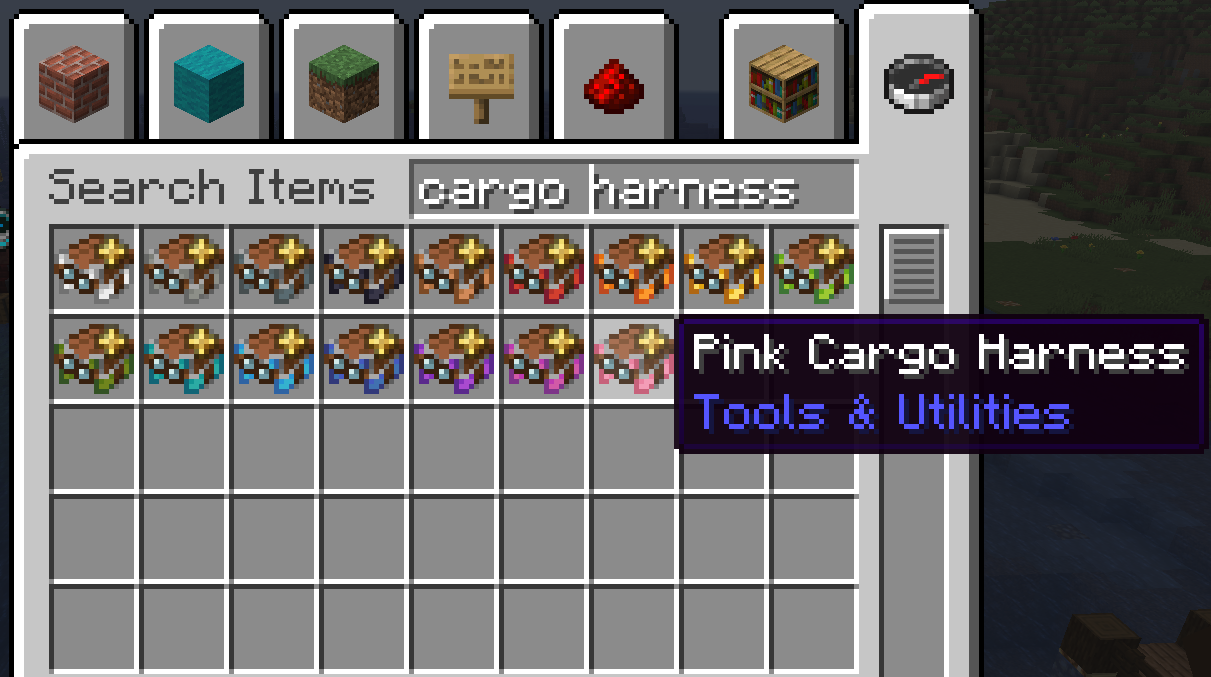
| Cargo Harnesses | Craft storage harnesses in every vanilla harness color. |
| Cargo Harness Texture | Adds a custom texture for Cargo Harness Happy Ghasts. |
| Happy Ghast Storage | Adds 54-slot storage to Cargo Harness Happy Ghasts. |
| Storage access | Open storage by sneak-right-clicking, or with your inventory key when installed on the client. |
| Movement toggle | Press SHIFT + Forward, default: W, while riding to toggle auto-forward. |
| Speed control | Change Happy Ghast riding speed with /hg speed. |
| Toggle duration | Set how long auto-forward stays active. |
| Permissions | Control storage, crafting, speed commands, and update notices. |
| Update notices | Notify players when a newer compatible Modrinth version is available. |
Cargo Harness

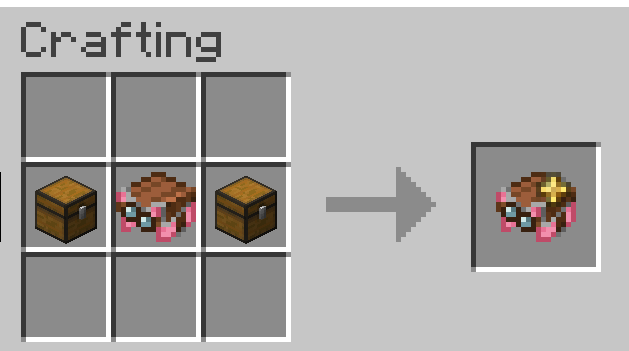
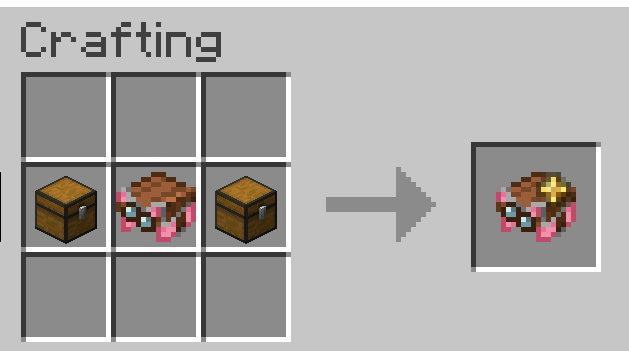
Craft a Cargo Harness using a vanilla harness and 2 chests:
| Crafting | Variants |
|—|—|
|  |
 |
Happy Ghasts wearing a Cargo Harness get their own storage.
If the harness is removed, the stored items spill out.
Controls

| Key | Action |
| ——————————- | —————————————————————– |
| SHIFT + Forward, default: W | Toggle Happy Ghast auto-forward on or off |
| Inventory key, default: E | Open Happy Ghast Storage while riding, if the client is installed |
V0.2.1 The toggle changed from SHIFT to SHIFT + Forward to avoid conflicts with descending while riding.
Commands
| Command | What it does |
|—|—|
| /hg help | Shows Happy Ghast Controls help |
| /hg about | Shows mod/version information |
| /hg speed | Shows the current Happy Ghast speed multiplier |
| /hg speed <multiplier> | Changes the Happy Ghast speed multiplier |
| /hg timer | Shows the current Shift toggle duration |
| /hg timer <seconds> | Changes how long the Shift toggle stays active |
/happyghast also works as the longer command alias.
V0.2.0 /happyghost depricated (will disapear in the future)
Defaults
| Setting | Default |
|—|—|
| Speed multiplier | 1.25x |
| Toggle duration | Infinite, until toggled off again |
Requirements
| Requirement | Version |
|—|—|
| Mod loader | Fabric |
| Minecraft | 26.1.2 |
| Java | 25 or newer |
| Dependency | Fabric API |
⚙️ Installation
Install the mod like any other Fabric mod:
- Install Fabric Loader.
- Install Fabric API.
- Put Happy Ghast Controls in your
modsfolder. - Launch the game.
Where To Install
Happy Ghast Controls uses the same file for servers, clients, and singleplayer.
| Install location | What you get |
| —————- | ———————————————————————————————— |
| Server | Happy Ghast storage, Cargo Harness crafting, speed settings, permissions, and update notices. |
| Client | Riding controls, Cargo Harness texture, clearer visuals, and the inventory-key storage shortcut. |
| Singleplayer | Both server and client features. |
Permissions are always checked by the server. Installing the mod on your client does not bypass server permissions.
常见问题
Happy Ghast Control 支持哪些 Minecraft 版本?
Happy Ghast Control 支持 Minecraft Java 版 26.1.2,可用的加载器:Fabric。下载时注意选择和你游戏版本一致的文件。
Happy Ghast Control 怎么安装?
先用 PCL2 或 HMCL 启动器安装对应版本的 Fabric,再把下载的 .jar 文件放进游戏目录的 mods 文件夹,重新启动游戏即可。开启了版本隔离的,mods 文件夹在 versions/版本名 下面。运行环境:客户端 / 服务端。

评论
登录后评论和评分