
Handy Shulker
Shulker boxes should work like bundles. Click to insert items, hover to preview contents, and scroll to extract — all without placing the box down.
截图

介绍

Handy Shulker
Shulker boxes should work like bundles. That’s it.
Vanilla Minecraft gave bundles a slick click-to-insert and hover-to-preview interface – but shulker boxes, the OG portable storage, still require you to place them down every single time. Handy Shulker fixes that with two simple interactions:
Features
🖱️ Click to Insert
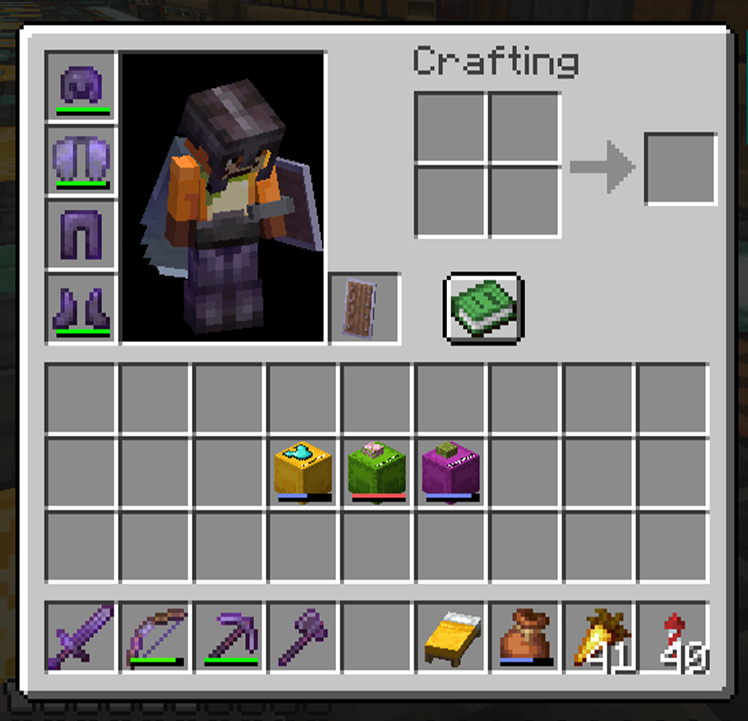
Hold a shulker box in your inventory and click items onto it to store them — exactly like bundles. No more placing, opening, inserting, closing, and breaking. Just click.
🔍 Hover + Scroll to Browse
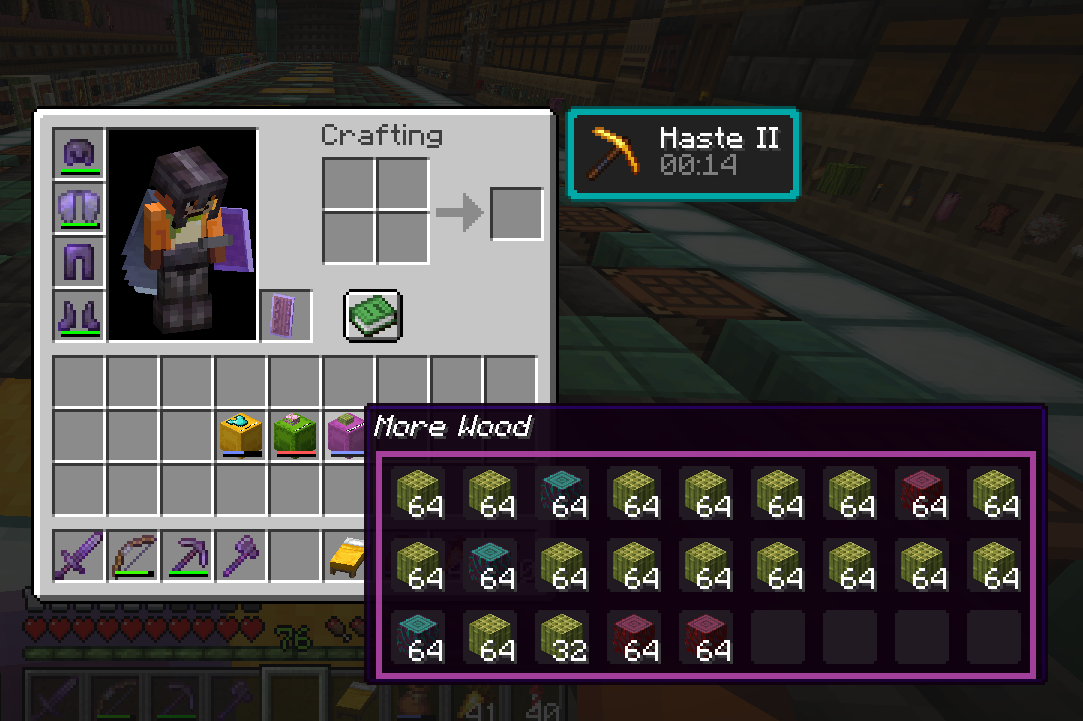
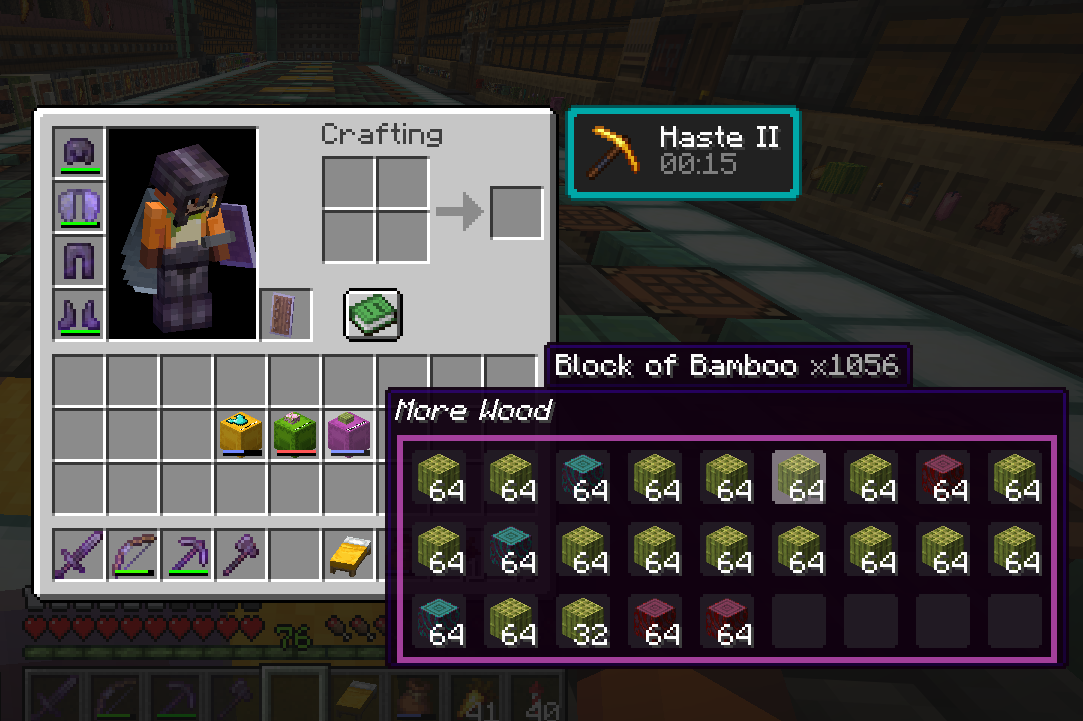
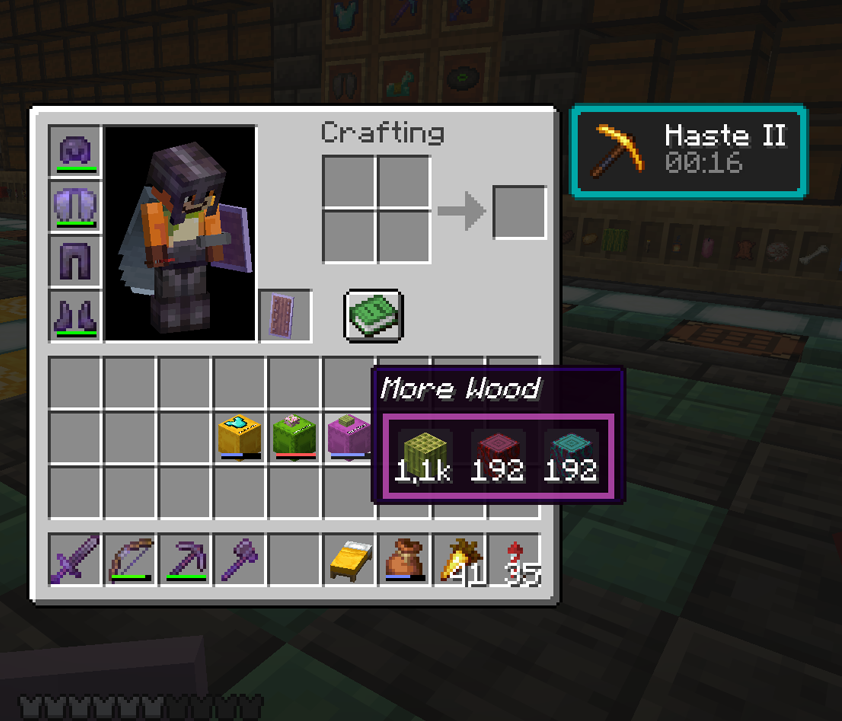
Hover over a shulker box to preview its contents in a 9×3 grid. Scroll to cycle through items and click to extract — all without ever placing the box.
📊 Fullness Bar
Shulker boxes display a colored bar showing how full they are — just like bundles. Spot your empties at a glance.
🎨 Color-Tinted Tooltips
The tooltip border matches your shulker box’s dye color. Pink shulker? Pink border.
🔢 Item Count Badges
When you select an item, the tooltip shows the total count across all slots — no more mental math. “Cobblestone ×204” tells you exactly what you’ve got.
📦 Compact Mode
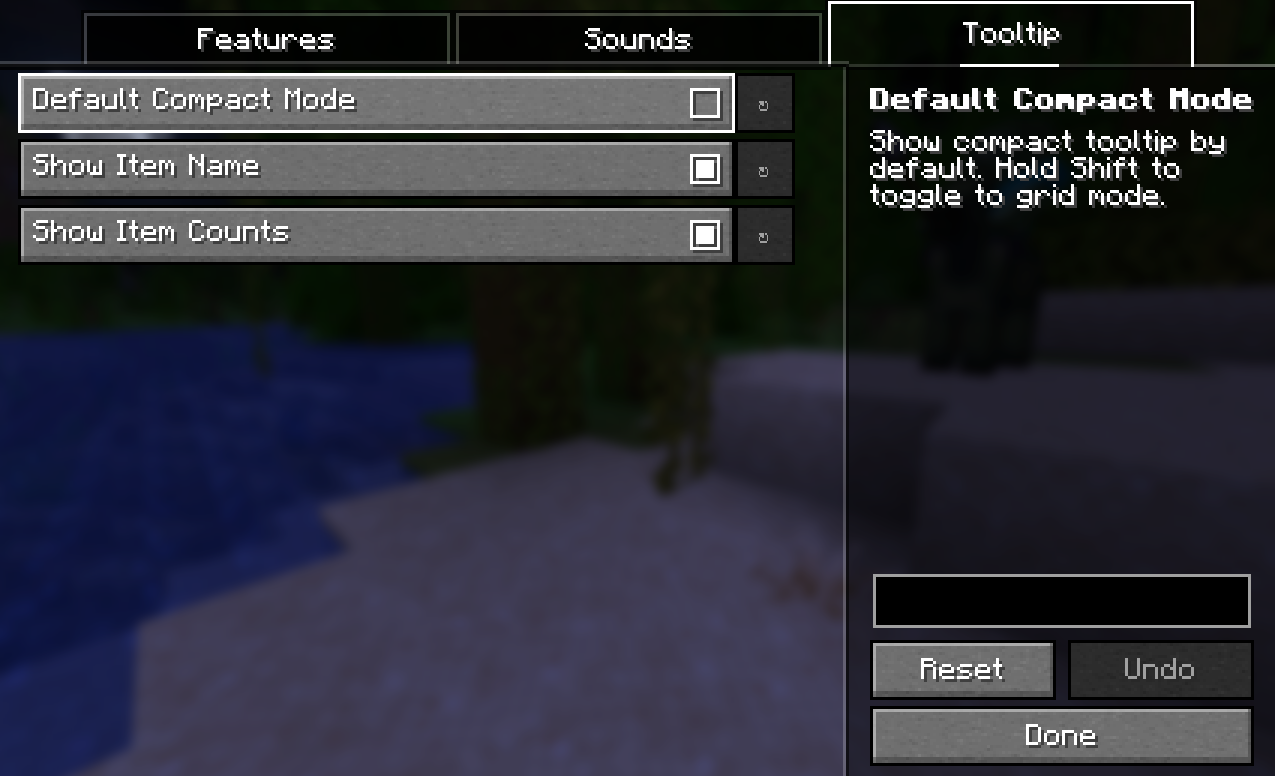
Hold Shift to view a condensed grid of unique items with aggregated counts and no empty slots. Large counts are abbreviated (1000+ → “1.0k”, 10000+ → “10k”). Perfect for quickly checking “do I have enough iron?”
⚙️ Fully Configurable
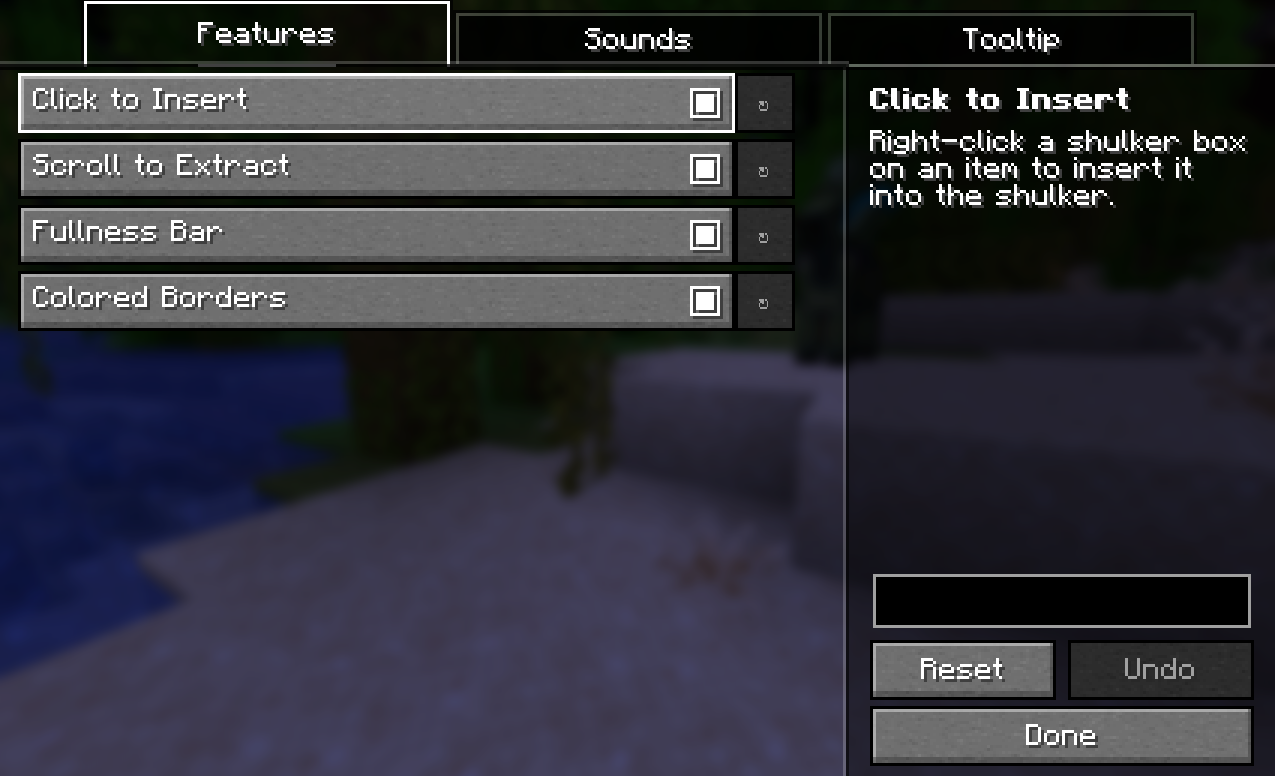
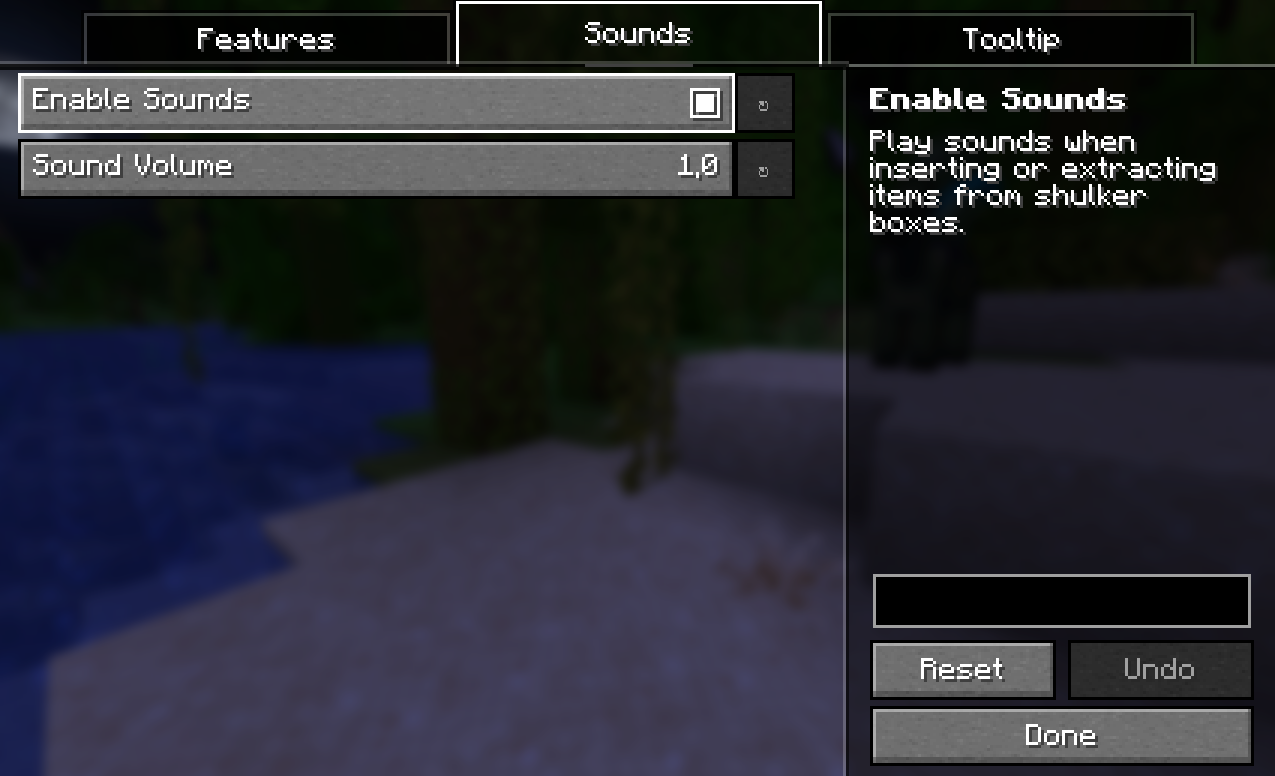
Every feature can be toggled individually. No game restart needed. Install Mod Menu and YACL for an in-game config screen, or just edit config/handyshulkers.json by hand. Both are optional – the mod works out of the box with sensible defaults.
Why This Mod?
The average Minecraft builder interacts with shulker boxes about 30 times per session. Each time, you go through the same ritual: find a surface, place the box, wait for the opening animation, open the GUI, move your items, close it, mine it back, pick it up. That’s roughly 5.6 seconds per interaction — and over the course of a year, it adds up to about 6.9 hours of just placing and breaking shulker boxes. We did the math so you don’t have to. You’re welcome.
Shulker boxes are 27-slot portable chests, yet they have none of the quality-of-life that bundles got in 1.21. Handy Shulker brings that same vanilla-feeling UX to your shulkers.
- Vanilla-esque — no new items, no new blocks, no config screens. Just better shulker UX.
- Lightweight — does one thing well. No library dependencies beyond Fabric API.
- Respects vanilla balance — shulker-in-shulker nesting is still blocked, stack sizes are unchanged.
Compatibility
- Requires Fabric API
- ✅ Mouse Tweaks compatible — works cleanly alongside Mouse Tweaks and other inventory mods
- ✅ ItemScroller / MaLiLib compatible — scroll events are intercepted at the GLFW input level, so inventory mods won’t interfere
- Should work alongside most inventory mods — if you run into conflicts, open an issue
- ⚙️ Optional: Mod Menu + YACL for in-game config screen (not required)
Installation
Single Player
- Install Fabric Loader
- Install Fabric API
- Drop
handyshulkers-x.x.x.jarinto yourmods/folder - Launch the game!
Server
The mod is required on both the server and all connecting clients. Players without the mod installed will not be able to use shulker box interactions correctly.
- Install Fabric Loader on your server
- Place Fabric API and Handy Shulker in the server’s
mods/folder - Each connecting player needs Fabric Loader, Fabric API, and Handy Shulker installed
Inspiration
This mod exists because of Xisuma and his Bundle Boutique in Hermitcraft Season 11. Watching that episode was the moment bundles finally clicked – and immediately made me wonder why shulker boxes, the original portable storage, couldn’t do the same thing.
Part of the Handy series
Small Fabric mods that smooth over vanilla friction points:
- Handy Bookshelf — enchantment glint and name tags for chiseled bookshelves
- Handy Trader — bookmark your favorite villager trades
- Handy Indicator — visual indicators on container blocks
Handy Shulker is open source under the MIT license.
常见问题
Handy Shulker 支持哪些 Minecraft 版本?
Handy Shulker 支持 Minecraft Java 版 1.21.11–26.3,共 6 个版本,可用的加载器:Fabric。下载时注意选择和你游戏版本一致的文件。
Handy Shulker 怎么安装?
先用 PCL2 或 HMCL 启动器安装对应版本的 Fabric,再把下载的 .jar 文件放进游戏目录的 mods 文件夹,重新启动游戏即可。开启了版本隔离的,mods 文件夹在 versions/版本名 下面。运行环境:客户端和服务端都要装。
dfox288 的其他作品
查看全部 →
Handy Trader
Star your favorite villager trades and they sort to the top automatically. Perfect for big trading halls where you only use 2 out of 10 master trades per villager. Gold highlight, per-villager memory, zero dependencies.

Handy Bookshelf
Enchanted books in chiseled bookshelves shimmer with enchantment glint, and aiming at a slot shows the enchantment name. Find Mending in a 30-shelf library at a glance.

Handy Indicator
Stop right-clicking every hopper to check if it's running. A colored crown sits on top of every loaded container in your item sorter — hoppers, droppers, furnaces, barrels, crafters. No comparators needed.
评论
登录后评论和评分