Guide
An interactive in-game guidebook mod featuring smooth UI rendering, Markdown parsing, and 3D multiblock previews.
截图



介绍








<img src="data:image/svg+xml;utf8,” width=”100%” alt=”Decorative section divider”/>
🧱 Render complex multiblocks. Parse Markdown right inside the UI.
🎬 Play video, GIFs and images — on Windows, macOS and Linux via FFmpeg.
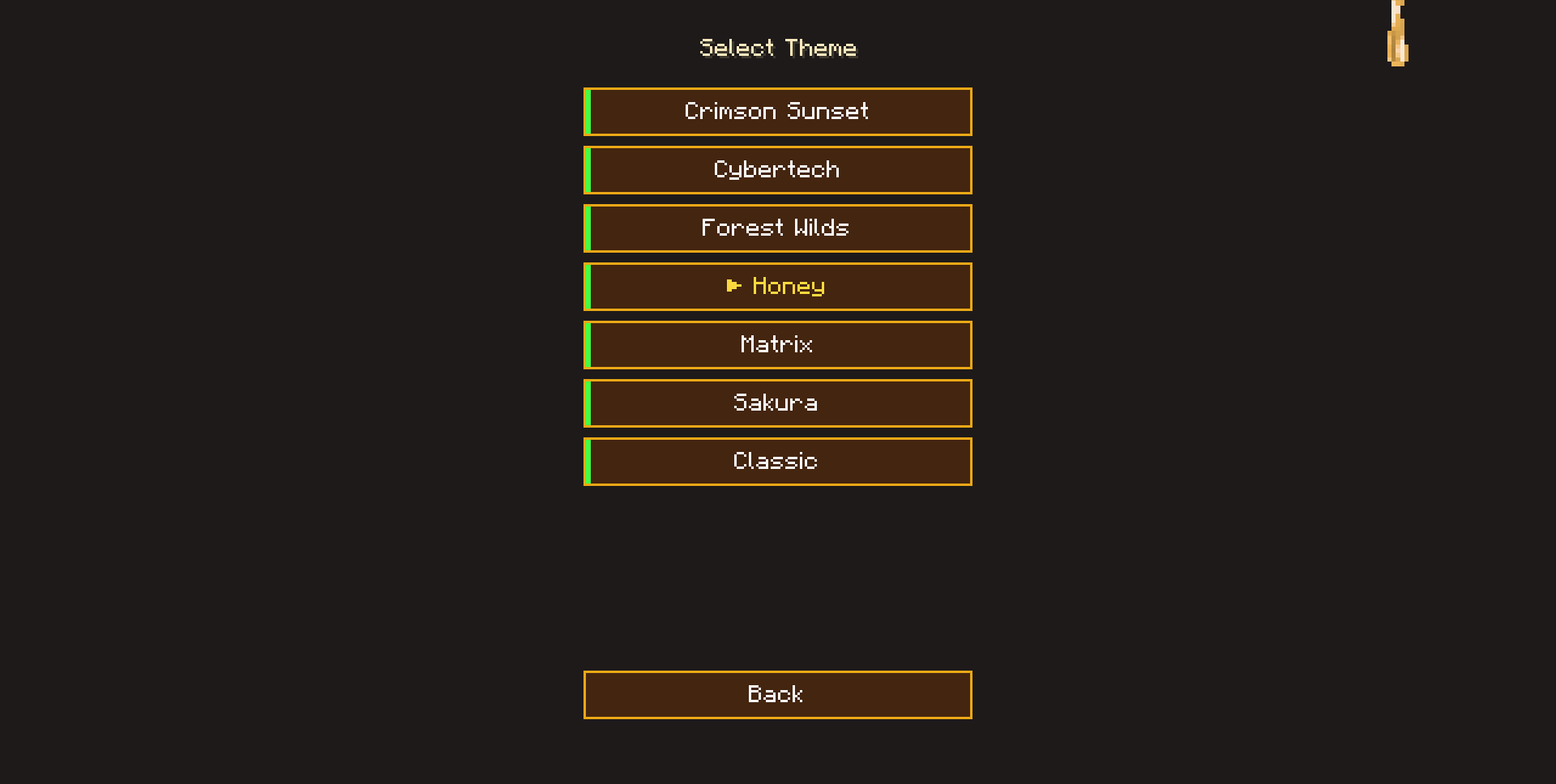
🎨 Fully customizable themes, per-book overrides, custom colors and chapter backgrounds, optional visual effects.




<img src="data:image/svg+xml;utf8,Features” width=”100%” alt=”Features section”/>
📚 Interactive BooksDirect-from-disk compilation. Multi-book namespaces, zero JAR packing. Full command suite for listing and opening books. sidebar search /guide list /guide open unlock_tag index hot-reload |
🧱 Multiblock ProjectionPreview and assemble complex structures step by step. layers rotation zoom progress HUD NBT |
📝 Markdown EngineFull Markdown rendered live inside the GUI. tables links spoilers items mobs sounds indentation search fulltext |
🎬 MultimediaVideo, GIF and image playback directly in the book. JavaCV FFmpeg GIF WebP URL fullscreen ducking cache |
📔 Explorer’s JournalA personal notebook stored in the player’s NBT. Notes, live Markdown preview, checklists, tables and spoilers. notes editor preview checklists markdown NBT sync |
🔭 Guide ScannerRight-click a block, mob, dropped item or fluid to jump straight to the matching chapter. blocks mobs items fluids @bind: @bind_tag: choice screen |
⌨️ Guide KeybindsConfigurable hotkeys to open the book or the journal without touching the inventory. B N rebindable inventory-aware Curios-aware |
🎨 Themes & BackgroundsEvery UI element is themeable via JSON, including chapter backgrounds. per-book colors chapterBackground color image URL effects lock |
🖼️ Universal ImagesPNG, JPEG, BMP and GIF supported everywhere — icons, backgrounds, media. PNG JPEG BMP GIF local server URL |
🎒 Curios IntegrationOptional. When Curios is installed, the book and journal can sit in the belt slot and appear on your model. belt render optional |
🧩 Mod & Quest HooksJEI bindings, in-book checkboxes, server-synced progress. @bind: @bind_tag: quests UUID NBT |
🔒 Book GatingHide books until a per-player unlock tag is granted by any command source. unlock_tag KubeJS FTB Quests advancements |
<img src="data:image/svg+xml;utf8,Feature Deep Dive” width=”100%” alt=”Feature Deep Dive section”/>
🔒 Book Gating |
▸ Per-Player Unlock Tags: Add ▸ Command-Driven: ▸ Modpack-Friendly: Any system that can dispatch a command works — KubeJS events, FTB Quests rewards, advancements, or custom script packs. State is stored per-player in server-side NBT and synced on login and after every change. |
|---|---|
📔 Explorer’s Journal |
▸ Personal Notebook: The ▸ Editor & Live Preview: The editor is a true multiline text box with cursor navigation, clipboard support (Ctrl+A/C/V/X) and a themed scrollbar you can drag. The preview renders the note the same way the book does — colors, styles, links, tables, dividers, spoilers and checklists — and refreshes with a 200 ms debounce while you type. ▸ Interactive Checklists: Markdown-style checkboxes ( ▸ Journal Markdown Support: ▸ Network Sync: Two payloads keep the journal in sync — a sync payload (server → client, sent on login) and an update payload (client → server, sent on create / update / delete). Last-write-wins conflict resolution, no confirmation roundtrip. |
🔭 Guide Scanner |
▸ One-Click Lookup: The ▸ Entity Raycast: Uses a custom AABB-clip raycast so small dropped items and thin hitboxes are detected correctly — vanilla projectile raycast misses them. ▸ Fluid Fallback: Scans water and lava by fluid ID first, then falls back to the bucket ID ( ▸ Cumulative Index: The scanner reads from |
⌨️ Guide Keybinds |
▸ Two Hotkeys: B opens the book selector and N opens the journal. Both are bound to the ▸ Inventory-Aware: Each key only fires if the matching item ( |
📚 Multi-Book Config Autonomy |
▸ Direct-from-Disk Compilation: Automatically maps and loads guidebooks from your local machine at ▸ Automated Blueprint Generation: On the very first launch, the mod extracts a complete, ready-to-build guidebook template into your config folder, protecting custom assets from being overwritten during modpack updates. ▸ Clean Book Selector: Features a fully responsive book catalog viewport with active filtering, rendering isolated book namespaces cleanly with zero mod-ID conflicts. Book order can be controlled via the optional |
⚙️ Hot-Reload & Dev-Friendly Pipeline |
▸ Runtime Layout Swapping ( ▸ Quick-Access Chat Navigation ( ▸ Book Listing & Direct Open: ▸ Item Shortcuts: ▸ Developer Mode Toggle: Hide instructional manuals or blueprints from players via |
🧭 Premium Navigation & Search Caret |
▸ Overhauled Search Box: Equipped with a clean vertical caret ( ▸ Smart Sidebar Sub-Menus: Seamlessly nests dropdown sub-chapters ( ▸ Unbreakable Tracking & History: Navigation memory locks the expanded state of sidebar submenus, and text hyperlink hitboxes mathematically track lines perfectly under any dynamic scrollbar offset. ▸ Full-Text Search Overlay: The sidebar search scans chapter content, not just titles. Typing a query opens an overlay with snippets around every match, grouped by chapter. Click a snippet to open the chapter, scroll to the matched line, and highlight the query in-place. The sidebar also keeps chapters that only match by content. ▸ In-Chapter Search (Ctrl+F): A browser-style find panel opens at the bottom of the chapter area. Every match is highlighted (active one in a different color); jump between matches with ↑ / ↓ or Enter / Shift+Enter, with a live |
🧩 Advanced Content Rendering |
▸ Natural Text Indentation Support: The Markdown engine fully respects space and tab blocks at the start of text sequences, allowing for structured nested lists without desyncing hyperlink areas. ▸ Direct Media Streaming: Renders static images ( ▸ 3D Item & Block Models ( ▸ Consolidated Multi-Block NBT Projection: The 3D hologram projector ( |
🎬 Built-in Media System |
▸ Video Playback: Play local and remote video files ( ▸ GIF and Image URL Support: Use direct HTTP(S) links in ▸ Sound Integration: Use the ▸ Smart Background Music Ducking: When a video or custom sound starts, the mod automatically pauses background music and restores it after playback ends. ▸ Client-Only Safety: All media decoders, the FFmpeg native library downloader, the JavaCV bridge, and the texture uploader are annotated |
🎨 Themes & Chapter Backgrounds |
▸ Fully Themeable UI: Every interface element — panels, borders, buttons, scrollbars, tables, media player, projector — is defined by a JSON theme file. Custom themes are placed in ▸ Per-Book Overrides: Set a ▸ Chapter Backgrounds: Themes can override the default chapter background with a ▸ Built-in Visual Effects: Optional per-theme effects: |
🔗 Mod & Quest Integration |
▸ Live Server-Synced Checkboxes: Features a client-to-server interactive quest system. Quest completions are bound to player UUIDs and securely saved inside the server-side NBT structure, protecting progression files from local data wipes. ▸ JEI Navigation Ready: Bind chapters to specific item entries using ▸ Curios Belt Slot: The book and journal declare compatibility with the Curios |
<img src="data:image/svg+xml;utf8,Commands” width=”100%” alt=”Commands section”/>
| ⌨️ Command | Description |
|---|---|
| /guide | Open the main book catalog from anywhere — no item required |
| /guide reload | Hot-reload all markdown, textures, JSON and themes without restarting the game |
| /guide list | List all books visible to the client. Click a line to insert /guide open <namespace> into chat; hover for details |
| /guide list server | List books the server is currently distributing. Shows index, namespace, dev marker and disk path in hover |
| /guide open <namespace> | Open a specific book by namespace from chat. Supports tab-completion |
| /guide give <book|scanner|diary> [player] | Spawn a Guide item into your inventory, or into another player’s with OP 2. Falls back to player.drop() when the inventory is full. 1-second per-player cooldown |
| /guide unlock <tag> [player] | Grant an unlock tag to yourself or another player (OP 2 for other players) |
| /guide lock <tag> [player] | Revoke an unlock tag from yourself or another player (OP 2 for other players) |
| /guide unlocks | List all unlock tags currently held by you |
| /guide unlocks clear [player] | Wipe every unlock tag from yourself, or from another player with OP 2. Useful for testing and admin housekeeping |
▸ All commands except /guide list server, /guide reload server-side, and player-targeted unlock / lock / give variants are available to all players by default — no OP or cheat requirements.
<img src="data:image/svg+xml;utf8,Supported Versions” width=”100%” alt=”Supported Versions section”/>
| ⚙️ Loader | 🎮 Game | 📦 Version | ☕ JDK | 🚦 Status | 🌿 Branch | |
|---|---|---|---|---|---|---|
 |
Forge | 1.20.1 | 1.8.0+ | 17 | 🟢 Stable | forge-1.20.1 |
 |
NeoForge | 1.21.1 | 1.6.0+ | 21 | 🟢 Stable | neoforge-1.21.1 |
▸ Both branches share the same feature set — multimedia, Markdown rendering, multiblock projection and book gating are on par. One small difference: on Forge, right-clicking the Curios belt slot opens the equipped item’s screen (via ICurioItem.curioRightClick); on NeoForge this is no longer part of the Curios API, so use the N / B keybind instead.
<img src="data:image/svg+xml;utf8,Integrations” width=”100%” alt=”Integrations section”/>
| 🧩 JEI | Bind chapters to items with @bind:mod_id:item. Click guide item passposts to instantly open recipes. Optional — Guide works fine without it. |
| 🎒 Curios | Soft dependency. When installed, the guide_book and guide_diary can be equipped in the belt slot; the equipped item is rendered on the player’s model, and the B / N keybinds pick it up from there. The slot itself appears automatically for any player once the mod is loaded — no manual configuration required. |
| 🎬 FFmpeg / JavaCV / JavaCPP | Video decoding, transcoding, and frame-level media access through native FFmpeg binaries, wrapped by JavaCV and bundled via JavaCPP for Windows, macOS, and Linux. |
| 💾 Media Cache | Automatic background music ducking during video / sound playback, plus offline media caching. |
| 🔒 KubeJS / FTB Quests / Advancements | Book gating hooks into anything that can dispatch a command. Grant tags with /guide unlock <tag> from KubeJS events, FTB Quests rewards, advancement functions, or script packs. |
<img src="data:image/svg+xml;utf8,Directory Structure” width=”100%” alt=”Directory Structure section”/>
config/guide/books/<book_id>/
├── chapters/           # Content sections

│   ├── index.md        # Primary index

│   ├── introduction.md # First chapter

│   └── <language>/     # Language-specific files

├── lang/               # Localization

│   ├── en_us.json

│   └── <language>.json

├── models/             # 3D model data

├── sounds/             # Background audio (.ogg)

├── videos/             # Local video files

├── textures/           # UI and image assets

├── structures/         # Multi-block .nbt blueprints

└── book.json           # Metadata
📄 Example book.json:
{

"name": "<book_id>.book.guide",

"namespace": "<book_id>",

"default_chapter": "introduction",

"icon": "your_logo.png",

"bg_music": "background_music",

"theme": "<theme_id>",

"dev_only": false,

"index": 0,

"unlock_tag": ""

}
▸ index is optional. Books are sorted by it in the selector (lower = earlier). Books without index fall to the end, sorted by namespace.
▸ unlock_tag is optional. Leave it empty to keep the book public; set a tag (e.g. "secret") to hide the book until the player receives that tag via /guide unlock secret. Tags are per-player and persist across sessions.
<img src="data:image/svg+xml;utf8,Themes” width=”100%” alt=”Themes section”/>
Every UI element is themeable via JSON. Custom themes live in config/guide/themes/ — copy the template below, tweak the colors, and save it as a new file (for example, my_theme.json).
Two dedicated colors control both the Ctrl+F panel and the full-text overlay: searchHighlightColor (all matches) and searchHighlightCurrentColor (active match). Built-in palettes ship with tuned defaults per theme.
Each theme can also define its own chapter background — a solid color or an image that replaces the default background for every chapter in books using this theme.
📄 Example standard.json (config/guide/themes/standard.json):
{

"id": "standard", // unique theme identifier

"displayName": "guide.theme.standard", // display name (plain string or translation key)

"chapterBackground": { // optional chapter background override

"type": "color", // "color" or "image"

"value": "0x0A0A0A", // RGB color (0xRRGGBB) when type = "color"

"alpha": 230 // 0 = transparent, 255 = opaque

},

"colors": {
// ===== General UI =====

"panelBackgroundColor": "0xCC1A1A1A", // panels background (book pages, side menus)

"panelHeaderBackgroundColor": "0xCC111111", // panel header background

"borderColor": "0xFF4A4A4A", // default border for panels and windows

"borderFocusedColor": "0xFF00D0FF", // focused element border

"textColor": "0xFFFFFF", // primary text color

"textSecondaryColor": "0x888888", // secondary text

"scrollbarTrackColor": "0x55111111", // scrollbar track background

"scrollbarThumbColor": "0xFF8B8B8B", // scrollbar thumb

"buttonColor": "0xFF2A2A2A", // default button

"buttonHoverColor": "0xFF3A3A3A", // button on hover

"buttonDisabledColor": "0xFF1A1A1A", // disabled button
// ===== Input Fields =====

"editBoxBackgroundColor": "0xFF000000", // input field background

"editBoxBorderColor": "0xFFA0A0A0", // input field border

"editBoxBorderFocusedColor": "0xFFFFFFFF", // input field border on focus

"editBoxTextColor": "0xFFFFFF", // input field text
// ===== Search Highlight (Ctrl+F) =====

"searchHighlightColor":         "0x80FFEB3B",       // all match highlights

"searchHighlightCurrentColor":  "0xC0FF9800",       // currently active match
// ===== Media Player =====

"mediaFrameOuterColor": "0xFF2D2D2D", // media outer frame

"mediaFrameInnerColor": "0xFF4A4A4A", // media inner frame

"mediaBackgroundColor": "0xFF000000", // playback area background

"mediaControlPanelColor": "0xCC000000", // control panel background

"mediaTextColor": "0xFFAAAAAA", // media player text

"mediaErrorTextColor": "0xFFFF5555", // error text

"mediaTimeTextColor": "0xFFCCCCCC", // playback time text

"progressBarTrackColor": "0xFF555555", // progress bar track background

"progressBarFillColor": "0xFF00D0FF", // progress bar fill

"progressBarThumbColor": "0xFFFFFFFF", // progress bar thumb

"progressBarThumbOutlineColor": "0xFF000000", // progress bar thumb outline
// ===== Inline Elements =====

"spoilerTitleColor": "0xFFAA00", // spoiler title

"inlineItemBackgroundColor": "0x550A0A0A", // inline item background

"inlineItemBorderColor": "0x25FFFFFF", // inline item border

"inlineItemTextColor": "0xFFAAAAAA", // inline item text

"soundButtonBackgroundColor": "0xFF2E2E2E", // sound button background

"soundButtonBorderColor": "0xFF5A5A5A", // sound button border

"soundButtonTextColor": "0xFFFFFF", // sound button text

"questStrikethroughColor": "0x77777777", // strikethrough quest text
// ===== Tables =====

"tableHeaderBackgroundColor": "0xFF222222", // table header background

"tableHeaderTextColor": "0xFFAA00", // table header text

"tableRowBackgroundColor": "0x11000000", // alternating row background

"tableBorderColor": "0xFF3A3A3A", // table borders

"tableCellTextColor": "0xFFFFFF", // table cell text

"dividerColor": "0xFF3A3A3A", // block dividers
// ===== Video Title =====

"videoTitleBackgroundColor": "0xCC2D2D2D", // video title panel background

"videoTitleBorderColor": "0xFF5A5A5A", // video title panel border

"videoTitleTextColor": "0xFFFFFF", // video title text
// ===== Warnings & Toasts =====

"warningTextColor": "0xFF5555", // primary warning text

"warningTextSecondaryColor": "0xFFAAAAAA", // secondary warning text

"toastBackgroundColor": "0xD0101215", // toast notification background

"toastTextColor": "0xFFFFFF", // toast notification text
// ===== Structure Panel =====

"structureFrameColor": "0x4000FFFF", // 3D structure preview frame

"structureTabActiveBackgroundColor": "0xFF555555", // active tab background

"structureTabInactiveBackgroundColor": "0xFF222222", // inactive tab background

"structureTabActiveTextColor": "0x00FFCC", // active tab text

"structureTabInactiveTextColor": "0x888888", // inactive tab text

"structureLayerTextColor": "0x55FF55", // structure layer label
// ===== Placement Projector =====

"projectorPanelBackgroundColor": "0xD0101215", // projector panel background

"projectorPanelBorderColor": "0x4000D0FF", // projector panel border

"projectorTitleTextColor": "0x00D0FF", // projector panel title

"projectorButtonBackgroundColor": "0x15FFFFFF", // default button background

"projectorButtonHoverBackgroundColor": "0x3000D0FF", // button background on hover

"projectorButtonBorderColor": "0x25FFFFFF", // default button border

"projectorButtonHoverBorderColor": "0xFF00D0FF", // button border on hover

"projectorButtonTextColor": "0xBBBBBB", // button text

"projectorButtonHoverTextColor": "0xFFFFFF", // button text on hover

"projectorDoneButtonHoverBackgroundColor": "0x3000FF55", // "Done" button background on hover

"projectorDoneButtonHoverBorderColor": "0xFF00FF55", // "Done" button border on hover

"projectorCancelButtonHoverBackgroundColor": "0x30FF2244", // "Cancel" button background on hover

"projectorCancelButtonHoverBorderColor": "0xFFFF2244", // "Cancel" button border on hover

"projectorHudTextColor": "0xFFFFFF" // projector HUD hint text

}

}
🖼️ Chapter Background (optional)
Add a chapterBackground block to your theme to override the default background (blur on NeoForge, gradient overlay on Forge). Three source types are supported:
// Solid color with alpha (0 = transparent, 255 = opaque)

"chapterBackground": {

"type": "color",

"value": "0x1A0F2E",

"alpha": 230

}
// Local or server-side image (resolved against the current book folder)

"chapterBackground": {

"type": "image",

"path": "textures/bg/my_bg.png"

}
// Direct URL (downloaded in background, cached on disk)

"chapterBackground": {

"type": "image",

"path": "https://example.com/background.jpg"

}
▸ Omit chapterBackground entirely to keep the default. URL images appear with a short delay on first load; subsequent openings use the cache. Supports PNG, JPEG, BMP and GIF (first frame).
Colors are written in 0xAARRGGBB format:
| Channel | Range | Description |
|---|---|---|
| AA | 00 – FF |
Alpha channel (transparency). FF = fully opaque, 00 = fully transparent |
| RR | 00 – FF |
Red channel |
| GG | 00 – FF |
Green channel |
| BB | 00 – FF |
Blue channel |
▸ Tip: set alpha below FF (e.g. 80) to make panels semi-transparent.
<img src="data:image/svg+xml;utf8,Requirements” width=”100%” alt=”Requirements section”/>
| Component | Minimum | Recommended | Notes |
|---|---|---|---|
| Minecraft | 1.20.1 · 1.21.1 |
1.20.1 or 1.21.1 |
Pick the branch that matches your loader |
| Loader | Forge 47.x+NeoForge 21.x+ |
Latest stable release | Only one is required — choose per branch |
| Java | JDK 17JDK 21 |
17 for Forge21 for NeoForge |
Version must match the loader branch |
| JEI (optional) | — | Latest for your MC build | Only needed for recipe integration via @bind: |
| Curios (optional) | — | Latest for your MC build | Only needed for the belt slot integration and on-model rendering |
▸ Guide works standalone — JEI, Curios, Quests, and other integrations are entirely optional.
<img src="data:image/svg+xml;utf8,Reporting Issues” width=”100%” alt=”Reporting Issues section”/>
Found a bug or encountered a crash? Open a ticket on the Issue Tracker.
| Info required | Example |
|---|---|
| Minecraft version | 1.20.1 · 1.21.1 |
| Loader + version | Forge 47.4.20+ · NeoForge 21.1.0+ |
| Guide mod version | 1.8.0 · 1.6.0-NeoForge |
| Related mods | List of mods that may interact with Guide (JEI, Curios, etc.) |
| Screenshots | Attach if the issue is layout-related |
| Crash report | Full latest.log or crash-report in a code block |
▸ The more details you provide, the faster the issue can be resolved.
<img src="data:image/svg+xml;utf8,Credits” width=”100%” alt=”Credits section”/>
| ✦ | 🧩 Project | 👤 Author / Team | ⚡ Contribution |
|---|---|---|---|
| 🧩 | Just Enough Items (JEI) | mezz | In-game recipe integration |
| 🎒 | Curios | TheIllusiveC4 | Slot framework used for the belt integration |
| ⚒️ | Minecraft Forge | LexManos · cpw | FML ecosystem · MCP tools |
| 🦊 | NeoForge | NeoForge Team | Modern modding platform for 1.21.1 |
| 🎬 | JavaCV | bytedeco | Cross-platform Java wrapper for native media libraries |
| 🎬 | JavaCPP | bytedeco | Native bindings & prebuilt binaries for FFmpeg / OpenCV |
| 🎞️ | FFmpeg | FFmpeg Team | Video decoding, transcoding & stream handling |
| 💙 | Open Source Community | Everyone | Bug reports, docs, and support |
<img src="data:image/svg+xml;utf8,License” width=”100%” alt=”License section”/>
Licensed under the MIT License.
You are allowed to include Guide in your modpack.
Any modpack that uses Guide takes full responsibility for user support queries.
We only support official builds, not custom modified jars.
常见问题
Guide 支持哪些 Minecraft 版本?
Guide 支持 Minecraft Java 版 1.20.1–1.21.1,共 2 个版本,可用的加载器:Forge / NeoForge。下载时注意选择和你游戏版本一致的文件。
Guide 怎么安装?
先用 PCL2 或 HMCL 启动器安装对应版本的 Forge / NeoForge,再把下载的 .jar 文件放进游戏目录的 mods 文件夹,重新启动游戏即可。开启了版本隔离的,mods 文件夹在 versions/版本名 下面。运行环境:客户端和服务端都要装。
评论
登录后评论和评分