
介绍




📑 Description
A Simple Fabric Mod that allows you to record the game GUI separately, i.e. having a transparent background! All records are saved to the .minecraft/gui-recorder folder. You can also save last recording frames for manual processing, for this enable “Create Backup For Last Frames” in the mod configuration screen. After finishing recording, last frames will be copied to .minecraft/gui-recorder-latest-backup.
You can also:
- Disable some GUI elements from being captured
- Crop rendering area
- Take screenshots
- Record in any formats (which allow FFMpeg)
And yeah, it requires FFMpeg installed!
📹 Showcase

📹 Result Webp (Compressed for this readme)

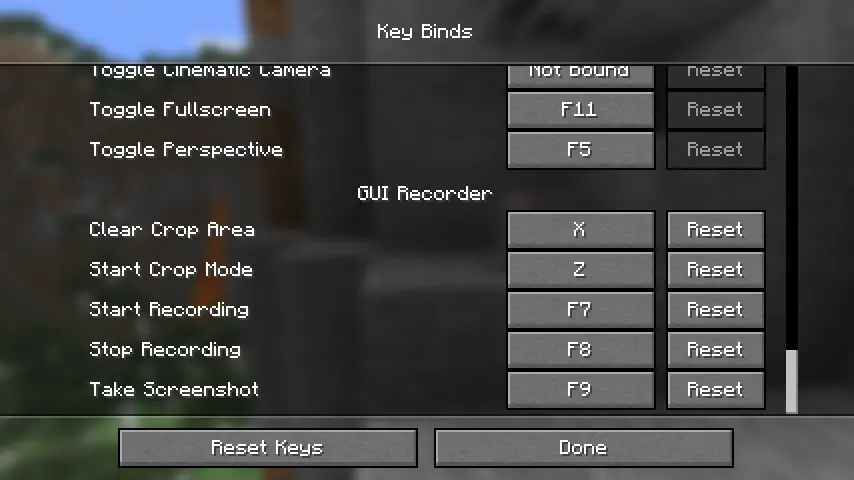
🎮 Keybinds
To use this mod you will need to bind some keys, just keeping you informed 😉
常见问题
GUI Recorder 支持哪些 Minecraft 版本?
GUI Recorder 支持 Minecraft Java 版 1.20.1–1.21.11,共 11 个版本,可用的加载器:Fabric。下载时注意选择和你游戏版本一致的文件。
GUI Recorder 怎么安装?
先用 PCL2 或 HMCL 启动器安装对应版本的 Fabric,再把下载的 .jar 文件放进游戏目录的 mods 文件夹,重新启动游戏即可。开启了版本隔离的,mods 文件夹在 versions/版本名 下面。
LopyTwich 的其他作品
查看全部 →
PatPat [Mod]
可以抚摸《Minecraft》中任何你喜欢或不喜欢的活体生物!

Particle Dithering
Adds dithered transparency effect to particles. Compatible with any shaders!

Specific Slots
Simple configuration of your inventory for items!
评论
登录后评论和评分