
Grave Filter: Selective Gravestone Drops
Addon for Gravestone: choose which items stay in the grave and which drop on the ground when you die, via config filters.
截图
介绍
Grave Filter
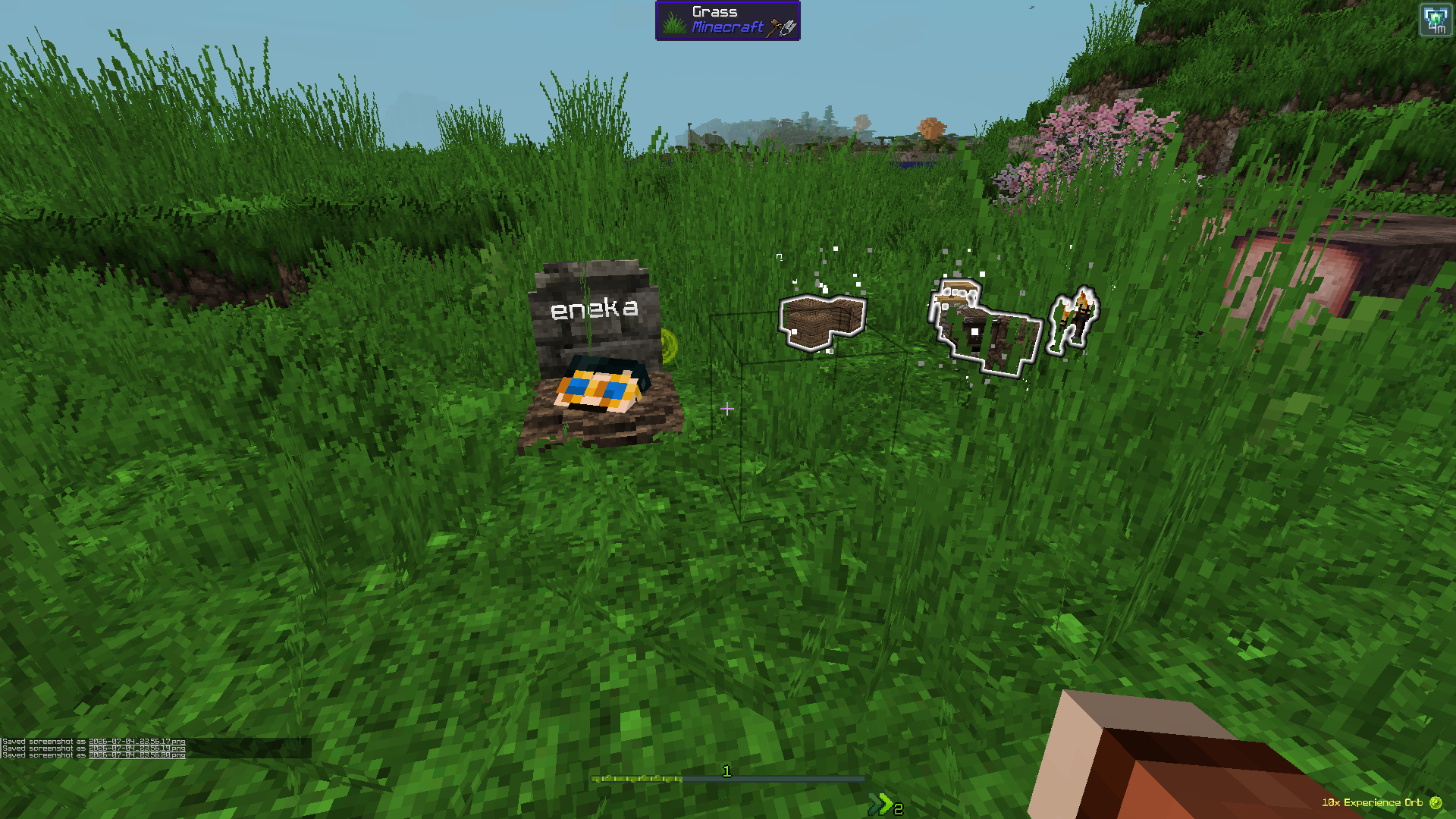
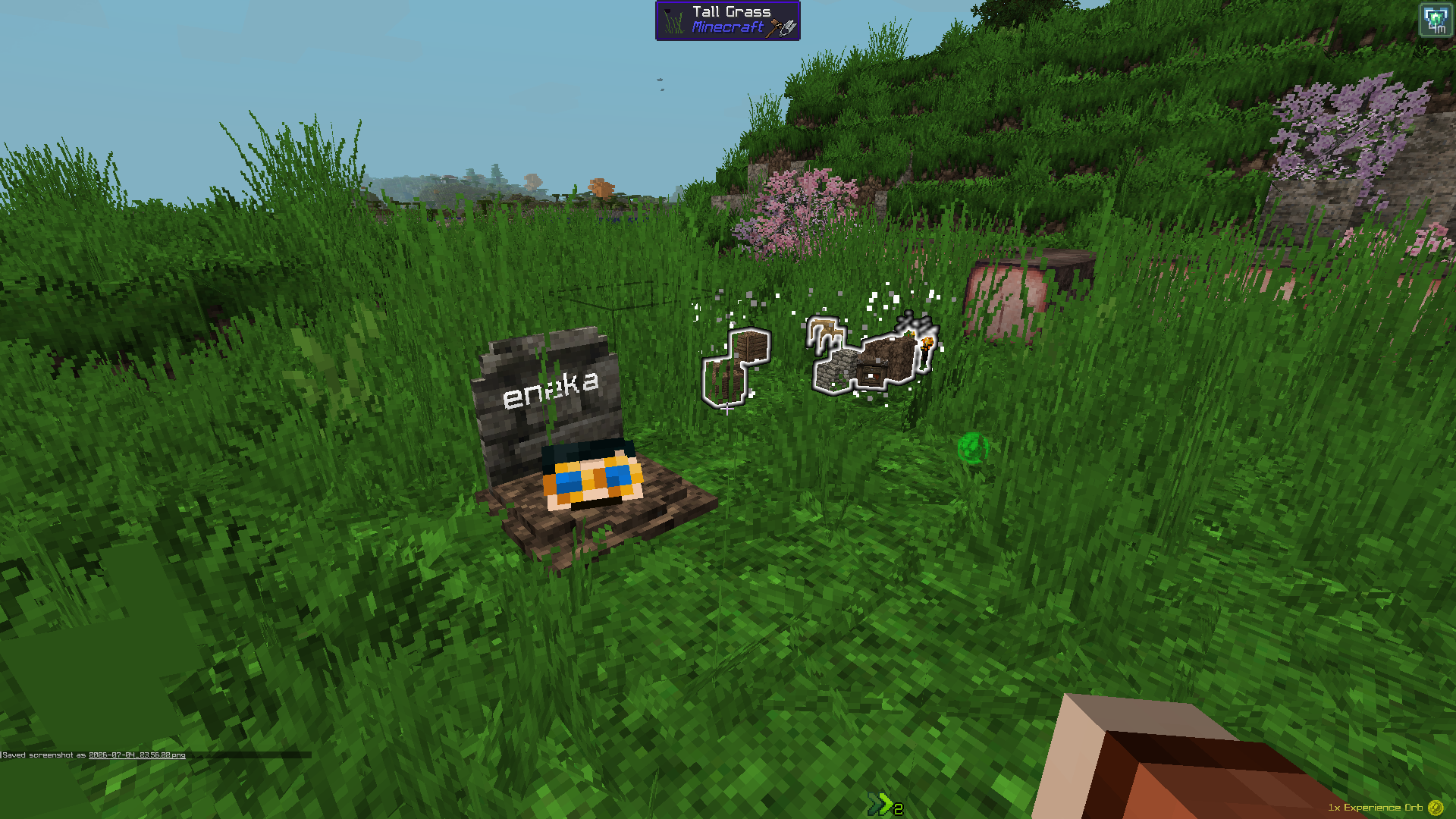
An addon for the Gravestone mod. By default, Gravestone stores your entire inventory in a grave when you die. Grave Filter lets you decide which items are worth protecting — everything else drops and floats on the ground instead, right where you died.
Perfect for servers and modpacks that want death to still sting a little, without full item-loss chaos.
✨ Features
Choose what gets dropped on the ground instead of stored in the grave:
- 📦 Manually added items — an exact list of item IDs, your call
- 🧱 Blocks — anything placeable
- ⛏️ Materials — ingots, gems, ores, raw materials, dust, storage blocks (tag-based, fully configurable)
- 🔧 Tools — pickaxe, axe, shovel, hoe, shears, fishing rod, flint & steel
- 🛡️ Armor — helmet, chestplate, leggings, boots, elytra
- ⚔️ Weapons — sword, axe, bow, crossbow, trident
- 🎒 Hotbar — everything in your hotbar, regardless of type
- 💍 Curios slots — full integration with the Curios API (optional)
A “always keep” list overrides every other rule — perfect for that one heirloom item you never want to lose.
Dropped items can be configured to:
- Never despawn
- Be invulnerable (fire, lava, explosions, cactus…)
- Glow, so they’re easy to spot
⚙️ How it works
Grave Filter hooks into the same death event Gravestone uses, but runs before Gravestone reads your inventory. It pulls out whatever should drop and spawns it as a floating item; whatever’s left is what ends up in the grave. No Gravestone internals are touched, so it stays compatible across Gravestone updates.
📋 Requirements
- Minecraft 1.20.1
- Forge 47+
- Gravestone (required)
- Curios (optional — only needed for Curios slot filtering)
🔧 Configuration
All settings live in config/gravefilter-common.toml, generated on first launch. Precedence: manual keep-list > manual drop-list > category filters. Anything not matched by an active filter stays in the grave (vanilla Gravestone behavior).
⚠️ Disclaimer
This is an unofficial, community-made addon and is not affiliated with or endorsed by the author of Gravestone.
常见问题
Grave Filter: Selective Gravestone Drops 支持哪些 Minecraft 版本?
Grave Filter: Selective Gravestone Drops 支持 Minecraft Java 版 1.20.1–1.20.6,共 6 个版本,可用的加载器:Forge。下载时注意选择和你游戏版本一致的文件。
Grave Filter: Selective Gravestone Drops 怎么安装?
先用 PCL2 或 HMCL 启动器安装对应版本的 Forge,再把下载的 .jar 文件放进游戏目录的 mods 文件夹,重新启动游戏即可。开启了版本隔离的,mods 文件夹在 versions/版本名 下面。运行环境:客户端和服务端都要装。
kopper.nico 的其他作品
查看全部 →
Cobblemon: TC Living World
这款模组力求忠实还原动画系列和官方设定中的行为、事件与描述,让宝可梦世界尽可能真实地呈现。例如,鲤鱼般的生物可以跃过瀑布,飞鸟类生物也能……

Cobblemon: PokeRider
Experience modern Pokémon riding in Cobblemon 1.5.2 with animation-aware movement, realistic physics, and a wide range of features

KopperLib
A library for Kopper mods - Compatibilities

Cobblemon Real-Time Combat: CobbleStrike!
A mod for Cobblemon that adds real time attack system, outside a pokemon battle. With a UI attack wheel selector and animations.
评论
登录后评论和评分