
截图
介绍
中文介绍正在准备中,下面暂时显示原文。
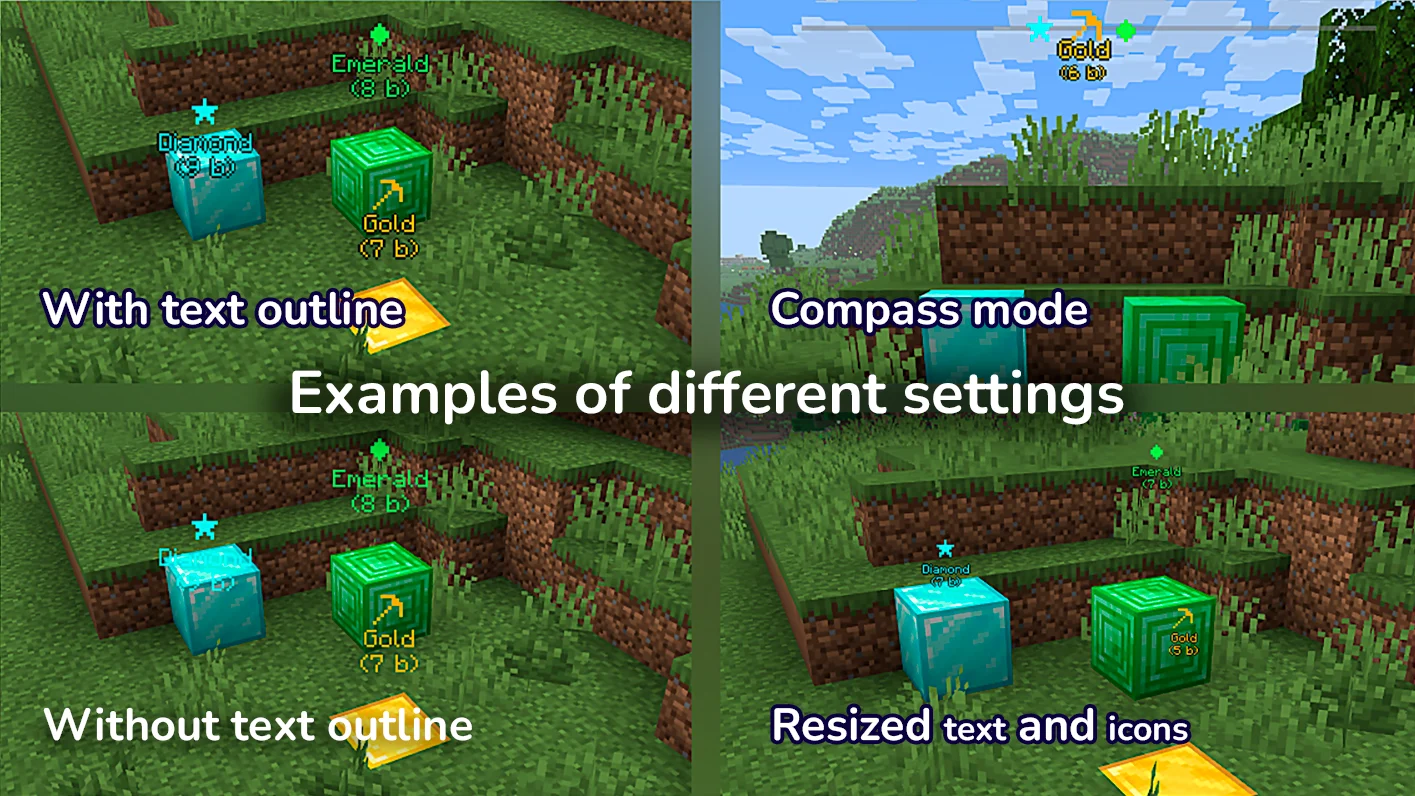
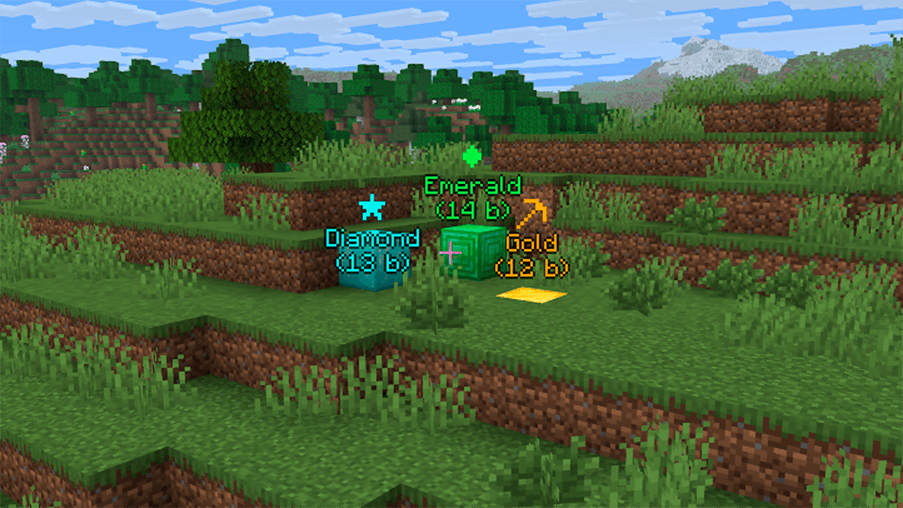
GraphWaypoints adds a powerful waypoint system to enhance your navigation in Minecraft. Mark important locations, track them across all dimensions, and share coordinates with ease. It’s a simple and effective tool for any explorer.
🛠️ Features
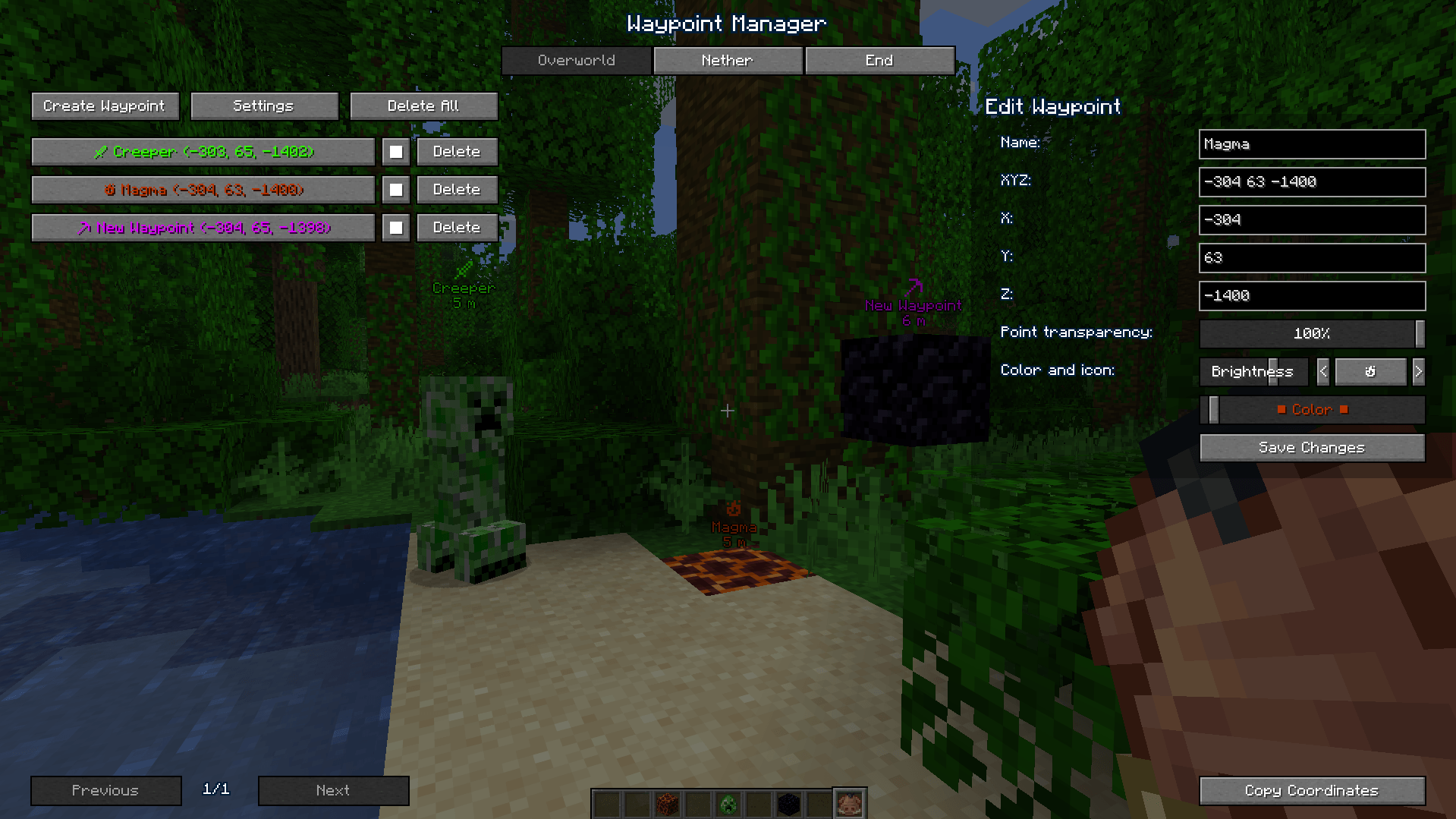
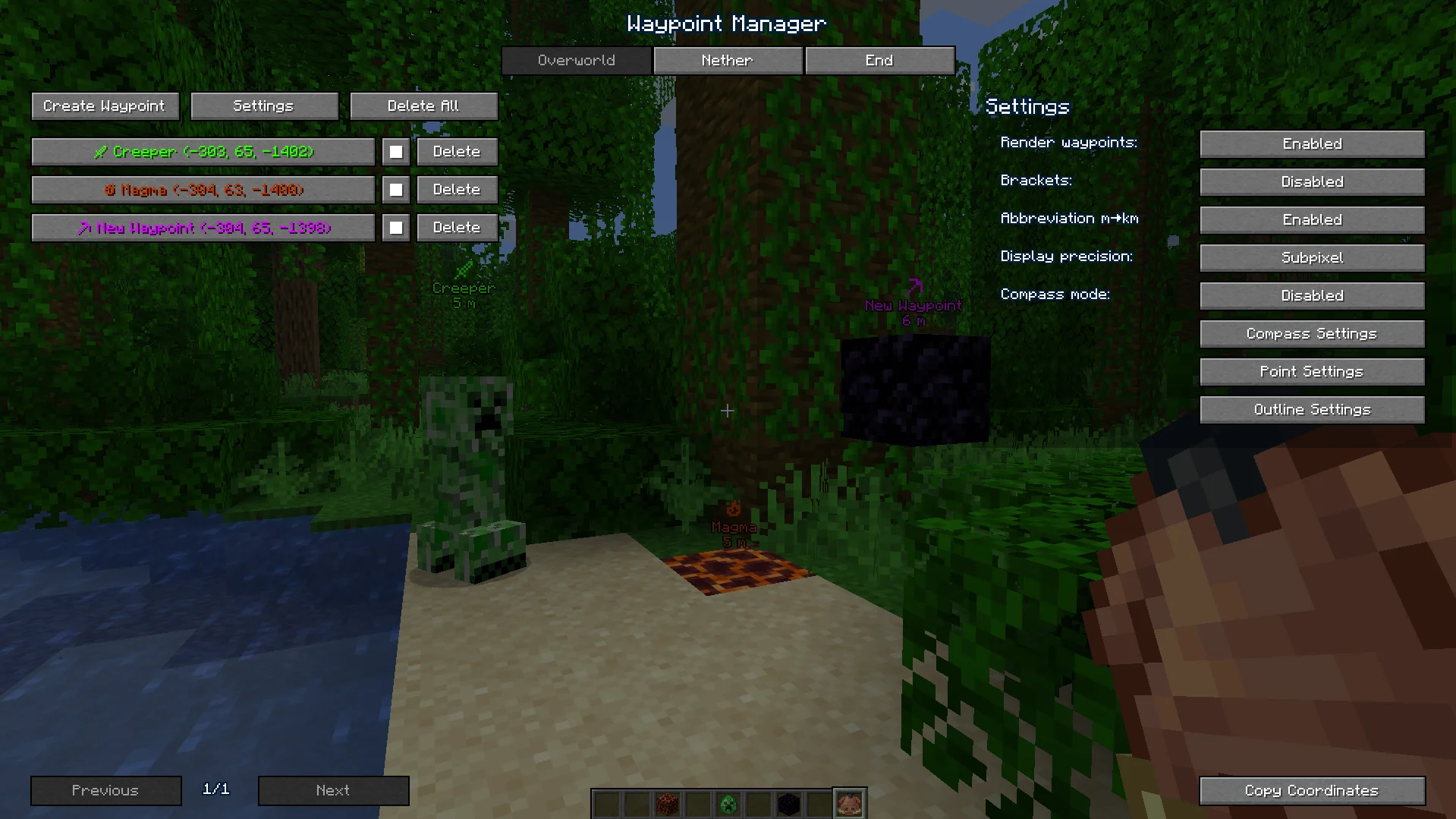
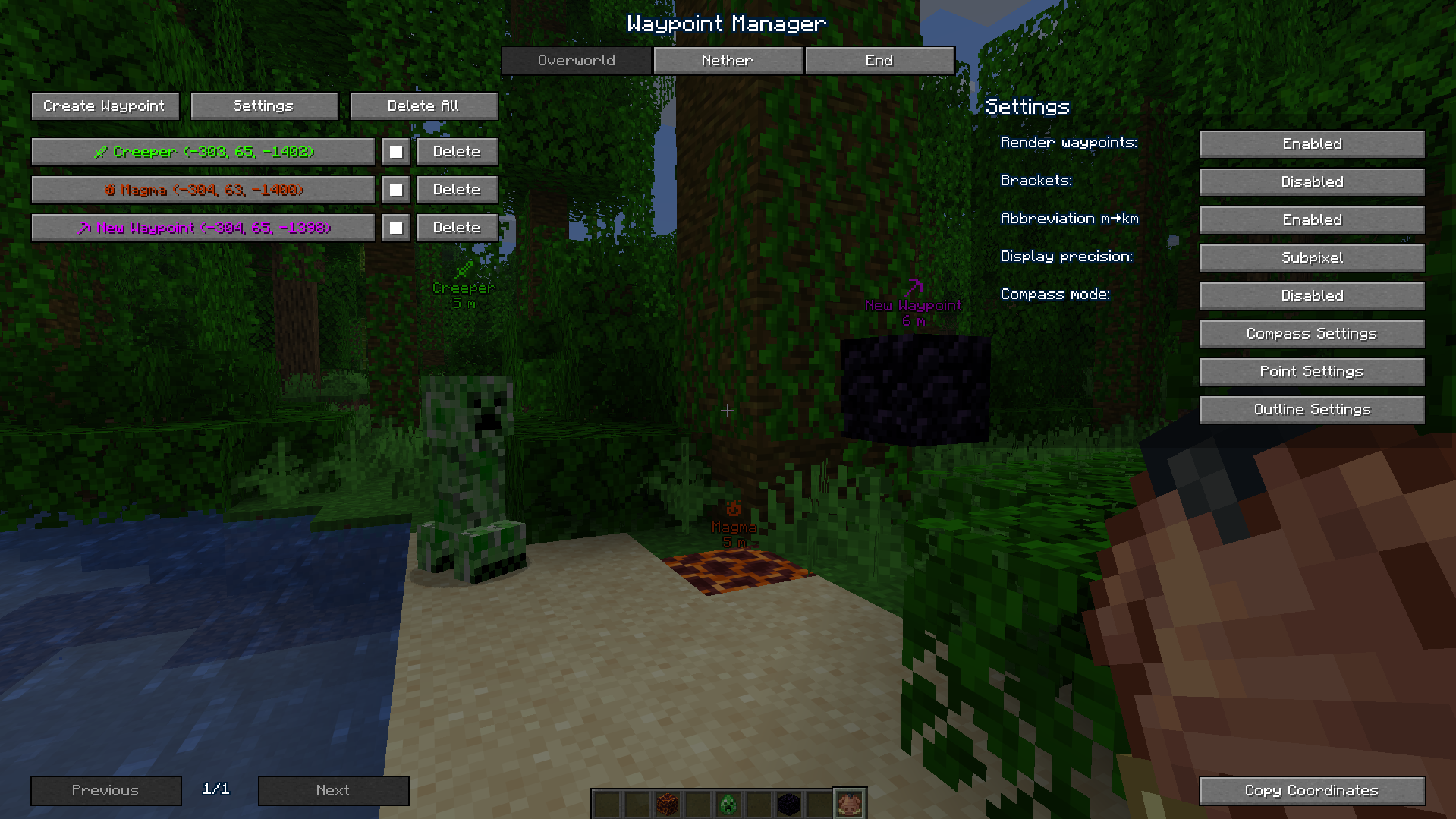
- Waypoint Management: Create, customize (name, color), and organize waypoints for all dimensions through an intuitive interface.
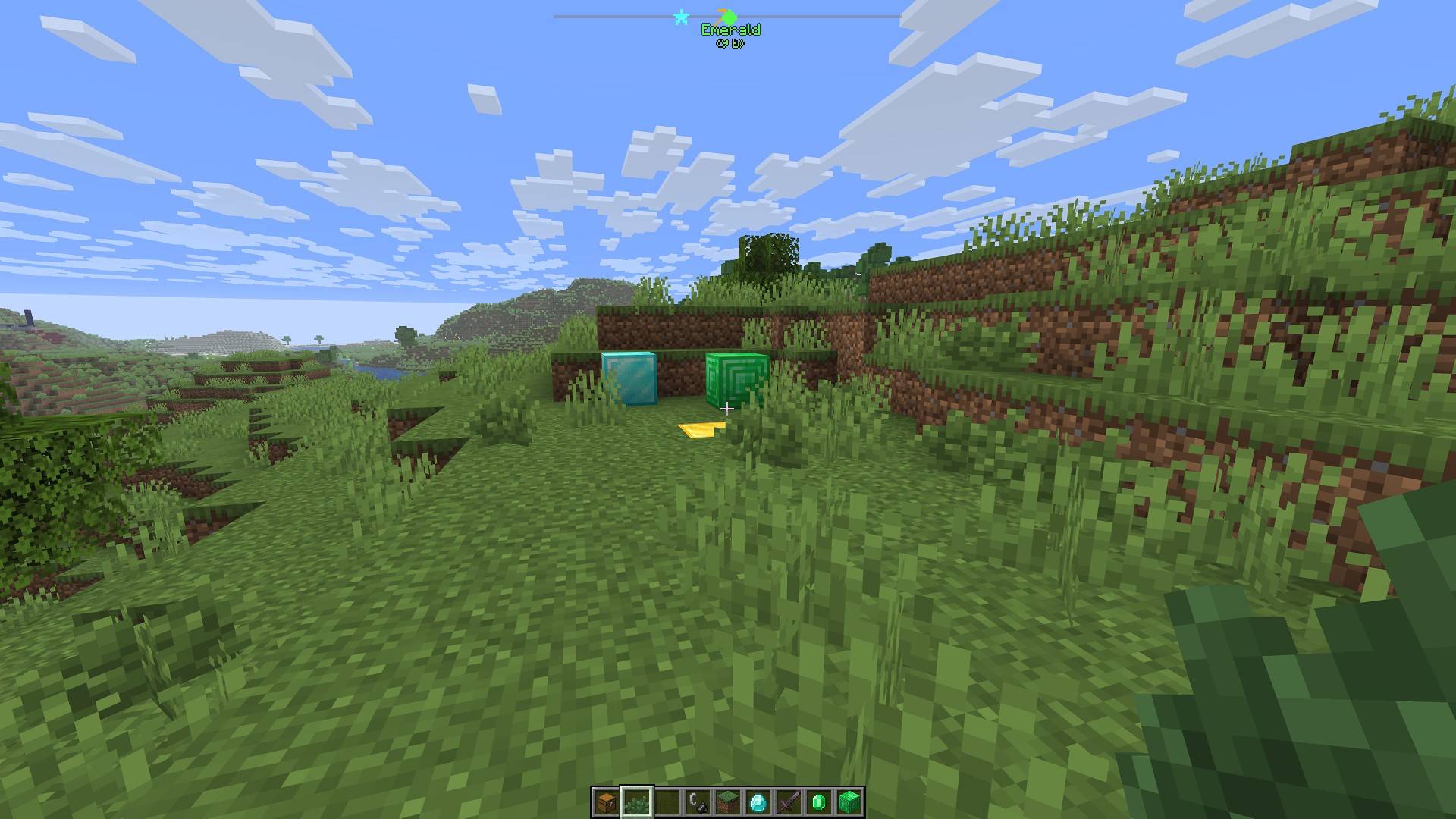
- Compass Navigation: A compass bar at the top of your screen displays all active waypoints for easy tracking over long distances.
- Hotkeys & Sharing: Use configurable hotkeys to open the waypoint manager (default:
B) or toggle their visibility if they get in the way (default:K). You can also instantly share coordinates with a button or a server command (/c).
📸 Screenshots
Waypoints in Action

Waypoint Manager
📋 Installation
- Install Fabric and Fabric API.
- Place the
graph_waypoints.jarfile in yourmodsfolder. - Launch Minecraft and configure hotkeys in the Controls menu (default:
Bfor manager,Kto toggle visibility). - For servers: Install on the server to enable the
/ccommand.
🔧 Compatibility
- Minecraft Version: 1.21.11, 26.1.x
- Mod Loader: Fabric
- Dependencies: Fabric API
常见问题
GraphWaypoints 支持哪些 Minecraft 版本?
GraphWaypoints 支持 Minecraft Java 版 1.21.11–26.2,共 5 个版本,可用的加载器:Fabric。下载时注意选择和你游戏版本一致的文件。
GraphWaypoints 怎么安装?
先用 PCL2 或 HMCL 启动器安装对应版本的 Fabric,再把下载的 .jar 文件放进游戏目录的 mods 文件夹,重新启动游戏即可。开启了版本隔离的,mods 文件夹在 versions/版本名 下面。
评论
登录后评论和评分