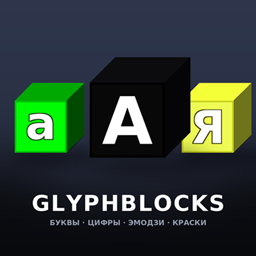
GlyphBlocks
432 blocks of letters, digits, symbols and emoji — recolour them with three paint blocks.
介绍
GlyphBlocks turns Minecraft into a typewriter. 432 solid blocks with crisp
256×256 faces: the full Cyrillic alpfor signs on shops, names over doors, banners on arenas, pixel-art captions,
server spawn decorations, or just spelling something rude on your friend’s roof.
✨ Features
- 432 blocks — 104 letter / digit / symbol blocks, 325 emoji blocks, 3 paint blocks.
- HD 256×256 textures — glyphs are re-rendered from vector fonts, not upscaled pixels,
so letters stay razor sharp on 1080p, 1440p and 4K screens. - Three finishes per glyph — black, green and yellow. Each one is a separate block state.
- Recolour in the world with the paint blocks — no crafting, no breaking, no command.
- Emoji keep their own colours — 325 Twemoji blocks that cannot be repainted.
- Dedicated creative tab — everything sorted: paints first, then letters / digits / symbols, then all emoji.
- Full solid cubes — normal collision, normal shape, all six orientations, drops itself when mined.
- Everything is mineable with any pickaxe and tagged
mineable/pickaxe, so vanilla tools work.
🎨 How to recolour a letter (the only way)
- Take one of the three paint blocks: Paint: black, Paint: green, Paint: yellow.
- Right-click a letter / digit / symbol block → it instantly changes to that colour.
The paint is neither placed nor consumed, so one paint block recolours your whole build. - Sneak + right-click with a paint block → places the paint block itself, if you want it in the world.
- Right-clicking an emoji block with paint does nothing — the chat tells you emoji have fixed colours.
An empty hand, sneak-clicking, or any other item cannot change a block’s colour.
The three paint blocks are the single way, by design.
📦 What’s inside
| Group | Count | Notes |
|---|---|---|
| Letters (lower case) | 37 | а б в г д е ё ж з и й к л м н о п р с т у ф х ц ч ш щ ъ ы ь э ю я і ї є ґ |
| Letters (upper case) | 37 | same set in capitals |
| Digits | 10 | 0 – 9 |
| Symbols | 20 | . , - ? ! : ; + = % # / ( ) * _ ' " № & |
| Emoji | 325 | smileys, animals, food, transport, objects, symbols |
| Paint blocks | 3 | black / green / yellow |
| Total | 432 | each glyph exists in 3 colours (black / green / yellow) |
Emoji art is rendered from Twemoji vectors, so it looks the same on every system —
no missing glyphs on Linux servers, no black-and-white outline emoji.
🧱 Technical details
- Minecraft: 1.20.1
- Loader: Forge 47.x (built against 47.4.0)
- Environment: client and server (works in singleplayer, LAN and on servers)
- Mod ID:
glyphblocks - Textures: 256×256 PNG, 640 files, ~4.5 MB total
- Blocks are registered as plain
Block/BlockItem— no mixins, no ASM, no coremods,
no dependency on other mods, so it plays nicely with everything else. - Server-side is safe: the mod only adds blocks and block items, no custom packets.
📥 Installation
- Install Minecraft Forge 1.20.1 (47.4.0 or newer).
- Drop
glyphblocks-1.20.1-1.1.0.jarinto your.minecraft/mods/folder. - Launch the game — the mod’s tab “Glyph Blocks” appears in the creative inventory.
- On a server: put the same jar into the server’s
mods/folder.
⚠️ Notes
- Blocks are creative-tab only for now — there are no crafting recipes yet. Every block
drops itself when broken, but if you want them in survival you currently need creative or
a command block. Recipes are planned for a future update. - Emoji blocks have no colour property at all, so a paint block will never change them.
📜 Credits & License
- Code & block textures: GlyphBlocks, MIT License.
- Emoji artwork: Twemoji by Twitter/X contributors
and the Twemoji community — licensed CC-BY 4.0. - Fonts used to render the glyphs: DejaVu Sans Bold (Bitstream Vera / public-domain-ish
DejaVu license, free for commercial use). - Not affiliated with Mojang or Microsoft. Minecraft is a trademark of Mojang Synergies AB.
Found a bug or want a letter / emoji added? Leave a comment — feedback is welcome.
</main>
常见问题
GlyphBlocks 支持哪些 Minecraft 版本?
GlyphBlocks 支持 Minecraft Java 版 1.20.1,可用的加载器:Forge。下载时注意选择和你游戏版本一致的文件。
GlyphBlocks 怎么安装?
先用 PCL2 或 HMCL 启动器安装对应版本的 Forge,再把下载的 .jar 文件放进游戏目录的 mods 文件夹,重新启动游戏即可。开启了版本隔离的,mods 文件夹在 versions/版本名 下面。
评论
登录后评论和评分