
截图
介绍
中文介绍正在准备中,下面暂时显示原文。
Hide your hotbar by default. Show it temporarily with a key or when picking up important items.
What GhostHotbar Does:
- Hides your hotbar by default to reduce visual clutter.
- Shows it temporarily when you press a key (e.g., H) or pick up an item in the hotbar.
- Automatically hides the hotbar after a set duration (3–4 seconds).
- Resets the timer each time a new item enters the hotbar.
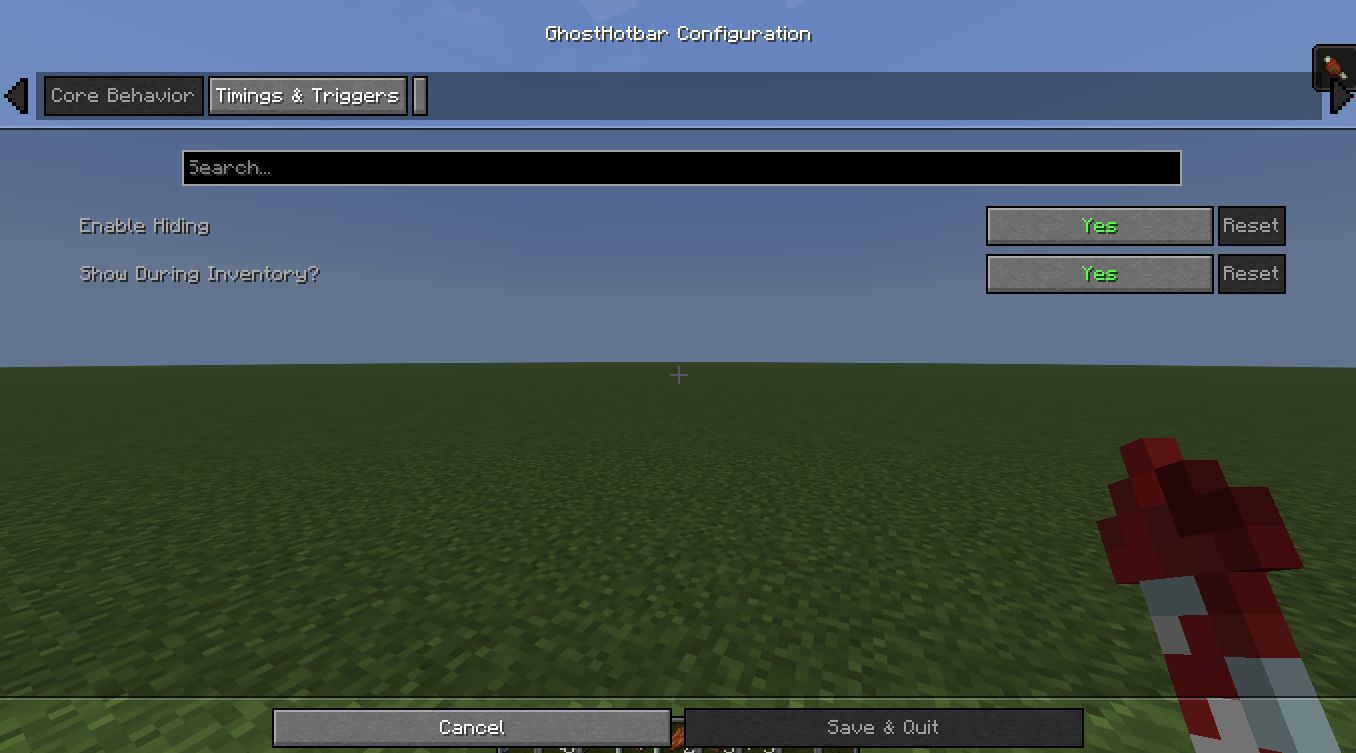
- Shows the hotbar when opening your Inventory and hides it again when closing.
Configurable Options:
- keyShowHotbar → Key to show the hotbar (default H)
- showDuration → Time in seconds the hotbar stays visible (default 3–4)
- resetOnPickup → true/false, whether picking up a new hotbar item resets the timer
- showDuringInventory → true/false, hotbar always visible while Inventory is open
- enableHotbarHide → true/false, enable/disable the hiding feature completely
Why Use GhostHotbar:
- Reduces distractions and lets you focus on gameplay.
- Only shows the hotbar when needed, giving a cleaner interface.
- Perfect for pairing with SmartSlot: GhostHotbar handles visibility while SmartSlot automatically selects items, giving full control without visual clutter.
Gameplay Benefits:
- Cleaner HUD, more focus.
- Faster reactions with no unnecessary visual noise.
- Keeps hotbar management smart and simple while maintaining full control over your items.
常见问题
GhostHotbar 支持哪些 Minecraft 版本?
GhostHotbar 支持 Minecraft Java 版 1.21.10,可用的加载器:Fabric。下载时注意选择和你游戏版本一致的文件。
GhostHotbar 怎么安装?
先用 PCL2 或 HMCL 启动器安装对应版本的 Fabric,再把下载的 .jar 文件放进游戏目录的 mods 文件夹,重新启动游戏即可。开启了版本隔离的,mods 文件夹在 versions/版本名 下面。运行环境:仅客户端。
mdre864 的其他作品
查看全部 →
EarthCraft For Mobile
by mdre864
EarthCraft for Pojav or Zalith or any other Minecraft-Java on Android Launchers
3,595
1 年前
Modrinth

Adventure+ Lite
by mdre864
a modpack made for adventures (like me)
1,974
1 年前
Modrinth

SmartSlot
by mdre864
SmartSlot – Press a Number, Get Your Item Instantly
72
10 个月前
Modrinth
评论
登录后评论和评分