介绍
Updated for Minecraft 1.14.4 and Forge 1.14.4-28.1.26 or newer.
Config files are located in saves\WORLD\serverconfig\moxlotus\generate
– cobblestone.txt
– obsidian.txt
– stone.txt
Each line of the file takes the following form:
weight block
Examples:
1 minecraft:stone
511 minecraft:andesite
A 1 in 512 chance of generating Stone and a 511 in 512 chance of generating Andesite.
————————————————————————————————————————————————–
Requires the latest version of Forge for Minecraft 1.12.2 (confirmed to work on 14.23.4.2729)
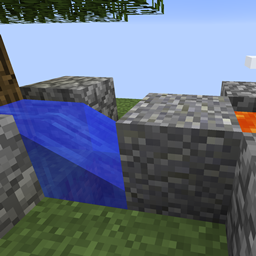
Replaces the output of a cobblestone generator according to a config file. The config has three categories:
– Block{minecraft:cobblestone}
– Block{minecraft:obsidian}
– Block{minecraft:stone}
For when lava and water mix to create the indicated blocks. An entry for a block to generate instead takes the following form:
weight block[ meta]
Where weight is a number representing the weighted chance of this block being generated (weight/total-of-all-weights % chance),block is the name of the block you would like to be generated, and the optional meta can either be a number or a comma separated list of properties.
For Example:
50 minecraft:diamond_block
17 minecraft:cocoa age=1,facing=north
1 minecraft:stone 3
常见问题
MoxLotus’ Generate 支持哪些 Minecraft 版本?
MoxLotus’ Generate 支持 Minecraft Java 版 1.12.2–1.14.4,共 2 个版本。下载时注意选择和你游戏版本一致的文件。
MoxLotus’ Generate 怎么安装?
先用 PCL2 或 HMCL 启动器安装对应版本的 模组加载器,再把下载的 .jar 文件放进游戏目录的 mods 文件夹,重新启动游戏即可。开启了版本隔离的,mods 文件夹在 versions/版本名 下面。
评论
登录后评论和评分