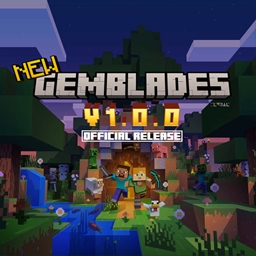
Gemblades
Gemblades adds rare, powerful gems and legendary weapons infused with unique abilities to your Minecraft world.
介绍
Gemblades
Gemblades adds rare, powerful gems and legendary weapons infused with unique abilities to your Minecraft world.
<!-- Note: Legendary weapons are not yet implemented. -->
Features
- Rare Gems: Discover and mine various types of gems, each with unique properties.
- Legendary Weapons: Craft legendary weapons that can be infused with gems to enhance their abilities.
- Unique Abilities: Each gem and weapon combination provides unique abilities, allowing for diverse playstyles.
- Crafting Recipes: Extensive crafting system to create and upgrade gems and weapons.
- Custom Enchantments: Gems can be used to apply custom enchantments to weapons, enhancing their power.
Installation
You can install Gemblades via CurseForge or directly from GitHub Releases.
Option 1: CurseForge (Recommended)
- Open Gemblades on CurseForge .
- Download the latest version compatible with your Minecraft and NeoForge versions.
- Place the
.jarfile in your Minecraftmodsfolder. - Launch Minecraft with the NeoForge profile.
Option 2: GitHub
- Download and install NeoForge version
21.1.192for Minecraft1.21.1. - Go to the Gemblades GitHub Releases.
- Download the latest
.jarfile. - Place it into your Minecraft
modsfolder. - Launch Minecraft with the NeoForge profile.
Requirements
- Minecraft:
1.21.1 - NeoForge:
21.1.192
Requirements
- Minecraft: 1.21.1
- NeoForge: 21.1.192
Bug Reports
If you encounter a bug while using Gemblades, please help improve the project by submitting a bug report.
How to Report a Bug
-
Search Existing Issues
Before creating a new report, check the issues page to see if it has already been reported. -
Open a New Issue
If your bug hasn’t been reported yet, open a new GitHub Issue and include the following information:- Minecraft version (e.g.
1.21.1) - NeoForge version
- Gemblades version
- Steps to reproduce the bug
- Expected behavior
- Actual behavior
- Any relevant logs or crash reports
- Minecraft version (e.g.
-
Be Clear and Concise
Include as much detail as possible. Clear reports help identify and fix issues faster.
License
This project is licensed under the MIT License.
See the LICENSE for details.
Credits
Developed by redjive26.
Thanks to Modding by Kaupenjoe for some assets and code snippets.
Release Notes
See CHANGELOG for more details.
1.0.0
- Initial release with basic gem types.
常见问题
Gemblades 支持哪些 Minecraft 版本?
Gemblades 支持 Minecraft Java 版 1.21.1,可用的加载器:NeoForge。下载时注意选择和你游戏版本一致的文件。
Gemblades 怎么安装?
先用 PCL2 或 HMCL 启动器安装对应版本的 NeoForge,再把下载的 .jar 文件放进游戏目录的 mods 文件夹,重新启动游戏即可。开启了版本隔离的,mods 文件夹在 versions/版本名 下面。
评论
登录后评论和评分