
截图


介绍
中文介绍正在准备中,下面暂时显示原文。
GanKura
GanKura is a Hypixel Skyblock Mod focused on Area Mini-bosses.
Features
Open the settings screen with /gankura. The sections below follow its order and names.
Edit HUD Locations
- Move and scale every HUD this mod draws. Also opens with
/gankura hud.
Combat
- Hide Damage Splash
- Hide Fire Overlay
- Cocoon Catch Title
- Ragnarock – Cast Title, Strength in Chat, Cancel Title, Countdown HUD
- Arrow Poison Indicator
- Armor Stack HUD
- Ferocity HUD
- Quiver HUD
- Low Quiver Alert – Enable, Threshold
- Soulflow HUD
- Low Soulflow Alert – Enable, Threshold
- The End
- End Stone Protector
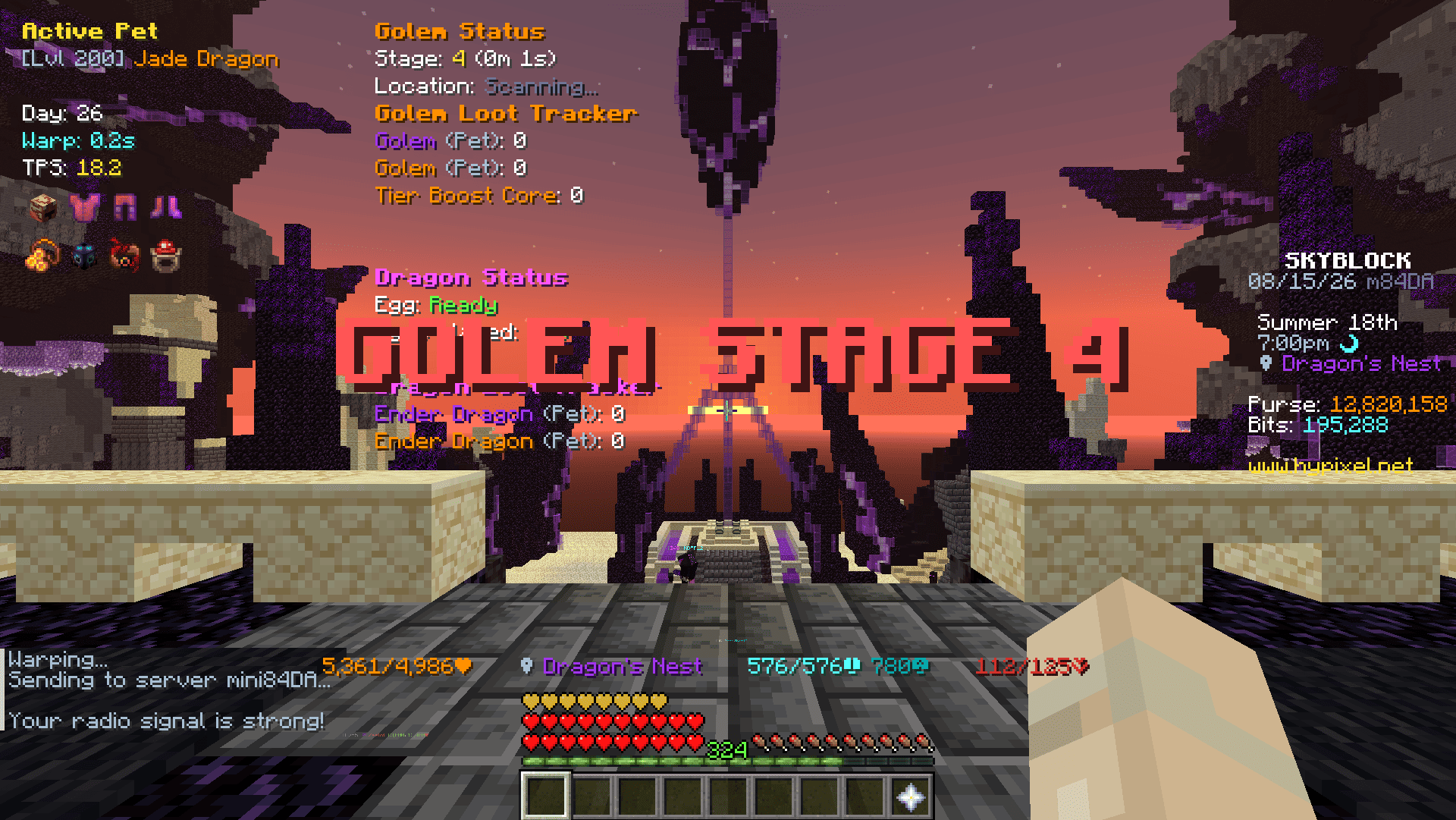
- Status HUD
- Rare Drop Settings – Loot Tracker HUD, Notification, Tracked Drops
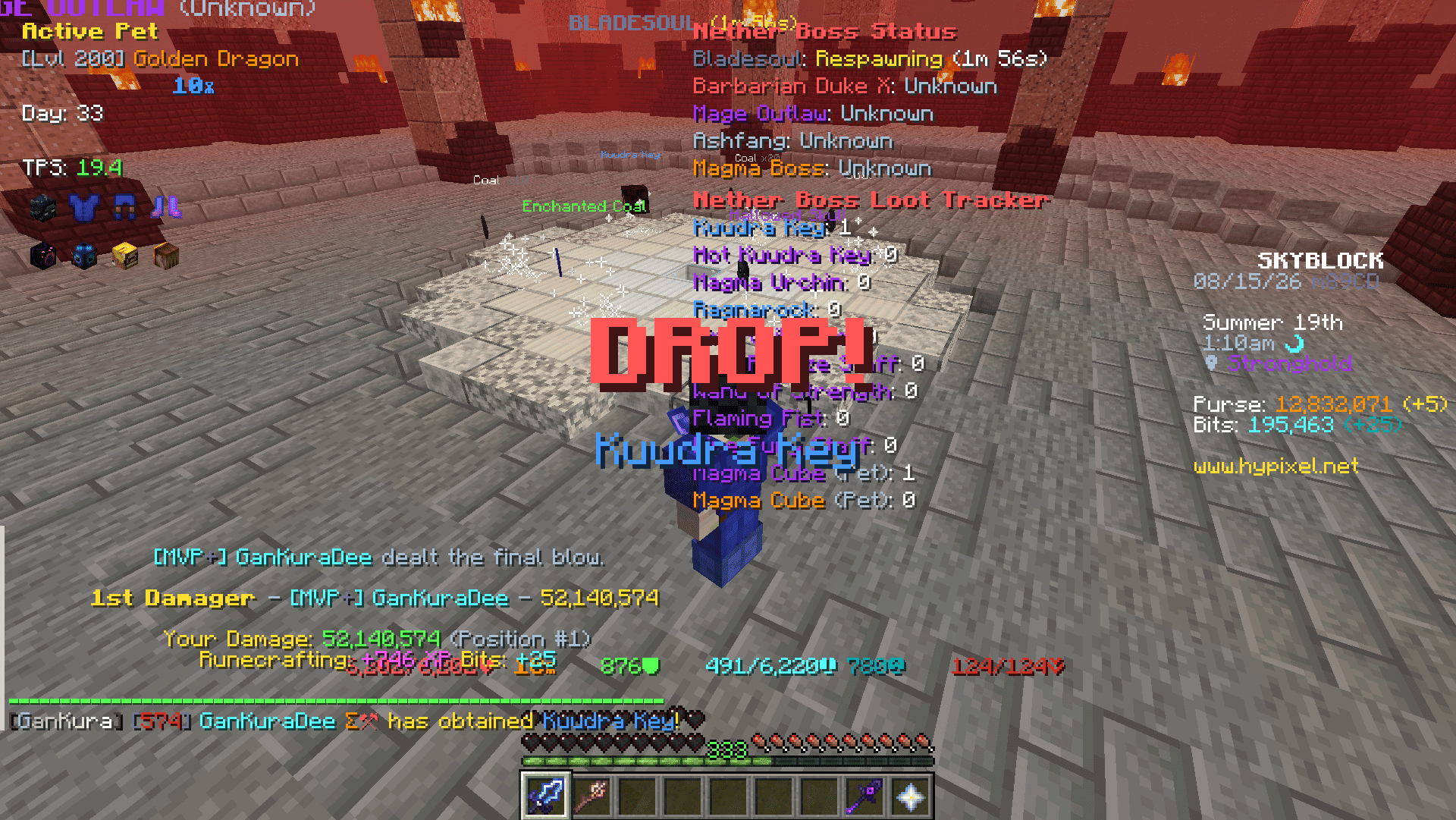
- World Location Display – Show Text, Show Beacon Beam, Show Tracer
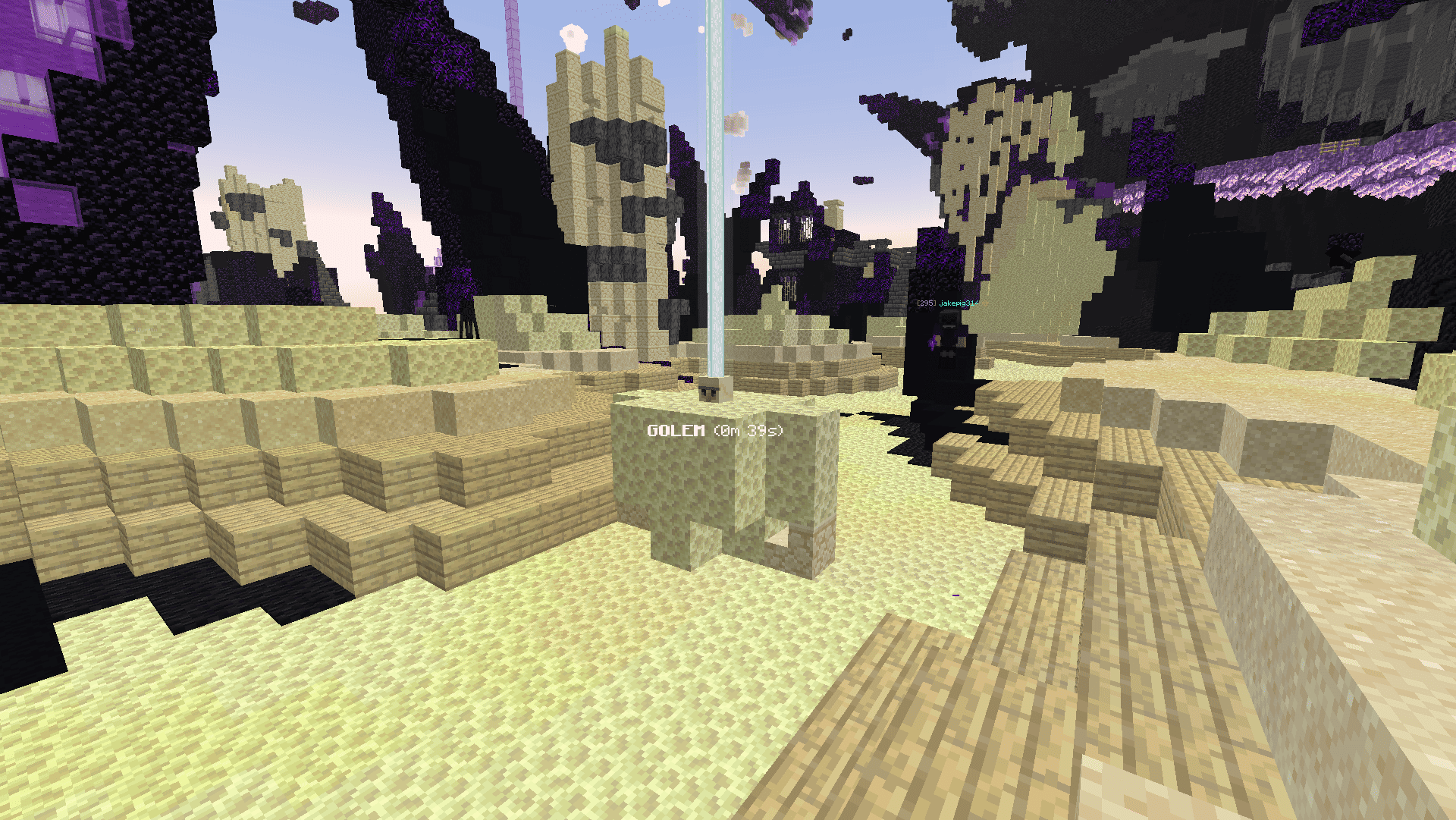
- Stage 4 Alert / Stage 5 Alert – Show Title, Play Sound
- Chat Settings – Stage 4 Duration Message, DPS Message, Loot Quality Message, Day 30+ Alert Message
- Dragon
- Status HUD
- Rare Drop Settings – Loot Tracker HUD, Notification, Tracked Drops
- Spawn Alert Title – Enable, Alert Dragons
- Chat Settings – DPS Message, Loot Quality Message
- Spider’s Den
- Broodmother
- Status HUD
- Stage 4 Alert / Stage 5 Alert – Show Title, Play Sound
- Chat Settings – Stage 4 Duration Message
- Arachne
- Status HUD
- World Location Display – Show Text
- Crimson Isle
- Status HUD
- Rare Drop Settings – Loot Tracker HUD, Notification, Tracked Drops
- World Location Display – Show Text
- Magma Boss – Stage Status Title
Farming
- DNA Analyzer – Solver, Middle Click, Block Close Button, Hide Tooltips
- Garden
- Visitor – Status HUD, Required Items Panel, Highlight Accept Offer, Arrival Title, Queue Full Title
- Jacob’s Contest – Highlight Rewards
- Pest – Status HUD, Spawn Title, Max Pests Title, Spawn Soon Title
- Vacuum – Waypoint, Tracer, Hide Particles
- Squeaky Mousemat – Lock View, Release on Teleport, Release Key
Foraging
- Title Settings – Tree Felled Title, Mob From Tree Title
- Torrhus Canyon – Tiki Spawn Waypoints, Beeheemoth Spawn Title
- Critter Safari
- Captured Critters HUD
- Floor Drops
- Honeybug – Bee Nest Waypoints
- Scrappy – Fish Highlight
- Rockmite – Mound Highlight
- Wumpa – Spawn Title, Capsule Usage Message, Re-enter Waypoint
- Doomspiral – Capsule Usage Message
- Macaw – Spawn Title
Fishing
- HUD Settings – Bite Countdown HUD, Bait HUD
- Chat Settings – Shorten Catch Message
- Low Bait Alert – Enable, Threshold
- Cast Timer – Enable, Start on Liquid Touch
- Hotspot
- Radar Guess – Reads the Hotspot Radar trail and marks where the hotspot should be.
- Gone Title
- Circle – Draws the hotspot edge as a circle, coloured by its perk.
- Found Alert – Title, sound, temporary waypoint and tracer when a hotspot with the perks you picked shows up, plus a button to share its coordinates.
- Lava as Water – Draws lava with the water texture and clears the orange view inside it, on Crimson Isle or everywhere.
- Golden Fish – Highlight, Tracer, Throw Rod Warning, spawn window timer
Mining
- Commissions – Highlight Completed, Gemstone Waypoints
- Mineshaft
- Corpse – Waypoints, Tracer, Vanguard Title, Profit Message
- Wishing Compass – Solver, Waypoint
General HUD
- Armor HUD
- Equipment HUD
- Yaw and Pitch HUD
- Pet HUD
- TPS HUD
- Day HUD
Mob Visuals
- Highlight, Tracer and Nameplate on the mobs picked for each area.
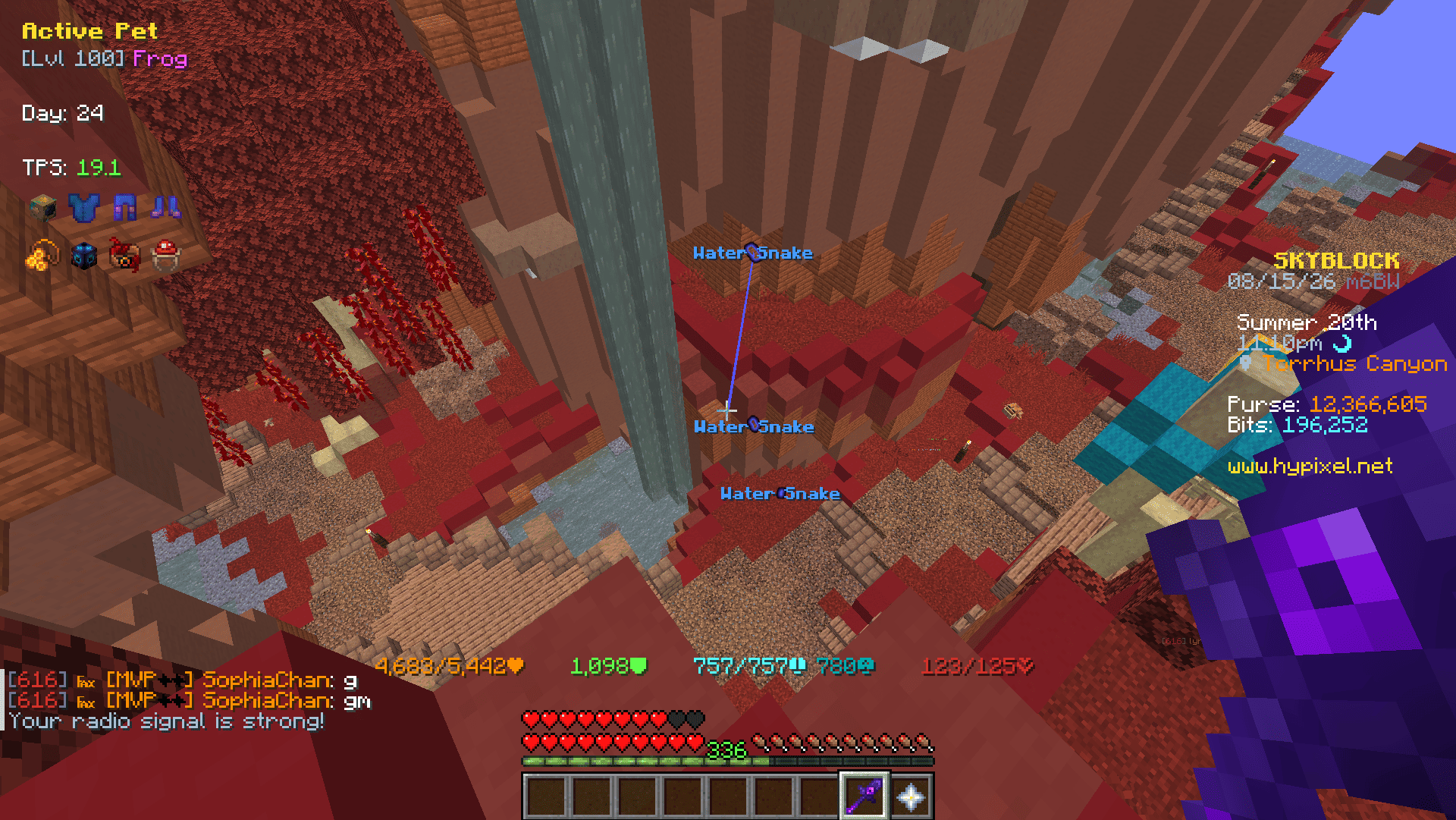
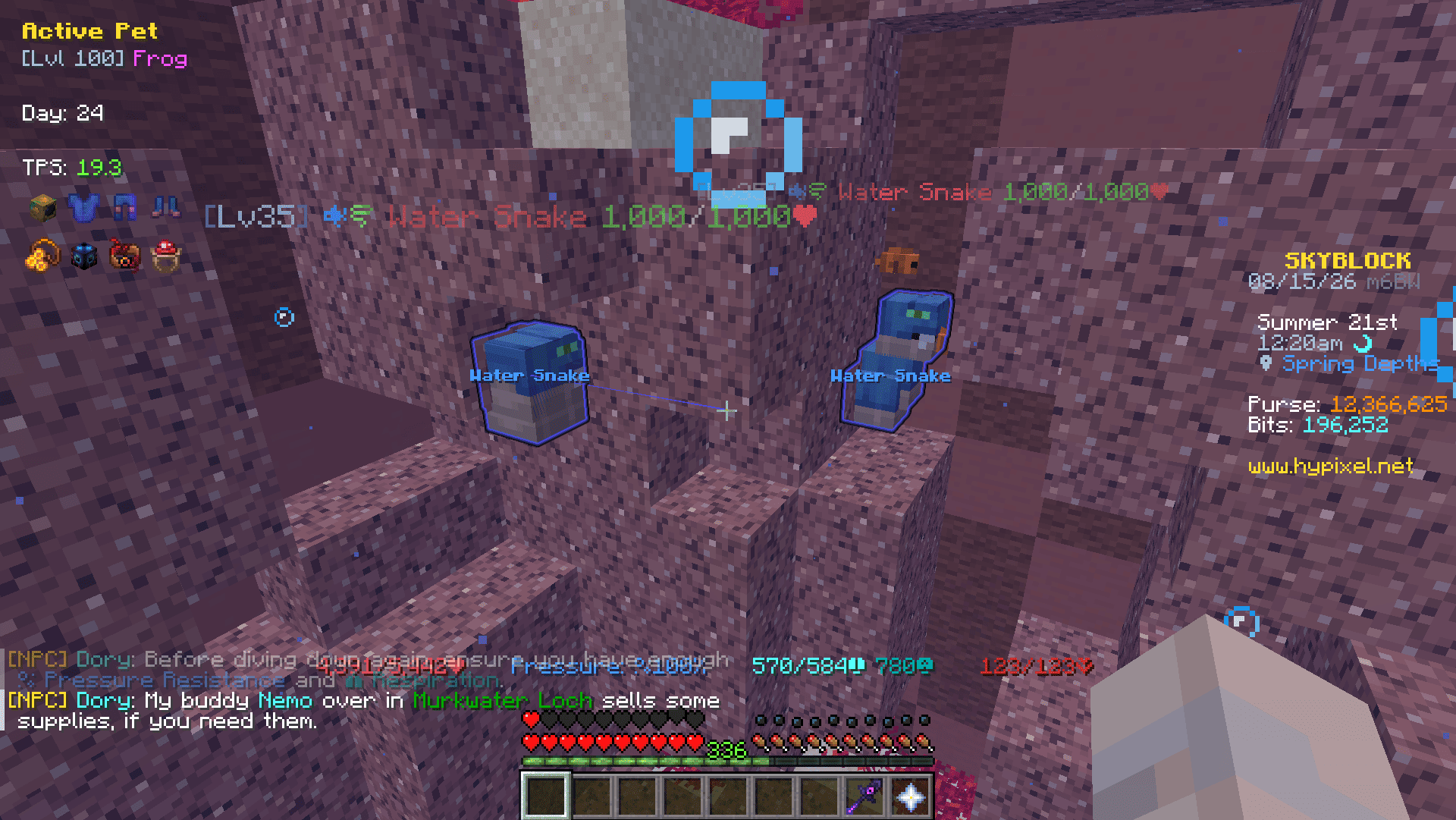
Supported Mobs
- The End
- End Stone Protector
- Dragon
- Spider’s Den
- Broodmother
- Arachne
- Arachne’s Brood
- Crimson Isle
- Bladesoul
- Barbarian Duke X
- Mage Outlaw
- Magma Boss
- Magma Glare
- Matcho
- Ashfang
- Ashfang Follower
- Ashfang Acolyte
- Ashfang Underling
- Crystal Hollows
- Boss Corleone
- Glacite Mineshaft
- Littlefoot
- Garden
- All Pests
- Foraging
- All Moonglade Marsh Mobs (Excluding Sea Creatures)
- All Torrhus Canyon Mobs (Excluding Sea Creatures)
- All Critter Safari Mobs
- Fishing
- All Rare Sea Creatures
- All Lotus Atoll Critters
Custom Waypoints
- Commands:
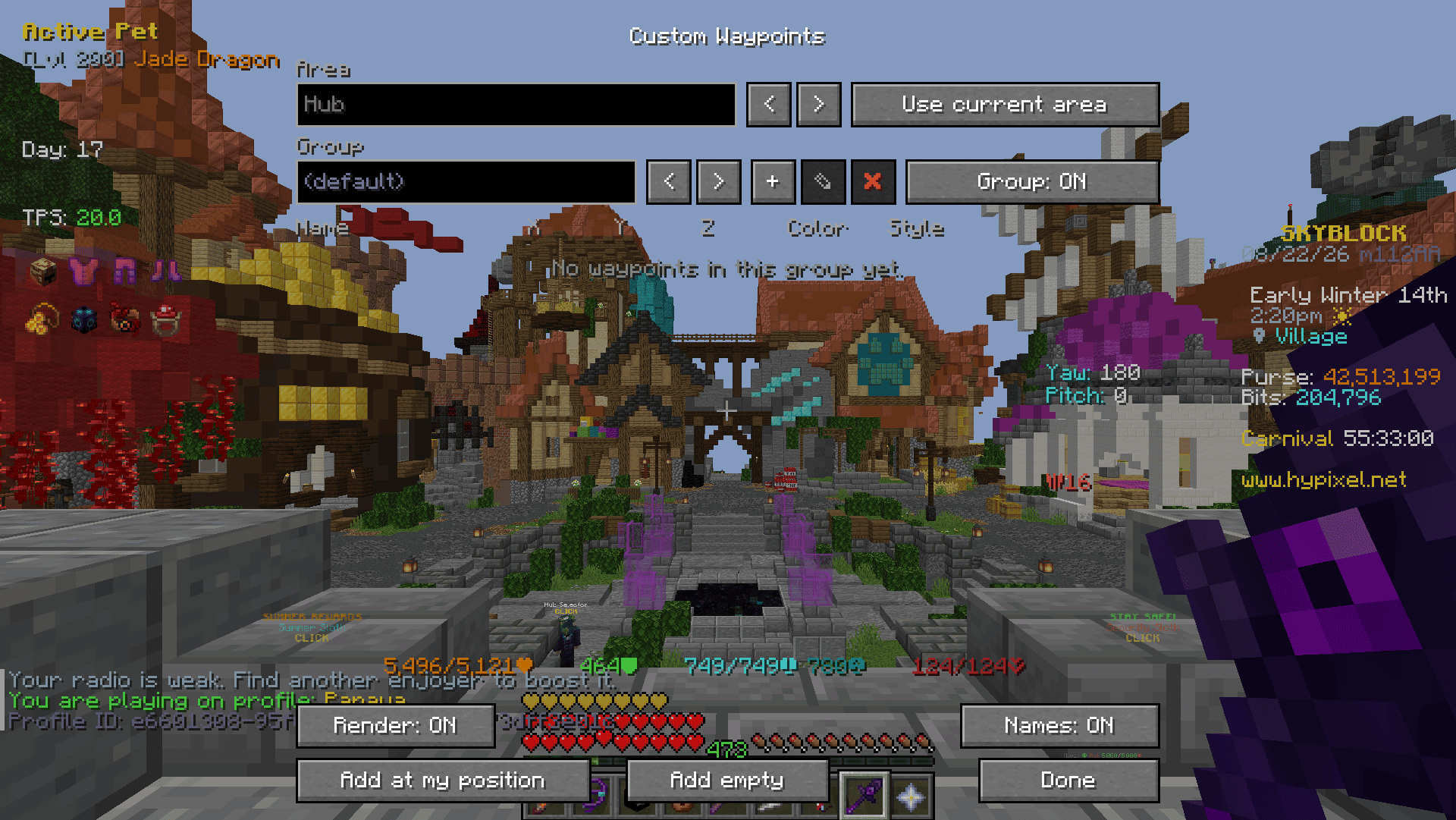
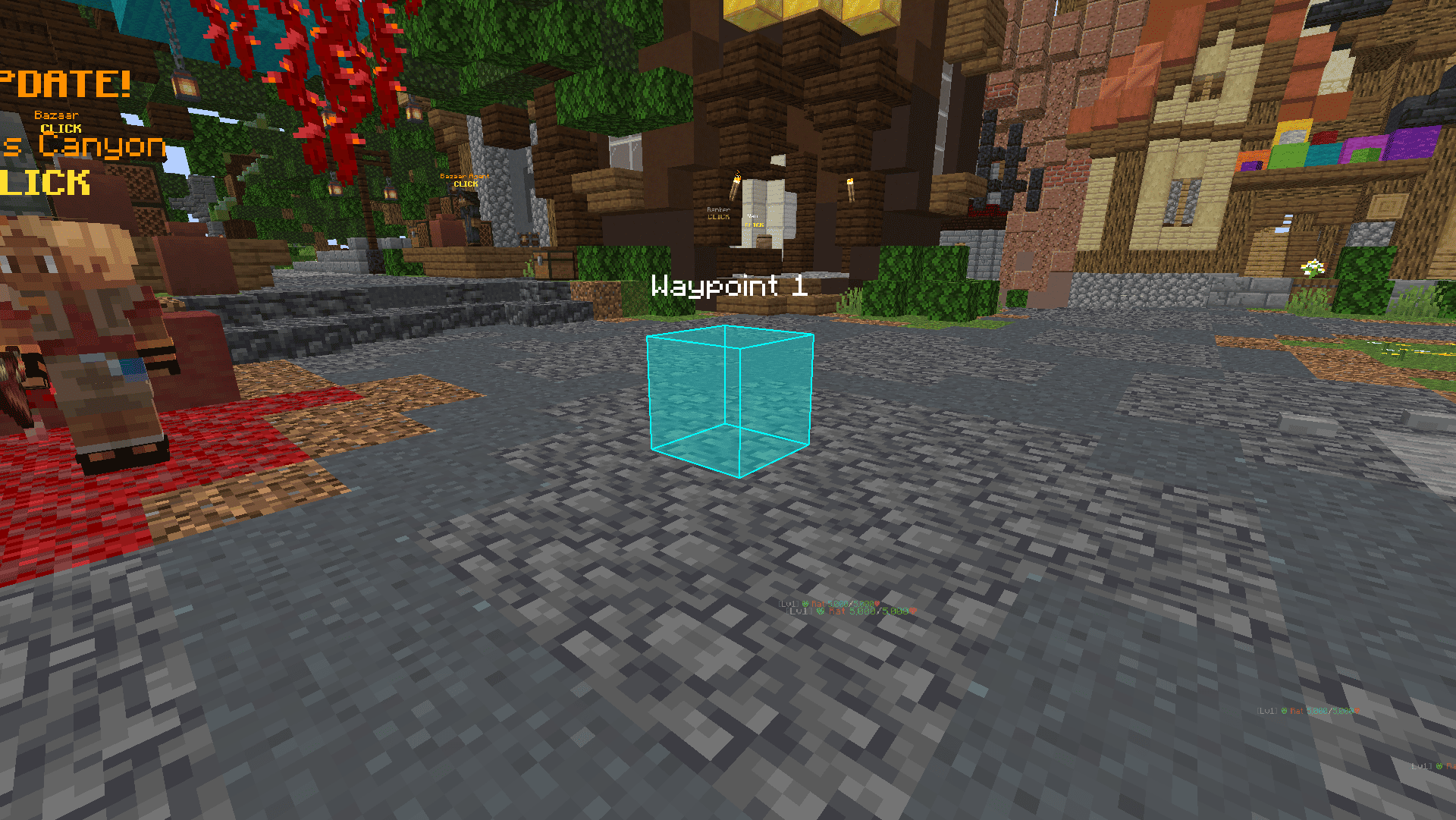
/gankura waypoint, or/gkwfor short /gkw-> Open the Custom Waypoints screen./gkw add-> Add a Waypoint at your current location./gkw add <name>-> Add a named Waypoint at your current location./gkw list-> List the Waypoints in the current area./gkw toggle-> Show or hide the Waypoints.- Add at my position / Add empty:
- Add Waypoint to your current location / coordinates x:0,y:0,z:0
- Area:
- ” -> Switch between areas where you have created Waypoints.
- Group:
- ‘+’ -> Add a Group
- ” -> Switch between the groups you have created
- ‘✎’ -> Rename current group
- ‘✖’ -> Remove current group
- Waypoint:
- Name -> Name of Waypoint to display in the world
- X, Y, Z -> Coordinates of Waypoint
- Color -> Settings the color and fill opacity of the Waypoint
- Style:
- Both -> Outline and Fill
- Outline -> Displays only Outline
- Fill -> Displays only Fill
- ‘⇄’ -> Move selected Waypoint to another group
- ‘✖’ -> Remove selected Waypoint
Inventory Buttons
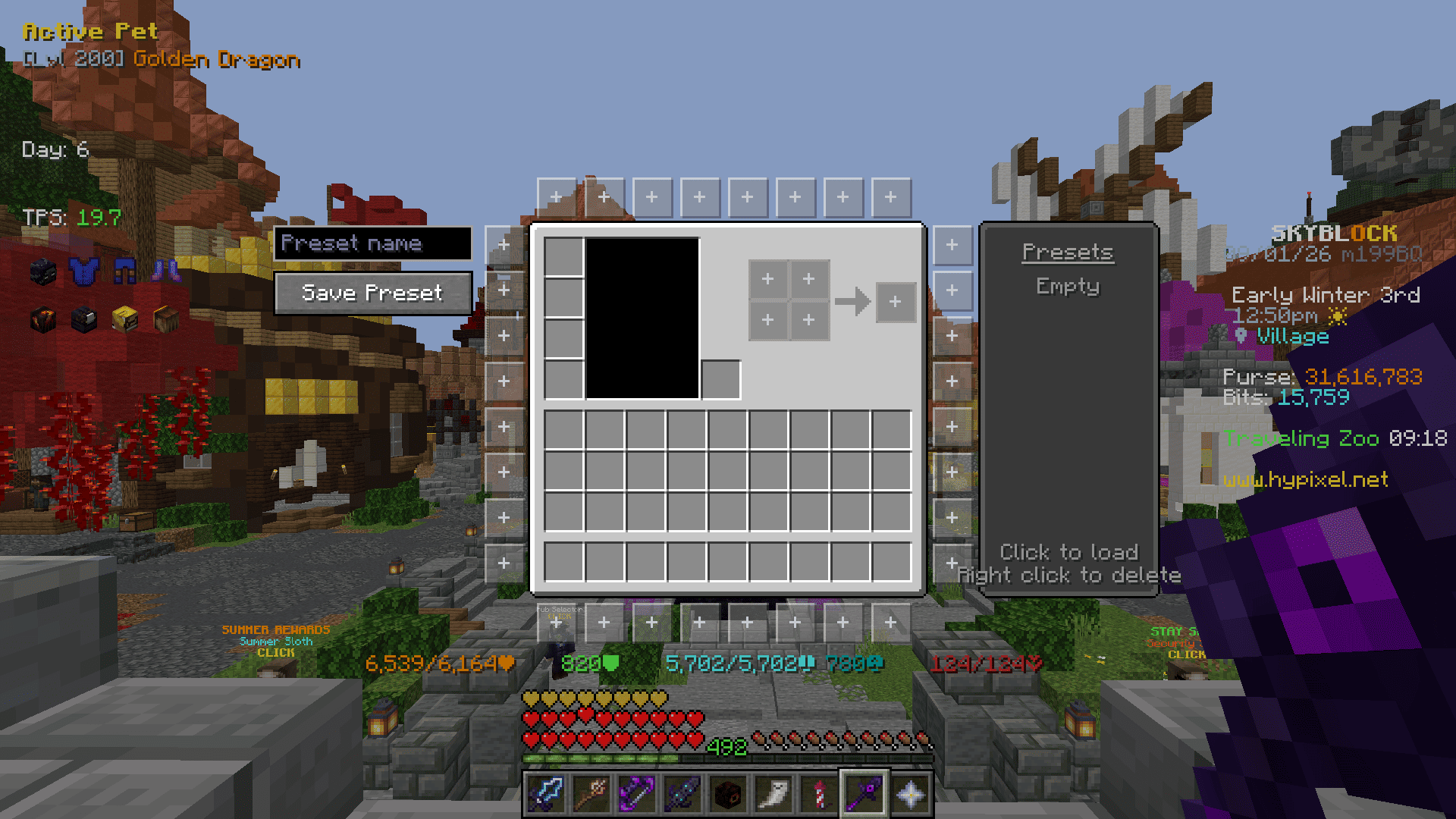
Buttons placed around inventory menus that run a command when clicked. Ported from NotEnoughUpdates.
- Button Editor (
/gankura buttons, or the button in the settings screen) - Click a slot around the inventory to edit it, click it again to close the panel.
- Command -> The command the button runs. A slot with no command stays hidden in game.
- Background -> One of five frame styles.
- Icon Type -> Item, head or built-in icon.
- Icon Selector -> Type to filter, then click an icon.
- Presets -> The list on the right. Click a name to load it, right click to delete it.
Emptyis built in and restores the default layout. - Save Preset -> Saves the current buttons to the preset list under the name typed above the button (up to 12).
- Options
- Hide in Dungeon Menus -> Keeps the buttons out of dungeon puzzle menus.
- Click Type -> Run the command on press or on release.
- Tooltip Delay -> How long the cursor rests on a button before its command is shown.
Viewmodel
- Size, X, Y – The size and position of the item in your hand.
Interface
- Highlight Opacity
- Search Input Screen – Replaces the Bazaar and Auction House sign editor with a text box.
- Inventory – Hide Potion Effects, Hide Background Dim, Hide Recipe Book
- Tab List – Hide Ads, Hide Ping Icons, Hide Extra Heads, Compact Columns, Fit Column Width, Shrink To Fit
- Tooltips – Scrollable Tooltips, Invert Tooltip Scroll, Tooltip From Top
- Enchant – Replace Roman Numerals, Max Enchant Chroma, Book Enchant Gold, Skip Ultimate Enchants
- Item Price – Lowest BIN, Bazaar, Craft Cost, Stack Price, Short Numbers
- Auction/Bazaar – Order Helper, Manage Auctions, Undercut Highlight
- Attribute Menu – Replace Roman Numerals, Highlight Progress, Show Tier, Hide Maxed Tier, Shard Cost Panel
- Bestiary Menu – Replace Roman Numerals, Highlight Progress, Show Tier, Hide Maxed Tier
- Hunting Box – Show Owned, Value Panel
- Heart of the Forest / Mountain – Highlight Status, Show Level
- Enchanted Book – Show Name, Show Tier
- Pets – Highlight Active Pet, Show Level, Hide Maxed Level
- Personal Compactor – Show Status
- NPC Sell Protection – Minimum Rarity, Protect Recombobulated, Triple-Click to Sell
- Keep Cursor Position
Chat Filter
- Hide Profile Name
- Hide Profile ID
- Hide Stash Reminder
- Hide Blank Lines
Keybinds
- Open Menu Keybind – Loadouts, Wardrobe, Equipment
- Loadouts Keybind – Slot 1 to 12
- Armor Set Keybind – Slot 1 to 9
- Equipment Set Keybind – Slot 1 to 9
Misc
- Etherwarp – Highlight Target, Only While Sneaking, Show Reason
- Server Reboot Alert
- Warp Cooldown Queue
- Ability Menu Fix
- Hide Block Break Particles
- Ignore Armor Stand Clicks
Credits
- NotEnoughUpdates (LGPL-3.0-or-later) – the Inventory Buttons feature, its button textures, icons and presets.
- SkyHanni-REPO (MIT, Copyright (c) 2022 hannibal2) – the enchantment level limits used by Max Enchant Chroma and Book Enchant Gold.
常见问题
GanKura 支持哪些 Minecraft 版本?
GanKura 支持 Minecraft Java 版 1.21.11–26.3,共 6 个版本,可用的加载器:Fabric。下载时注意选择和你游戏版本一致的文件。
GanKura 怎么安装?
先用 PCL2 或 HMCL 启动器安装对应版本的 Fabric,再把下载的 .jar 文件放进游戏目录的 mods 文件夹,重新启动游戏即可。开启了版本隔离的,mods 文件夹在 versions/版本名 下面。运行环境:仅客户端。


评论
登录后评论和评分