
介绍
Debugger’s Delight
Gadget is a collection of tools to debug and inspect certain game elements from in-game – think Chrome’s developer tools, or Firefoxes’ Firebug.
Gadget’s inspection tools work both in single player and on a remote server – if it also has Gadget installed.
Entity Inspector
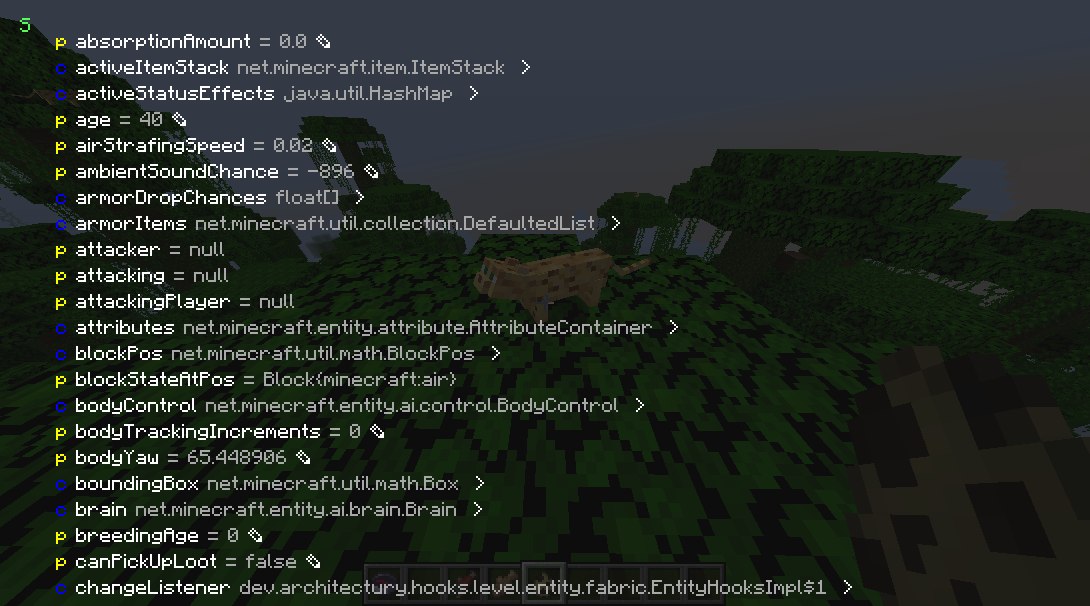
Press the Inspect (default: I) key when targeting a entity or block entity to view and edit its internal Java fields. You can inspect both the client and server Java object.
NBT Inspector
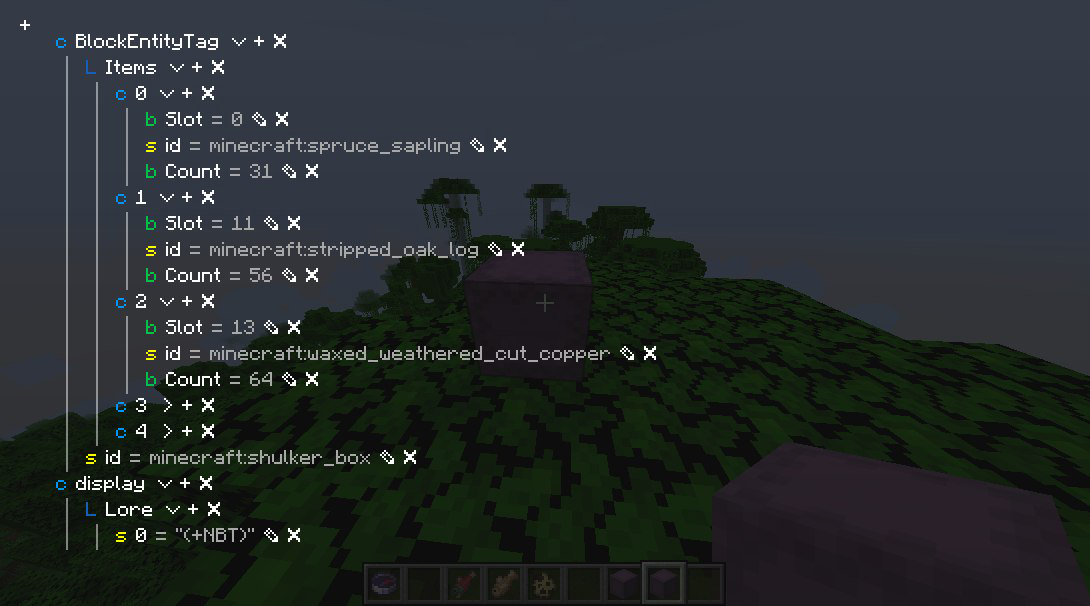
Press the Inspect (default: I) key when hovering over an item stack with NBT to view and edit its NBT.
Packet Dumper
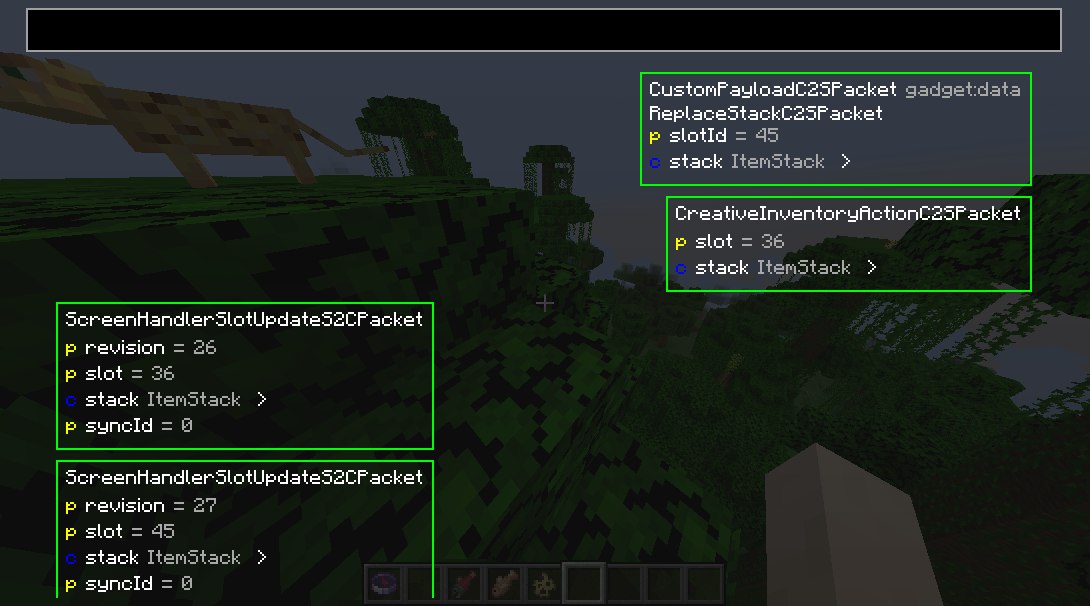
Press the Dump Packets (default: K) key to toggle dumping network traffic on. You can also join with the packet dumper engaged by right-clicking the server or world and selecting Join and start dumping packets.
Press Dump Packets again to stop recording and save the dump.
You can review it from the Gadget’s menu.
Server owners and operators
Gadget supports the Fabric Permissions API.
If not present, it defaults to requiring OP status.
Gadget uses the following permissions:
gadget.inspect – entity inspector usage permission
gadget.replaceStack – NBT viewer write permission
Class Inspector
(the class inspector is broken in the latest version :P)
Look through all classes touched by mixin (or all classes, if you hold shift) by looking in the class inspector.
N.B.: This will automatically download Quiltflower from the QuiltMC maven the first time you press Inspect Exported Classes.
常见问题
gadget 支持哪些 Minecraft 版本?
gadget 支持 Minecraft Java 版 1.19–1.21.11,共 12 个版本,可用的加载器:Fabric / Quilt。下载时注意选择和你游戏版本一致的文件。
gadget 怎么安装?
先用 PCL2 或 HMCL 启动器安装对应版本的 Fabric / Quilt,再把下载的 .jar 文件放进游戏目录的 mods 文件夹,重新启动游戏即可。开启了版本隔离的,mods 文件夹在 versions/版本名 下面。运行环境:客户端 / 服务端。
BasiqueEvangelist 的其他作品
查看全部 →
oωo (owo-lib)
一个适用于 Fabric 和 Quilt 模组开发的通用工具、GUI 和配置前置库

Condensed Creative
A convenient way to store similar items in a single expandable Condensed Slot

Spirit Walker
Relatively balanced freecam potions

FlashFreeze
Preserve unknown blocks, entities and items
评论
登录后评论和评分