
Fuzzy
Don't waste time finding the right command in your command history | Command History Fuzzy Finder [QoL]
截图
介绍
Fuzzy
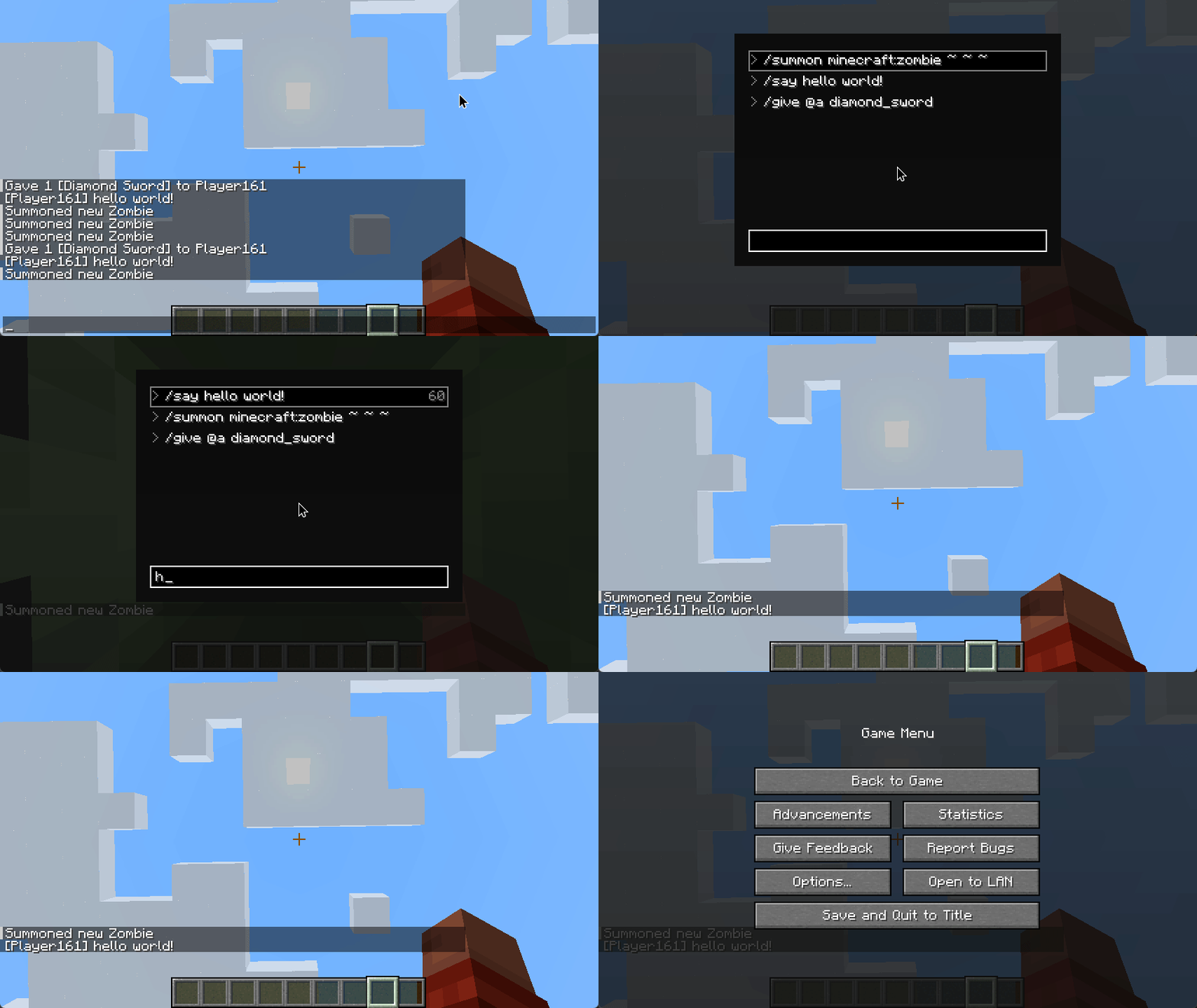
The fzf inspired command introduces a “fuzzy search”-based command search and execution system. It allows you to search previously entered commands, regardless of the exact phrasing, and quickly reuse them.
Usage
- Press the
Jkey (default keybind, configurable) to open the Fuzzy Command Search screen. - Start typing your search query to filter through previously used commands.
- Commands matching your search will be displayed in a list, which you can navigate using arrow keys, or execute directly with the
Enterkey. - The
Tabkey will suggest the selected command, allowing you to edit it further in the chat bar.
Demo
KeyBinds
- Press
Jto open the fuzzy command finder (this keybinding can be re-configured)
Features
Quick Actions
When you select an entry you can do one of the following quick actions:
- Execute Command:
Enter - Suggest Command in Chat:
Tab - Next Entry in List:
Arrow DownorShift + J - Previous Entry in List:
Arrow UporShift + K - Remove Entry:
Shift+X - Copy Command to Clipboard:
Shift+C - Give Command Block with Suggested Command:
Shift + B
Command Blocks
When you interact with a command block and change its command, if you have theEnable Command Block Logging option enabled, Fuzzy will automatically log that command into its search history. This means you’ll be able to pull up the Command Search later on and reuse the command you entered into the command block, even after closing the command block’s interface.
Command Block commands appear in yellow and they have a @ prefix in the command search.
TIP: Use command block logging in combination with Shift + B to quickly swap between command blocks ([Demo](
https://github.com/darmiel/fuzzy-mc/assets/71837281/e6fe10b2-d4d3-473e-88a1-c7f2c10b8897
))
Credits
Fuzzy uses xdrop/fuzzywuzzy for the fuzzy search.
常见问题
Fuzzy 支持哪些 Minecraft 版本?
Fuzzy 支持 Minecraft Java 版 1.19.4–1.21.8,共 7 个版本,可用的加载器:Fabric。下载时注意选择和你游戏版本一致的文件。
Fuzzy 怎么安装?
先用 PCL2 或 HMCL 启动器安装对应版本的 Fabric,再把下载的 .jar 文件放进游戏目录的 mods 文件夹,重新启动游戏即可。开启了版本隔离的,mods 文件夹在 versions/版本名 下面。运行环境:仅客户端。

评论
登录后评论和评分