
Functional Spyglass
Turn your spyglass into a live stats scanner! Inspect 3D face portraits, health, armor reduction math, and mount stats on mobs, animals, and other PLAYERS with scroll-wheel zoom and threat-colored outlines.
截图
介绍
🔍 Functional Spyglass

Functional Spyglass turns your standard Minecraft Spyglass into a tactical client-side inspection HUD! Inspect live 3D face portraits, exact health & Effective Health (EHP) math, armor reduction, mount speed/jump stats, and active potion effects for any mob, animal, creature, or player across any server.
✨ Key Features & Screenshots
🖼️ 3D Live Face Portraits & Player Inspection
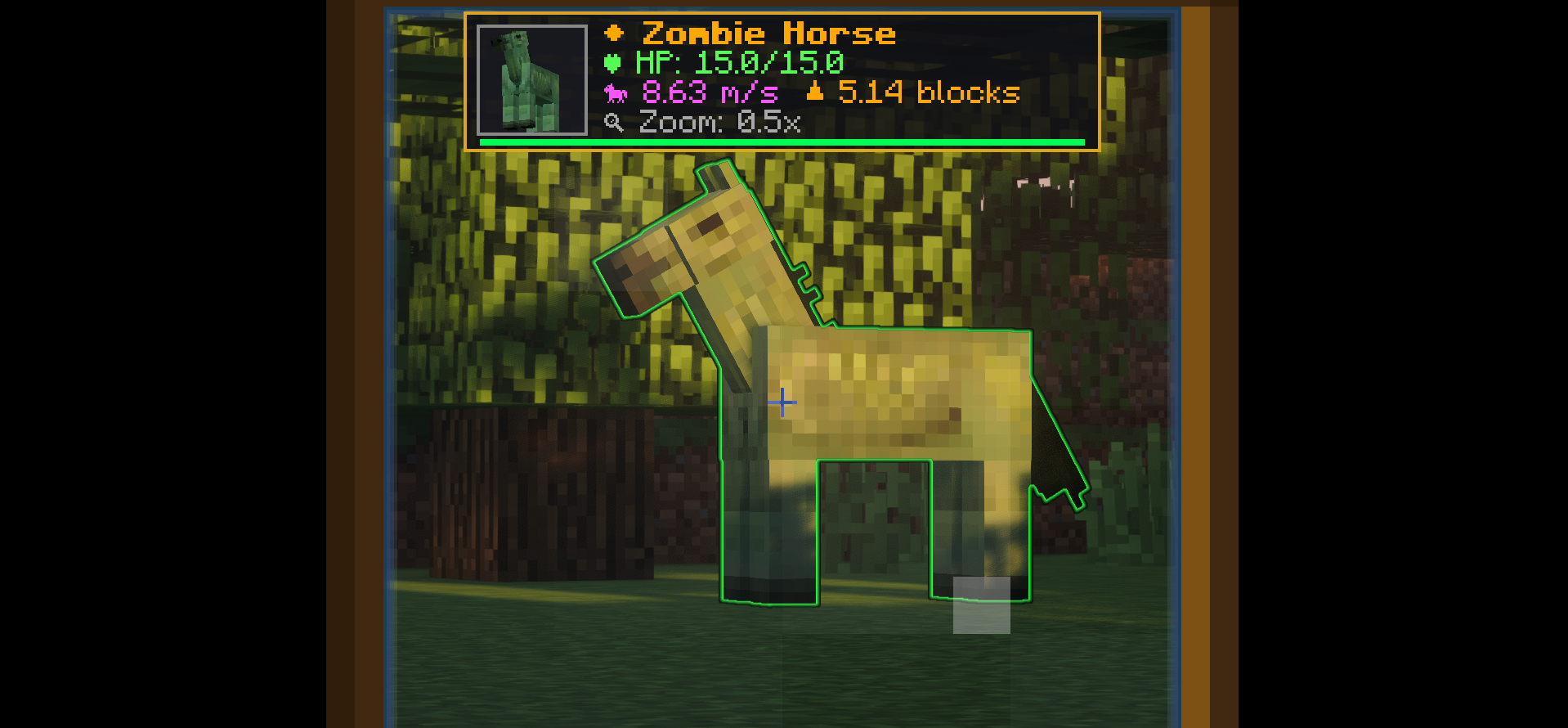
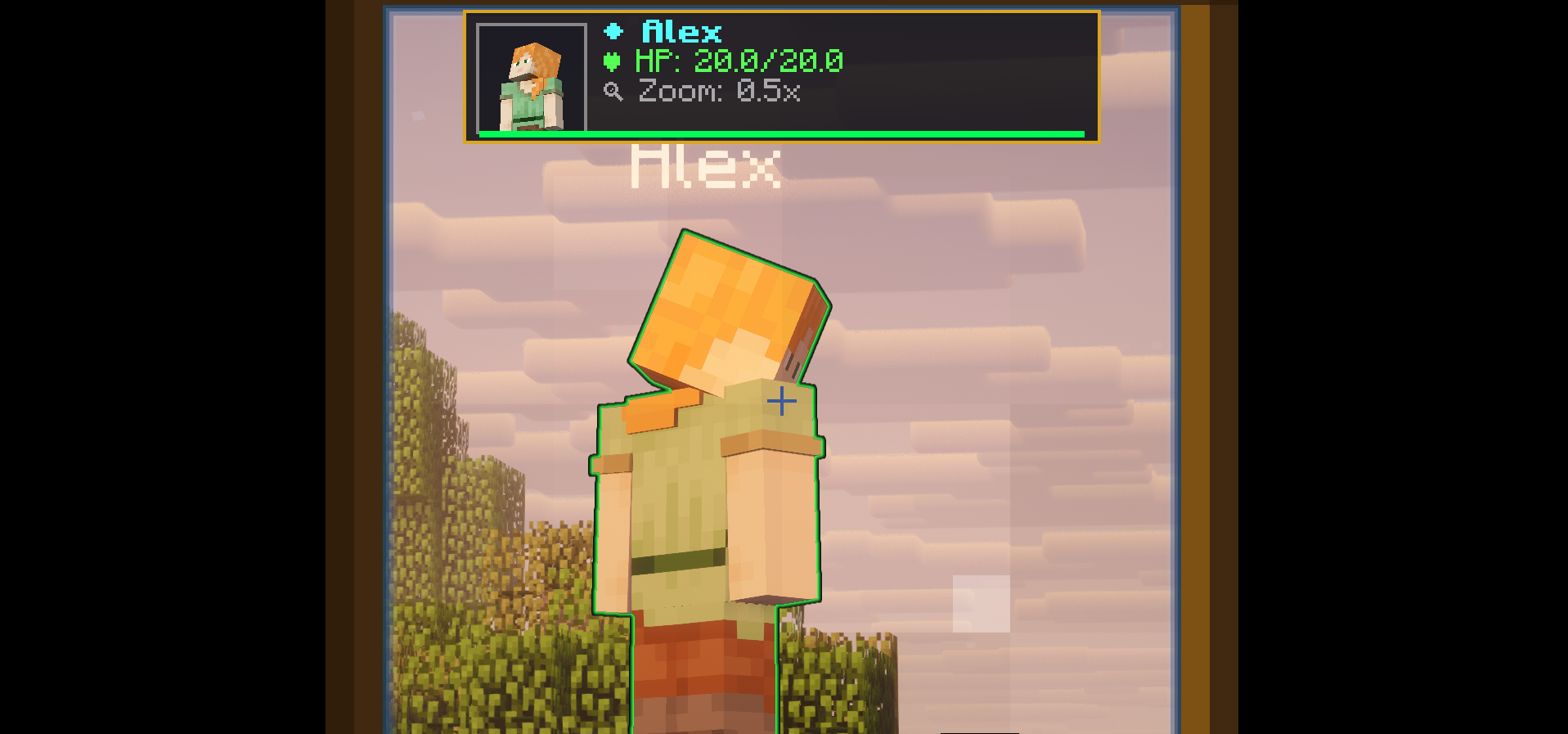
Displays an ARK-style 3D portrait plaque with universal eye-anchored matrix centering (zero world mob lag or walking stutter). Works on all mobs, animals, and other players on multiplayer servers!

🐎 Mount Stats Scanner
Scope horses, donkeys, and mules to display exact movement speed (m/s) and jump height (blocks) before taming or breeding!

🔮 Threat-Colored Spectral Outlines
Highlights targeted creatures with dynamic glowing colors:
- 🌸 Pink: Tamed Pets & Mounts (
★ Tamed) - 🔴 Red: Aggressive Mobs & Monsters
- ⚪ White: Neutral Creatures
- 🟢 Green: Passive Animals & Villagers

🔍 3-Step Scroll Zoom
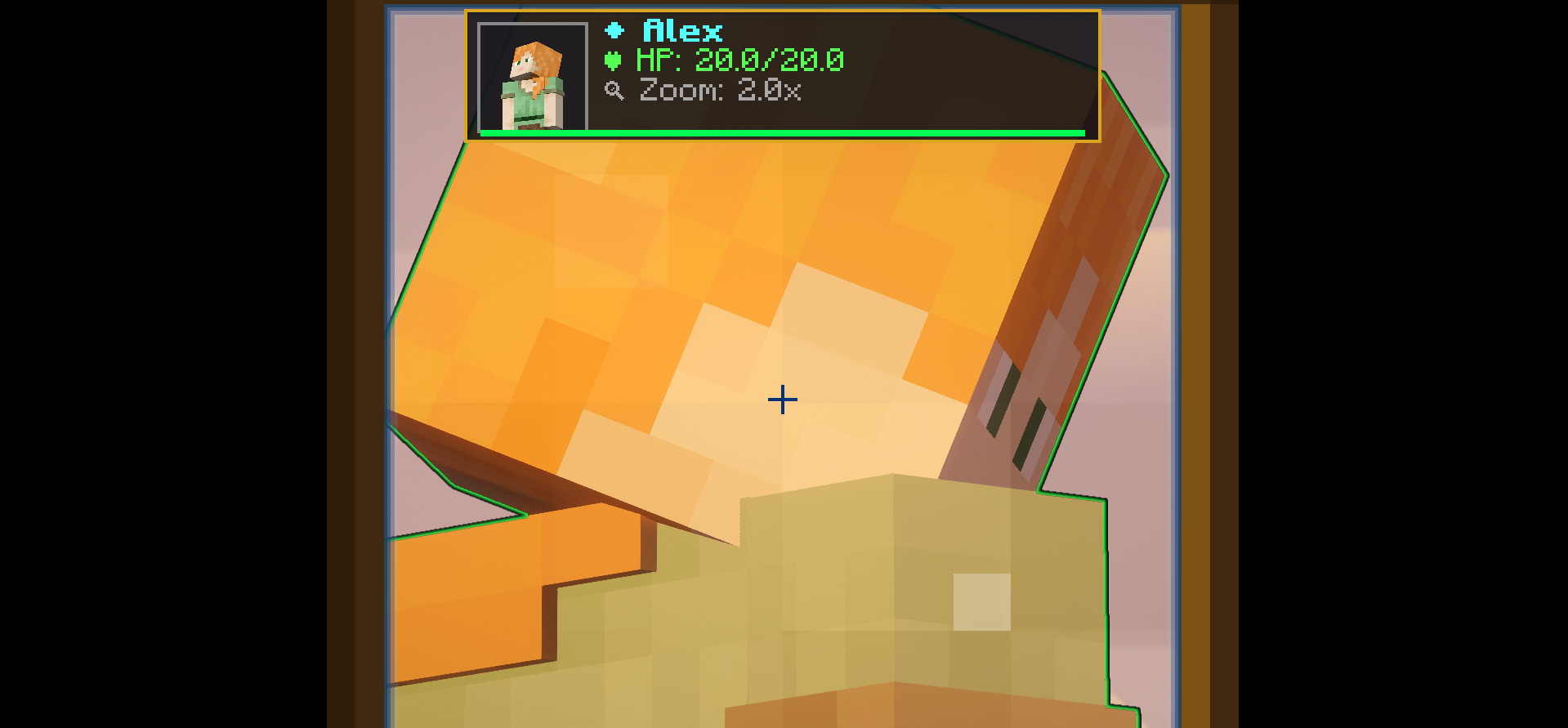
Use your mouse scroll wheel while scoping to switch between 0.5x (panoramic), 1.0x (standard), and 2.0x (deep zoom) without switching hotbar slots!

🎮 How to Use
- Put a Spyglass in your hand or off-hand.
- Hold Right-Click to scope at any creature, mob, or player up to 64 blocks away.
- Use the Mouse Scroll Wheel to adjust your zoom level (
0.5x,1.0x,2.0x).
⚙️ Compatibility & Modpacks
- Platform: Fabric & NeoForge (Minecraft 1.21.x – 26.x+)
- Multiplayer: 100% Client-Side Compatible on any server
- Modpack Usage: You are free to include Functional Spyglass in any public or private modpack under the MIT License!
常见问题
Functional Spyglass 支持哪些 Minecraft 版本?
Functional Spyglass 支持 Minecraft Java 版 1.17–26.2,共 31 个版本,可用的加载器:Fabric / Forge / NeoForge。下载时注意选择和你游戏版本一致的文件。
Functional Spyglass 怎么安装?
先用 PCL2 或 HMCL 启动器安装对应版本的 Fabric / Forge / NeoForge,再把下载的 .jar 文件放进游戏目录的 mods 文件夹,重新启动游戏即可。开启了版本隔离的,mods 文件夹在 versions/版本名 下面。运行环境:仅客户端。
评论
登录后评论和评分