
Freelook++
Enhanced freelook mod with improved camera controls and features for better gameplay experience.
截图


介绍
Freelook++ – Enhanced Camera Controls
Enhanced freelook mod with improved camera controls and features for better gameplay experience.
Features
- Hold to Freelook: Hold Left Alt to temporarily enable freelook mode
- Toggle Freelook: Press F6 to toggle freelook mode on/off
- Perspective Toggle Control: Configure what happens when you try to change perspective (F5) while freelook is toggled
- Configurable Controls: Customize key bindings in Options > Controls > Freelook++ category
- Smooth Camera Movement: Enhanced camera controls with configurable sensitivity
- Client-Side Only: No server-side dependencies required – works on any server!
- Lightweight: Minimal performance impact on your game
Controls
| Key | Action |
|—–|——–|
| Left Alt (Hold) | Temporary freelook mode |
| F6 | Toggle freelook mode |
| F7 | Open configuration screen |
Keys can be customized in the Controls menu!
Configuration Options
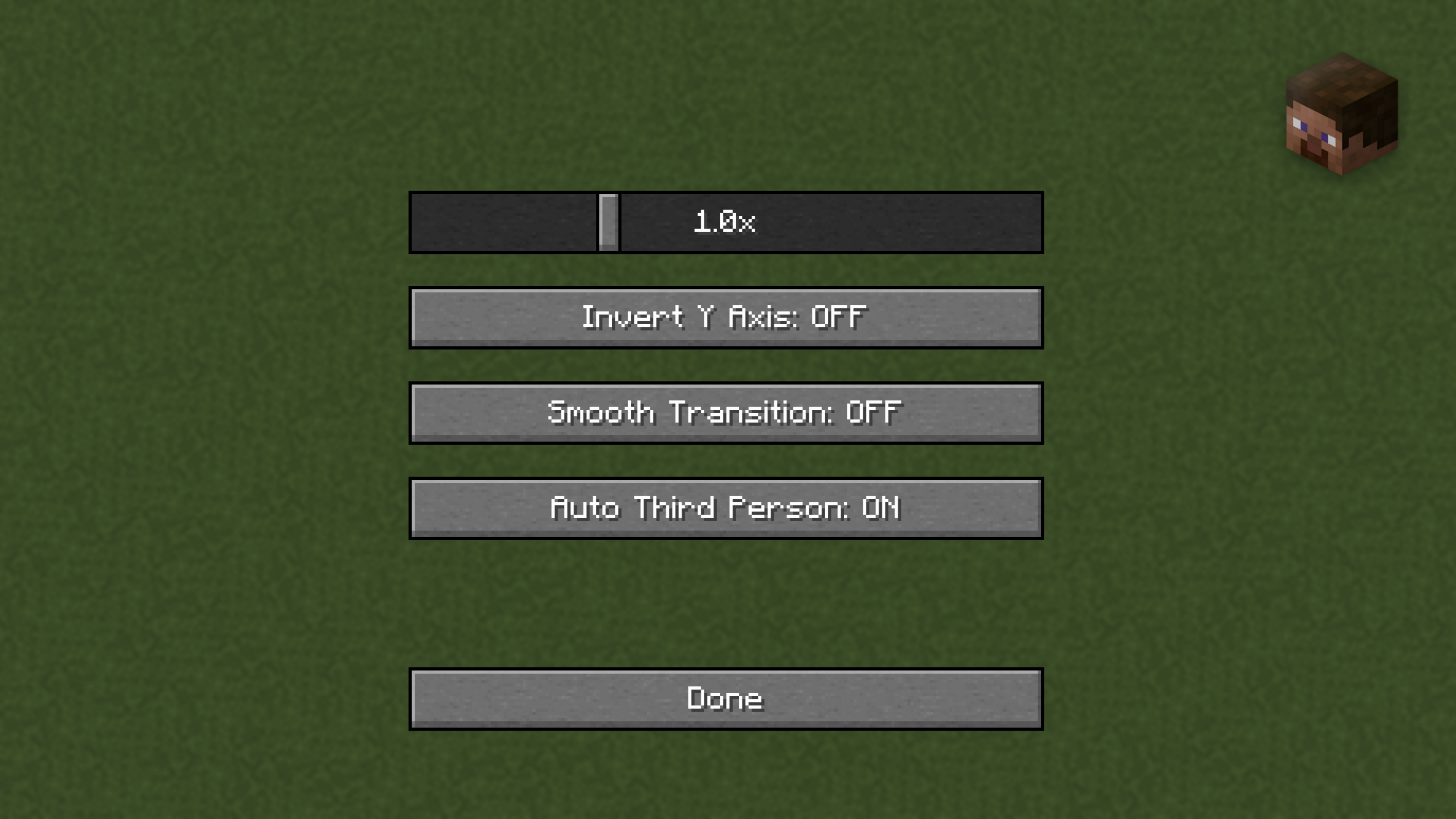
- Mouse Sensitivity: Adjust mouse sensitivity for freelook (0.1x to 3.0x)
- Invert Y Axis: Invert vertical mouse movement
- Smooth Transition: Enable smooth camera transitions
- Auto Third Person: Automatically switch to third person when freelook is enabled
- Perspective Toggle Behavior: Choose what happens when you press F5 while freelook is toggled:
- Do Nothing: Ignore perspective toggle (default)
- Deactivate Freelook: Turn off freelook when perspective is toggled
Access the configuration screen by pressing F7 or through the Controls menu!
Note: Perspective toggle behavior only affects toggled freelook (F6), not held freelook (Left Alt).
Perfect for:
- Building: Look around while placing blocks
- Exploring: Check your surroundings safely
- PvP: Maintain awareness while moving
- Screenshots: Get the perfect angle
Installation
- Install Fabric Loader
- Download Fabric API
- Download Freelook++ from this page
- Place both mod files in your
.minecraft/modsfolder - Launch Minecraft with the Fabric profile
Requirements
- Minecraft: Latest supported versions (updated regularly)
- Fabric Loader: Latest compatible version
- Fabric API: Required
- Java: 21+
- Environment: Client-side only
- Server Compatibility: Works on all servers
Support
- Bug Reports: GitHub Issues
- Source Code: GitHub Repository
License
Open source under MIT License.
Enjoy enhanced camera controls with Freelook++!
常见问题
Freelook++ 支持哪些 Minecraft 版本?
Freelook++ 支持 Minecraft Java 版 1.21.8–1.21.10,共 3 个版本,可用的加载器:Fabric。下载时注意选择和你游戏版本一致的文件。
Freelook++ 怎么安装?
先用 PCL2 或 HMCL 启动器安装对应版本的 Fabric,再把下载的 .jar 文件放进游戏目录的 mods 文件夹,重新启动游戏即可。开启了版本隔离的,mods 文件夹在 versions/版本名 下面。运行环境:仅客户端。
BloodRed 的其他作品
查看全部 →
Decent Freelook
A simple freelook mod which won't affect performance of your device.
Decent Freelook
A simple freelook mod which won't affect performance of your device.

Decent Screenshot
View and manage your Minecraft screenshots inside the game with a clean, fully-integrated UI.
评论
登录后评论和评分