
Freelook 360 (Third Person)
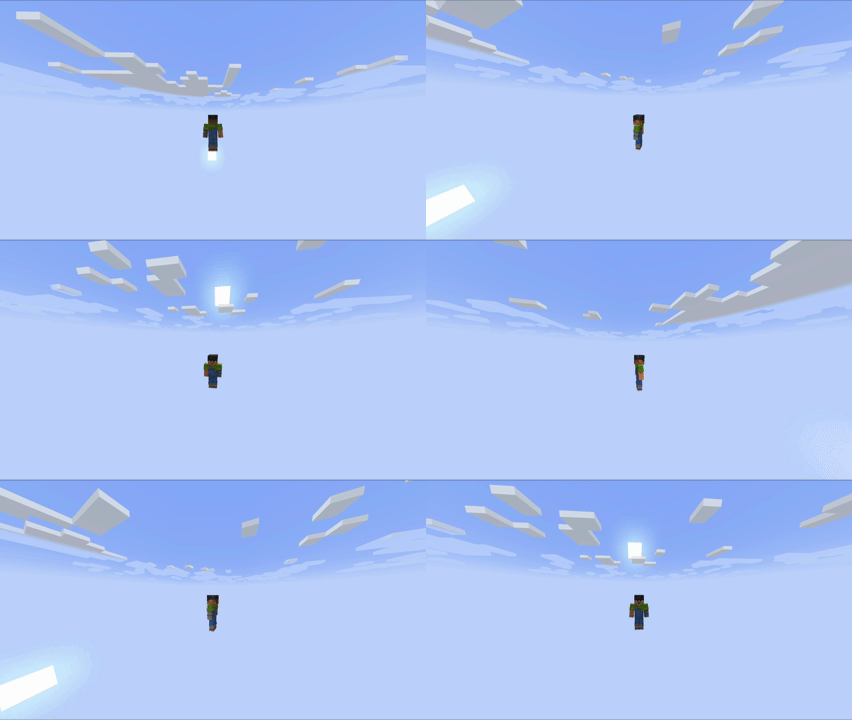
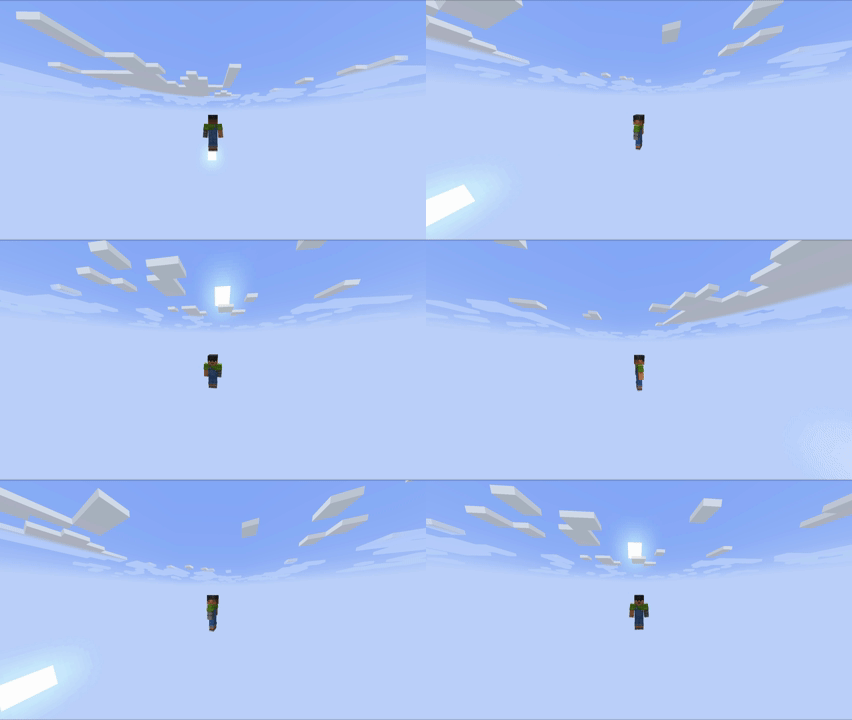
Rotate your camera freely in 360 degrees in third-person without changing your walking direction.
截图
介绍
🔄 Freelook 360 (Third Person)
A lightweight, client-side mod that allows you to detach your camera and look around in a full 360-degree orbit without changing your character’s walking direction!
✨ Features
- True 360° Perspective: Look behind you, to the sides, or above your head while running.
- Preserves Direction: Your character will continue moving in their original direction (perfect for F3/F5 coordination during parkour, survival, or PvP).
- Client-Side Only: 100% safe to use on any multiplayer server! It doesn’t need to be installed on the server.
- Butter-Smooth Interpolation: No camera stutter or sudden jumps when activating/deactivating.
🎮 How to Use
- Press and Hold ‘F’ (default keybind, can be changed in your controls settings).
- Move your mouse to look around in any direction.
- Release ‘F’ to instantly snap the camera back behind your character and return to normal gameplay.
🔧 Installation & Compatibility
- Requires Fabric Loader.
- Requires Fabric API.
- Fully compatible with other performance and visual mods (Sodium, Iris, etc.).
常见问题
Freelook 360 (Third Person) 支持哪些 Minecraft 版本?
Freelook 360 (Third Person) 支持 Minecraft Java 版 1.20.1–1.21.4,共 3 个版本,可用的加载器:Fabric。下载时注意选择和你游戏版本一致的文件。
Freelook 360 (Third Person) 怎么安装?
先用 PCL2 或 HMCL 启动器安装对应版本的 Fabric,再把下载的 .jar 文件放进游戏目录的 mods 文件夹,重新启动游戏即可。开启了版本隔离的,mods 文件夹在 versions/版本名 下面。
FalconMods 的其他作品
查看全部 →
ArmorStats HUD
轻量级 HUD,实时显示盔甲耐久度和状态。

Freelook 360
Rotate your camera freely in 360 degrees in third-person without changing your walking direction.

Potion HUD Display
A clean, elegant, and fully customizable HUD overlay to track your active potion effects in real-time.

Shulker Box Tooltip
Easily view the contents of Shulker Boxes and Bundles directly from your inventory with a clean, colorful preview tooltip.
评论
登录后评论和评分