Free Look UTI
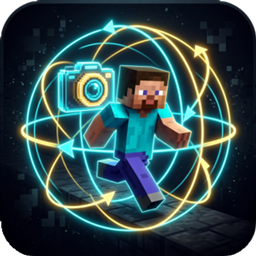
A lightweight client-side mod that allows players to freely look around 360 degrees without changing their movement or facing direction.
介绍
中文介绍正在准备中,下面暂时显示原文。
Free Look UTI


A modern, lightweight client-side mod for Minecraft 26.2 that enables 360-degree free look camera rotation without changing your character’s walking or facing direction.
🎮 Features
- 360° Free Look (
Left ALT):- Hold down
Left ALTwhile walking, running, or riding to freely inspect your surroundings 360 degrees without disturbing your movement vector. - Your character will continue moving in their original direction (e.g. holding W).
- Hold down
- On-the-Fly Mode Toggle (
X):- Press
Xin-game to seamlessly switch between 3rd Person Free Look and 1st Person Head-Turn Free Look. - An action bar notification informs you of the currently active mode.
- Press
- Fully Customizable Keybinds:
- Rebind both key mappings directly from Minecraft’s native Options -> Key Binds screen (
key.freelook.enableandkey.freelook.toggle_mode).
- Rebind both key mappings directly from Minecraft’s native Options -> Key Binds screen (
- Configurable Settings (
config/freelook.json):- Preferences are automatically saved to disk.
- Global Localization:
- Supports 14 major languages (English, Turkish, German, Spanish, French, Russian, Chinese, Japanese, Portuguese, Italian, Ukrainian, Korean).
🛠️ Installation Guide
This mod supports Fabric, Forge, and NeoForge mod loaders.
- Download the appropriate
.jarfile for your mod loader (freelook-1.0.0-fabric.jar, etc.). - Navigate to your Minecraft directory:
- Windows: Press
Win + R, type%appdata%\.minecraftand press Enter. - macOS:
~/Library/Application Support/minecraft - Linux:
~/.minecraft
- Windows: Press
- Open the
modsfolder inside.minecraft(create it if it does not exist). - Copy the downloaded
.jarfile into themodsfolder. - Launch Minecraft using your mod loader profile.
⚙️ Configuration (config/freelook.json)
{
  "switchToThirdPerson": true,
  "sensitivityMultiplier": 1.0
}
switchToThirdPerson: Iftrue, holding ALT in 1st person automatically transitions to 3rd person back view. Iffalse, keeps the camera in 1st person.sensitivityMultiplier: Sensitivity scaling factor during free look.
👤 Developer Info
- Developer: UnDead To Infinity
- Website: https://github.com/KeremZayim
- All Rights Reserved (Proprietary / Closed Source)
常见问题
Free Look UTI 支持哪些 Minecraft 版本?
Free Look UTI 支持 Minecraft Java 版 26.2,可用的加载器:Fabric / Forge / NeoForge。下载时注意选择和你游戏版本一致的文件。
Free Look UTI 怎么安装?
先用 PCL2 或 HMCL 启动器安装对应版本的 Fabric / Forge / NeoForge,再把下载的 .jar 文件放进游戏目录的 mods 文件夹,重新启动游戏即可。开启了版本隔离的,mods 文件夹在 versions/版本名 下面。
评论
登录后评论和评分