Foxs Foxy Cosmetics
A client-side Fabric mod featuring fully customisable fox-themed cosmetics, including ears, tails, capes, masks, gloves, shoes, collars, and colour presets.
截图
介绍
🦊 Fox’s Foxy Cosmetics
Give your Minecraft character a unique fox-inspired style with Fox’s Foxy Cosmetics!
This lightweight client-side cosmetic mod adds a fully customizable fox-themed appearance system featuring ears, an animated tail, capes, collars, kitsune masks, paw gloves and paw shoes. Personalise every detail through a sleek in-game click GUI with instant live previews – and perform eight fox emotes from a Lunar-style popup wheel.
✨ Features
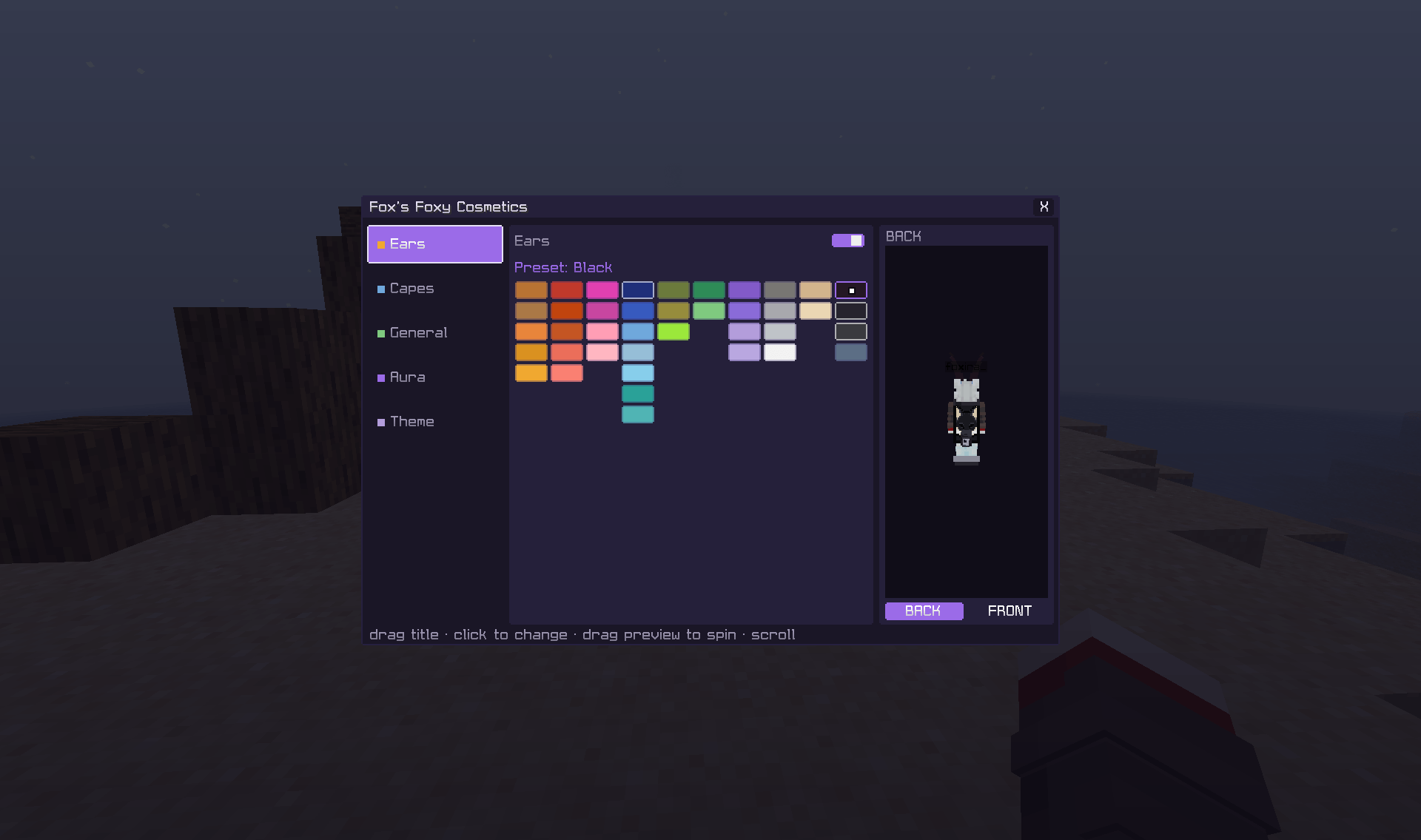
- 🦊 Fox ears – 40 colours in 10 hue-pure shade columns
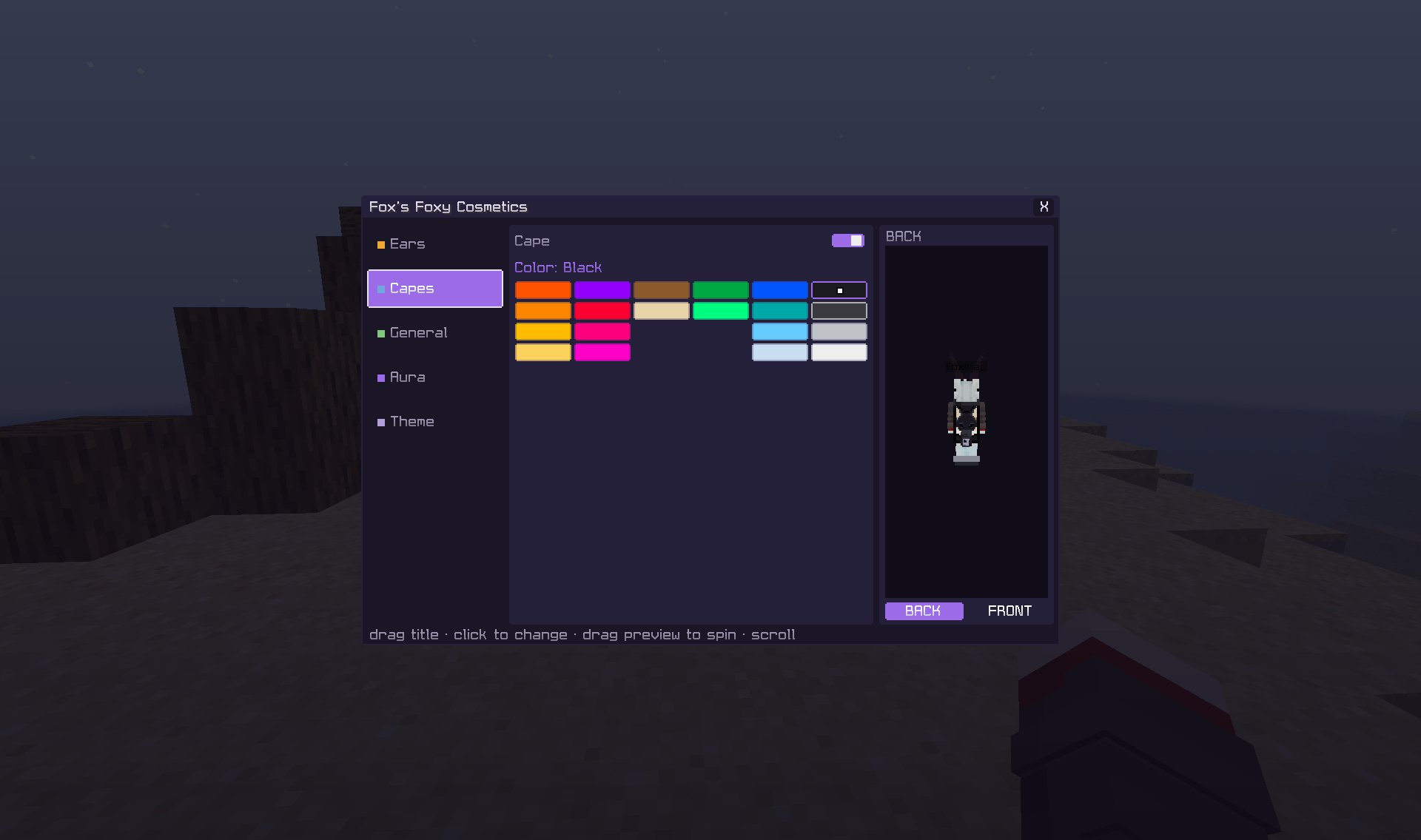
- 🦸 Capes – 20 colours
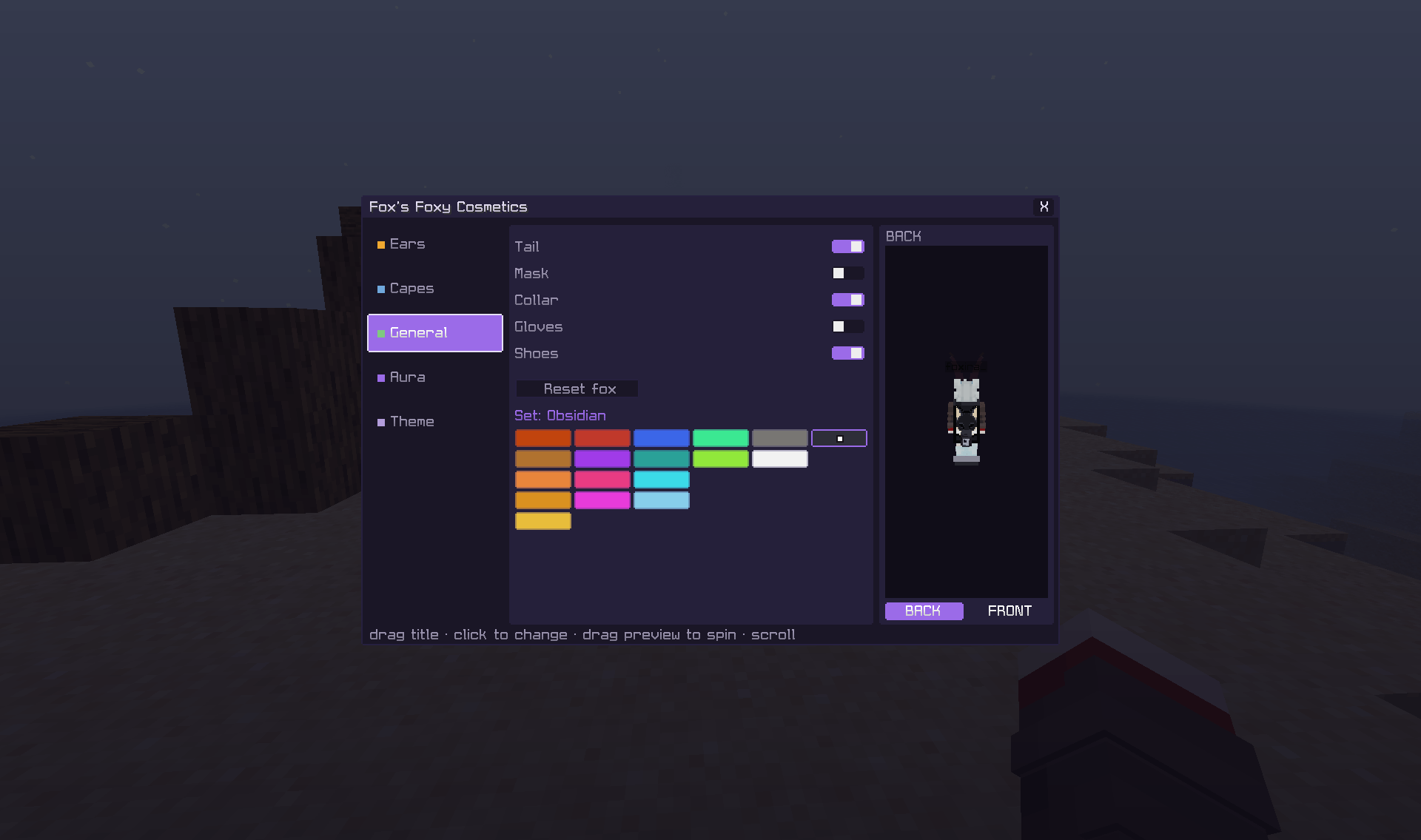
- 🎭 Kitsune masks, 🧤 paw gloves, 👟 paw shoes, 🎀 collars with a fox-head charm, 🦊 animated tails
- 🎯 18 full-set variants – one pick recolours every set piece together (tail, mask, collar, gloves, boots)
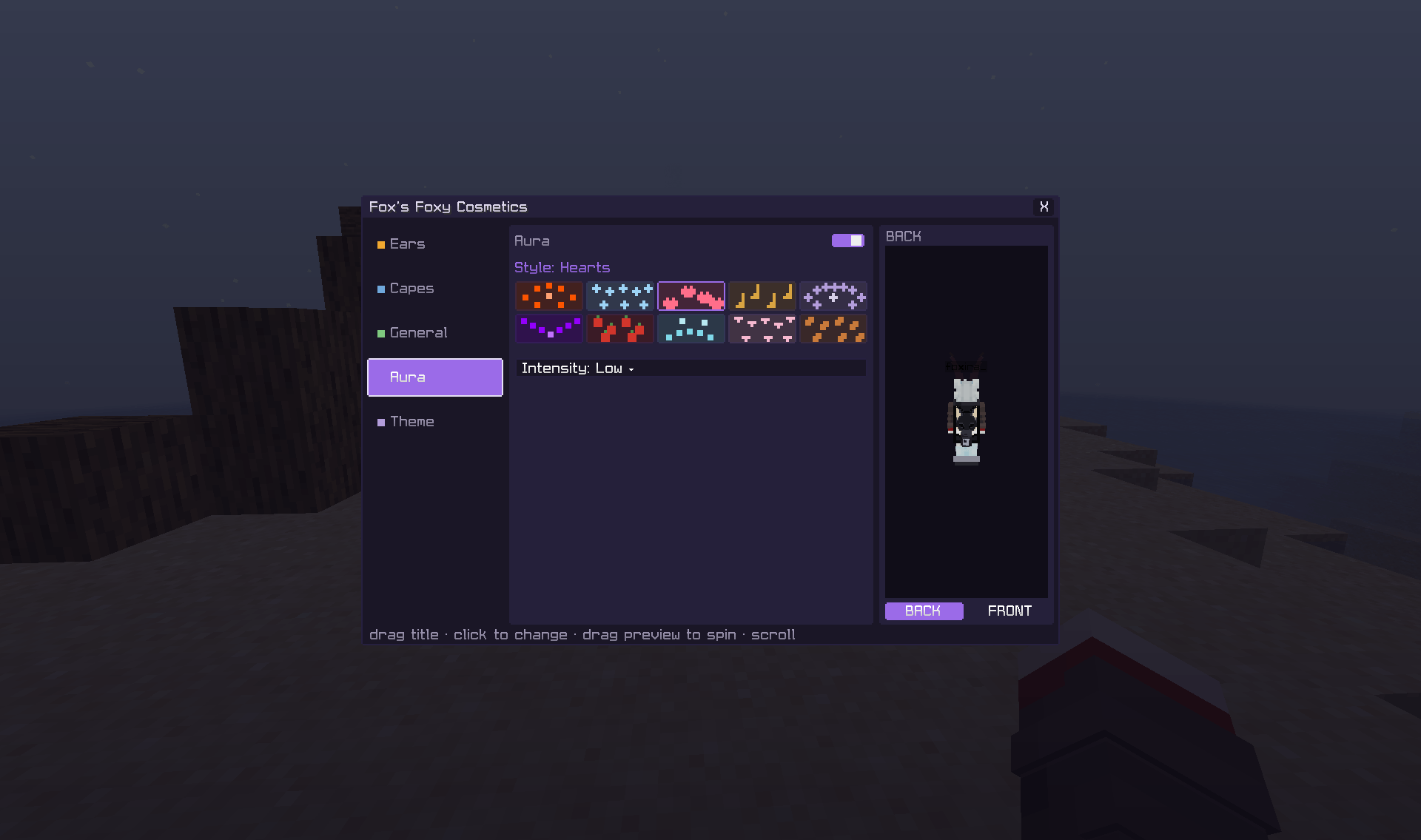
- 🌟 Auras – 10 particle styles (Flame, Frost, Hearts, Notes, Enchanted, Void, Berries, Foxfire, Cherry Petals, Autumn Leaves) with Low / Normal / High intensity, drawn as small translucent 3D particles that never block your view
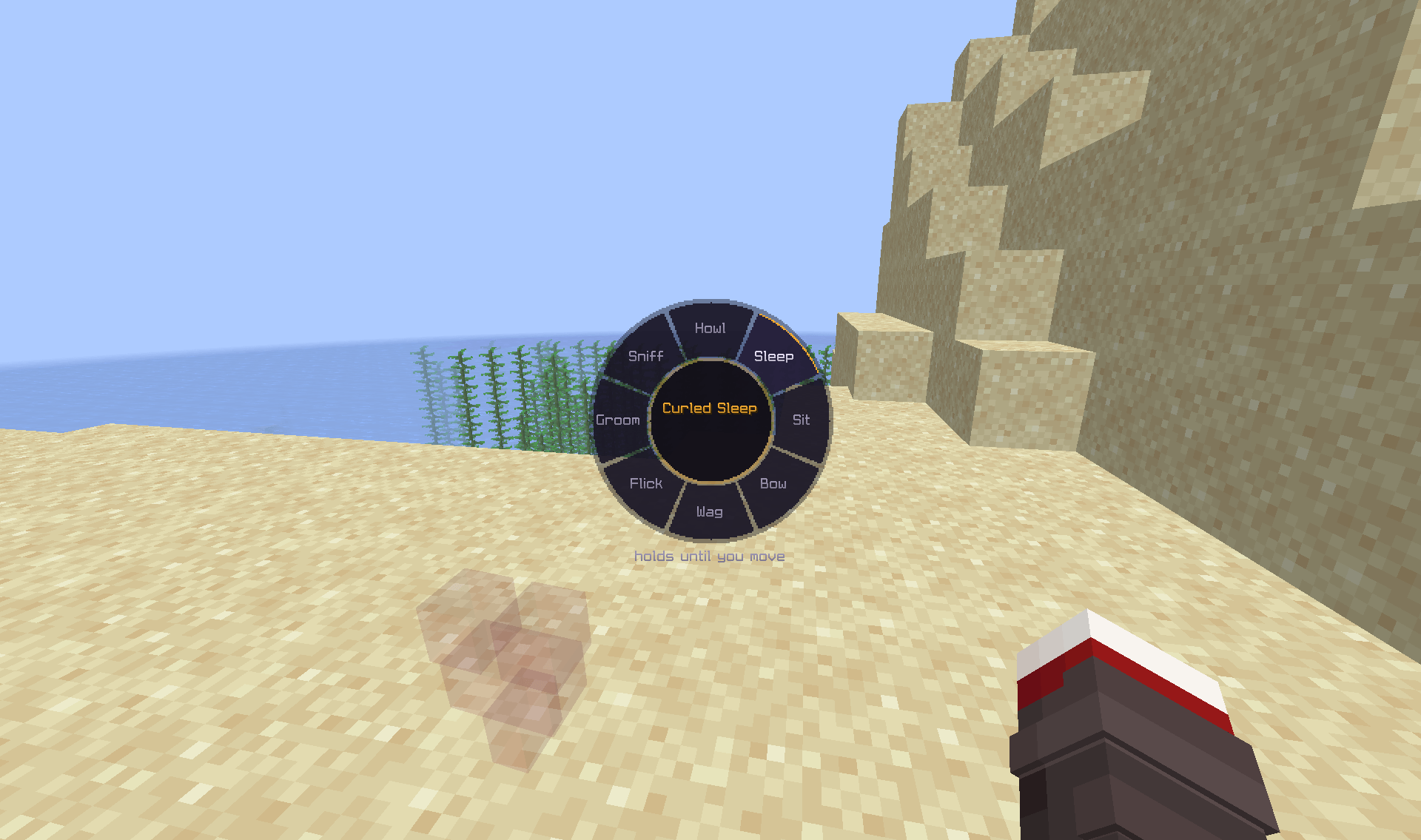
- 🦊 Fox emotes – press B for the popup wheel: Howl, Curled Sleep (on your side, on the ground), Fox Sit, Play Bow, Tail Wag, Ear Flick, Groom, Sniff
- 📷 First-person camera follow – your view lowers with your head when you sit or curl up; the name tag follows your head too
- 🖥️ Modern click GUI – Ears, Capes, General, Aura & Theme pages in a draggable window that remembers where you put it
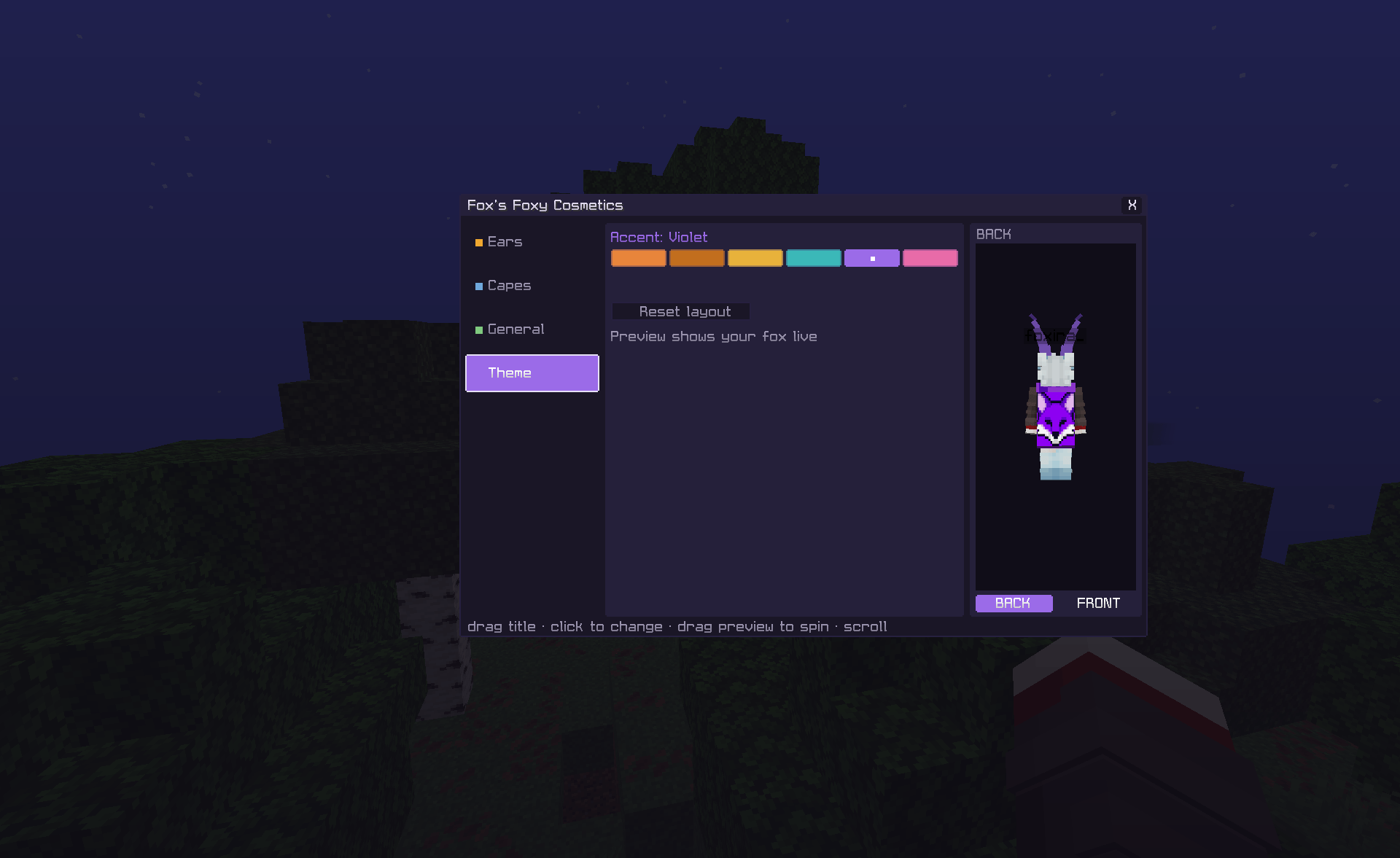
- 🎨 6 GUI accent themes and a live front-and-back preview right inside the menu
- 🛡️ Your choices survive every update – saved colours migrate automatically through every palette change
🎨 Colours
Every palette is organised the same way: hue-pure columns running dark at the top to light at the bottom, so the colour you want is always where you expect it.
Ears (40, in 10 columns): Copper, Bronze, Orange, Amber, Golden • Crimson, Rust, Ember, Coral, Salmon • Fuchsia, Magenta, Pink, Rose • Navy, Sapphire, Blue, Ice, Sky, Teal, Aqua • Moss, Olive, Lime • Forest, Mint • Violet, Iris, Purple, Lavender • Smoke, Ash, Silver, White • Sand, Cream • Black, Onyx, Charcoal, Slate
Capes (20): Rust, Orange, Golden, Amber, Lavender, Crimson, Rose, Magenta, Brown, Sand, Forest, Mint, Sapphire, Teal, Sky, Arctic, Black, Charcoal, Silver, White
Set variants (18): Rust, Brown, Classic, Amber, Golden, Crimson, Violet, Rose, Magenta, Sapphire, Teal, Aqua, Sky, Mint, Lime, Smoke, Arctic, Obsidian
Mix and match across every cosmetic part for millions of unique combinations.
🦊 Emotes
Press B (rebindable) and a compact radial popup appears over the live game – it never pauses singleplayer. Hover a slice to see the emote’s name in the centre, click to perform it. Poses are eased in and out, ground the whole body (Fox Sit actually sits on the block, Curled Sleep lies on its side), and cancel instantly the moment you move, jump or take damage. The two restful holds (Curled Sleep, Fox Sit) last until you move.
🖼️ Easy In-Game Customisation
No external configuration required. Press K in game to open the cosmetics menu, toggle individual pieces on or off, pick colours from the swatch columns, and instantly preview your character from the front and back – every change applies the moment you click it. Drag the window anywhere; the position is remembered.
📦 Compatibility
- ✅ Client-Side Only – no server installation required
- ✅ Fabric Loader 0.19.0+ with Fabric API
- ✅ Minecraft 26.1 / 26.1.1 / 26.1.2 / 26.2 / 26.3 – one universal jar, built and verified against each
- ✅ Java 25+
- ✅ Safe to use on vanilla and modded servers
🎮 Great For
- SMPs
- Roleplay servers
- Community events
- Content creators
- Players who want extra character customisation
Fox’s Foxy Cosmetics by Foxira is the perfect way to add a stylish fox-themed touch to your Minecraft adventure. Create your own unique appearance and stand out from the crowd! 🦊✨
License: All Rights Reserved.
常见问题
Foxs Foxy Cosmetics 支持哪些 Minecraft 版本?
Foxs Foxy Cosmetics 支持 Minecraft Java 版 26.1–26.3,共 5 个版本,可用的加载器:Fabric。下载时注意选择和你游戏版本一致的文件。
Foxs Foxy Cosmetics 怎么安装?
先用 PCL2 或 HMCL 启动器安装对应版本的 Fabric,再把下载的 .jar 文件放进游戏目录的 mods 文件夹,重新启动游戏即可。开启了版本隔离的,mods 文件夹在 versions/版本名 下面。


评论
登录后评论和评分