
Four Sides
Collect cards from mobs, build a 5-card deck and challenge other players on a 3x3 board. A tactical multiplayer card game inspired by a classic JRPG.
截图
介绍
Four Sides
Four Sides is a multiplayer-oriented Minecraft mod that brings to your worlds a card-collecting game inspired by a beloved classic JRPG. Kill mobs to collect cards, build a deck, and challenge other players to strategic matches on a playmat.
Join Us on Discord
How it works
Collecting cards
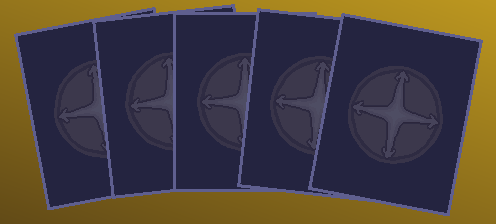
A Four Sides card can drop from a mob when killed by a player. Each card has four directional numbers (top, right, bottom, left) ranging from 1 to 10 (displayed as “A” on higher-tier frames by default). The rarer the card, the stronger its numbers tend to be.
Building a deck
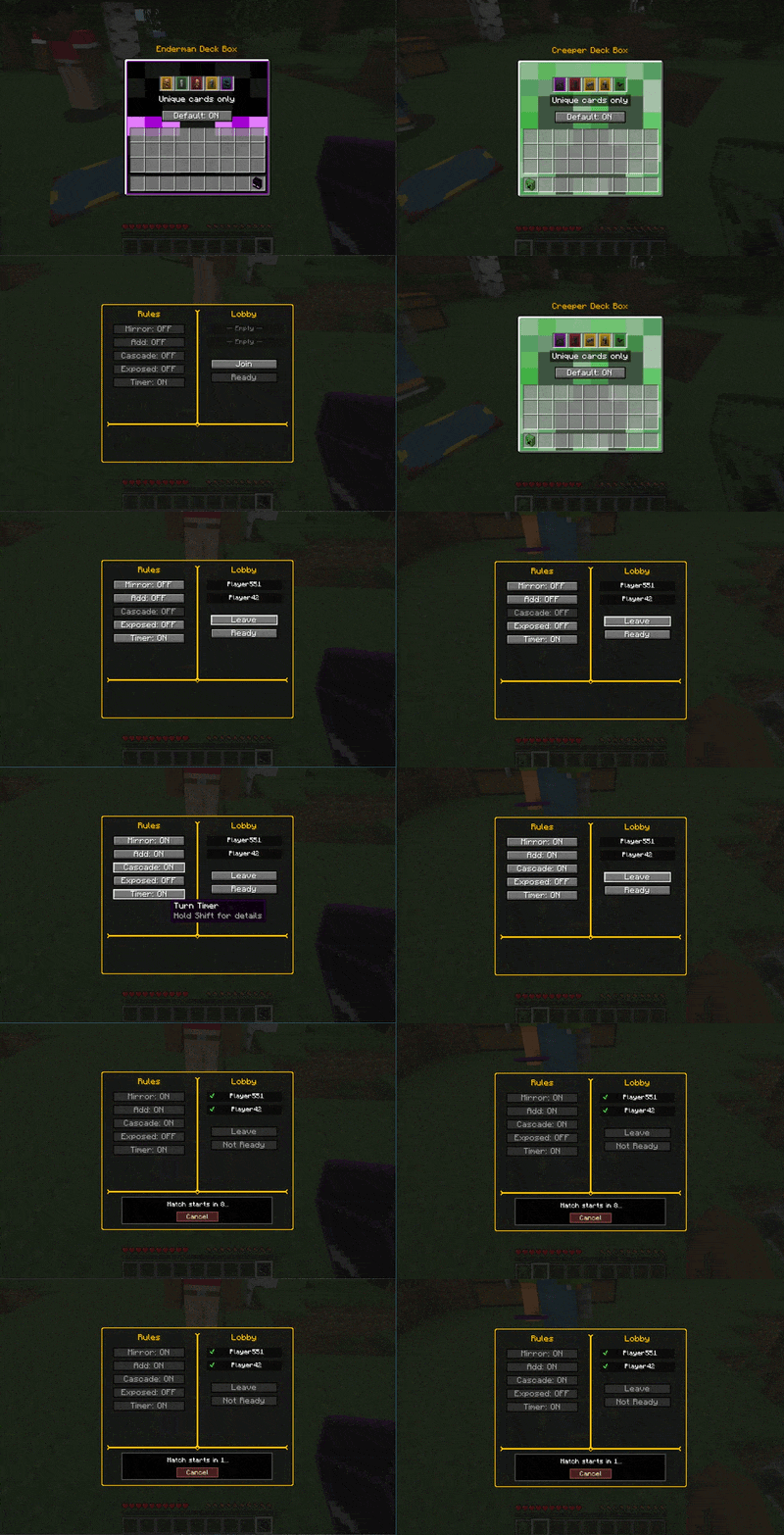
Store your collection in a Card Holder (90 slots over two pages, cards stack up to 64 only inside the holder; it can’t be stored in shulker boxes). Then, pick 5 cards into a Deck Box to form your match deck. Set one Deck Box as your “default”: that’s the deck used when you start a match. Note that you need it in your inventory to play!
Matches
Place a Playmat block on the ground. Two players join the lobby, toggle rules (Mirror, Add, Cascade), toggle if they want to play with hands revealed, and toggle the turn timer. Ready up, and a 10-second countdown starts.
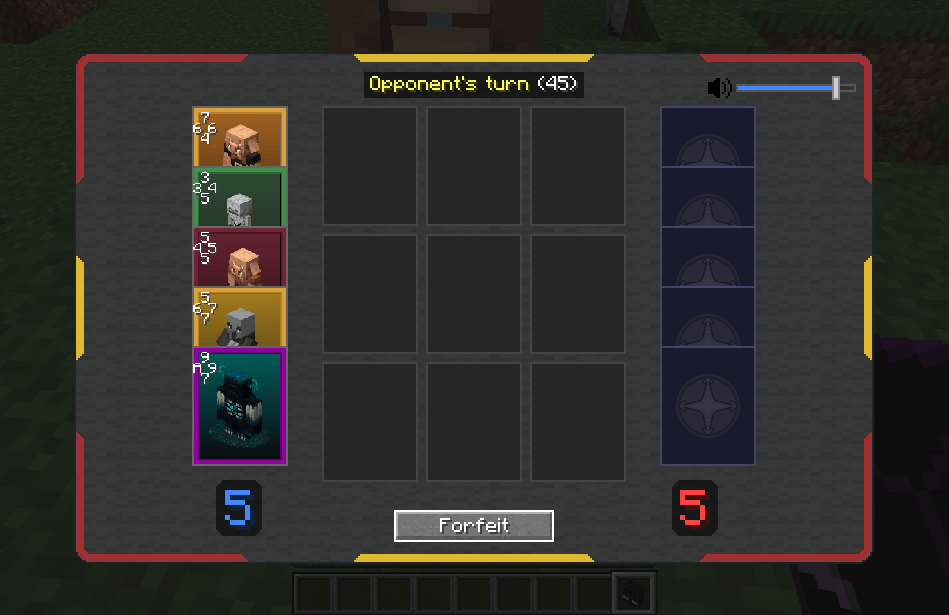
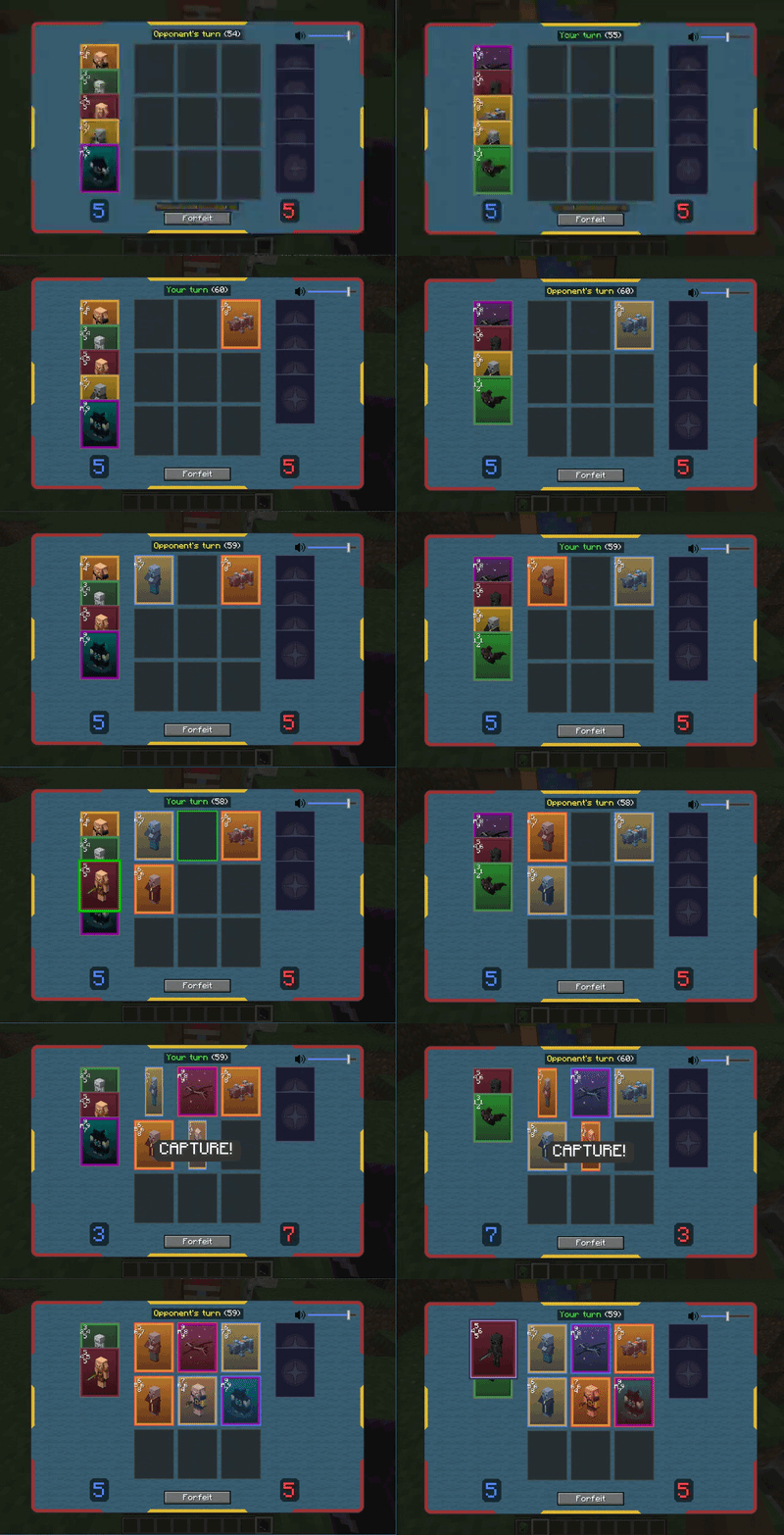
The match plays out on a 3×3 board, take turns placing cards. When your card’s edge number is higher than an adjacent opponent card’s facing edge, you capture it. The player with the most cards when the board is full wins. Forfeiting, dying, changing dimension or otherwise leaving the match screen mid-match counts as a loss.
Rules:
–Basic Game: When you place a card next to an opponent’s card, if your touching edge number is higher than the opponent’s edge number, you capture that card.
–Mirror: If your placed card matches the facing numbers of two or more adjacent cards (your edge equals their opposing edge), every matched opponent card is captured.
–Add: If two or more adjacent edges produce the same sum (your edge number + their opposing edge number), every opposing card in that matching group is captured.
–Cascade: Cards captured by Mirror or Add start a chain: each one captures every adjacent opponent card it beats by the basic rule (higher touching number), and every card captured this way does the same, until no more captures occur. Chain captures use only the basic rule: they don’t trigger further Mirror or Add captures.
–Exposed: both players’ hands are visible.
Turn timer
Server admins can configure a per-turn time limit in seconds (maxSecondsPerTurn in config/four_sides.toml). When a player’s turn expires, that player automatically loses. Set to 0 to disable the timer entirely.
When the server config has a non-zero value, players can toggle the timer ON or OFF per-match from the playmat UI (useful for casual play or tutoring). The toggle is grayed out if the server has no timer configured.
Commands
All /four_sides commands require OP level 2.
| Command | Description |
|---|---|
/four_sides give <targets> <card> [count] |
Gives cards like vanilla /give: @s, @p, @a, player names |
/four_sides giveCollection [targets] |
Gives one of every registered card, in as many Card Holders as needed (90 cards each); to yourself when no target is given |
/four_sides match [rules] |
Start a PvE match against a Bot |
/four_sides challenge <player> [rules] |
Challenge another player to PvP |
/four_sides reloadConfig |
Hot-reload config/four_sides.toml without restarting the server |
/four_sides showAllCards |
Opens a card browser showing every loaded card, with numbers and drop chances |
rules is an optional space-separated list of rule flags: mirror, add, cascade, exposed. Any combination in any order, e.g. /four_sides match mirror add cascade.
Configuration
Config file: config/four_sides.toml (auto-generated on first launch).
| Key | Default | Description |
|---|---|---|
enableMatches |
true |
Allow matches to be played. When false, the mod is a collectible card game only. |
doMobsDropCards |
true |
Whether mobs drop cards on death (in case someone wishes to implement own mechanics to obtain them). |
ruleMirrorEnabled |
true |
Allow the Mirror rule in matches |
ruleAddEnabled |
true |
Allow the Add rule in matches |
ruleCascadeEnabled |
true |
Allow the Cascade rule in matches |
ruleExposedEnabled |
true |
Allow the Exposed rule in matches |
uniqueCardsPerDeck |
true |
Prevent duplicate cards inside a Deck Box |
enableCraftableDeckBoxReskin |
true |
Allow crafting Deck Box reskins and reverting them |
maxSecondsPerTurn |
60 |
Seconds per turn, 0-300 (0 = timer disabled; out-of-range values are clamped) |
Multiplayer
Four Sides is fully server-authoritative. Card definitions are synced to clients when they join, no datapack installation needed on the client side. The mod must be installed on both client and server.
Adding custom cards: Card Pack Creator Guide
COMING SOON: A dedicated card packs creator with preview, directly in your browser!!
Four Sides is datapack-friendly. You can add your own cards with just a JSON file in a datapack and a PNG texture in a resourcepack.
The split: datapack JSON vs resourcepack textures
Card/frame JSON files belong in a datapack. Card/frame PNG textures are client assets, needing a resourcepack.
Quick start: add one card
1. An example of a Goblin card data in data/my_pack/four_sides/cards/goblin.json:
{
  "rarity": "four_sides:common",
  "numbers": { "top": 4, "right": 3, "bottom": 5, "left": 2 },
  "texture": "my_pack:textures/four_sides/cards/goblin.png",
  "source_mob": "minecraft:zombie",
  "display_name": "Goblin",
  "acquisition": { "mob_kill_chance": 0.10 }
}
2. Its respective texture in client resourcepack assets/my_pack/textures/four_sides/cards/goblin.png
Replacing mod defaults
Use the four_sides namespace with the same file name.
- Stats:
data/four_sides/four_sides/cards/bat.json - Art:
assets/four_sides/textures/four_sides/cards/bat.png - Frame:
data/four_sides/four_sides/frames/common.json+assets/four_sides/textures/four_sides/frames/common.png(one edit reskins an entire tier)
Removing the built-in set entirely
For a fully custom card set (e.g. a non-Minecraft theme), suppress the bundled files with a filter block in your datapack’s pack.mcmeta matching paths:
{
  "pack": { "pack_format": 15, "description": "Remove Four Sides default card set" },
  "filter": {
    "block": [
      { "namespace": "four_sides", "path": "four_sides/cards/.*" }
    ]
  }
}
Then ship your own four_sides/cards/*.json and four_sides/frames/*.json under your namespace datapack. Notes:
pack_format15 targets 1.20.1. Use 10 for the 1.19.2 datapack and 9 for the 1.19.2 resourcepack.- Add
{ "namespace": "four_sides", "path": "four_sides/frames/.*" }to filter out the built-in frames (rarity tiers). - Every card’s
raritymust resolve to a loaded frame: if you filter out the built-in frames, provide at least one of your own.
Card JSON reference
| Field | Required | Description |
|---|---|---|
rarity |
yes | Frame id, e.g. four_sides:common |
numbers |
yes | Four directional values (1-10) |
texture |
yes | Path to the 150×240 card art PNG (in a resource pack) |
display_name |
yes | Plain text |
source_mob |
no | Entity that drops this card |
acquisition |
no | Drop config |
acquisition.mob_kill_chance (0.00-1.00, default 0.00): drop probability when a player kills the mob. Omit source_mob for no-drop cards (still obtainable via /four_sides give).
Built-in rarities
| Rarity | ID | Text colour |
|---|---|---|
| Common | four_sides:common |
green |
| Uncommon | four_sides:uncommon |
dark red |
| Rare | four_sides:rare |
gold |
| Legendary | four_sides:legendary |
light purple |
Custom rarity frame
1. An example of how you can add a custom ‘mythic’ rarity tier via datapack
data/my_pack/four_sides/frames/mythic.json:
{
  "frame_texture": "my_pack:textures/four_sides/frames/mythic.png",
  "number_glyph_style": "classic",
  "text_color": "aqua"
}
2. Its frame border with transparent art window. assets/my_pack/textures/four_sides/frames/mythic.png
Reference: "rarity": "my_pack:mythic".
| Field | Default | Description |
|---|---|---|
frame_texture |
(required) | Path to 64×80 frame PNG |
number_glyph_style |
plain |
plain (10) or classic (A) |
text_color |
gray |
Formatting name (see below) |
art_window |
{x:5,y:5,width:54,height:70} |
Art region in pixels |
glyph_anchor |
{x:7,y:5} |
Number cluster position |
Valid text_color: black, dark_blue, dark_green, dark_aqua, dark_red, dark_purple, gold, gray, dark_gray, blue, green, aqua, red, light_purple, yellow, white.
Texture dimensions
| Texture | Recommended | Aspect ratio | Notes |
|---|---|---|---|
| Card art | 150×240 | 5:8 | Stretched to fill the frame’s art window (54×70 by default). Any resolution works; keep 5:8 so your art is shaped like the bundled cards. |
| Frame border | 64×80 | 4:5 | Full card with transparent art window. Any resolution works as long as the aspect ratio matches. |
The renderer scales each whole texture to fill its space (64×80 for frames, the art window for art) without keeping proportions, so keep the ratios above: a 256×200 frame would be stretched and distorted. Resolution can be higher than recommended for crisper visuals at high GUI scales.
Pack structure
Two packs required (pack_format both 15 on 1.20.1; for the 1.19.2 build use 10 for the datapack, 9 for the resourcepack):
datapack.zip                    resourcepack.zip
  pack.mcmeta                     pack.mcmeta
  data/                           assets/
    my_pack/                        my_pack/textures/four_sides/
      four_sides/cards/*.json         cards/*.png
      four_sides/frames/*.json        frames/*.png
Multiplayer: datapack goes in <world>/datapacks/. For textures, ship the resource pack with the client modpack directly.
Tips
- Multiple cards can share
source_mob, each rolls independently. /reloadre-syncs card JSONs to all clients. Textures need F3+T on client.
Thanks (non-affiliated)
常见问题
Four Sides 支持哪些 Minecraft 版本?
Four Sides 支持 Minecraft Java 版 1.19.2–1.20.1,共 2 个版本,可用的加载器:Fabric。下载时注意选择和你游戏版本一致的文件。
Four Sides 怎么安装?
先用 PCL2 或 HMCL 启动器安装对应版本的 Fabric,再把下载的 .jar 文件放进游戏目录的 mods 文件夹,重新启动游戏即可。开启了版本隔离的,mods 文件夹在 versions/版本名 下面。
SurfingBlockhead 的其他作品
查看全部 →
Crops Need Sky
这个模组要求作物和植物必须能直接照到天空才能生长。

Lazy Recipes Editor
帮助整合包和服务器作者通过精美的自定义 GUI 在游戏内创建、编辑和禁用合成配方,无需手动编写 JSON 文件!

Fabulocks!
一个为 Minecraft 添加完整锁具与开锁系统的模组,包含钥匙、开锁器,以及《上古卷轴5:天际》风格的开锁小游戏。

Claimorous!
为多人游戏添加领地认领机制。
评论
登录后评论和评分