
截图


介绍

欢迎来到 ForgeCraft!你是否曾抱怨过物品上的修改内容太少?或者只是玩了很多生存 Minecraft,想在不使用任何模组的情况下修改游戏?那么,这个数据包正适合你!这个数据包具有重铸系统,你可以用不同的方式改造你的武器、盔甲、工具和实用物品!
截至目前,共有 54 种独特重铸供你发现和使用。它们都支持多人游戏,所以你不必担心无法正常工作。不过,如果你发现数据包有任何 bug 和问题,请在这里评论告诉我!
这个数据包确实有一个资源包,目前处于第 2 阶段:所有盔甲重铸物品。现在它是数据包正常工作所必需的。要下载资源包,这里是链接:

– 可用的重铸选项(部分重铸可适用于多种类型):
- 6 种 [任意] 重铸
- 22 种 [盔甲] 重铸
- 18 种 [近战] 重铸
- 13 种 [工具] 重铸
- 14 种 [远程] 重铸
这里不会提供详细信息,自己去发现吧!
(生物是可选功能,默认禁用)

- 尽量不要通过重铸物品作弊(我知道,有些很难获得)
- 请不要把重铸铁砧放在超过 1 格高的地方,它可能会出现意外行为!
- 请阅读源文件中的 README 以了解一些额外细节
- 如果你想移除生物修改,可以输入:
/function gamerules/ismobmodification/false - 如果你将此数据包更新到较新版本,请输入:
/function reforge/unlock_all_reforges 以查看新重铸的配方。
- (Minecraft 1.21.6 或更新版本!)要更改此数据包的设置,请输入命令:
/function forgecraft_lpmc2:settings 以启动菜单!

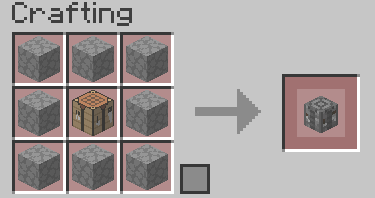
- 在工作台中合成重铸铁砧(仅在 V1.57.2 或更旧版本中需要。配方在配方书中),并像方块一样放置它。但请注意,它可以破坏方块
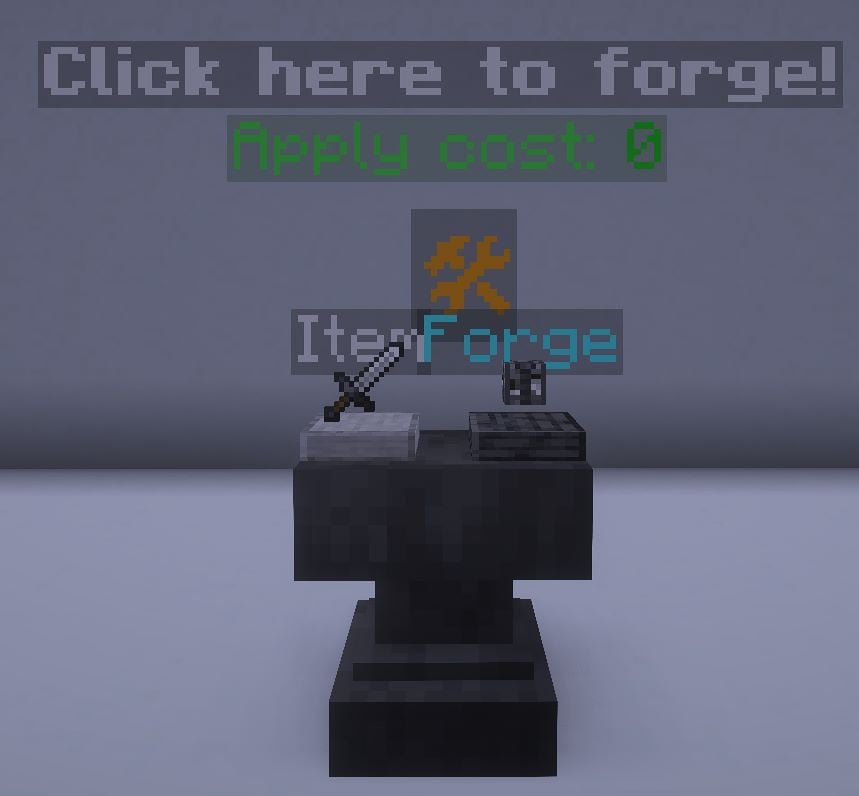
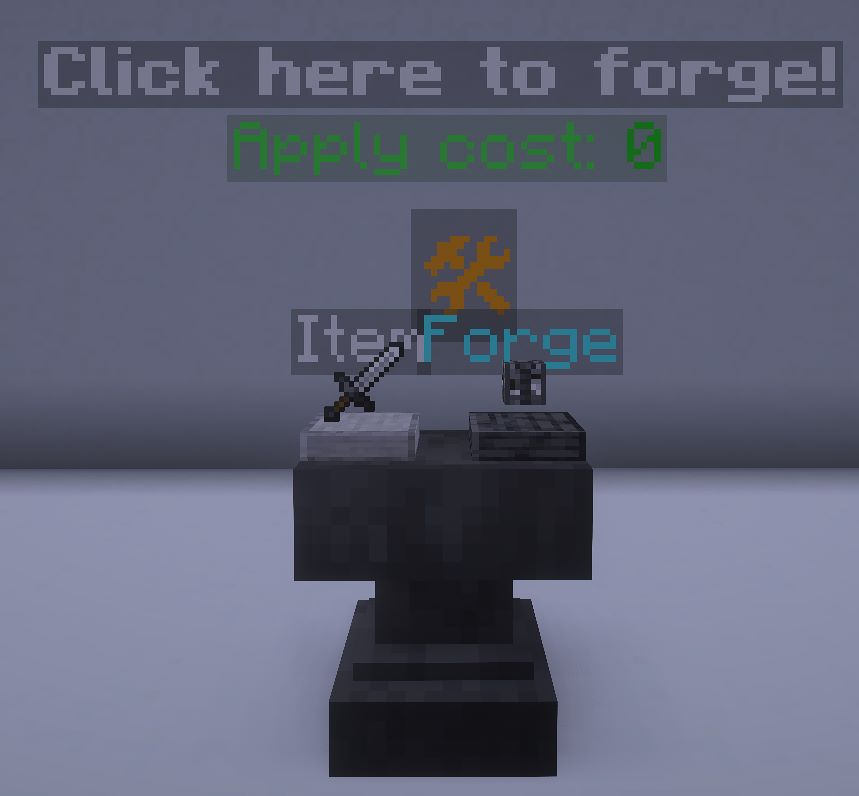
- 要将物品放入槽位,右键放置,左键取回
- 要锻造物品,点击 🛠 符号。只有在物品正确且你有足够经验等级时才会生效
- 要取回重铸铁砧,只需用合适的工具破坏铁砧,槽位中剩余的物品将作为掉落物返还。
- 骷髅不再总是手持弓,它们现在可以手持附魔的剑或斧(它们很致命……)
- 你可以从流浪商人处有较低概率获得一种特殊重铸
- 由于末影人可以进行远程攻击,我不建议建造通常的末影人农场,因为末影螨可能会被弹射物杀死。
- 建议准备一个无法破坏的盾牌,因为有些生物可以像撕纸一样迅速摧毁你的普通盾牌
- 有些物品会有使用限制,请仔细阅读锻造物品说明。(至少弓在副手可以很好地发挥作用,因为“武器”数据在箭的数据内)
- 进度将提供生成条件生物的指南。获得进度还会奖励少量经验。
- (仅适用于 V1.62.2 或更新版本!)要修改可应用强化书的最大数量,你可以输入以下命令:
/function gamerules:enhancementmaxcount/set {count:10}
其中“count”是要应用的最大数量 - 获得锻造经验
直接开始锻造物品,你就会获得经验!
[仅限 V1.4 及之后版本!]

现在你可以自定义物品的属性了!
要求:
- 物品必须是由 Vanilla Item Converter 重铸的原版物品
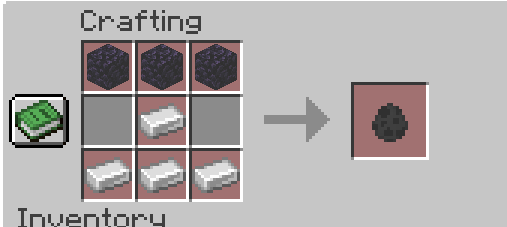
获取属性强化物品:
可以通过合成配方获得,例如下面的配方:
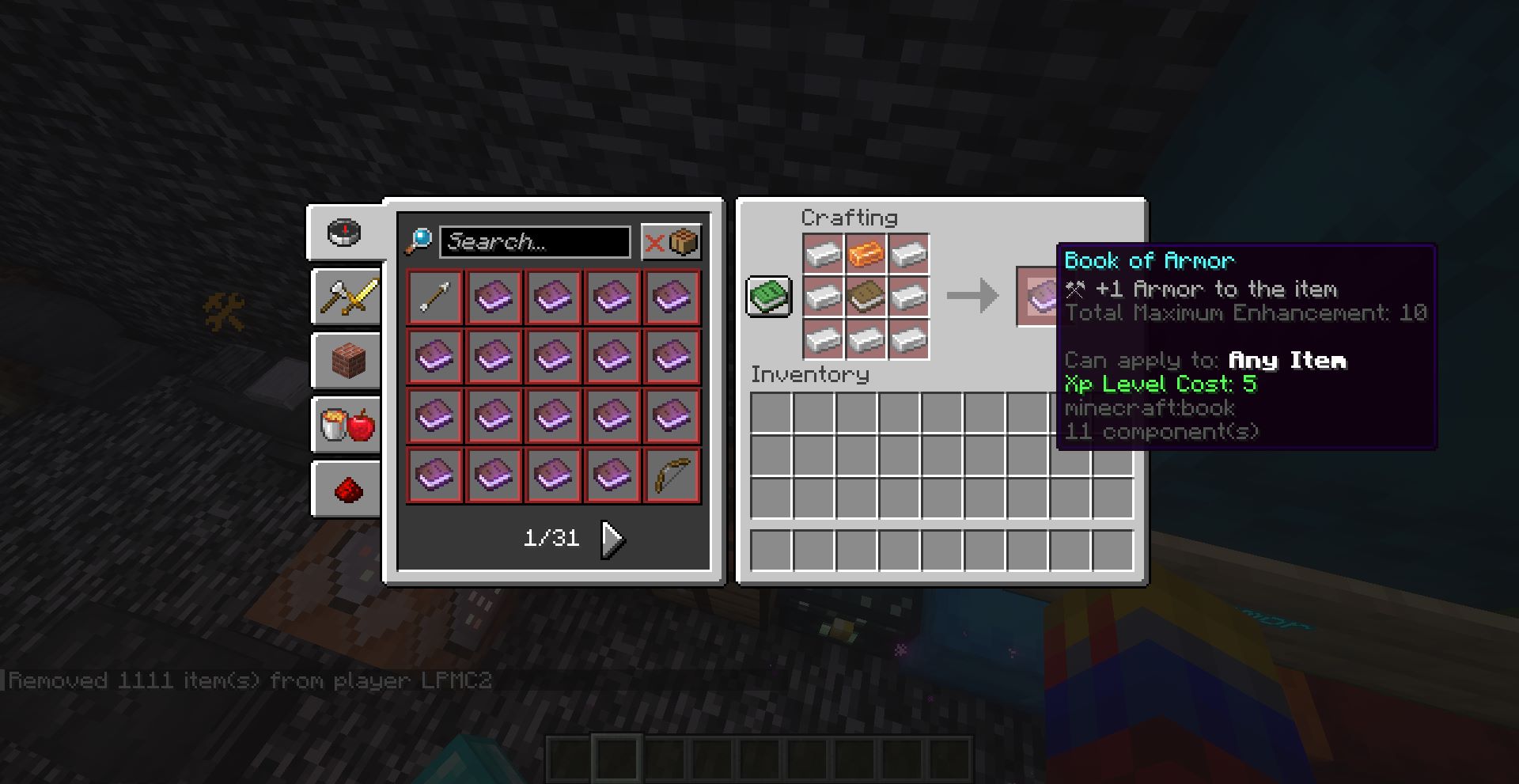
可用强化列表:
- 最大生命值
- 护甲
- 盔甲韧性
- 攻击伤害
- 攻击速度
- 攻击击退
- 方块交互距离
- 实体交互距离
- 燃烧时间(缩短)
- 安全坠落距离
- 重力(降低)
- 击退抗性
- 跳跃力度
- 方块挖掘速度
- 体型(可缩小或增大)
- 移动速度
- 氧气加成
应用强化的方式与重铸物品相同
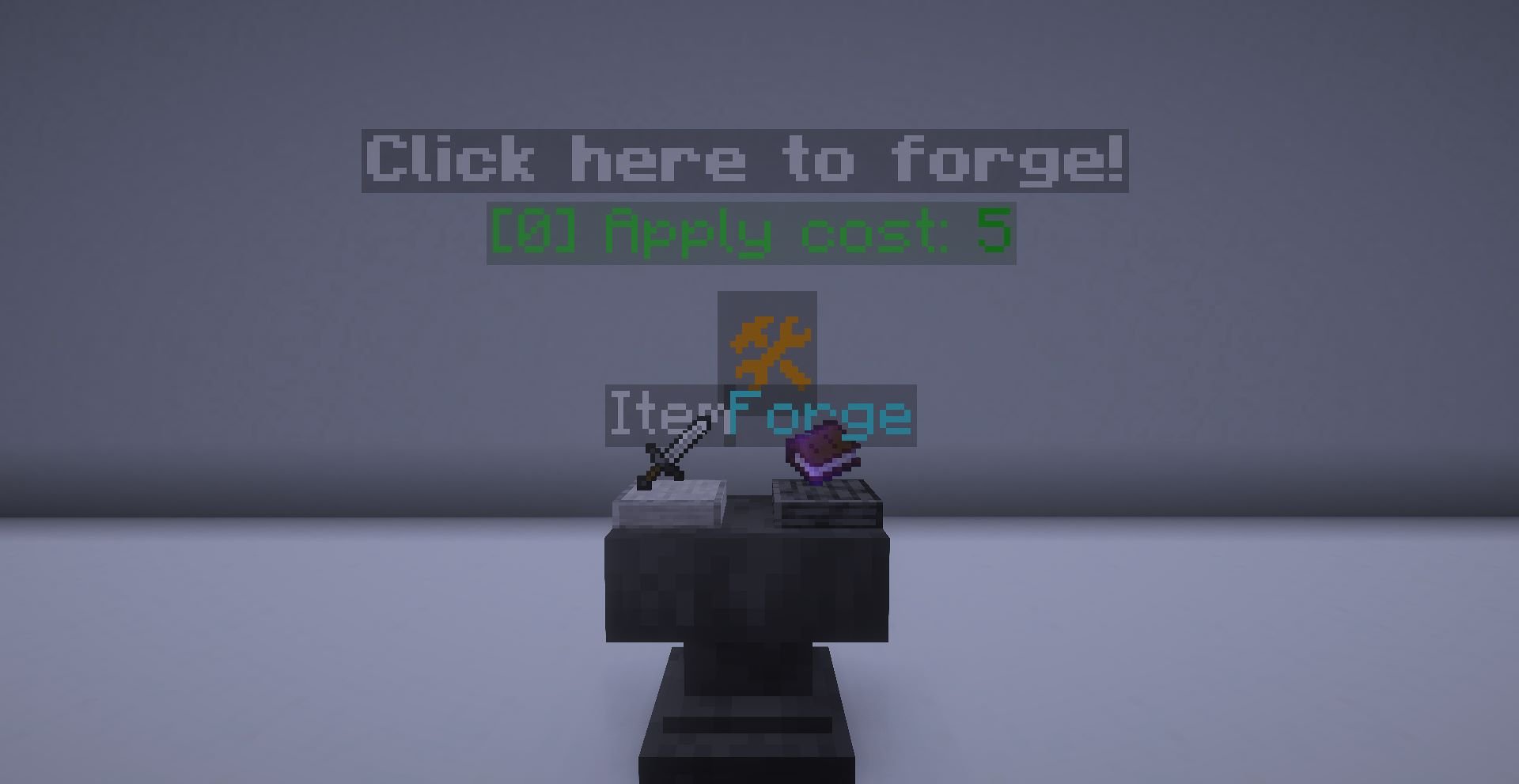
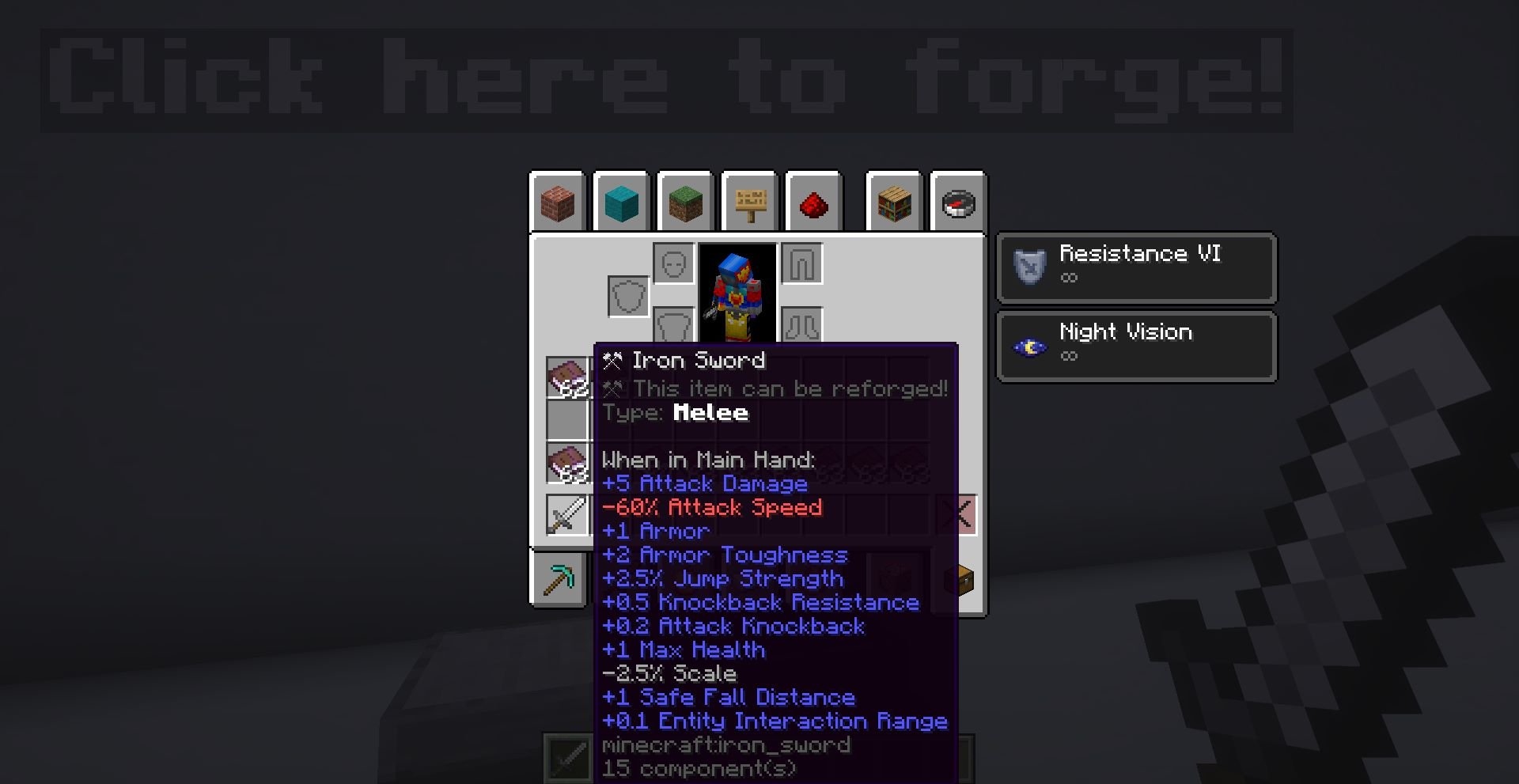
你可以为同一件物品应用多种强化,但最多只能应用 10 次。

插件
从 V1.8.3 开始,你可以为 ForgeCraft 世界添加自定义重铸!
要求
- 使用
function forgecraft_lpmc2:plugins/register {...}注册插件。下方提供了示例。 - 注册必须添加到数据包加载流程中,否则重铸将无法注册。
- 必须使用 V1.8.3 或更高版本
- 不要更改 slug,否则可能会产生重复项
- 注意不要与其他插件的 ID 重复。请确保你的 ID 唯一。
- 必须遵循以下格式,否则数据将无法注册。
存储位置(如果你想知道的话)
forgecraft:plugin custom
格式
{
    slug: string (UNIQUE)
    name: string
    reforges:
    {
        id: integer (Required, UNIQUE, don't get repeated with any other, including outside)
        name: string (Required)
        description: string (Required, Tooltip Reforge's description)
        info: string (Debug Menu Info)
        req_xp: integer (Required, XP level needed to apply)
        req_lvl: integer (Required, Forging Level needed to apply, 0 means no requirement)
        types: {id:integer}[] (id is ranged from 1 - 9, which are:
        1 - Melee
        2 - Ranged
        3 - Armor - Helmet
        4 - Armor - Chestplate
        5 - Armor - Leggings
        6 - Armor - Boots
        7 - Tool
        8 - Utility (Item that has durability)
        9 - Other )
        attributes: {
            type: string (For example, 'minecraft:attack_damage')
            operation: 'add_value' | 'add_multiplied_total' | 'add_multiplied_base'
            slot: string|'auto' (auto means based on item type)
            amount: double
            percentage: integer
            (Add percentage value based on current Item's value, if available. amount is the fallback. For example, 100 -> +100%)
        }[]
        tags: object (For example, {is_electric: 1b})
        rarity: 'common' | 'uncommon' | 'rare' | 'epic' (Required)
        texture: string
        custom_function: string
        (Function that apply to the entity -> minecraft:item.
        Example: 'example:electric/apply')
    }[]
}
示例
function forgecraft_lpmc2:plugins/register {\
    slug: 'example-plugin',\
    reforges:[\
        {\
            id: 1000,\
            name: 'Electrocuting',\
            description: 'Attack Entity causing electrocution',\
            info: 'Electrify Entity into oblivion',\
            req_xp: 20,\
            req_lvl: 5,\
            types: [{id:1},{id:2}],\
            attributes: [\
                {\
                    type: 'minecraft:attack_damage',\
                    operation: 'add_value',\
                    slot: 'auto',\
                    amount: 1.5,\
                    percentage: 50\
                },\
                {\
                    type: 'minecraft:attack_speed',\
                    operation: 'add_multiplied_total',\
                    slot: 'auto',\
                    amount: -0.6\
                },\
                {\
                    type: 'minecraft:armor',\
                    operation: 'add_value',\
                    slot: 'offhand',\
                    amount: 2\
                },\
                {\
                    type: 'minecraft:armor_toughness',\
                    operation: 'add_multiplied_total',\
                    slot: 'auto',\
                    amount: 1.0,\
                }\
            ],\
            tags: {is_electric: 1b},\
            rarity: 'common',\
            texture: 'electric',\
            custom_function: 'example:electric/apply'\
        },\
        {\
            id: 1001,\
            name: 'Example Reforge',\
            description: 'The very example of reforge',\
            info: 'DEMO',\
            req_xp: 0,\
            req_lvl: 0,\
            types: [{id:1},{id:2},{id:3},{id:4},{id:5},{id:6},{id:7},{id:8}],\
            attributes: [\
                {\
                    type: 'minecraft:attack_damage',\
                    operation: 'add_value',\
                    slot: 'auto',\
                    amount: 20,\
                    percentage: 200\
                },\
            ],\
            rarity: 'rare'\
        }\
    ]\
}
此数据包兼容其他任何数据包,例如 MineTreasure 物品的能力可以正常运作。
如果你想更改此数据包中自定义物品的运作方式,可以为该物品添加以下自定义组件数据:
minecraft:custom_data.itemname – 类型:String。物品名称,例如 “Aspect of the Jerry”
minecraft:custom_data.reforgeid – 类型:Integer。如果你希望物品可以重铸,请将值设为 0;这样还可以防止名称被覆盖。
minecraft:custom_data.typename – 类型:String。物品 ID,例如 “minecraft:iron_sword”
minecraft:custom_data.typeid – 类型:Integer。物品类型。此项对于确定物品可以获得哪种重铸效果非常重要。typeid 列表如下:
1 -> 近战
2 -> 远程
3 -> 护甲 – 头盔
4 -> 护甲 – 胸甲
5 -> 护甲 – 护腿
6 -> 护甲 – 靴子
7 -> 工具
8 -> 实用物品
9 -> 其他
minecraft:custom_data.itemtype – 类型:String。可选,物品类型名称,例如 “Melee”
minecraft:custom_data.global_id – 类型:Integer。物品 ID。如果有多个物品,它们的 ID 不应相同。
常见问题
ForgeCraft – Equipment Extension 支持哪些 Minecraft 版本?
ForgeCraft – Equipment Extension 支持 Minecraft Java 版 1.21–26.3,共 15 个版本,可用的加载器:Fabric / Forge / NeoForge / Quilt。下载时注意选择和你游戏版本一致的文件。
ForgeCraft – Equipment Extension 怎么安装?
先用 PCL2 或 HMCL 启动器安装对应版本的 Fabric / Forge / NeoForge / Quilt,再把下载的 .jar 文件放进游戏目录的 mods 文件夹,重新启动游戏即可。开启了版本隔离的,mods 文件夹在 versions/版本名 下面。运行环境:客户端 / 服务端。
LPMC2 的其他作品
查看全部 →
FTZ: Endgame Vol.2
(⚠️目前正在重做!)多种游戏模式!可用枪械!僵尸末日?总之,玩得开心!

ForgeCraft – Equipment Extension
厌倦了原版普通的升级方式?这个数据包可以修改物品属性,还能为物品添加能力!

Simplified SkyWorldBlock
自定义物品和进度!有自己的 wiki!

ForgeCraft – Textures
Support Resource Pack for ForgeCraft - Datapack. Includes Custom Armor & Item Textures
评论
登录后评论和评分