
截图
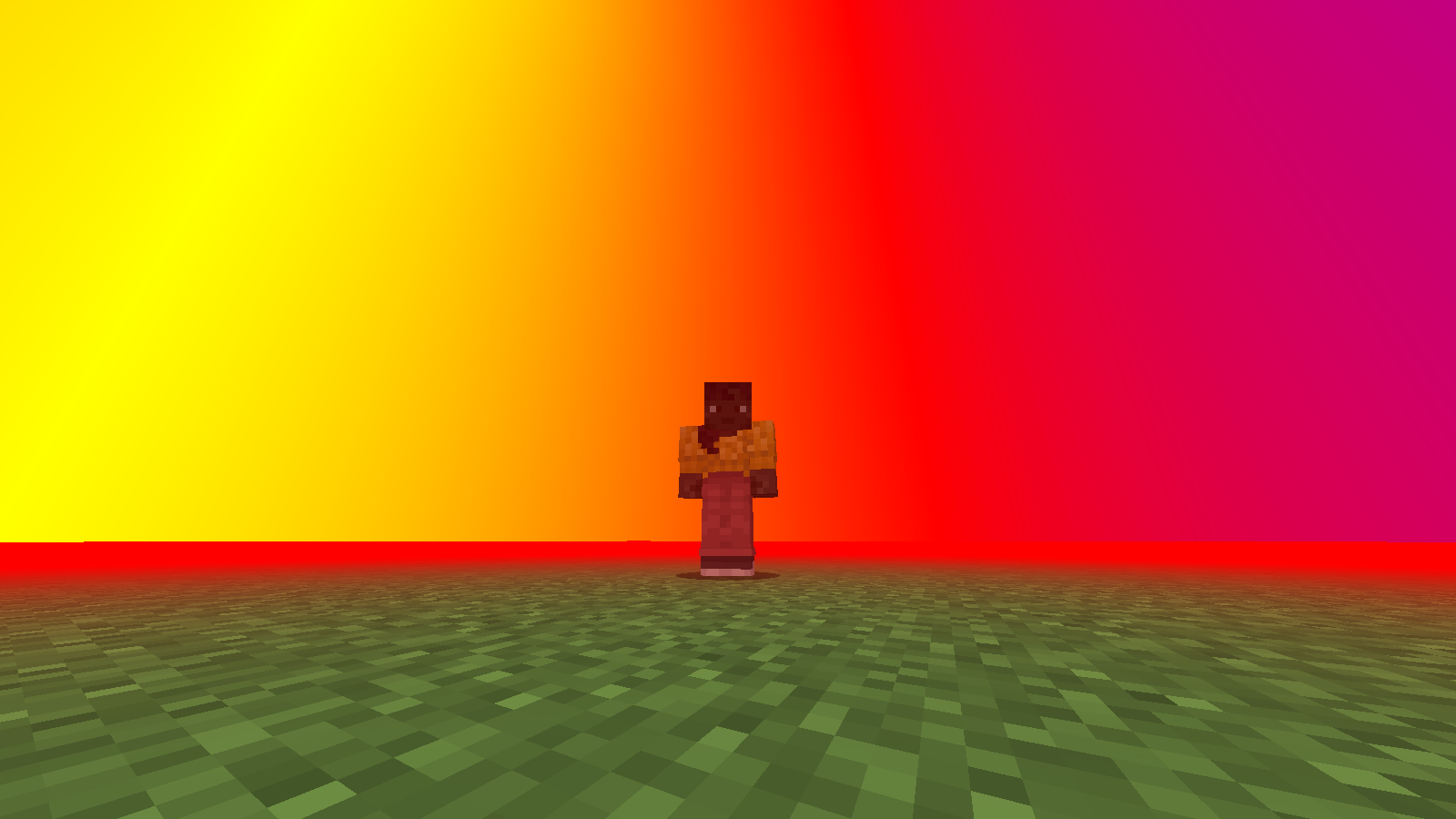
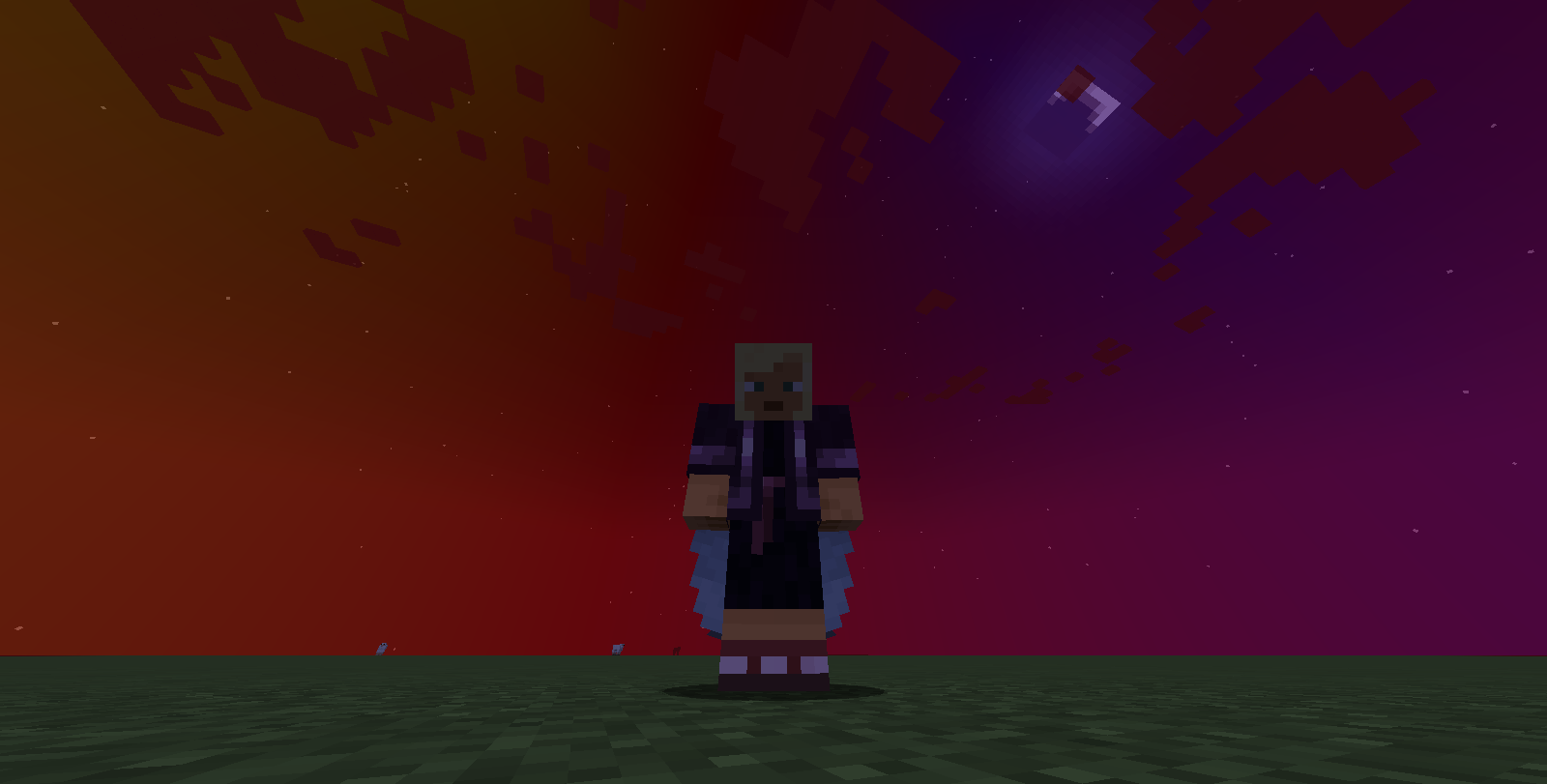
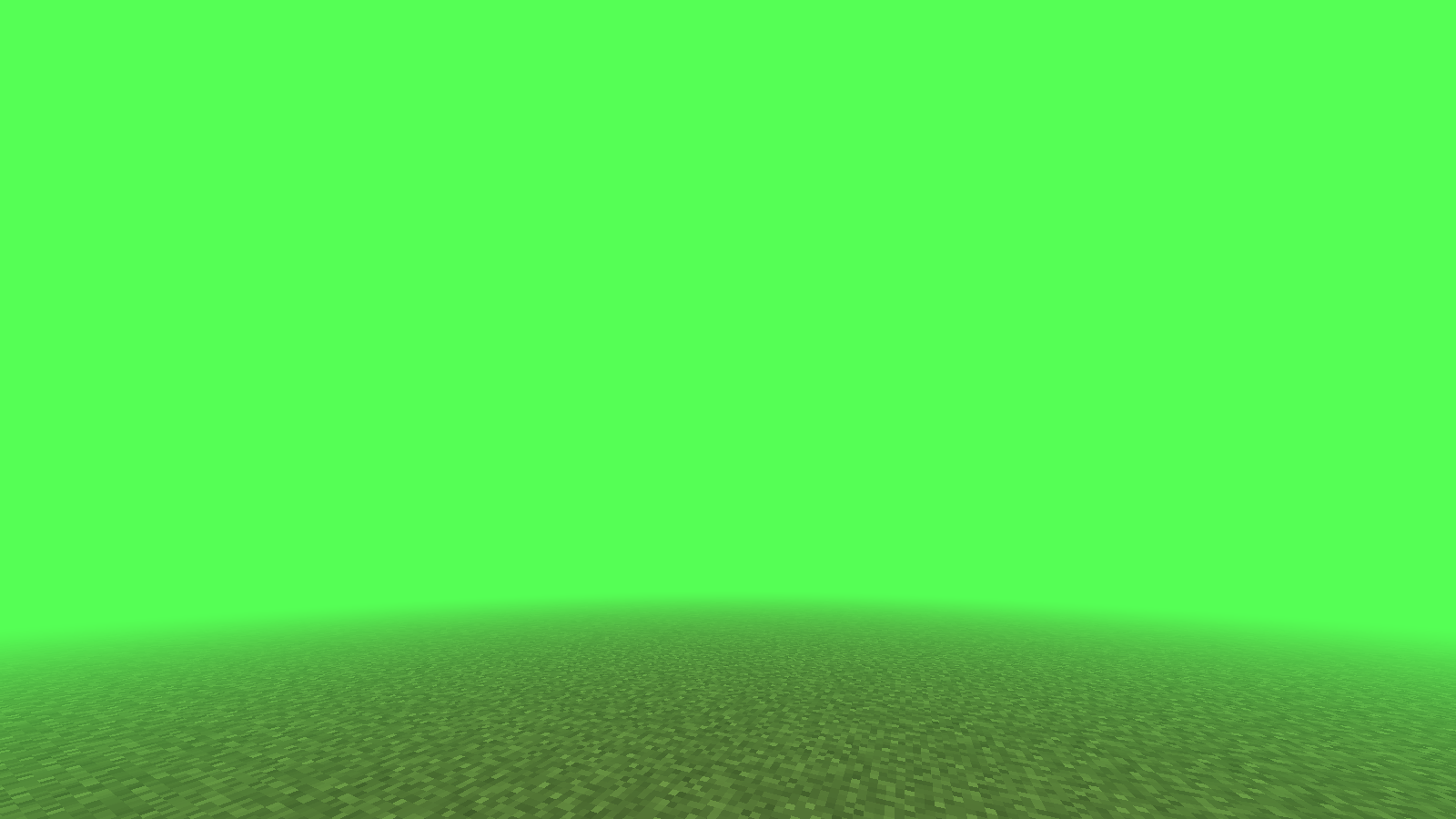
介绍
FogTools
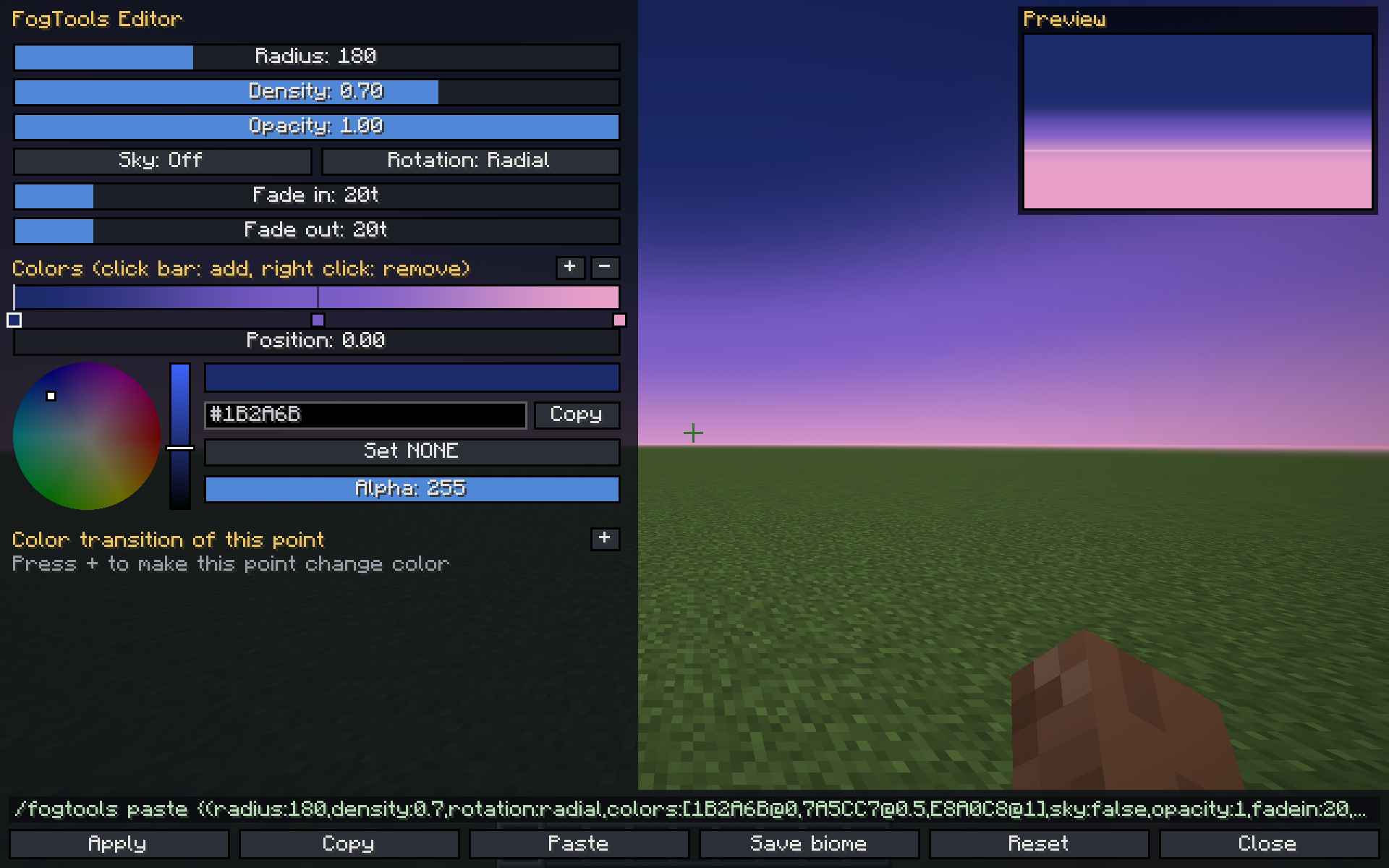
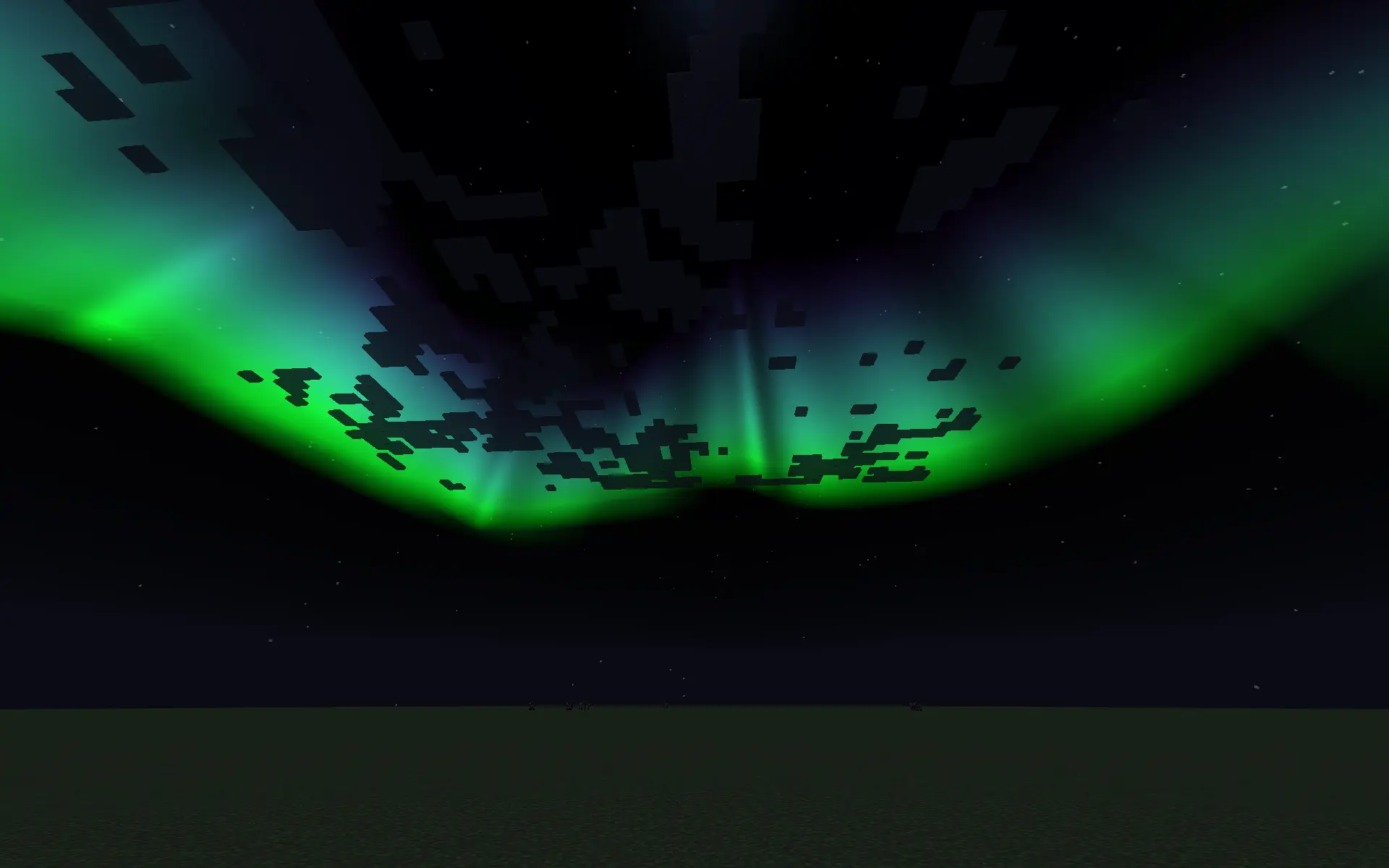
FogTools lets you create custom fog and skies with colors, gradients, animated colors and auroras. You can use commands or a visual editor that updates live.
The mod is 100% client-side: install it on your client and it works in singleplayer and on any server. To send fogs to other players (@a, specific players, server-wide biome fogs and auroras), use the FogTools Plugin on your Paper server.
What’s new in 1.5.1
- Biome auroras: give any biome its own aurora. It appears when you enter the biome and fades out when you leave.
- A biome can now have a fog, an aurora or both
- Forge support: 1.20.1, 1.20.4
- NeoForge support: 1.20.1, 1.20.4, 1.21.1, 1.21.4, 1.21.5, 1.21.8, 1.21.11, 26.2
- Better editor performance: fixed the FPS drop while the editor is open (1.21.8, 1.21.11 and 26.2)
What’s new in 1.5
- Visual editor (GUI) with a color wheel, a live preview and a keybind (G by default)
- Gradients with any number of colors, each placed where you want on the color bar
- Custom rotation: tilt the gradient to any angle (for example 45 degrees for a diagonal sky)
- Animated colors: any color point can loop through several colors, each with its own timing
- Translucent color
NONE: leaves gaps in the fog so the original sky shows through - Auroras: animated curtains in the sky, with custom colors, height, intensity and speed
- Smooth transitions between fogs, biome fogs and auroras, even when a fade is interrupted
- Copy and paste fogs as text with
/fogtools copyand/fogtools paste(works from the clipboard) - Fixed client biome fog commands
- Smoother color rendering: less banding and no pixelated gradients
- Chat messages only show in creative mode (errors are always shown)
- New version: 26.2
Supported versions
| Loader | Versions |
|—|—|
| Fabric | 1.20.1 – 1.20.4 – 1.21.1 – 1.21.4 – 1.21.5 – 1.21.8 – 1.21.11 – 26.2 |
| Forge | 1.20.1 – 1.20.4 |
| NeoForge | 1.20.1 – 1.20.4 – 1.21.1 – 1.21.4 – 1.21.5 – 1.21.8 – 1.21.11 – 26.2 |
Visual editor
Press G (can be changed in Controls > FogTools) or run /fogtools editor.
- Change radius, density, opacity, sky, rotation, fade in and fade out with sliders
- Color bar: left click to add a color, drag to move it, right click to remove it
- Color wheel with brightness, alpha, a HEX field and a
NONE(translucent) option - Copy the HEX of the selected color with Ctrl+C or right click
- Animated colors: select a color point and press
+to add colors it will loop through, each with its own time in ticks - Live preview: the world behind the editor shows your fog in real time
- The editor builds the
/fogtools pastecommand for you. Click it to copy it. - Buttons: Apply, Copy, Paste, Save to biome, Reset, Close. Closing without applying brings back your previous fog.
- Arrow keys adjust the last slider you used (hold Shift for x10)
Commands
All commands are client-side. Fade times are in ticks (20 ticks = 1 second).
Fog
| Command | Description |
|—|—|
| /fogtools set <radius> <density> <color> <sky> <opacity> <fadeIn> <fadeOut> | Single-color fog |
| /fogtools gradient set <rotation> <radius> <density> <top> <center> <bottom> <sky> <opacity> <fadeIn> <fadeOut> | 3-color gradient fog |
| /fogtools paste [fog] | Applies a fog from text. Without text, it reads your clipboard. |
| /fogtools copy | Copies the current fog to your clipboard |
| /fogtools clear | Removes your custom fog with a smooth fade |
| /fogtools editor | Opens the visual editor |
Auroras
| Command | Description |
|—|—|
| /fogtools aurora set <colors> [height] [intensity] [speed] [fadeIn] [fadeOut] | Creates an aurora. Everything after the colors is optional. |
| /fogtools aurora paste [aurora] | Applies an aurora from text or from the clipboard |
| /fogtools aurora copy | Copies the current aurora |
| /fogtools aurora clear | Removes the aurora |
colors: joined with+and no spaces, for exampleGREEN+AQUA+PURPLE(up to 8 colors)height: 0 to 80 (how high in the sky the aurora starts)intensity: 0 to 1speed: 0 to 10
Auroras are easiest to see at night.
Biome fogs and auroras
| Command | Description |
|—|—|
| /fogtools biome set <biome> <radius> <density> <color> <sky> <opacity> <fadeIn> <fadeOut> | Single-color fog for a biome |
| /fogtools biome gradient <biome> <rotation> <radius> <density> <top> <center> <bottom> <sky> <opacity> <fadeIn> <fadeOut> | Gradient fog for a biome |
| /fogtools biome paste <biome> [fog] | Pasted fog for a biome |
| /fogtools biome clear <biome> | Removes a biome’s fog |
| /fogtools biome aurora set <biome> <colors> [height] [intensity] [speed] [fadeIn] [fadeOut] | Aurora for a biome |
| /fogtools biome aurora paste <biome> [aurora] | Pasted aurora for a biome |
| /fogtools biome aurora clear <biome> | Removes a biome’s aurora |
| /fogtools biome list | Lists every biome with a fog or an aurora |
| /fogtools biome current | Shows the biome you are standing in |
Biome fogs and auroras are saved in config/fogtools-biome-fogs.json and fade in and out as you walk between biomes. A biome can have a fog, an aurora or both.
Priority:
- Fog: editor preview > custom fog (commands or server) > biome fog. Running
/fogtools cleargoes back to the biome fog if there is one. - Aurora: custom aurora (commands or server) > biome aurora. Running
/fogtools aurora cleargoes back to the biome aurora if there is one.
Arguments
| Argument | Values |
|—|—|
| radius | How far the fog starts |
| density | 0 to 1 |
| color | A color name (RED, GOLD, AQUA…), a HEX like FF5500, a HEX with alpha like 80FF5500, or NONE |
| sky | true to also color the sky, false for the fog only |
| opacity | 0 to 1 |
| rotation | radial, lineal or custom<degrees> (for example custom45) |
Rotation:
radial: the gradient goes from top to bottomlineal: the gradient goes from left to rightcustom: tilts the gradient.0is the same as radial,45is diagonal,90is side to side and180is upside down.
Paste format
Fogs can be shared as a single line of text. The editor and /fogtools copy create it for you.
{(radius:200,density:0.8,rotation:custom[45],colors:[RED@0,PURPLE:40>CYAN:[email protected],NONE@1],sky:false,opacity:1,fadein:40,fadeout:40)}
colors: a list ofCOLOR@position, with the position from0to1. Without positions, the colors are spread evenly:[RED,WHITE,BLUE].- Animated color:
PURPLE:40>CYAN:[email protected]loops from purple to cyan and back, 40 ticks per step. - Minecraft chat only allows 256 characters. For long fogs, copy the text and run
/fogtools pastewithout arguments to paste it from your clipboard.
Examples
/fogtools set 100 1 GOLD true 0.6 40 40
/fogtools gradient set lineal 100 1 AQUA RED PURPLE true 0.5 50 50
/fogtools gradient set radial 100 1 GOLD ORANGE BLACK false 1 50 50
/fogtools gradient set custom45 150 0.8 PINK NONE BLUE true 1 40 40
/fogtools aurora set GREEN+AQUA+PURPLE
/fogtools aurora set PINK+PURPLE+BLUE 30 0.8 2 60 60
/fogtools biome aurora set minecraft:snowy_plains GREEN+AQUA+PURPLE
/fogtools paste {(radius:200,density:0.8,rotation:radial,colors:[RED@0,[email protected],BLUE@1],sky:false,opacity:1,fadein:40,fadeout:40)}
Server plugin
FogTools Plugin for Paper 1.20.1 – 26.2:
- Send fogs, gradients, pasted fogs and auroras to
@aor to specific players - Server-side biome fogs and biome auroras, including custom and datapack biomes (just type the exact biome id)
- Players need the FogTools mod installed to see the fogs and auroras
Compatibility
- Compatible with Sodium and most other mods
- Not compatible with shaders (BSL, Complementary, etc.)
常见问题
Fogtools 支持哪些 Minecraft 版本?
Fogtools 支持 Minecraft Java 版 1.20.1–26.2,共 8 个版本,可用的加载器:Fabric / Forge / NeoForge。下载时注意选择和你游戏版本一致的文件。
Fogtools 怎么安装?
先用 PCL2 或 HMCL 启动器安装对应版本的 Fabric / Forge / NeoForge,再把下载的 .jar 文件放进游戏目录的 mods 文件夹,重新启动游戏即可。开启了版本隔离的,mods 文件夹在 versions/版本名 下面。运行环境:客户端 / 服务端。
Cotii_Art 的其他作品
查看全部 →
Custom Skyboxes
Custom Skyboxes is a mod that allows you to change the sky,clouds, sun, moon, rain, snow, and stars and custom rifts or Geckolib Models in the sky in real time with a texture or GIF with Commands!
Custom Waypoints
This mod allows you to create custom waypoints with extensive customization and utilities using the editor and commands.
Custom Waypoints
This mod allows you to create custom waypoints with extensive customization and utilities using the editor and commands.

Screentext
Screentext is a Minecraft Mod for Fabric 1.20.1 - 26.2, Neoforge 1.20.1 - 26.2 and Forge 1.20.1 - 1.20.4 that let you display custom Text, Timers, Counters and Texture on the screen with fully customization!
评论
登录后评论和评分