截图
介绍
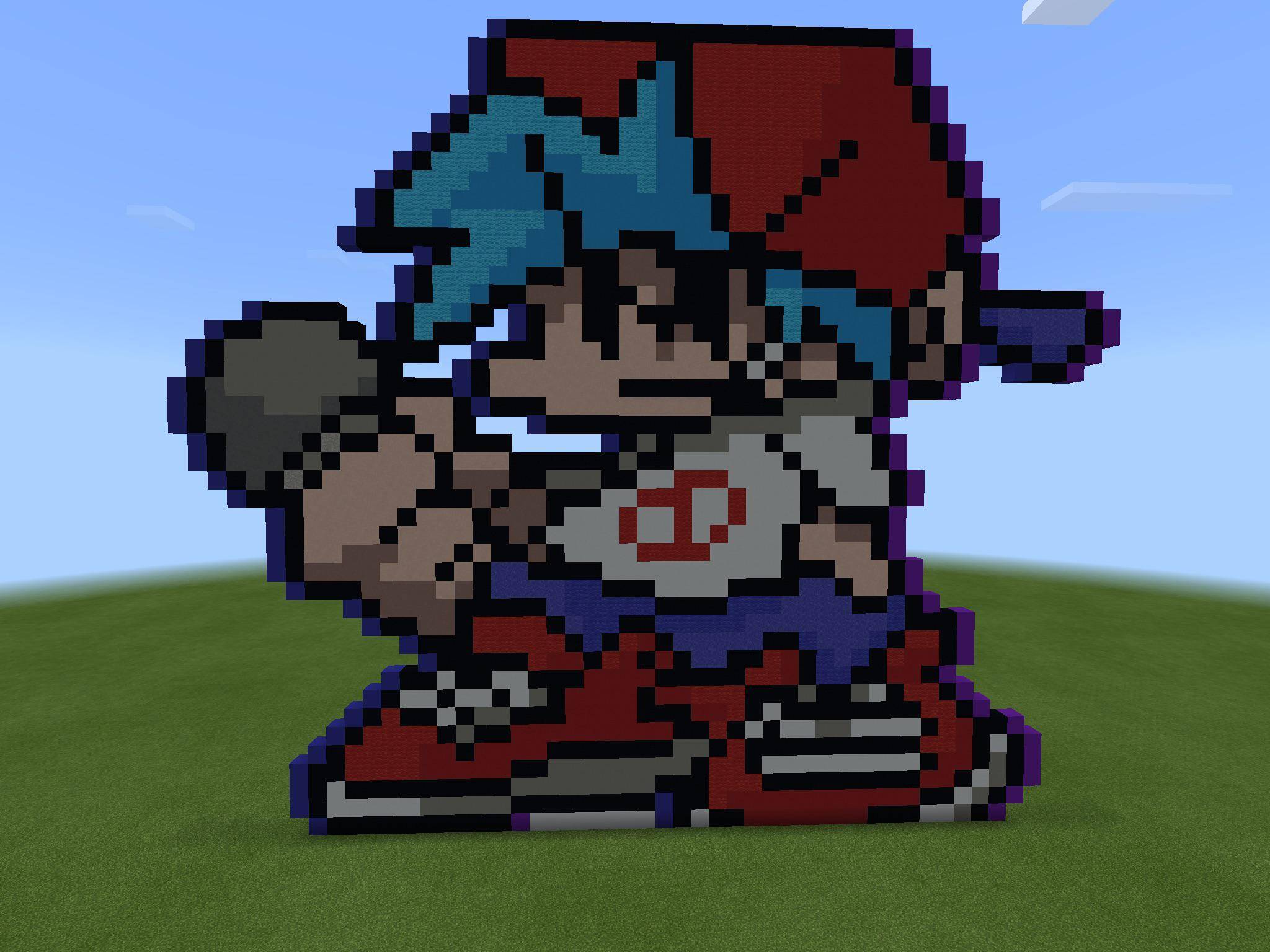
FNF Craft (Unofficial Mod)
this is a fan port of fnf craft so please credit the original creator!
<button class="vDOt8c" tabindex="0" data-amic="true" data-icl-uuid="bbe0c092-f2e5-4a75-b70a-13e12c4b8406" aria-label="Related results" data-ved="2ahUKEwiW283S6-aXAxUwVUEAHV6JLXIQxcQVegYIAAgHEAg" data-hveid="CAAIBxAI"></button>
<button class="vDOt8c" tabindex="0" data-amic="true" data-icl-uuid="1be249d0-df24-4ff0-9f2d-54750735f432" aria-label="Related results" data-ved="2ahUKEwiW283S6-aXAxUwVUEAHV6JLXIQxcQVegYIAAgHEAs" data-hveid="CAAIBxAL"></button>
🎵 Features
- Musical Interaction: Interact or battle with them to hear classic FNF tracks played directly inside the game. <button class="vDOt8c" tabindex="0" data-amic="true" data-icl-uuid="57f6bfdf-25d4-45d8-8bd1-90bf84ddee6d" aria-label="Related results" data-ved="2ahUKEwiW283S6-aXAxUwVUEAHV6JLXIQxcQVegYIAAgHEBA" data-hveid="CAAIBxAQ"></button>
<button class="vDOt8c" tabindex="0" data-amic="true" data-icl-uuid="57f6bfdf-25d4-45d8-8bd1-90bf84ddee6d" aria-label="Related results" data-ved="2ahUKEwiW283S6-aXAxUwVUEAHV6JLXIQxcQVegYIAAgHEBA" data-hveid="CAAIBxAQ"></button>
- Custom Gear: When you spawn in the world you will have bf’s iconic microphone<button class="vDOt8c" tabindex="0" data-amic="true" data-icl-uuid="f1076f32-7735-4dcb-bb59-e8027cd14f18" aria-label="Related results" data-ved="2ahUKEwiW283S6-aXAxUwVUEAHV6JLXIQxcQVegYIAAgHEBM" data-hveid="CAAIBxAT"></button>
<button class="vDOt8c" tabindex="0" data-amic="true" data-icl-uuid="f1076f32-7735-4dcb-bb59-e8027cd14f18" aria-label="Related results" data-ved="2ahUKEwiW283S6-aXAxUwVUEAHV6JLXIQxcQVegYIAAgHEBM" data-hveid="CAAIBxAT"></button> <button class="vDOt8c" tabindex="0" data-amic="true" data-icl-uuid="5b129d9f-9dea-4baa-9479-29988bf5a9da" aria-label="Related results" data-ved="2ahUKEwiW283S6-aXAxUwVUEAHV6JLXIQxcQVegYIAAgHEBY" data-hveid="CAAIBxAW"></button>
<button class="vDOt8c" tabindex="0" data-amic="true" data-icl-uuid="5b129d9f-9dea-4baa-9479-29988bf5a9da" aria-label="Related results" data-ved="2ahUKEwiW283S6-aXAxUwVUEAHV6JLXIQxcQVegYIAAgHEBY" data-hveid="CAAIBxAW"></button> <button class="vDOt8c" tabindex="0" data-amic="true" data-icl-uuid="fe02ad3a-85c2-4a98-9990-faa70a6d79c4" aria-label="Related results" data-ved="2ahUKEwiW283S6-aXAxUwVUEAHV6JLXIQxcQVegYIAAgHEBk" data-hveid="CAAIBxAZ"></button>
<button class="vDOt8c" tabindex="0" data-amic="true" data-icl-uuid="fe02ad3a-85c2-4a98-9990-faa70a6d79c4" aria-label="Related results" data-ved="2ahUKEwiW283S6-aXAxUwVUEAHV6JLXIQxcQVegYIAAgHEBk" data-hveid="CAAIBxAZ"></button>
🛠️ How to Play & Crafting
- Summoning the Duo: Boyfriend and Girlfriend do not spawn naturally in the wild. Instead, they will appear whenever an FNF song is played! <button class="vDOt8c" tabindex="0" data-amic="true" data-icl-uuid="babb678d-f305-40a4-9962-fbdf24ec89c8" aria-label="Related results" data-ved="2ahUKEwiW283S6-aXAxUwVUEAHV6JLXIQxcQVegYIAAgHEB4" data-hveid="CAAIBxAe"></button>
<button class="vDOt8c" tabindex="0" data-amic="true" data-icl-uuid="babb678d-f305-40a4-9962-fbdf24ec89c8" aria-label="Related results" data-ved="2ahUKEwiW283S6-aXAxUwVUEAHV6JLXIQxcQVegYIAAgHEB4" data-hveid="CAAIBxAe"></button> <button class="vDOt8c" tabindex="0" data-amic="true" data-icl-uuid="56146b51-e9eb-457d-ad06-16ea32a52a33" aria-label="Related results" data-ved="2ahUKEwiW283S6-aXAxUwVUEAHV6JLXIQxcQVegYIAAgHECE" data-hveid="CAAIBxAh"></button>
<button class="vDOt8c" tabindex="0" data-amic="true" data-icl-uuid="56146b51-e9eb-457d-ad06-16ea32a52a33" aria-label="Related results" data-ved="2ahUKEwiW283S6-aXAxUwVUEAHV6JLXIQxcQVegYIAAgHECE" data-hveid="CAAIBxAh"></button> <button class="vDOt8c" tabindex="0" data-amic="true" data-icl-uuid="eb133cf4-f822-4c97-a9cc-8fb681ad59df" aria-label="Related results" data-ved="2ahUKEwiW283S6-aXAxUwVUEAHV6JLXIQxcQVegYIAAgHECQ" data-hveid="CAAIBxAk"></button>
<button class="vDOt8c" tabindex="0" data-amic="true" data-icl-uuid="eb133cf4-f822-4c97-a9cc-8fb681ad59df" aria-label="Related results" data-ved="2ahUKEwiW283S6-aXAxUwVUEAHV6JLXIQxcQVegYIAAgHECQ" data-hveid="CAAIBxAk"></button>
📌 Technical Details & Dependencies
- Minecraft Version: 1.21.1 <button class="vDOt8c" tabindex="0" data-amic="true" data-icl-uuid="59c580fe-b8da-4e86-b15a-15541f80d24a" aria-label="Related results" data-ved="2ahUKEwiW283S6-aXAxUwVUEAHV6JLXIQxcQVegYIAAgHECk" data-hveid="CAAIBxAp"></button>
<button class="vDOt8c" tabindex="0" data-amic="true" data-icl-uuid="59c580fe-b8da-4e86-b15a-15541f80d24a" aria-label="Related results" data-ved="2ahUKEwiW283S6-aXAxUwVUEAHV6JLXIQxcQVegYIAAgHECk" data-hveid="CAAIBxAp"></button>
- Mod Loader: Fabric <button class="vDOt8c" tabindex="0" data-amic="true" data-icl-uuid="de1e544b-e7e9-4116-a204-8ea575a4c531" aria-label="Related results" data-ved="2ahUKEwiW283S6-aXAxUwVUEAHV6JLXIQxcQVegYIAAgHECw" data-hveid="CAAIBxAs"></button>
<button class="vDOt8c" tabindex="0" data-amic="true" data-icl-uuid="de1e544b-e7e9-4116-a204-8ea575a4c531" aria-label="Related results" data-ved="2ahUKEwiW283S6-aXAxUwVUEAHV6JLXIQxcQVegYIAAgHECw" data-hveid="CAAIBxAs"></button>
- Dependencies: Requires Fabric API [and mention any other required mods, or type “None”] to run. <button class="vDOt8c" tabindex="0" data-amic="true" data-icl-uuid="7c96c911-6a5d-4274-ad69-cbd1e175ab05" aria-label="Related results" data-ved="2ahUKEwiW283S6-aXAxUwVUEAHV6JLXIQxcQVegYIAAgHEC8" data-hveid="CAAIBxAv"></button>
<button class="vDOt8c" tabindex="0" data-amic="true" data-icl-uuid="7c96c911-6a5d-4274-ad69-cbd1e175ab05" aria-label="Related results" data-ved="2ahUKEwiW283S6-aXAxUwVUEAHV6JLXIQxcQVegYIAAgHEC8" data-hveid="CAAIBxAv"></button>
🤝 Credits
- Mod Creator: [Funkin’ Anything] <button class="vDOt8c" tabindex="0" data-amic="true" data-icl-uuid="bba9dc49-fb4b-457f-8422-f0524c79b675" aria-label="Related results" data-ved="2ahUKEwiW283S6-aXAxUwVUEAHV6JLXIQxcQVegYIAAgHEDQ" data-hveid="CAAIBxA0"></button>
<button class="vDOt8c" tabindex="0" data-amic="true" data-icl-uuid="bba9dc49-fb4b-457f-8422-f0524c79b675" aria-label="Related results" data-ved="2ahUKEwiW283S6-aXAxUwVUEAHV6JLXIQxcQVegYIAAgHEDQ" data-hveid="CAAIBxA0"></button>
- Original FNF Game: Massive credit to the official FNF team for creating the incredible universe this mod is inspired by! <button class="vDOt8c" tabindex="0" data-amic="true" data-icl-uuid="ed7e4e26-19ce-4cb4-9b7c-1674cbc7bcd5" aria-label="Related results" data-ved="2ahUKEwiW283S6-aXAxUwVUEAHV6JLXIQxcQVegYIAAgHEDc" data-hveid="CAAIBxA3"></button>
<button class="vDOt8c" tabindex="0" data-amic="true" data-icl-uuid="ed7e4e26-19ce-4cb4-9b7c-1674cbc7bcd5" aria-label="Related results" data-ved="2ahUKEwiW283S6-aXAxUwVUEAHV6JLXIQxcQVegYIAAgHEDc" data-hveid="CAAIBxA3"></button>
常见问题
FNF Craft 支持哪些 Minecraft 版本?
FNF Craft 支持 Minecraft Java 版 1.21.1,可用的加载器:Fabric。下载时注意选择和你游戏版本一致的文件。
FNF Craft 怎么安装?
先用 PCL2 或 HMCL 启动器安装对应版本的 Fabric,再把下载的 .jar 文件放进游戏目录的 mods 文件夹,重新启动游戏即可。开启了版本隔离的,mods 文件夹在 versions/版本名 下面。
Magicswords 的其他作品
查看全部 →
Magic’s perfect storm
all your wither storm needs right here, right now

Prismatica
1 sword 1 hoe 7 items 1 ore 1 boss all new

Blocked Client
blocked client. without cheats, go to creative mode and more!

Ultimate version 2
a combination of mods creating Minecraft 2!
评论
登录后评论和评分