
FM Resource Pack Updater
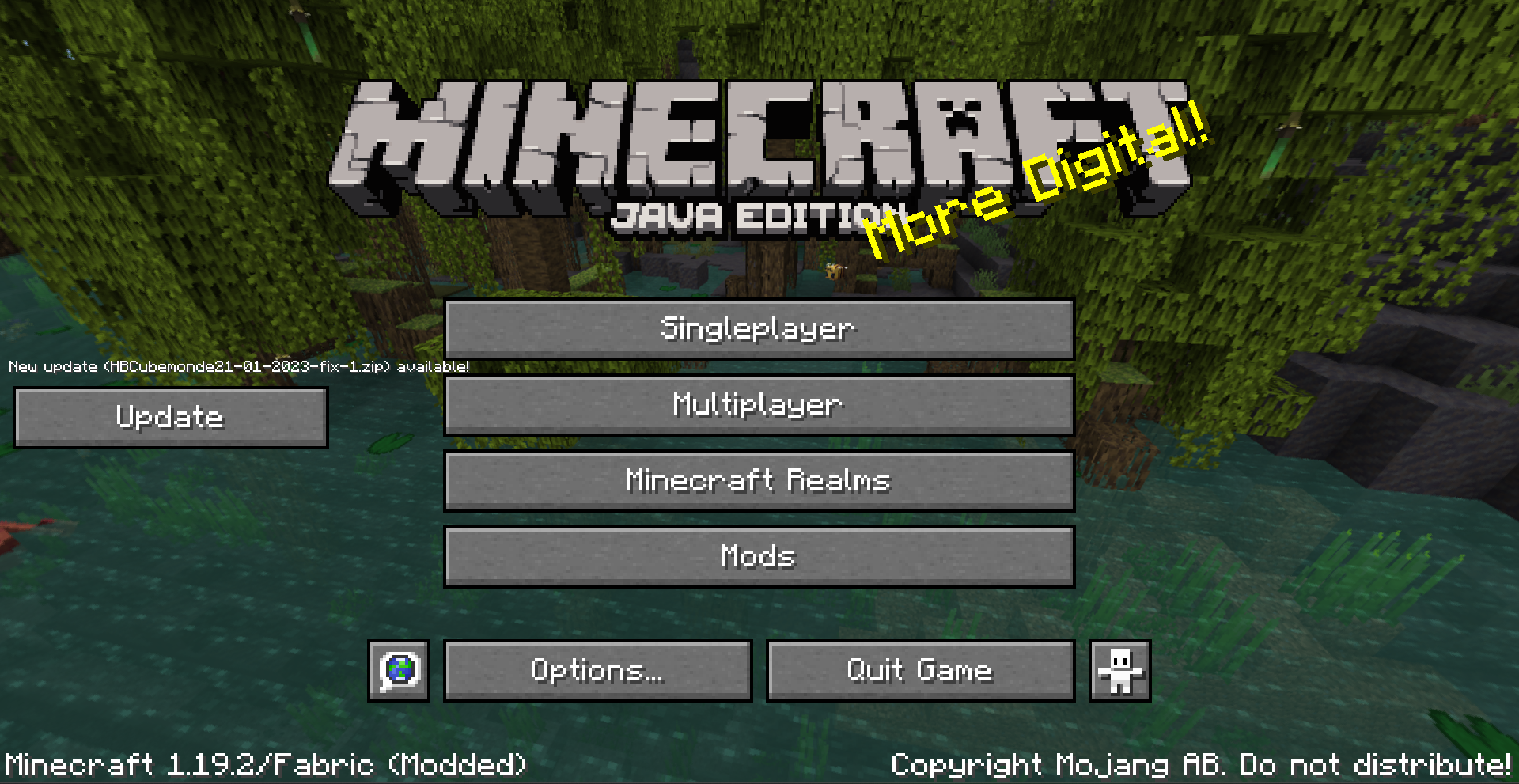
Add button and ticker actions that make you able to check your resource pack version and update from a Github repository !
截图
介绍
FM Resource Pack Updater
Resource Pack Updater is an extension for the mod Fancy Menu.
It allows you to set a GitHub repository as a source for updating a resource pack.
Fast setup
Github side
You need to have a GitHub repository on which you have the right to create a release. To publish a new version of your resource pack, you just need to publish a new release with your .zip attached to it.
Minecraft side
You need to have FancyMenu and FM Resource Pack Updater installed. Be careful, FancyMenu depends on other mods to run, you should install them too.
There is a fm_setup.zip provided with the release as a secondary file (Download it here). Download it, copy it to your .minecraft/fancymenu_setups/exported_setups, and unzip it here.
Launch Minecraft for the first time and from the Setup menu in the top customization bar, import the setup you just downloaded. Close minecraft.
Then you need to go and modify your .minecraft/config/upgraderp_config.properties. Put your repository references in the corresponding variables. “rp.name.regex” should be a regular expression corresponding to your RP name. “*.zip” should work with all names possible, but the update will override the first resource pack in your selected list.
Launch Minecraft again. If you did well and the RP is not already set in your game, the update button should appear.
常见问题
FM Resource Pack Updater 支持哪些 Minecraft 版本?
FM Resource Pack Updater 支持 Minecraft Java 版 1.19.2–1.19.4,共 3 个版本,可用的加载器:Fabric。下载时注意选择和你游戏版本一致的文件。
FM Resource Pack Updater 怎么安装?
先用 PCL2 或 HMCL 启动器安装对应版本的 Fabric,再把下载的 .jar 文件放进游戏目录的 mods 文件夹,重新启动游戏即可。开启了版本隔离的,mods 文件夹在 versions/版本名 下面。运行环境:仅客户端。


评论
登录后评论和评分