
Fluwa
Fluwa is a mod that adds a full‑fledged Lua scripting engine to Minecraft, built in the same style as Roblox Studio.
截图
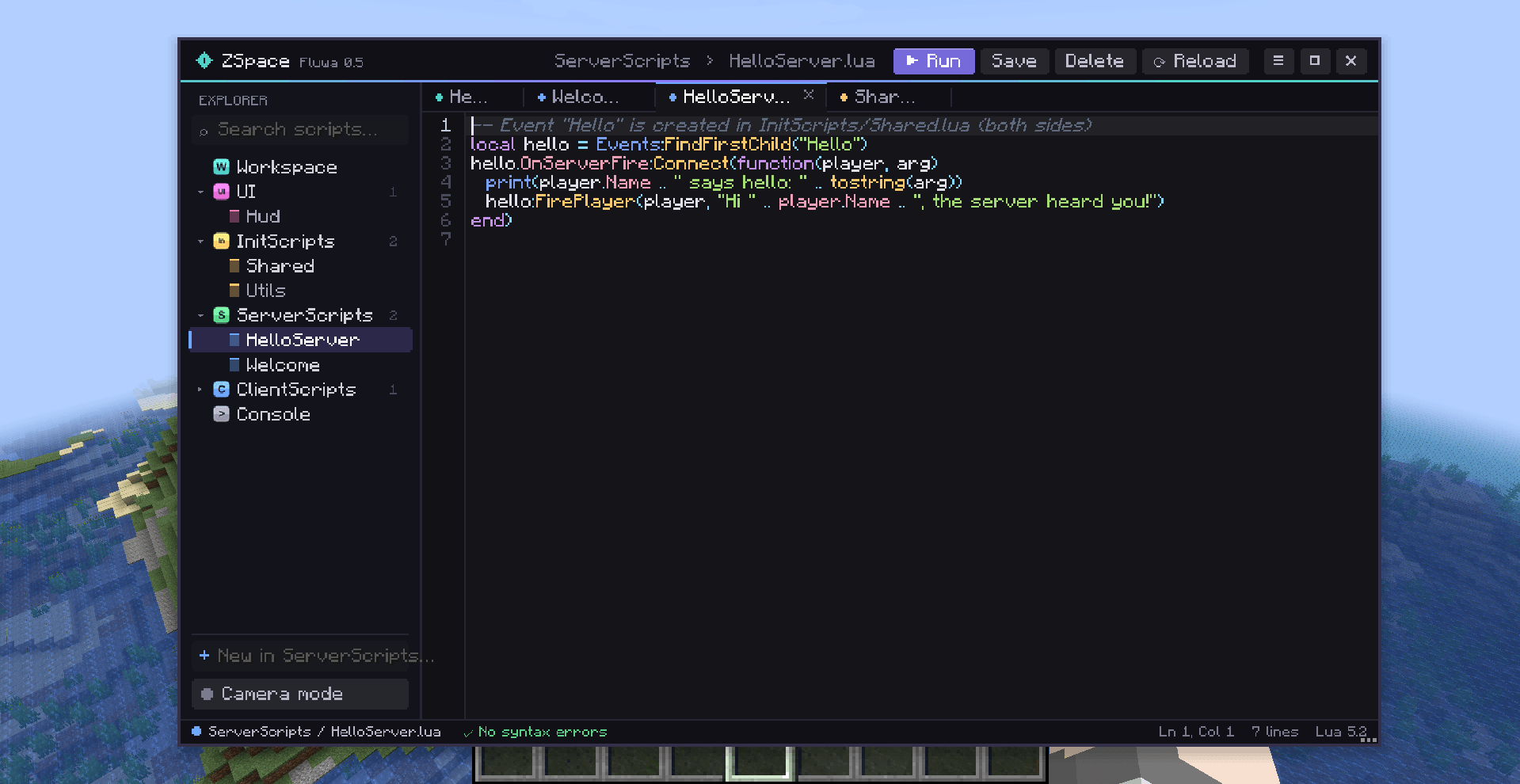
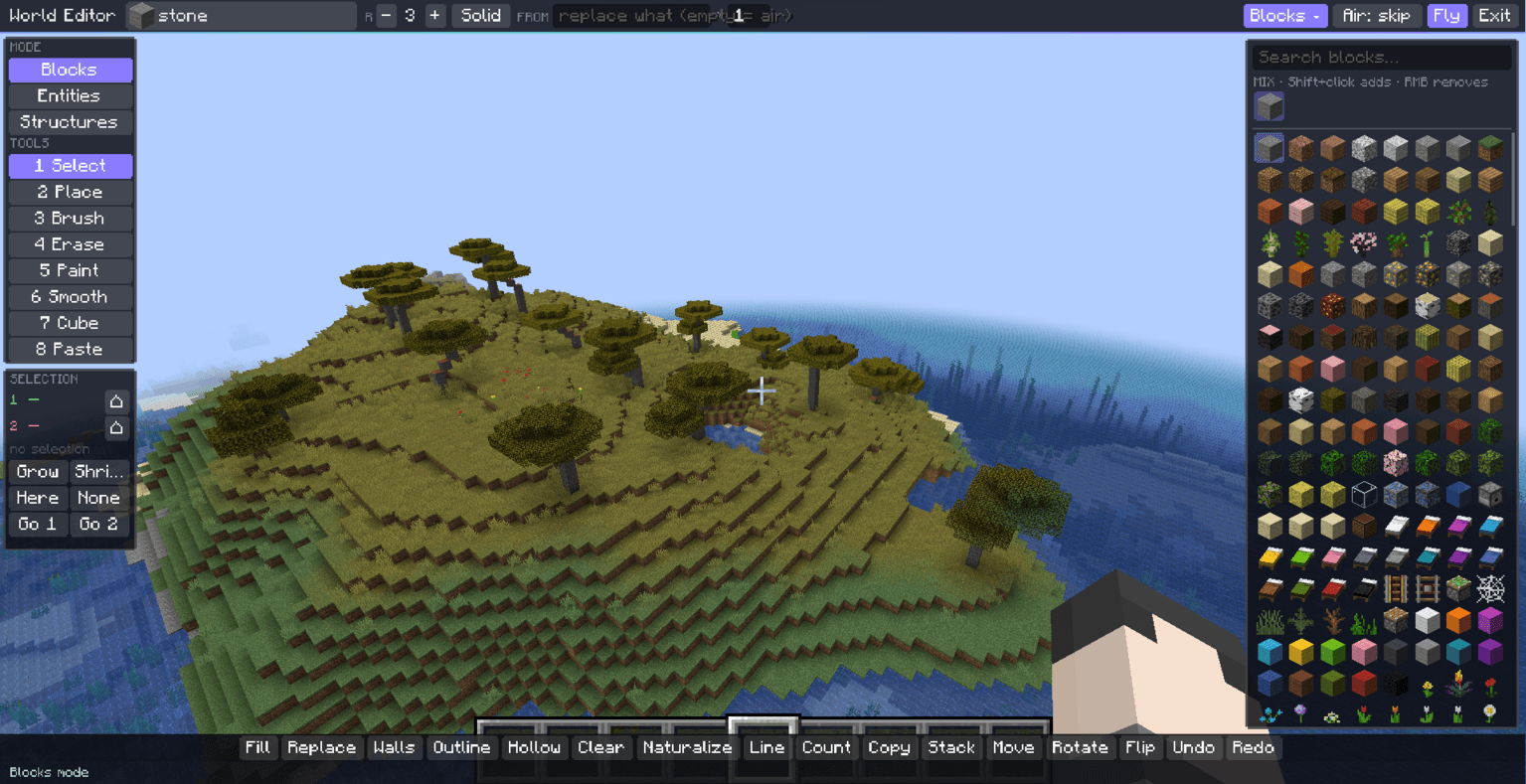
介绍
⚠ Alpha Version — Not Tested in Multiplayer ⚠
This is an early alpha build. Multiplayer has not been fully tested. Back up your worlds and use at your own risk.
Fluwa is a mod that brings a Roblox Studio-like creation environment to Minecraft. It goes beyond scripting: you can edit the world, create shaders, build and modify GUIs, generate terrain, and more — all from an in-game editor.
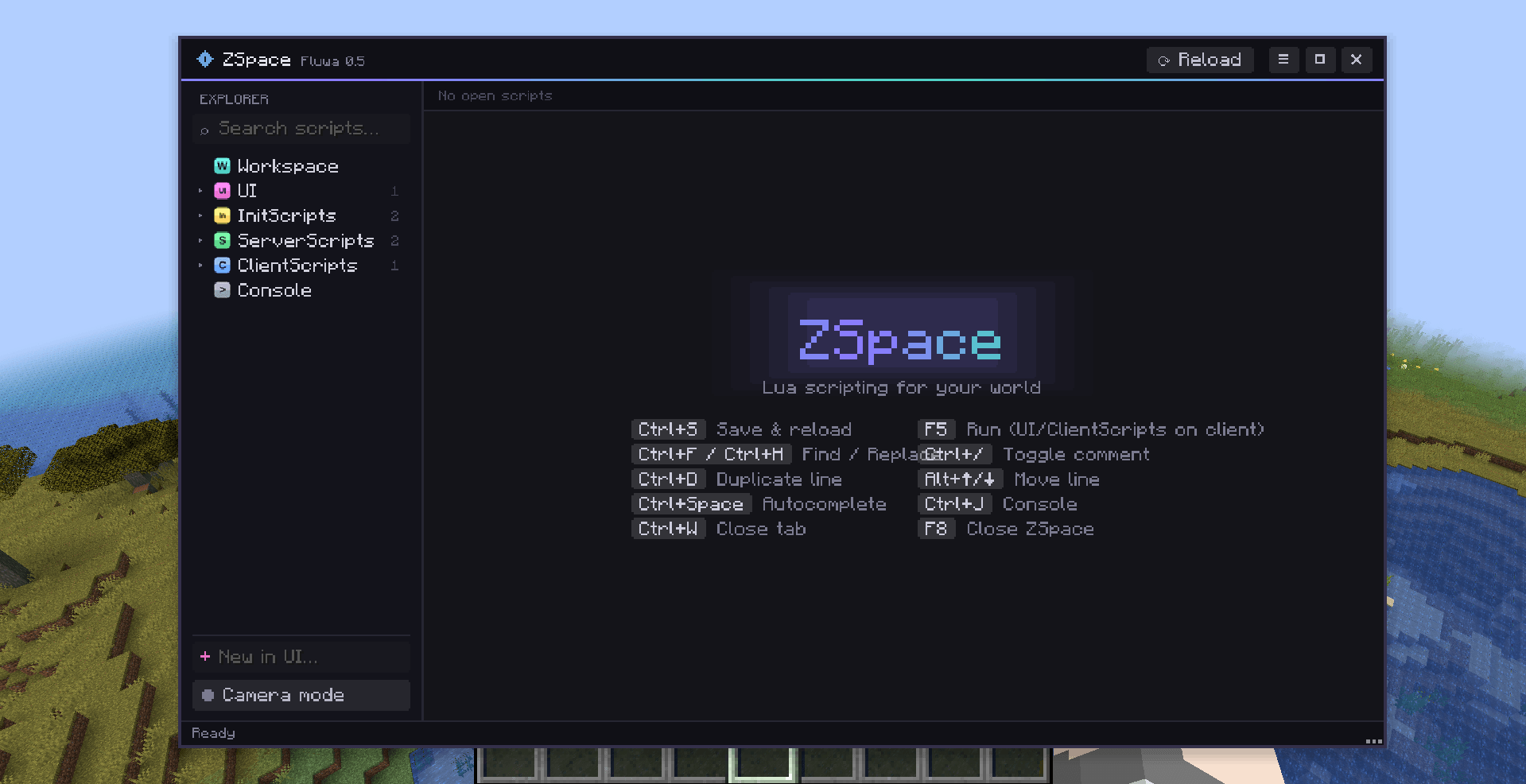
Press F8 to open ZSpace, the main creation hub.
ZSpace & Tools
ZSpace is available to creators (ops or configured co-creators). It includes:
-
Explorer — tree view of Workspace, Lighting, Terrain, Entities, Players, Dimensions, Models, UI, and scripts. Search, edit properties, insert objects.
-
Code Editor — tabs, syntax highlighting, syntax checking, smart autocomplete. Ctrl+S saves; scripts can reload on save.
-
Console — output log and command line.
-
Camera Mode — free spectator camera while your body stays in place.
-
Tools menu:
-
World Editor — modes for Blocks, Entities, and Structures. Place/edit blocks, spawn/edit entities (including players, health, models, hitboxes), save/place structures.
-
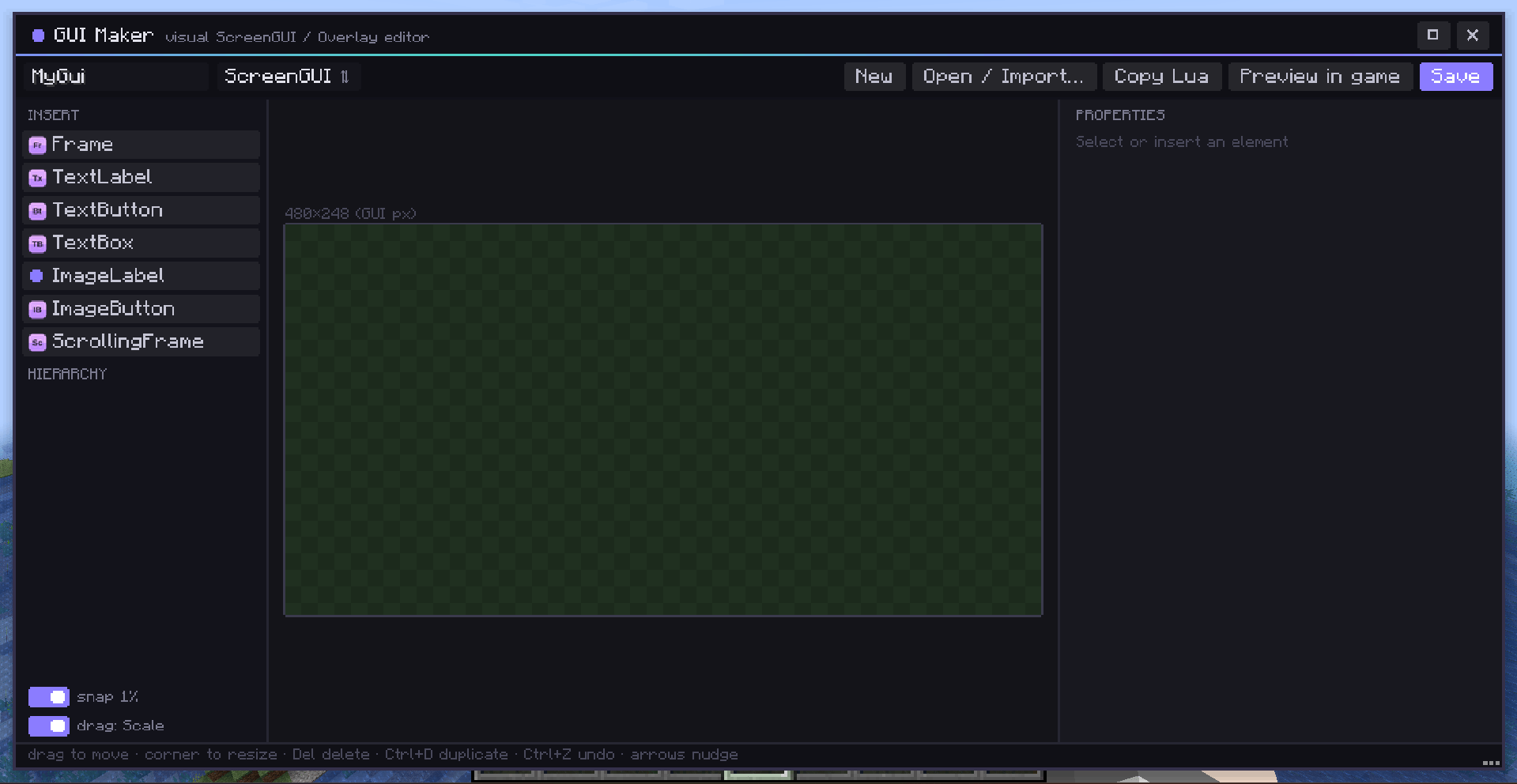
GUI Maker — visual UI editor. Open existing GUIs, running ScreenGUIs, vanilla/mod screens. Edit them in place; new buttons can run commands, close screens, open other screens, open URLs, or run Lua. Restore original screens anytime.
-
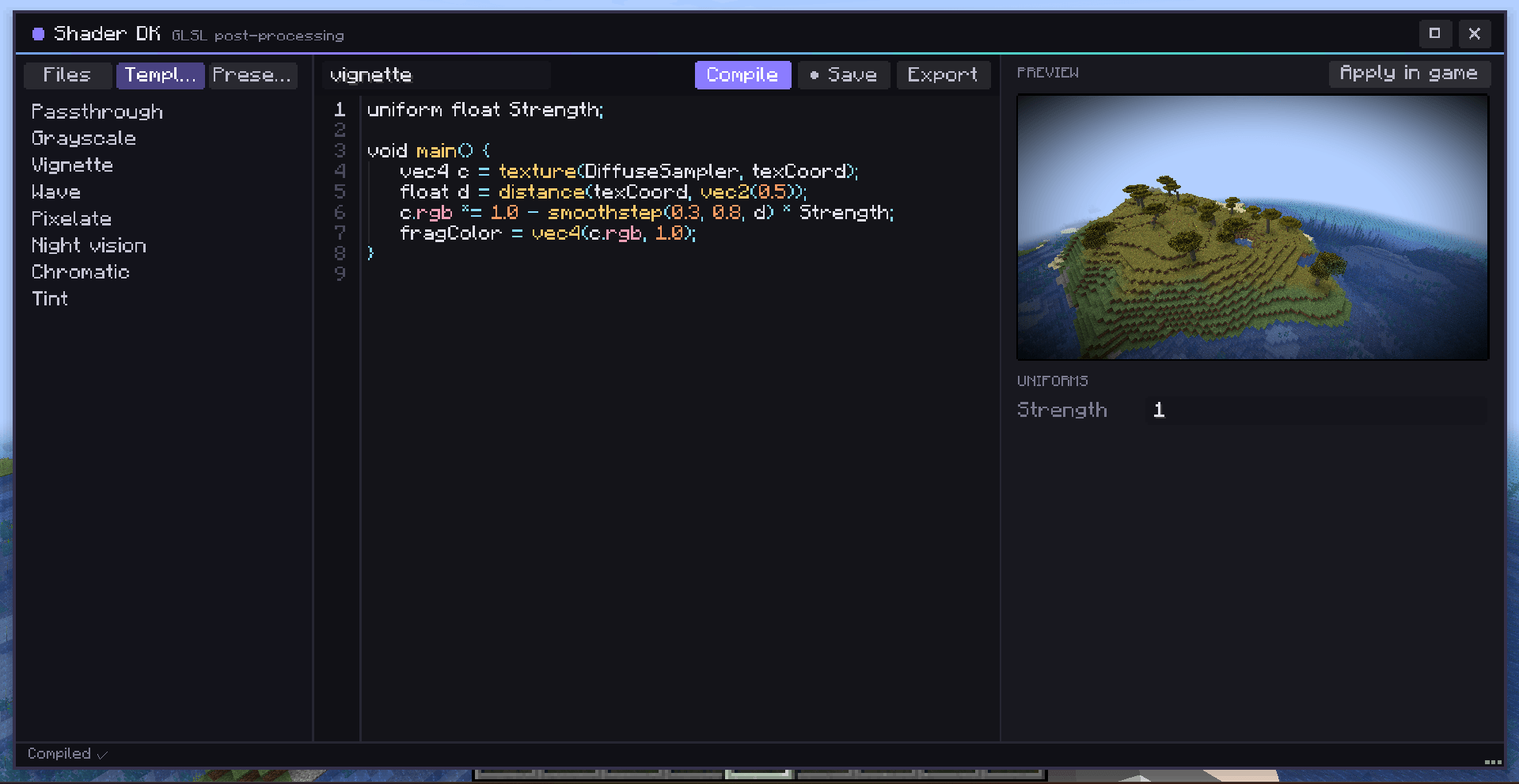
Shader DK — create and apply shaders.
-
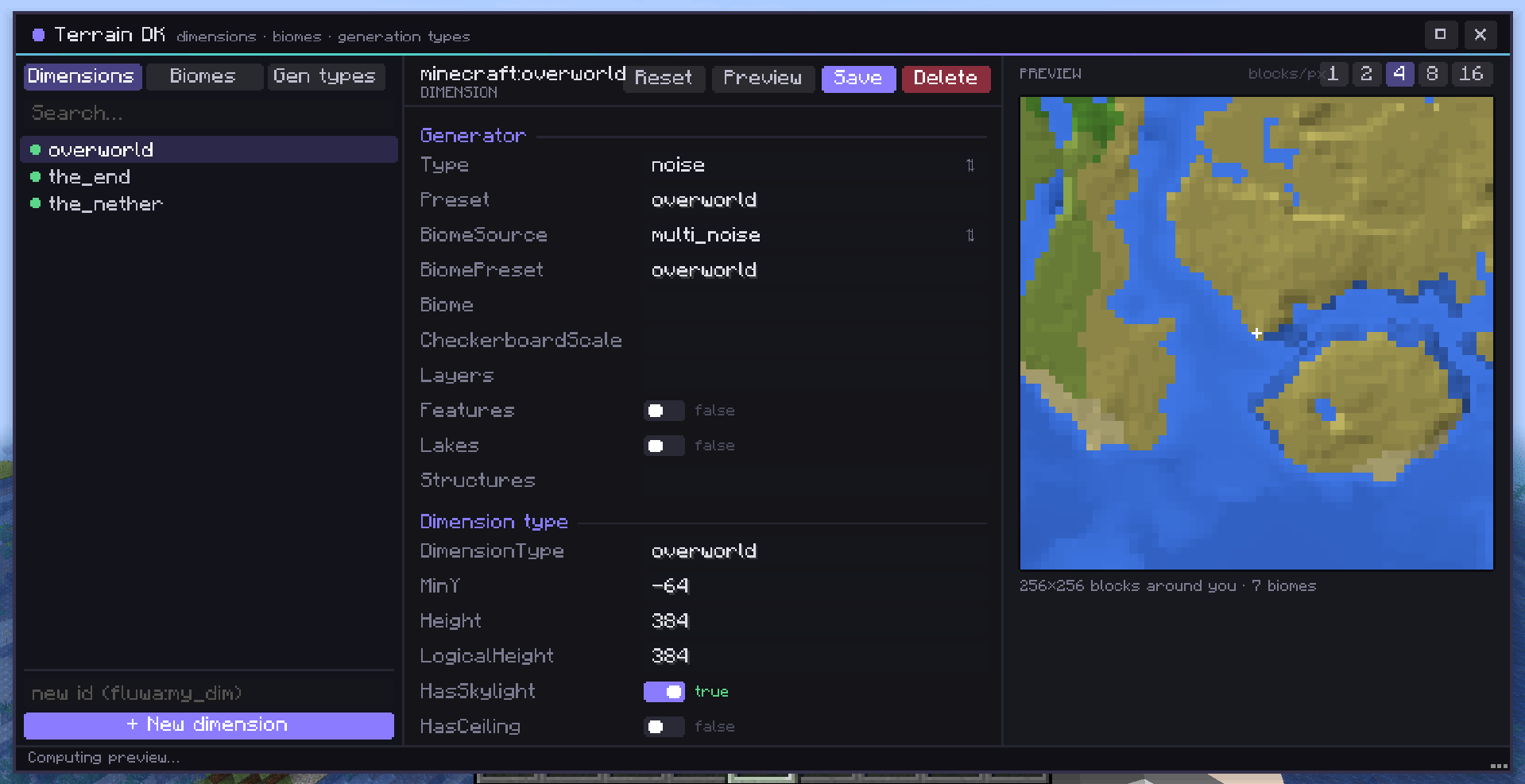
Terrain DK — terrain generation tools.
-
Scripting
Fluwa uses Lua (LuaJ) with a Roblox-style API:
-
Instance.new, Workspace, Players, Events, Vector3, CFrame, Color, UDim2, etc.
-
Script folders: InitScripts, ServerScripts, ClientScripts, UI. Each script runs in its own thread.
-
Events & signals:
Connect,ConnectSync,Once,Wait,Disconnect. -
Network events: server ↔ client communication with
FireServer,FirePlayer,FireAllPlayers, etc. -
Services via getAccess: OS, Runtime, BigInt/BigDec, LuaRT, ShaderDT, Chromium (HTTP), NET (TCP/UDP/WebSocket), FASM, Projector, UserInputService, Forge, and more.
-
Forge & Java access: interact with mods, registries, recipes, commands, configs, event bus, capabilities, and deep Java reflection.
Code generated by AI (Claude Opus 5.5)
常见问题
Fluwa 支持哪些 Minecraft 版本?
Fluwa 支持 Minecraft Java 版 1.20.1,可用的加载器:Forge。下载时注意选择和你游戏版本一致的文件。
Fluwa 怎么安装?
先用 PCL2 或 HMCL 启动器安装对应版本的 Forge,再把下载的 .jar 文件放进游戏目录的 mods 文件夹,重新启动游戏即可。开启了版本隔离的,mods 文件夹在 versions/版本名 下面。
评论
登录后评论和评分