
FlowHud
A customizable HUD mod for Minecraft that adds a variety of useful interface elements with full customization of positions, colors, and settings.
截图
介绍
✨ Features
🎯 Core Features
- Customizable HUD – Complete customization of all interface elements
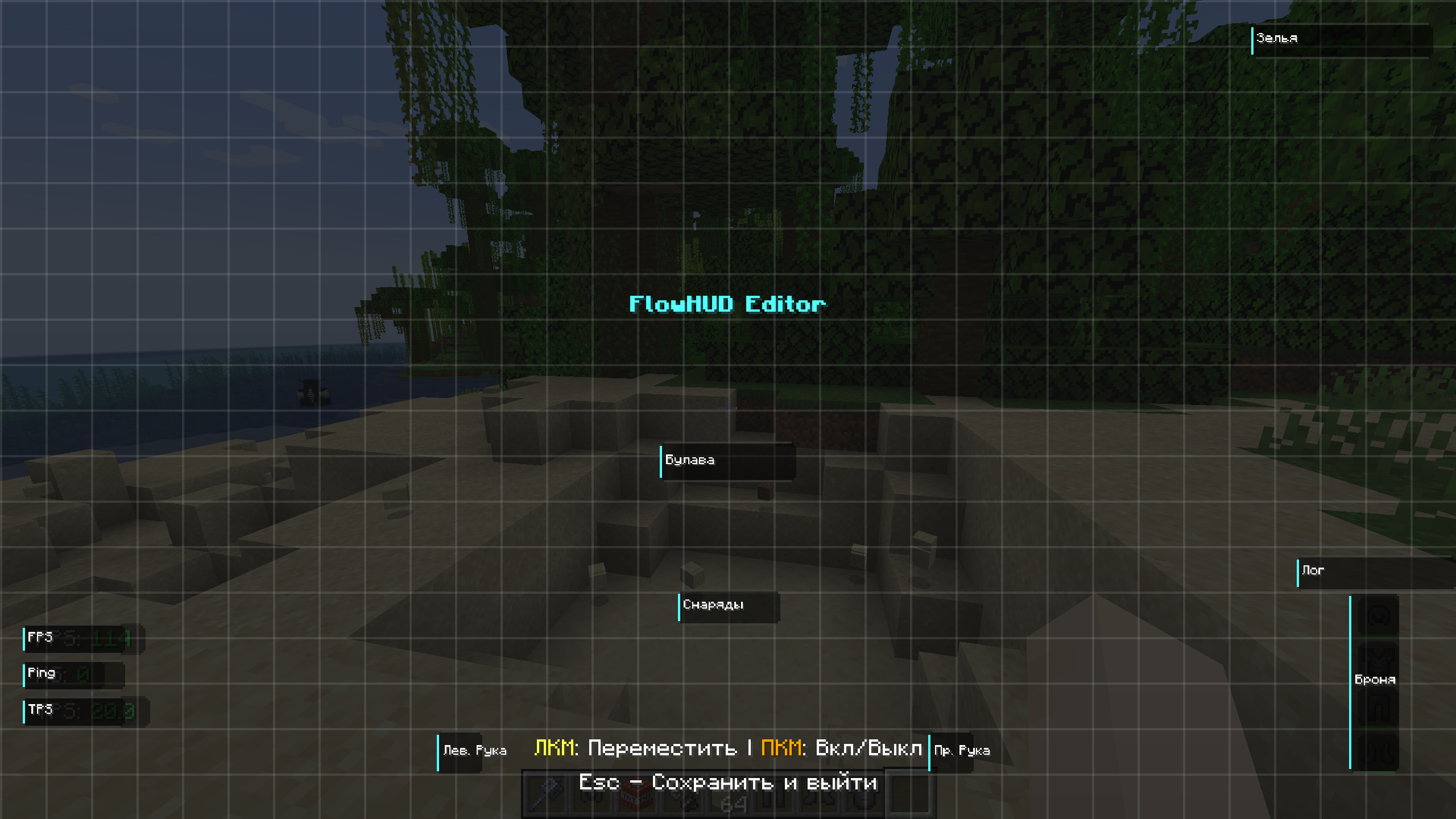
- Position Editor – Intuitive graphical editor for element placement
- Scaling – Resize all HUD elements
- Color Scheme – Configure colors for different states and elements
📊 Information Elements
- FPS Monitor – Display frames per second in real-time
- Ping Indicator – Show connection latency to server
- TPS Counter – Server ticks per second for performance monitoring
- TNT Timer – Countdown timer for ignited TNT blocks
- Player Health – Display other players’ HP under their names
🎮 Game Elements
- Armor Indicator – Durability and equipped armor count
- Ammo Counter – Arrow and ammunition count in inventory
- Mace Indicator – Charge and mace status for combat usage
- Potion Effects – Active effects with remaining duration
- Item Pickup Log – History of recently picked up items
- Layout Grid – Helper grid for precise element alignment
⚙️ Additional Functions
- Camera Shake Toggle – Disable screen shake when taking damage
- Customizable Hotkeys – Quick access to main mod functions
- ModMenu Integration – Easy management through mod menu
🎨 Customization
Element Positioning
Each HUD element can be freely moved around the screen using:
- Graphical Editor – Opens with Right Shift key
- Precise Positioning – Through settings with numerical values
- Anchor Points – For docking elements to screen edges
Color Scheme
- Positive Color – For good values (high health, durability)
- Negative Color – For bad values (low health, critical durability)
- Accent Color – Main interface color for element highlighting
⌨️ Controls
Hotkeys
- K – Toggle camera shake
- Right Shift – Open HUD editor
Settings
All settings accessible through:
- ModMenu (recommended)
💡 How It Works
The mod operates by overlaying additional elements on top of Minecraft’s standard HUD. Each element renders independently and can be configured separately:
- Data Collection – Mod gathers information from the game (FPS, ping, inventory, etc.)
- Processing – Data is processed and formatted for display
- Rendering – Elements are drawn on screen considering position and color settings
- Updates – All elements update in real-time
Optimization
- Minimal performance impact
- Smart updates only for changed elements
- Configurable update frequency for different data types
📄 License
This mod is licensed under MIT License.
💡 Mod Highlights
✅ Lightweight – Minimal performance impact
✅ Customizable – Full control over appearance
✅ Modern – Support for current Minecraft versions
✅ User-friendly – Intuitive interface and editor
✅ Multilingual – Russian and English language support
常见问题
FlowHud 支持哪些 Minecraft 版本?
FlowHud 支持 Minecraft Java 版 1.21.1–1.21.11,共 11 个版本,可用的加载器:Fabric。下载时注意选择和你游戏版本一致的文件。
FlowHud 怎么安装?
先用 PCL2 或 HMCL 启动器安装对应版本的 Fabric,再把下载的 .jar 文件放进游戏目录的 mods 文件夹,重新启动游戏即可。开启了版本隔离的,mods 文件夹在 versions/版本名 下面。运行环境:仅客户端。
qwider 的其他作品
查看全部 →
Winter Particles
A client-side mod that creates a beautiful snowfall effect around the player with customizable particles, ambient atmosphere, and full configuration support.

LootFlow
A modern, animated HUD for inventory and XP changes. Minimalist design with pastel colors.

FriendHighlight
Lightweight Fabric client-side mod to highlight friends in Chat, TAB, and Nametags with custom HEX colors and symbols.

Plushie Pals CIT
Adorable plushie companions for your off-hand! Replaces the Totem of Undying with 11+ unique stuffed animals using CIT.
评论
登录后评论和评分