FlatPlaced
Place swords, tools, food, books, ores and other items flat on top of blocks without item frames.
截图
介绍
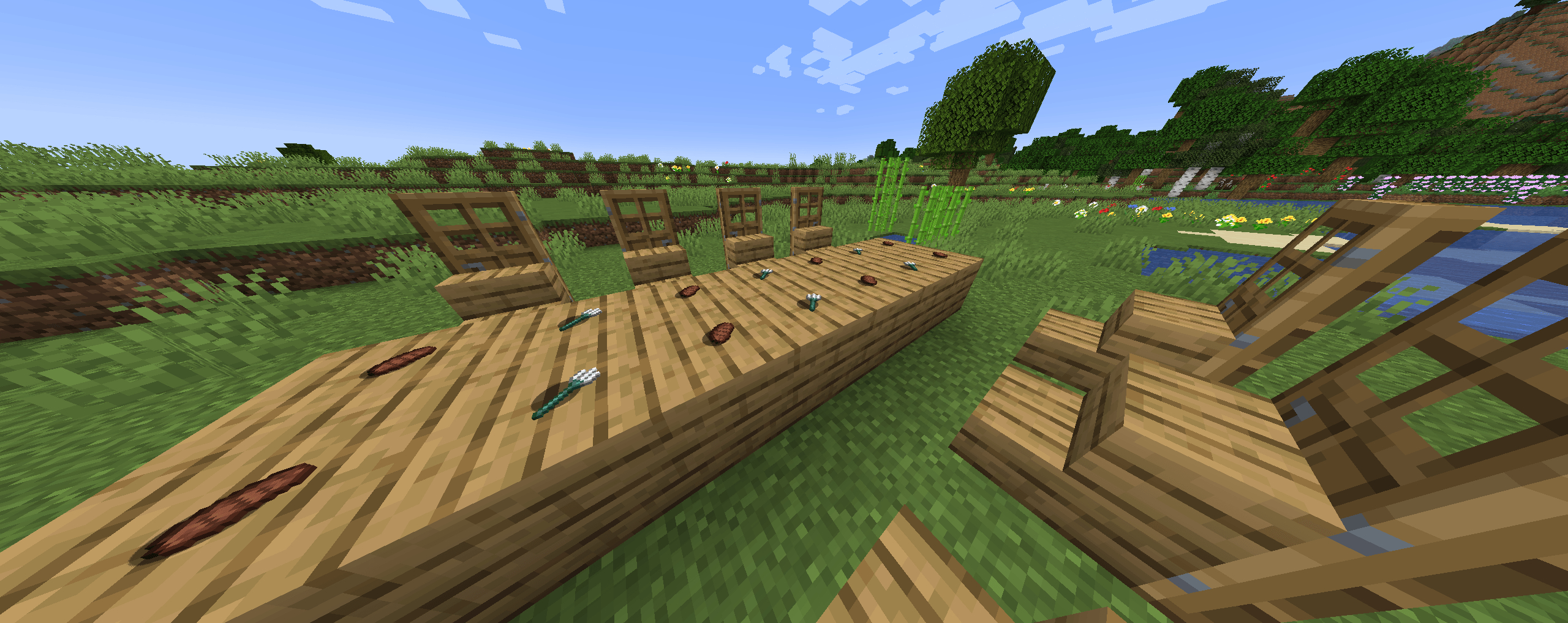
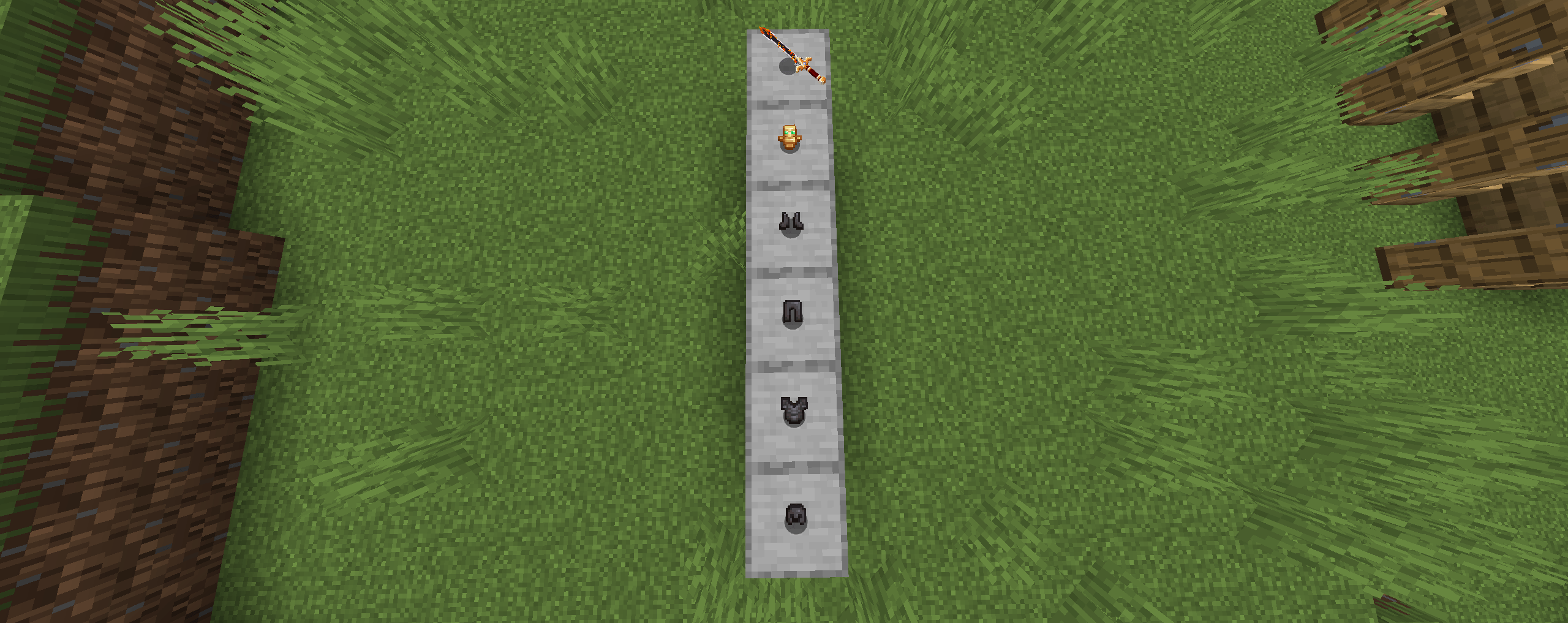
FlatPlaced lets you place ordinary Minecraft items directly on top of blocks as 3D objects without using item frames. Display swords, pickaxes, axes, food, books, ores, ingots, gems, redstone and many other non-block items on tables, storage rooms, workshops, shops and museums. Features – Place swords, pickaxes, axes and other tools directly on blocks. – Display food, books, ores, ingots, gems, redstone and other resources. – Items lie flat on the block surface like objects placed on a table. – Items use Minecraft’s existing 3D item models. – No item frames are required. – Works in Survival and Creative mode. – Right-click the top of a block to place an item. – Right-click the same spot again to pick the item back up. – Blocks are not affected and keep their normal Minecraft behavior. – Hold Shift while right-clicking to keep the normal Minecraft interaction. How to use 1. Hold a non-block item in your hand. 2. Right-click the top surface of a solid block. 3. The item will be placed flat on the block. 4. Right-click the same spot again to pick it up. Supported version – Minecraft Java Edition 1.20.1 – Minecraft Forge 47.2.0 Installation 1. Install Minecraft Forge 1.20.1. 2. Download the FlatPlaced jar file. 3. Put the jar file into your .minecraft/mods folder. 4. Launch Minecraft using the Forge profile. Blocks are intentionally excluded from the placement system and continue to behave normally.
常见问题
FlatPlaced 支持哪些 Minecraft 版本?
FlatPlaced 支持 Minecraft Java 版 1.20.1–1.21.1,共 2 个版本,可用的加载器:Forge。下载时注意选择和你游戏版本一致的文件。
FlatPlaced 怎么安装?
先用 PCL2 或 HMCL 启动器安装对应版本的 Forge,再把下载的 .jar 文件放进游戏目录的 mods 文件夹,重新启动游戏即可。开启了版本隔离的,mods 文件夹在 versions/版本名 下面。
KeyPlay_2014 的其他作品
查看全部 →
Body Injuries
A body injury system with wounds, amputations, medical treatment and prosthetics for Minecraft Forge 1.20.1.

Sonic Discs
Play personal MP3 files in Minecraft with a custom disc, music table, and player.
Superpowers of Countries
Choose a country and unlock unique superpowers through food, special items, and powerful abilities!
评论
登录后评论和评分