
截图
介绍
Flat Items
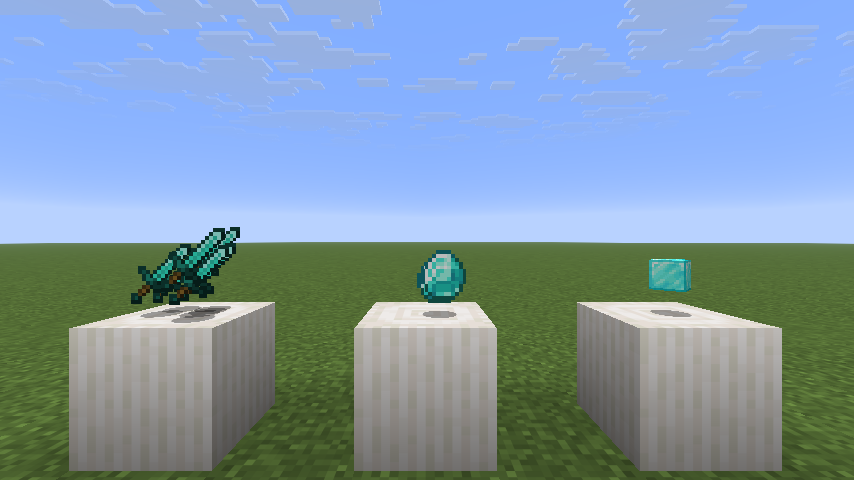
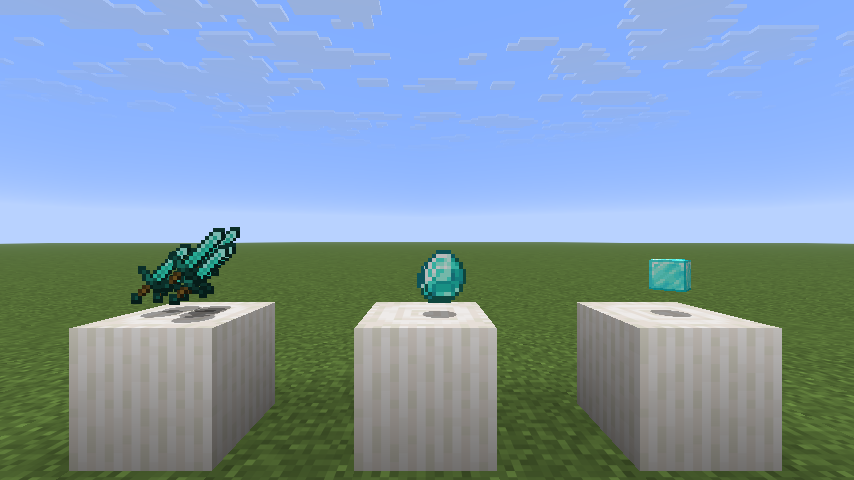
This mod renders items as flat, like in older versions of the game. It’s a rewrite of Noryea’s mod Fast Items.
Settings
These settings can be changed in-game with NeoForge’s config screen or with Mod Menu in Fabric.
_enabled / Render Items as Flat_: Enables/disables the mod.
_affect_3d / Affect 3D Models_: Determines whether 3D models like blocks will also be display as flat.
_render_sides / Render Sides of Items_: Renders the sides of items whilst still making them face the player. Makes for a nice, subtle 3D effect!
_enlarge_3d / Enlarge 3D Models_: Matches the size of flattened 3D models to 2D ones.
_facing / Billboard_: Determines whether flattened items will face the player’s eyes or the screen.
常见问题
Flat Items 支持哪些 Minecraft 版本?
Flat Items 支持 Minecraft Java 版 1.21.9–26.2,共 4 个版本,可用的加载器:Fabric / NeoForge。下载时注意选择和你游戏版本一致的文件。
Flat Items 怎么安装?
先用 PCL2 或 HMCL 启动器安装对应版本的 Fabric / NeoForge,再把下载的 .jar 文件放进游戏目录的 mods 文件夹,重新启动游戏即可。开启了版本隔离的,mods 文件夹在 versions/版本名 下面。运行环境:仅客户端。


评论
登录后评论和评分