
截图
介绍
Introduction
This mod is a small expansion designed specifically for Tide, aiming to bring more fun and strategy to your fishing experience!
Main Features
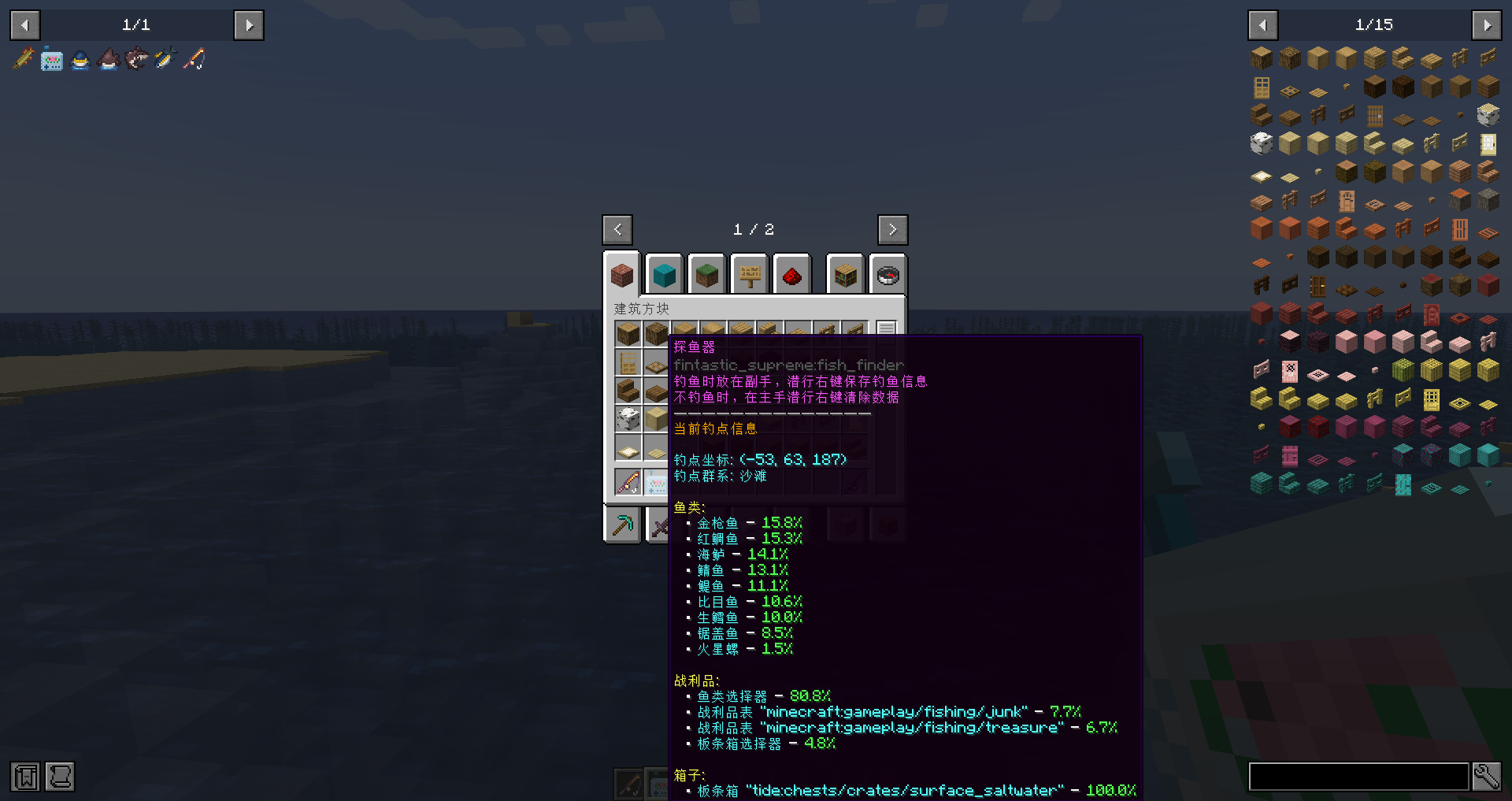
Fish Finder
- Smart Fishing Spot Analysis: Hold the fish finder in your off-hand while fishing, sneak + right-click to save detailed data of the current fishing spot
- Drop Probability Display: Real-time display of drop probabilities for various fish, loot, and crates at the current fishing spot
- Location Information: Display fishing spot coordinates and biome information
- Data Management: When not fishing, sneak + right-click in main hand to clear saved data
New Fish Information
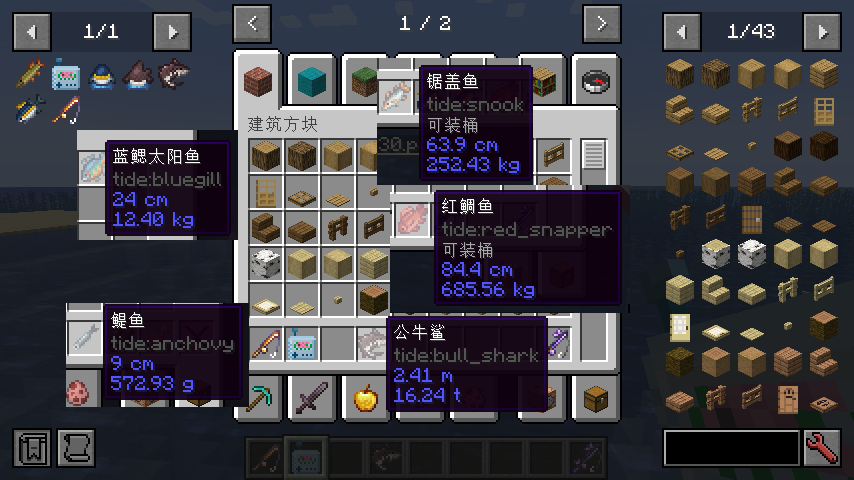
- Detailed Information: Adds weight data to fish
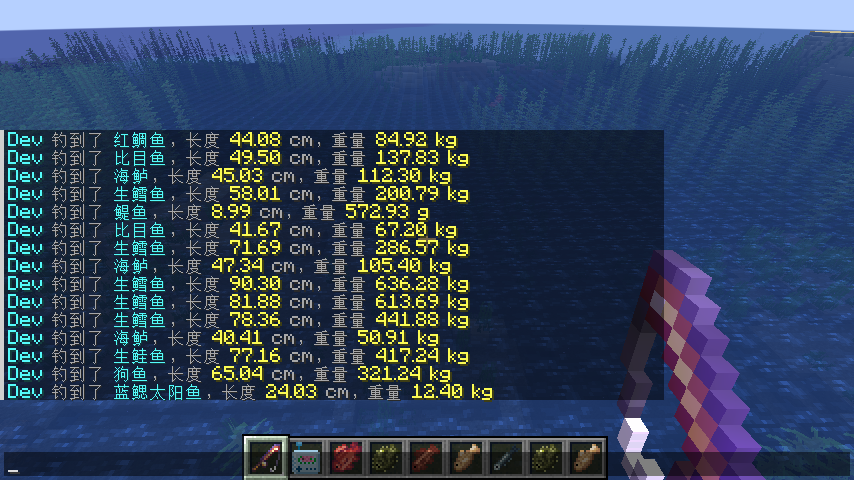
- Real-time Notifications: Display catch information in chat
- Data Persistence: Fish weight and length information are saved on items
Expanded Fishing Accessories, All Configurable
- Bait: +5/10 fishing speed
- Lucky Bait: +5/10 luck
- Mixed Bait: +2/5/10 speed, +2/5/10 luck
- Magnetic Bait: +2/5 speed, +50/75% crate drop probability
- Double Catch Hook: 15% chance to get double drops
- Multi Drop Hook: 25% chance to drop 1-3 additional items
- Lucky Conductive Fishing Line: Provides 10% extra drop chance per luck point
- Lightweight Fishing Line: Extends fish escape time, giving you more time to react
License
This project is licensed under MPL-2.0.
This project contains modified code (Mixin files) from an MPL-2.0 licensed mod, therefore the overall project follows the MPL-2.0 license. The original code portions (Fish Finder, fish weight system, fishing accessories, etc.) are licensed under the MIT license. See the LICENSE file in the repository for details.
Enjoy the fun of fishing! 🎣
常见问题
Fintastic Supreme 支持哪些 Minecraft 版本?
Fintastic Supreme 支持 Minecraft Java 版 1.21.1,可用的加载器:NeoForge。下载时注意选择和你游戏版本一致的文件。
Fintastic Supreme 怎么安装?
先用 PCL2 或 HMCL 启动器安装对应版本的 NeoForge,再把下载的 .jar 文件放进游戏目录的 mods 文件夹,重新启动游戏即可。开启了版本隔离的,mods 文件夹在 versions/版本名 下面。运行环境:客户端和服务端都要装。
ChinaEX123 的其他作品
查看全部 →
Fox Trot Brew
Let the sake fox do the grape-stomping for you — brewing has never been so graceful.

Kaleidoscope:Dimensions wine
Add dimensional wines to Kaleidoscope.

Mooncake Delight
Add multiple types of mooncakes to the game.

Kubejs Kaleidoscope
Kubejs Kaleidoscope Integration.
评论
登录后评论和评分