介绍
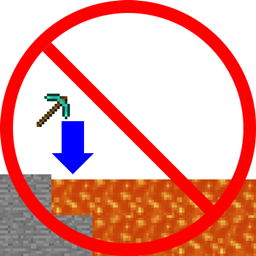
Ever voided your special new sword? Ever thrown your pickaxe into lava along with the cobble you were trying to get rid of? Well than this is the mod for you! (Also it’s client side only)
This mod allows you to favorite any item by pressing F while hovering over it. It favorites by name, so if you favorite Cobblestone it will favorite all cobblestone. For more fine-tuned control you can go to the favorites list and add a name with wildcards or a full blown regular expression. (favorites list is in .minecraft/favorites/[World Name].txt or .minecraft/favorites/[Server Name]-[Server IP].txt)
Once an item is favorited the only way to move it is to click->click, shift click doesn’t work, you can’t throw it. If you have a favorited item on your cursor when you exit your inventory the mod will attempt to place it down before closing.
One side effect of not being able to move favorited items is that inventory tweaks will enter an infinite loop upon trying to sort them. I have a modified version of inventory tweaks that removes this problem, and because I’m lazy and didn’t separate the code it will also allow you to add sorting rules by item name by using quotes `D2 “MyItemName”`
CLICK HERE >> REQUIRES SPECIAL VERSION OF INVENTORY TWEAKS << CLICK HERE
In order for Inventory Tweaks to respect favorited items on servers with Inventory Tweaks installed you have to change enableServerItemSwap=true in InvTweaks.cfg to enableServerItemSwap=false
I REAAAALLLLLY don’t want any “IT FROZE MY GAME” bug reports
常见问题
FavoriteItems 支持哪些 Minecraft 版本?
FavoriteItems 支持 Minecraft Java 版 1.7.10,可用的加载器:Forge。下载时注意选择和你游戏版本一致的文件。
FavoriteItems 怎么安装?
先用 PCL2 或 HMCL 启动器安装对应版本的 Forge,再把下载的 .jar 文件放进游戏目录的 mods 文件夹,重新启动游戏即可。开启了版本隔离的,mods 文件夹在 versions/版本名 下面。
thecodewarrior1 的其他作品
查看全部 →
LibrarianLib
一套内容丰富的工具、实用程序和框架。

Catwalks 2
外观精美、速度飞快的玩家交通工具

Refraction
一个基于光照操控的模组,用于The Modding Trials
Catwalks
一个添加了猫道和笼式梯子的模组,让长距离移动更轻松,外观也很酷。
评论
登录后评论和评分