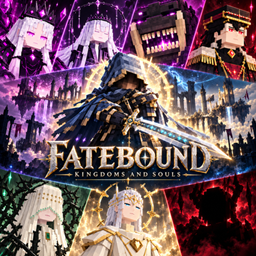
Fatebound: Kingdoms and Souls
A fantasy RPG mod featuring unique classes, hidden professions, story-driven towns, challenging bosses, and naturally generated dungeons.
介绍
Fatebound is a fantasy RPG adventure mod for Minecraft, built around character progression, class skills, story-driven towns, and challenging boss encounters.
Explore dungeons, develop your character, and uncover hidden professions as you journey through Fatebound’s world.
Features
• Classes and skills — Choose your combat style and grow stronger through levels, stats, and equipment.
• Hidden professions — Discover special quests and trials to unlock additional paths.
• Story progression — Meet NPCs and progress through chapter-based towns and a kingdom.
• Boss encounters — Face custom bosses with distinct models, animations, and combat patterns.
• Dungeon exploration — Discover naturally generated dungeons, including a goblin encampment, a belltower, a collapsed mine, and a bloodstained keep.
• Custom equipment — Collect weapons and rewards from enemies and bosses.
• RPG interface — Manage your character, skills, and progression through dedicated menus.
Requirements
Minecraft 26.2
NeoForge 26.2.0.75
Installation
-
Install NeoForge for Minecraft 26.2.
-
Place the Fatebound .jar file in your Minecraft mods folder.
-
Launch the game using your NeoForge profile.
For naturally generated dungeons, explore newly generated chunks with world structure generation enabled.
Current Release
This is the initial public beta. Balance adjustments and bug fixes may follow player feedback.
When reporting an issue, include your mod version, a description of what happened, and the latest.log or crash report when available.
常见问题
Fatebound: Kingdoms and Souls 支持哪些 Minecraft 版本?
Fatebound: Kingdoms and Souls 支持 Minecraft Java 版 26.2,可用的加载器:Forge / NeoForge。下载时注意选择和你游戏版本一致的文件。
Fatebound: Kingdoms and Souls 怎么安装?
先用 PCL2 或 HMCL 启动器安装对应版本的 Forge / NeoForge,再把下载的 .jar 文件放进游戏目录的 mods 文件夹,重新启动游戏即可。开启了版本隔离的,mods 文件夹在 versions/版本名 下面。
评论
登录后评论和评分