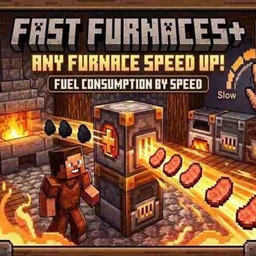
Fast Furnaces +
Supercharge any furnace, blast furnace, or smoker with customizable smelting speeds and dynamic fuel consumption.
介绍
# ⚡ FastFurnaces+
**FastFurnaces+** is a performance-focused utility mod for Minecraft **1.20.1** that gives you complete control over your smelting speed. Upgrade your standard furnaces, blast furnaces, and smokers to process items at blazing speeds—without breaking the survival balance!
—
### 🔥 Key Features
* **Universal Speed Up:** Works seamlessly on standard **Furnaces**, **Blast Furnaces**, and **Smokers**.
* **Dynamic Fuel Consumption:** Smelting faster burns fuel proportionally faster. Higher speed means higher fuel intake, keeping survival gameplay fair and strategic.
* **Customizable Rates:** Tune smelting speeds to match your needs—from slight productivity boosts to instant processing.
* **Lag-Friendly & Optimized:** Lightweight code designed to run smoothly on both client and dedicated server environments without tick drops.
—
### 🛠️ How It Works
Instead of waiting endlessly for iron ingots or food, **FastFurnaces+** accelerates the internal tick rate of smelting blocks.
* **Speed Boost:** Increases item output rate per second.
* **Fuel Balance:** If a furnace operates **4x faster**, it consumes coal **4x faster**. You save time, not resources!
—
### 📦 Installation Guide
#### Option 1: Using the CurseForge App (Recommended) 🚀
1. Open the **CurseForge App**.
2. Go to your existing **Minecraft Profile/Modpack** (or click **Create Custom Profile** for Minecraft **1.20.1**).
3. Click **Add More Content** (or search for mods).
4. Type **FastFurnaces+** in the search bar and click **Install**.
5. CurseForge will automatically handle the installation!
#### Option 2: Manual Installation (Standard Launcher) 🛠️
1. Download **FastFurnaces+** for **Minecraft 1.20.1** from the **Files** tab.
2. Make sure you have the matching **Mod Loader** installed (Forge / Fabric / NeoForge).
3. Press `Win + R`, type `%appdata%\.minecraft` and hit **Enter**.
4. Drop the downloaded `.jar` file into your `mods` folder.
5. Launch Minecraft using your mod loader profile and enjoy faster smelting!
—
### 💬 Support & Community
Found a bug or have a suggestion? Join our community Discord server to report issues, request features, or check out future mod updates!
常见问题
Fast Furnaces + 支持哪些 Minecraft 版本?
Fast Furnaces + 支持 Minecraft Java 版 1.20.1,可用的加载器:Fabric / Forge。下载时注意选择和你游戏版本一致的文件。
Fast Furnaces + 怎么安装?
先用 PCL2 或 HMCL 启动器安装对应版本的 Fabric / Forge,再把下载的 .jar 文件放进游戏目录的 mods 文件夹,重新启动游戏即可。开启了版本隔离的,mods 文件夹在 versions/版本名 下面。

评论
登录后评论和评分