
Fast Forward (Fabric)
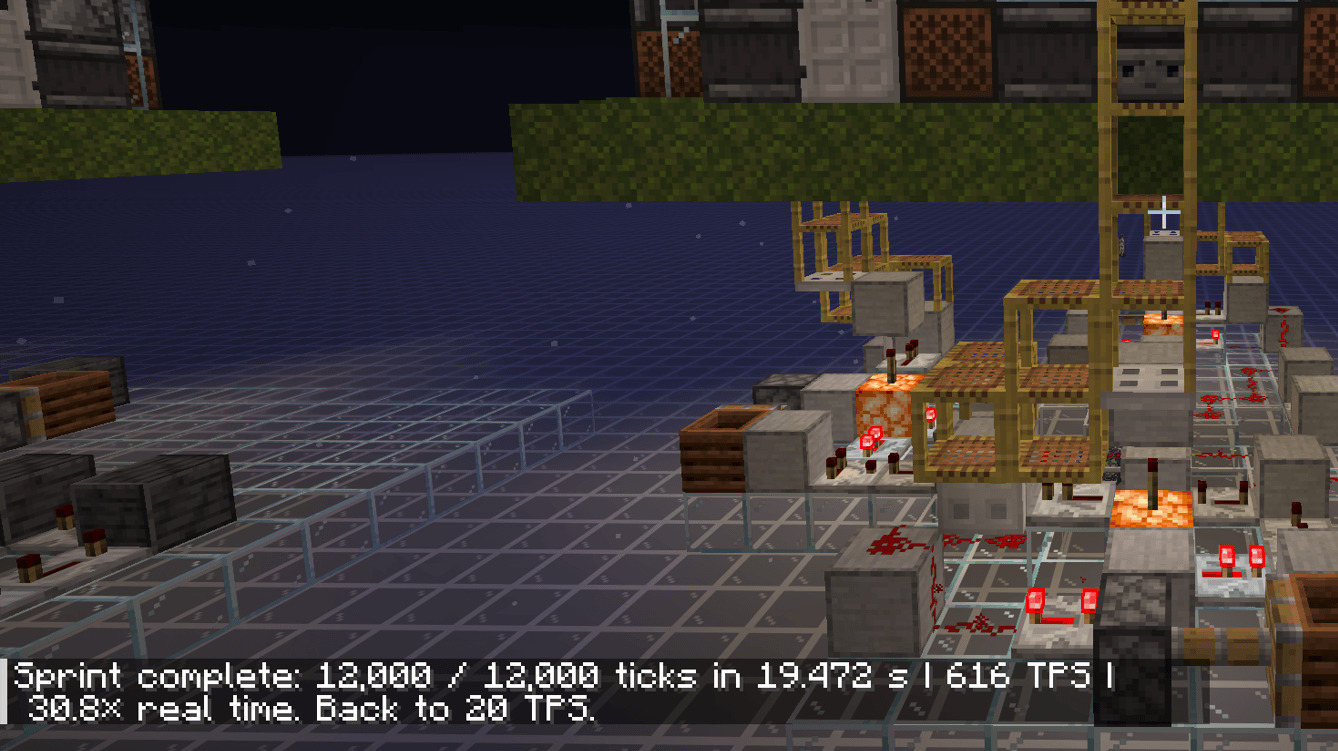
Fast Forward lets you simulate real Minecraft server ticks at maximum speed with a simple `/sprint minutes` command — complete with status controls, stopping and optional movement locking.
截图
介绍
Why wait when you can just fast-forward?
Fast Forward adds the /sprint <minutes> command, letting Minecraft simulate real server ticks as quickly as your server can process them.
Whether you’re waiting for crops to grow, furnaces to finish, farms to produce resources, or redstone contraptions to run, Fast Forward lets you skip the downtime without changing how those systems actually work.
During a sprint, you can check its current status, stop it whenever you want and lock player movement.
Fast Forward doesn’t fake individual mechanics or instantly complete specific tasks. It simply lets the server process actual Minecraft ticks at maximum speed.
Set the time, start the sprint, and let Minecraft catch up.
Usage:
/sprint <minutes> <- Starts the sprint for the simulated amount of real time minutes.
/sprint status <- Shows the current status
/sprint stop <- Stops the current sprint
/sprint movement <true / false> <- Enables or disabled player movement during the sprint
Requires Fabric API
Strongly recommended mod: Lithium
常见问题
Fast Forward (Fabric) 支持哪些 Minecraft 版本?
Fast Forward (Fabric) 支持 Minecraft Java 版 26.2–26.3,共 2 个版本,可用的加载器:Fabric。下载时注意选择和你游戏版本一致的文件。
Fast Forward (Fabric) 怎么安装?
先用 PCL2 或 HMCL 启动器安装对应版本的 Fabric,再把下载的 .jar 文件放进游戏目录的 mods 文件夹,重新启动游戏即可。开启了版本隔离的,mods 文件夹在 versions/版本名 下面。
realrbn 的其他作品
查看全部 →
Better X-ray (Xray / ESP)
一款轻量且高度可配置的 X-Ray 模组,支持生物与玩家透视(ESP)。兼容 Sodium、模组方块和光影!
Villager Trade Preview
直接在交易界面预览村民未来每个职业等级会解锁的交易内容。

Portable Bed
Take sleep with you! The Portable Bed lets you skip the night anywhere without setting a new spawn point or putting down a bed.

Enable Commands
Enables commands in singleplayer worlds even when cheats are disabled, including Hardcore worlds.
评论
登录后评论和评分