
截图






介绍
Nick yourself—or stylize your existing username. Everyone using the mod will be able to see your nickname on any server.
Usage
In-game, type /fancy set <nickname>
It is recommended to keep your original username text the same, as some people have the ‘Style Changes Only’ option enabled.
Styling
FancyName uses MiniMessage for styling. Full MiniMessage format options can be found here.
It may be more convient for you to use a GUI to create MiniMessage styles. Here are a few MiniMessage GUI options:
- RGBirdflop – Generate gradient names with ease. Make sure to set ‘Color Format’ to ‘MiniMessage’
- RGBirdflop Advanced – Full Minecraft text editor, compatible with MiniMessage.
- MiniMessage Web Editor – Full MiniMessage editor.
Examples
Config Options
- Enable/Disable the mod
- Only show nicknames that do not change the username, while allowing custom styles
- Disable nicknames in the player list
- Disable nicknames in game
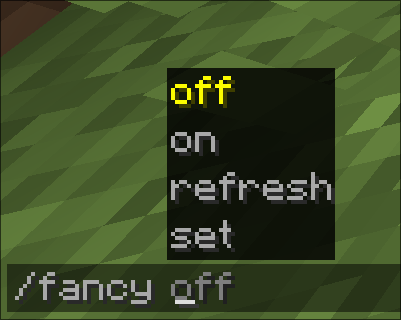
Access the config via Mod Menu, or turn it on/off in-game with /fancy <on|off>
常见问题
FancyName 支持哪些 Minecraft 版本?
FancyName 支持 Minecraft Java 版 1.21.3–26.3,共 14 个版本,可用的加载器:Fabric。下载时注意选择和你游戏版本一致的文件。
FancyName 怎么安装?
先用 PCL2 或 HMCL 启动器安装对应版本的 Fabric,再把下载的 .jar 文件放进游戏目录的 mods 文件夹,重新启动游戏即可。开启了版本隔离的,mods 文件夹在 versions/版本名 下面。运行环境:仅客户端。
评论
登录后评论和评分