
介绍
中文介绍正在准备中,下面暂时显示原文。
This mod adds special new dyes, that can be used on any armor to change how they look.


Usage
Crafting Dyes
If you’re not using some sort of recipe mod, you start off by crafting some dye bottles.
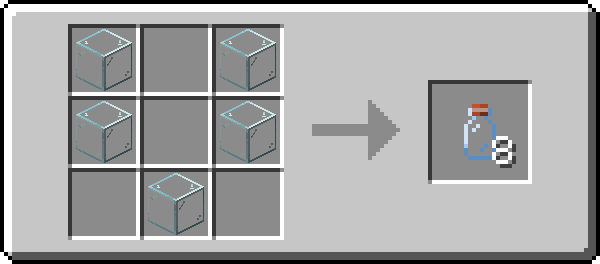
When you craft some, you should get all the dye recipes in your recipe book.
Adding Dyes
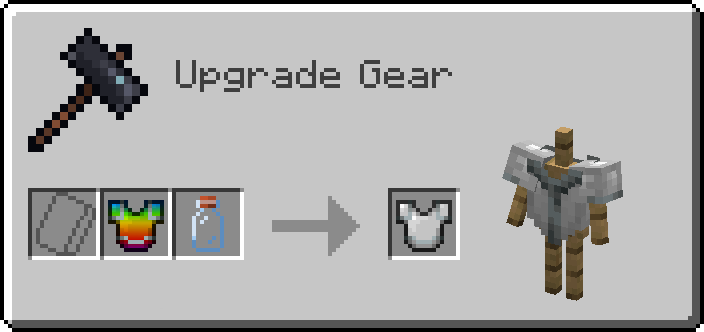
Dyes are added to armor using a smithing table.
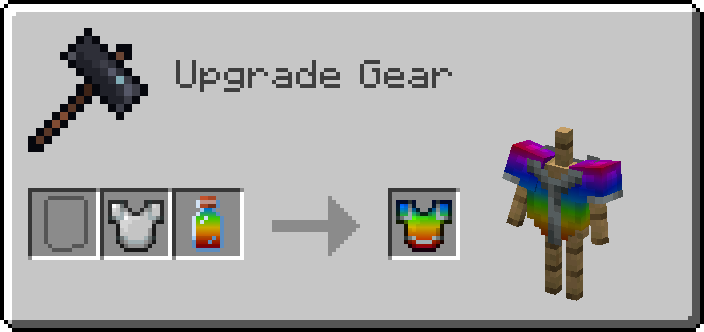
Adding Dyes to Armor Trims
To dye the trim, you’ll need to put your dye into a Crafting Table to turn it into a small dye.
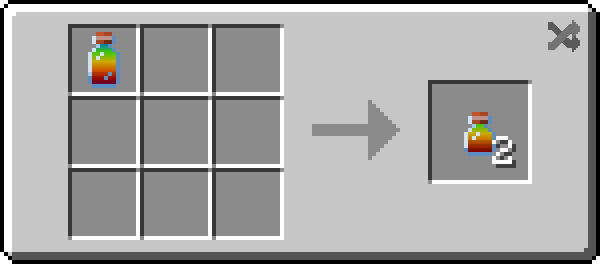
Then you can apply the dye in the same way you would apply a normal one!
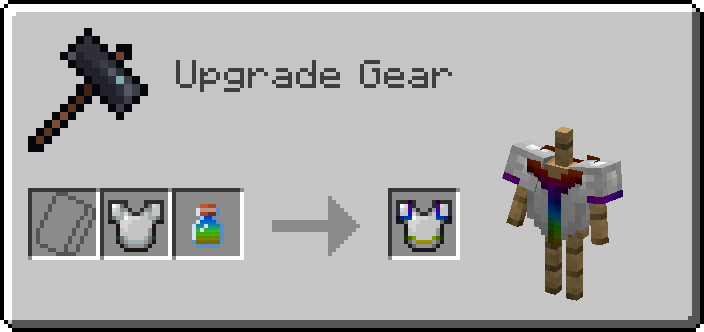
Removing Dyes
To remove a dye, simply put an empty bottle into a Smithing Table with the armor to reclaim your dye!
Small dye bottles can used to reclaim dyed armor trims. Small dye bottles are crafted in the same way you craft small dyes.
Compatibility
Shaders
As of 2.1.0, dyes work with shaders other than when you’re holding the item in your hand!
Modded Armor
It should be compatible with most modded armor that doesn’t do anything too crazy. If you find a mod that doesn’t work, please let me know!
常见问题
Fancy Dyes 支持哪些 Minecraft 版本?
Fancy Dyes 支持 Minecraft Java 版 1.18.2–1.20.1,共 3 个版本,可用的加载器:Fabric / Forge / NeoForge。下载时注意选择和你游戏版本一致的文件。
Fancy Dyes 怎么安装?
先用 PCL2 或 HMCL 启动器安装对应版本的 Fabric / Forge / NeoForge,再把下载的 .jar 文件放进游戏目录的 mods 文件夹,重新启动游戏即可。开启了版本隔离的,mods 文件夹在 versions/版本名 下面。
评论
登录后评论和评分