
截图
介绍
中文介绍正在准备中,下面暂时显示原文。
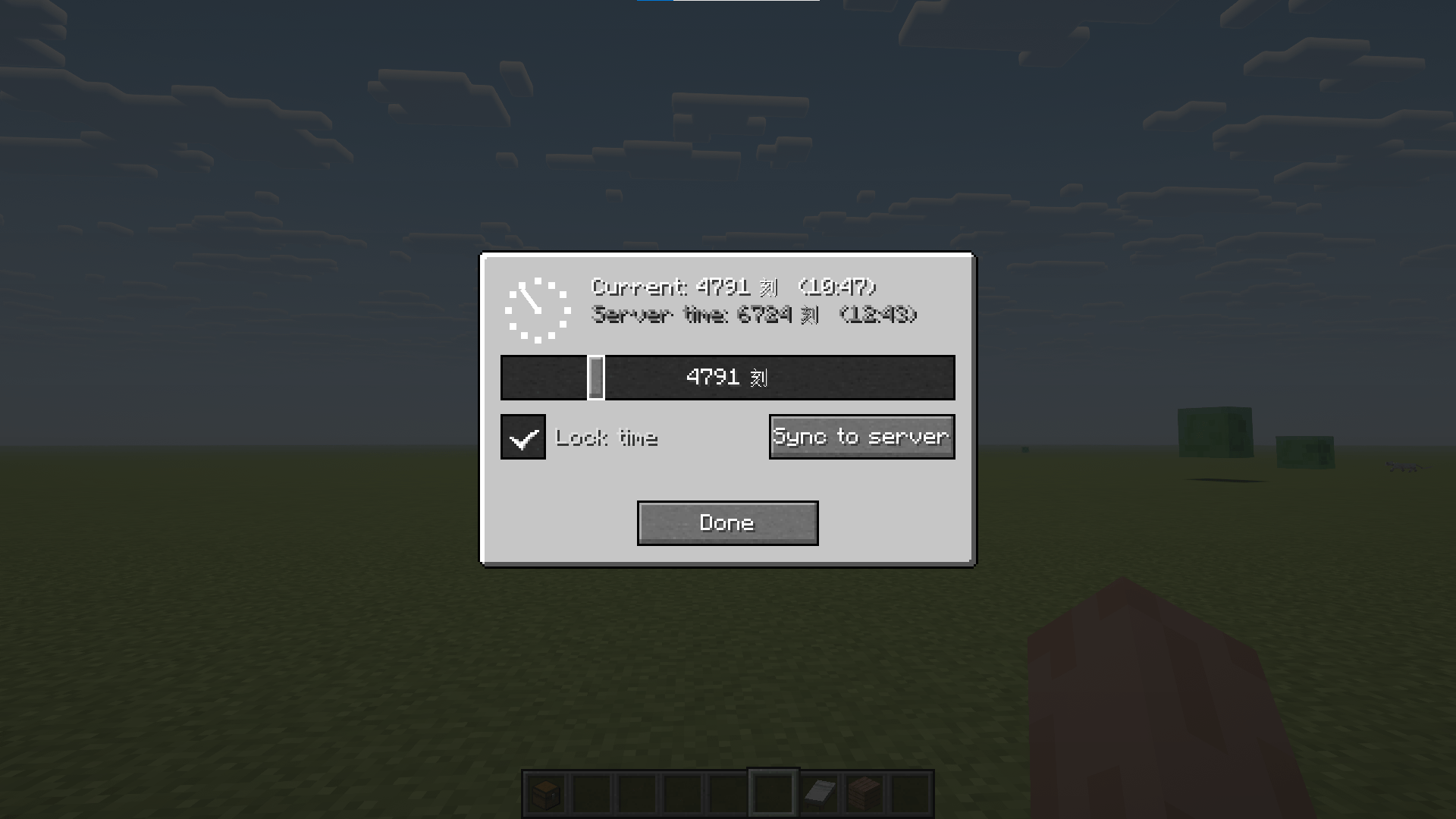
A client-side fake-time mod — provides a time slider on the ESC pause screen, allowing local adjustment of the world-time display without affecting server logic.
Purpose
- Screenshots / Photography: Freely drag the time bar to get the ideal sky color and lighting angle.
- Shader Debugging: Combined with shader mods like Oculus, observe lighting effects at different times in real time.
- Build Previews: Check the visual appearance of builds under specific lighting conditions without waiting for in-game time to pass naturally.
- Independent Time: Don’t want to follow the server’s day/night cycle? Drag the slider to enter independent mode, or lock onto a specific moment.
Usage
In the game, press the ESC key to open the pause menu; at this point, a Time button will appear in the top right corner of the screen, and clicking the Time button will open the FakeTime control panel.
常见问题
FakeTimeMod 支持哪些 Minecraft 版本?
FakeTimeMod 支持 Minecraft Java 版 1.20.1–1.21.1,共 2 个版本,可用的加载器:Forge / NeoForge。下载时注意选择和你游戏版本一致的文件。
FakeTimeMod 怎么安装?
先用 PCL2 或 HMCL 启动器安装对应版本的 Forge / NeoForge,再把下载的 .jar 文件放进游戏目录的 mods 文件夹,重新启动游戏即可。开启了版本隔离的,mods 文件夹在 versions/版本名 下面。
评论
登录后评论和评分