介绍
NOTE: This is a technical mod and WILL NOT replace Fabric API.
Please install Fabric API before installing this mod.
If you’re playing Minecraft 1.19.2+, maybe you don’t need this.
Anyway, you don’t need to understand these below – all you need to do is to install this mod if required or you’re noticed to install `fake-fabric-api`.
Since Fabric API 0.59.0+1.19.2, Mod ID of Fabric API is changed from `fabric` to `fabric-api`, and provides the Mod ID `fabric`. This is because many Fabric newcomers don’t know `fabric` is Fabric API, and getting confused when they meet an error saying “`fabric` isn’t installed”.
However, this change is only applied to 1.19.2+, which means players below 1.19.1 might still be confused.
The only thing this mod does, is providing the mod ID `fabric-api`. Moreover, this mod can’t run without Fabric API.
Note: this mod crashes with MC-1.19.2-based Fabric API / Quilted Fabric API, because the latter has already provided `fabric-api`.
How to use this mod (for Fabric/Quilt Mod developers):
- If your mod depends on Fabric API, and runs below 1.19.1, please set its dependencies as BOTH `fake-fabric-api: *` and `fabric-api`, and don’t set `fabric`. This is to make players not confused.
- If your mod depends on Fabric API, and runs across <1.19.2 and ≥1.19.2, please set its dependency as `fabric-api`, as `fake-fabric-api` does not run above 1.19.2.
- If your mod is a Quilt mod, directly set dependency as `quilted_fabric_api` – maybe you don’t need this mod.
This mod is licensed under CC BY-SA 4.0 International
These text above is licensed under CC0-1.0
常见问题
Fake Fabric API 支持哪些 Minecraft 版本?
Fake Fabric API 支持 Minecraft Java 版 1.14–1.19.1,共 21 个版本,可用的加载器:Fabric / Quilt。下载时注意选择和你游戏版本一致的文件。
Fake Fabric API 怎么安装?
先用 PCL2 或 HMCL 启动器安装对应版本的 Fabric / Quilt,再把下载的 .jar 文件放进游戏目录的 mods 文件夹,重新启动游戏即可。开启了版本隔离的,mods 文件夹在 versions/版本名 下面。
teddyxlandlee 的其他作品
查看全部 →
Enchantment Level Language Patch
锋利附魔等级20 => 锋利 20/XX

End Poem Extension
Embraces translations of End Poem all over the world
Bright Ore
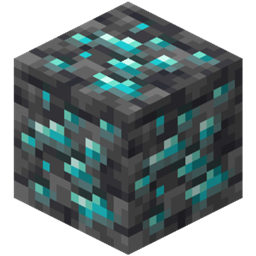
A client mod that makes ores light and bright. It can decrease the difficulty of mining in 1.17 caves.
MobEffectDisplayFix
Fixes the wrong display of mob effect amplifier
评论
登录后评论和评分