截图
介绍
🌒 Narrative Core – Fade Command:
Narrative Core – Fade Command
Bring cinematic flair to your Minecraft storytelling.
This mod adds a powerful new /fade command that enables smooth fade-in and fade-out screen transitions, ideal for roleplay, cutscenes, server events, and immersive storytelling.
📜 Features
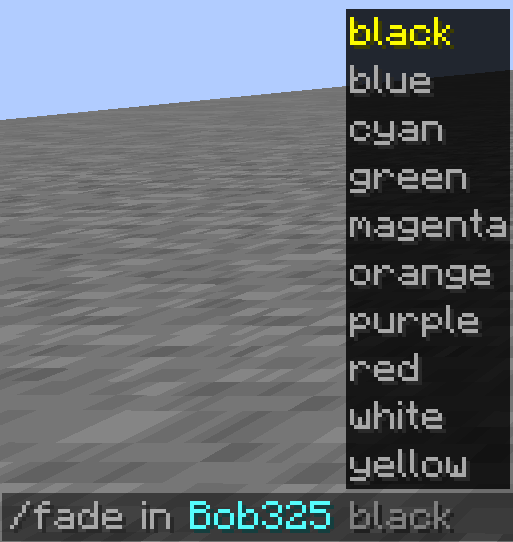
/fade in <player/@a/@p> <colorCode or preset>
Fades the target player’s screen in using the specified color.
Supports:
- Hex color codes (e.g.,
#000000,#ff0000) - Color presets (if defined)
/fade out <player/@a/@p>
Fades the target player’s screen out, returning their view to normal.
🚫 Player Exclusion System
You can exclude certain players from receiving fade effects, useful for admins or camera operators.
[…/config/fade_command_config.json]
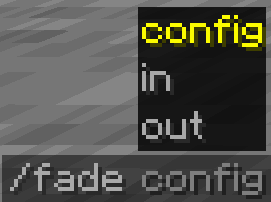
/fade config add <player>— Prevents the player from receiving fades./fade config remove <player>— Re-enables fades for the player.
🎨 Color Customization
You can use any color by grabbing its hex code from Encycolorpedia or similar tools.
This allows infinite flexibility when creating ambiance, transitions, or emotional tone shifts.
🔧 Currently available only for Minecraft 1.20.1.
📦 May be included in modpacks with proper credit.
🚫 Redistribution, modification, or resale is not allowed.
Part of a series of mods by the NarrativeCore development team.
常见问题
Fade Command 支持哪些 Minecraft 版本?
Fade Command 支持 Minecraft Java 版 1.20.1,可用的加载器:Forge。下载时注意选择和你游戏版本一致的文件。
Fade Command 怎么安装?
先用 PCL2 或 HMCL 启动器安装对应版本的 Forge,再把下载的 .jar 文件放进游戏目录的 mods 文件夹,重新启动游戏即可。开启了版本隔离的,mods 文件夹在 versions/版本名 下面。
评论
登录后评论和评分